
1. Introduction
This manual provides detailed instructions for the installation, operation, and maintenance of your Bkiyougo Self-Powered Wireless Light Switch and Receiver Kit. This system offers a convenient, battery-free, and wireless solution for controlling various lighting fixtures and appliances.
1.1 Package Contents
- 1 x Self-Powered Wireless Light Switch
- 1 x Receiver Kit
- Mounting accessories (e.g., double-sided adhesive, screws)
- User Manual
2. Important Safety Information
Please read all safety instructions carefully before installation and use. Failure to follow these instructions may result in electric shock, fire, or other hazards.
- Electrical Safety: Always disconnect power at the circuit breaker before performing any electrical work. If you are unsure about electrical wiring, consult a qualified electrician.
- Voltage: Ensure the receiver's operating voltage (AC 110-230V) matches your electrical supply.
- Current Rating: Do not exceed the maximum current rating of 10 Amps for the receiver.
- Environment: While the switch is IP44 rated for wet environments, ensure the receiver is installed in a dry, protected location.
- Children: Keep the product out of reach of children.
3. Product Overview
The Bkiyougo Wireless Light Switch system consists of two main components: the self-powered wireless switch and the compact receiver module.

The wireless switch generates its own power through kinetic energy when pressed, eliminating the need for batteries. The receiver connects to your lighting fixture and responds to signals from the switch.
4. Setup and Installation
4.1 Wiring the Receiver
The receiver must be wired between the power source and the lighting fixture. Ensure power is OFF at the circuit breaker before proceeding.
- Turn off the main power supply to the circuit at the breaker.
- Connect the Live (L) and Neutral (N) wires from your power supply to the 'INPUT' terminals on the receiver.
- Connect the Live (L) and Neutral (N) wires of your lighting fixture to the 'OUTPUT' terminals on the receiver.
- Ensure all connections are secure.

4.2 Mounting the Wireless Switch
The wireless switch can be mounted on various surfaces using the provided double-sided adhesive or screws. No in-wall wiring is required for the switch.
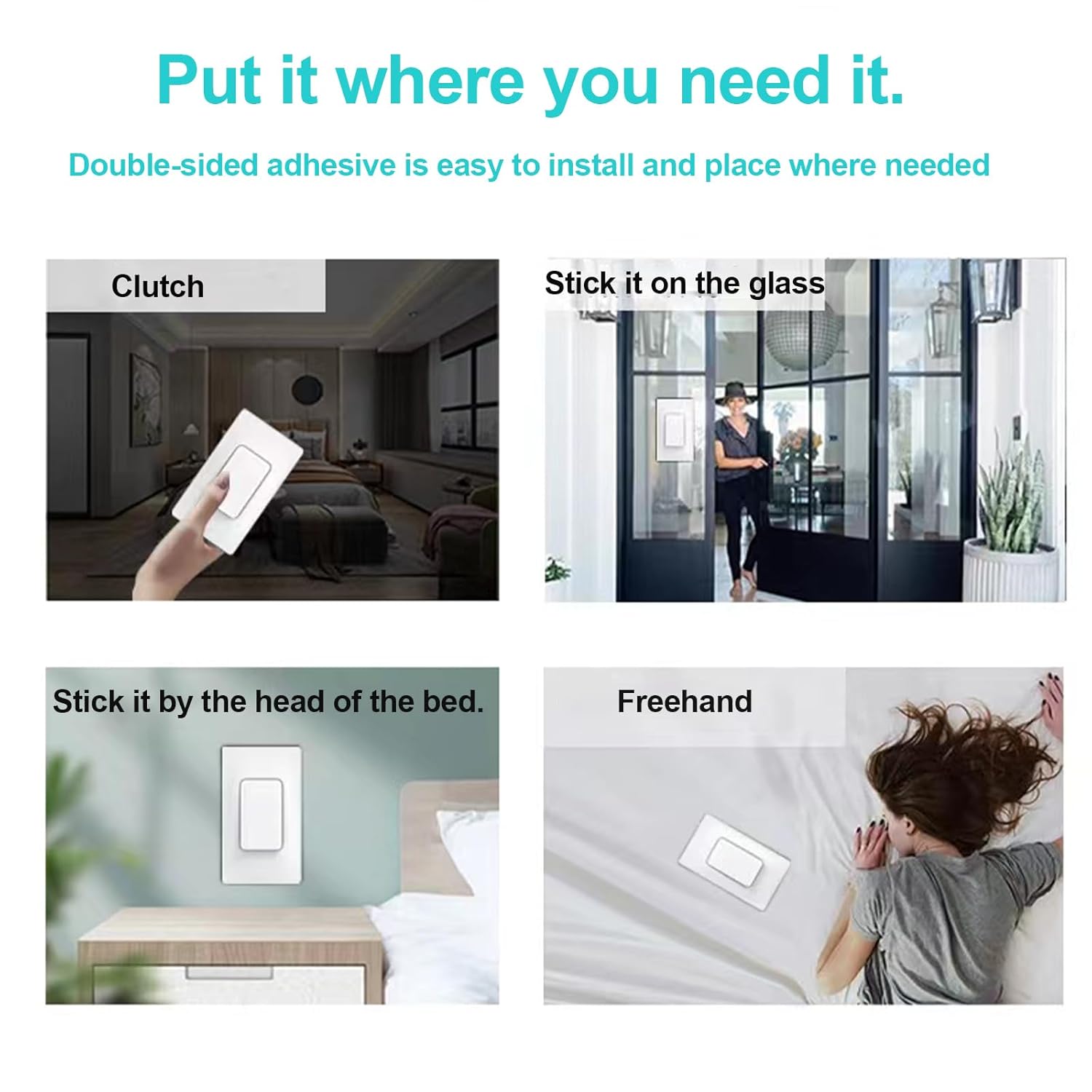
- Clean the desired mounting surface thoroughly.
- Apply the double-sided adhesive to the back of the switch or use screws to secure it to a wall.
- Ensure the switch is firmly attached.
5. Operating Instructions
5.1 Pairing the Switch and Receiver
After wiring the receiver and restoring power, you need to pair the wireless switch with the receiver.

- Ensure the receiver is safely connected to the power supply.
- Press and hold the pairing button on the receiver for approximately 3 seconds. The code indicator light on the receiver will turn on.
- Within 10 seconds, press the wireless switch button once. The code indicator light on the receiver will flash once, indicating successful pairing.
5.2 Clearing the Signal (Unpairing)
To clear all paired switches from a receiver:
- Press and hold the pairing button on the receiver.
- Continue holding until the code indicator light flashes 3 times. This indicates that all previously paired switches have been cleared.
5.3 Control Methods
The system supports flexible control configurations:
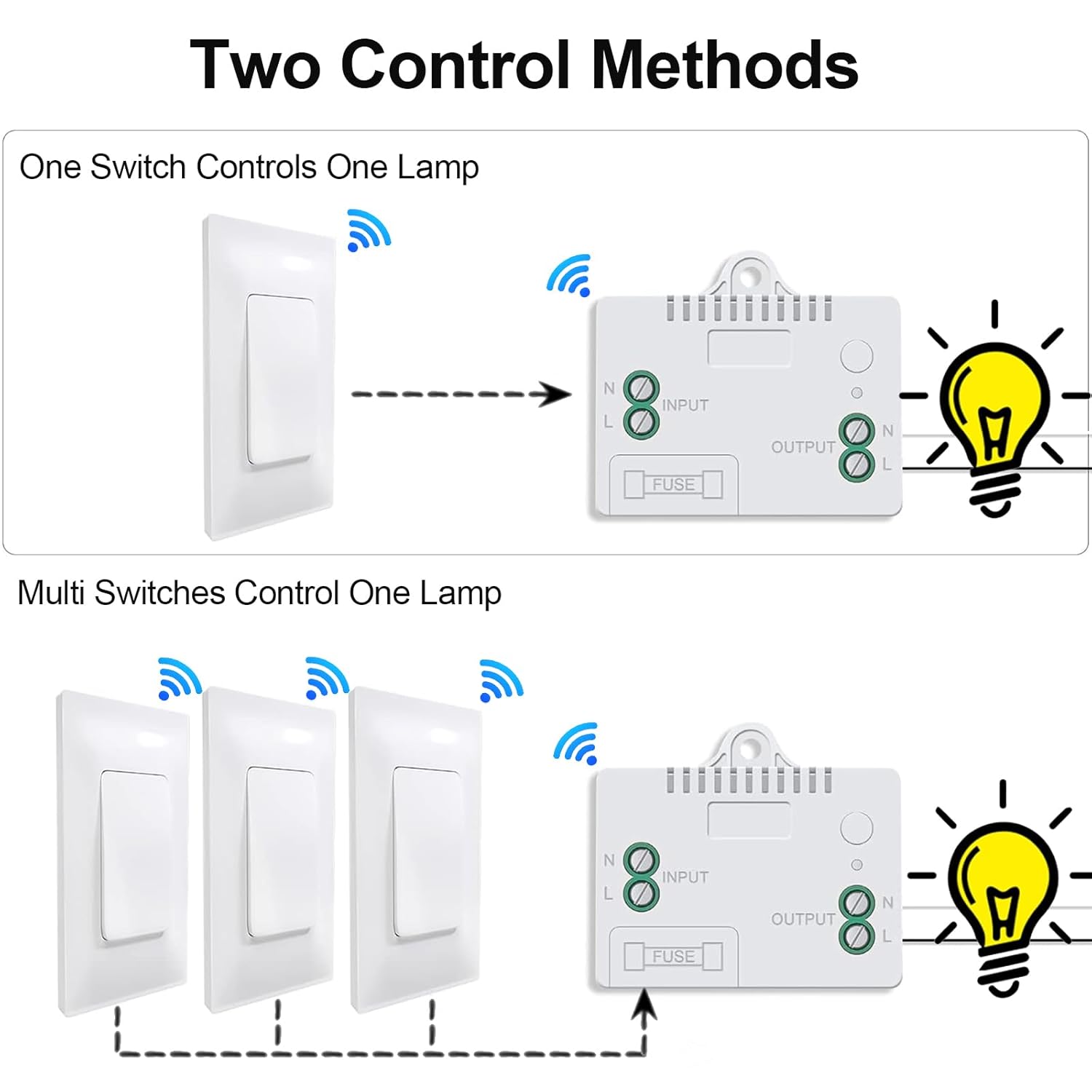
- One Switch Controls One Lamp: A single wireless switch can be paired with one receiver to control a single lighting fixture.
- Multiple Switches Control One Lamp: Up to 15 wireless switches can be paired with a single receiver to create a multi-way switching system for one lighting fixture.
- One Switch Controls Multiple Lamps: A single wireless switch can be paired with multiple receivers to control several lighting fixtures simultaneously.
6. Key Features
The Bkiyougo Wireless Light Switch and Receiver Kit offers several advantages:

- Self-Powered: The switch generates its own power kinetically, requiring no batteries or external power source.
- Wireless Operation: Eliminates the need for new wiring, simplifying installation and allowing flexible placement.
- IP44 Rated Waterproof Switch: The wireless switch is designed to operate reliably in wet environments, such as bathrooms or courtyards, without risk of electric leakage.

- Strong RF Signal: The system utilizes a robust RF signal that can penetrate walls and doors.
- Extended Range: Offers an indoor control distance of up to 100 feet and an outdoor control distance of up to 330 feet in open areas.

7. Troubleshooting
If you encounter issues with your Bkiyougo Wireless Light Switch and Receiver Kit, refer to the following table for common problems and solutions.
| Problem | Possible Cause | Solution |
|---|---|---|
| Light does not turn on/off. | No power to receiver; Receiver not paired with switch; Faulty wiring; Out of range. | Check power supply to receiver; Re-pair switch and receiver (Section 5.1); Verify wiring connections; Reduce distance between switch and receiver. |
| Light turns on/off unexpectedly. | Interference; Receiver picking up unintended signals. | Clear the signal from the receiver (Section 5.2) and re-pair only the desired switches. Ensure no other RF devices are causing interference. |
| Switch feels stiff or unresponsive. | Mechanical issue; Debris under switch. | Ensure the switch is clean and free of obstructions. If the issue persists, contact customer support. |
| Reduced control range. | Obstructions (thick walls, metal objects); Environmental interference. | Relocate the switch or receiver to minimize obstructions. Avoid placing near large metal objects or other strong RF sources. |
8. Technical Specifications
- Model Number: Self-power switch-01
- Product Dimensions: 2.36 x 1.57 x 0.79 inches (Switch); 2.36 x 1.57 x 0.79 inches (Receiver)
- Weight: 5.29 ounces (total package)
- Operating Voltage: AC 110-230 Volts
- Current Rating: 10 Amps
- Operation Mode: ON-OFF-ON
- Contact Type: Normally Open
- Connector Type: Screw Terminal
- Circuit Type: Multi-way
- Actuator Type: Push Button
- Indoor Control Range: Up to 100 feet (approx. 30 meters)
- Outdoor Control Range: Up to 330 feet (approx. 100 meters) in open areas
- Switch Waterproof Rating: IP44
9. Care and Maintenance
To ensure the longevity and optimal performance of your Bkiyougo Wireless Light Switch and Receiver Kit:
- Clean the switch and receiver with a soft, dry cloth. Do not use abrasive cleaners or solvents.
- Avoid exposing the receiver to excessive moisture or extreme temperatures.
- Do not attempt to disassemble or repair the unit yourself. This may void the warranty and pose safety risks.
10. Warranty and Support
10.1 Warranty Information
Bkiyougo products are covered by a limited warranty against defects in materials and workmanship. Please refer to the product packaging or contact customer support for specific warranty terms and conditions.
10.2 Customer Support
For technical assistance, troubleshooting, or warranty claims, please contact Bkiyougo customer support through the retailer where the product was purchased or visit the official Bkiyougo website for contact information.