1. Introduction
This manual provides detailed instructions for the installation, operation, and maintenance of your Hodozzy 9-inch Android Car Stereo. This unit is specifically designed for Ford F-150 models manufactured between 2009 and 2012. Please read this manual thoroughly before using the product to ensure proper function and safety.
2. Safety Information
- Professional Installation Recommended: Due to the complexity of vehicle electrical systems, professional installation is highly recommended. Incorrect wiring can cause damage to the unit or the vehicle.
- Power Supply: Ensure the unit is connected to a 12V DC power supply with a negative ground.
- Wiring: Verify all wiring connections are secure and properly insulated to prevent short circuits. Pay close attention to the ignition power connection, as it may require sourcing a 12V ignition power from your truck.
- Driving Safety: Do not operate the unit in a way that distracts you from driving. Always prioritize road safety.
- Temperature: Avoid exposing the unit to extreme temperatures or direct sunlight for prolonged periods.
3. Package Contents
Before installation, please verify that all items listed below are present in your package:
- Hodozzy 9-Inch Android Car Stereo Unit
- RCA Cable
- Rear Camera Input Cable
- GPS Antenna
- USB Cable (x2)
- User Manual
- Microphone (MIC)
- Rear Camera (AHD wide-angle)
- Power Cable
- Mounting Accessories
- Radio Antenna
- Canbus Decoder
- Installation Tool

Figure 3.1: Hodozzy Car Stereo Packing List
4. Setup and Installation
Installation of the Hodozzy Android Car Stereo requires careful attention to wiring. It is recommended to consult a professional for installation.
4.1 Wiring Connections
Refer to the wiring diagram below for proper connection of the power, audio, and accessory cables. Ensure all connections are secure.
- Power Cable: Connect the main power harness to your vehicle's electrical system. Note that the 12V ignition power may need to be sourced separately from your truck's original wiring.
- RCA Input/Output: For external audio/video devices.
- Reversing Camera Input: Connect the included rear camera.
- USB Cable: Connect external USB devices.
- GPS Antenna: Mount in a location with a clear view of the sky for optimal signal reception.
- Radio Antenna: Connect your vehicle's radio antenna.

Figure 4.1: Cable Description and Wiring Diagram
4.2 Mounting the Unit
Use the provided mounting accessories to secure the unit in your Ford F-150 dashboard. Ensure the unit is firmly in place and does not obstruct any vehicle controls or airbags.
5. Operating Instructions
5.1 Basic Operation
- Power On/Off: Press and hold the power button (if available) or turn on your vehicle's ignition.
- Volume Control: Adjust using the on-screen controls or steering wheel controls.
- Touch Screen: The 9-inch IPS touch screen provides an intuitive interface for all functions.
5.2 Android 15 System
The unit runs on the Android 15 operating system, offering a familiar smartphone-like experience. Navigate through apps, settings, and features using the touch screen.
5.3 Connectivity Features
5.3.1 Wireless CarPlay & Android Auto
Connect your iPhone or Android smartphone wirelessly for seamless integration of navigation, music, calls, and messages. This feature enhances driving convenience and safety.
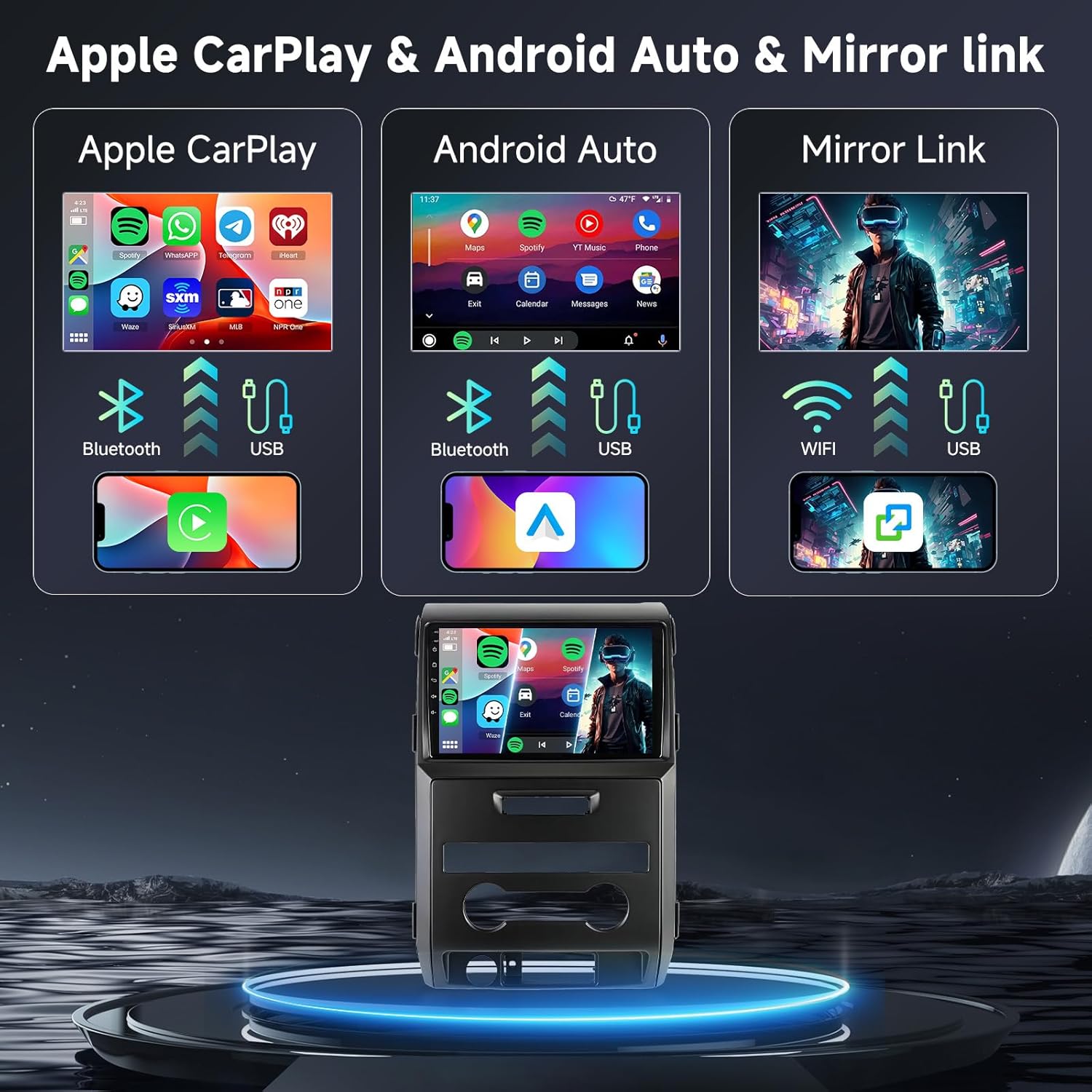
Figure 5.1: Wireless CarPlay, Android Auto, and Mirror Link
5.3.2 Mirror Link
Mirror your smartphone's screen directly onto the car stereo display via WiFi or USB. This allows you to view content from your phone on the larger screen.
5.3.3 Bluetooth
Pair your smartphone via Bluetooth for hands-free calling and audio streaming. Access your phone's contacts and call history directly from the stereo.

Figure 5.2: Bluetooth, FM/RDS Radio, and DSP Interface
5.3.4 WiFi
Connect the unit to a WiFi hotspot (e.g., from your smartphone) to access online features, download apps, and browse the internet.

Figure 5.3: WiFi Connectivity and System Performance
5.4 Audio Features
- DSP (Digital Signal Processor): Utilize the built-in 32-band EQ DSP settings to fine-tune your audio output for optimal sound quality.
- FM/RDS Radio: Tune into your favorite FM radio stations. RDS (Radio Data System) provides additional information like station name and song title.
5.5 Navigation and Voice Control
The integrated GPS navigation system provides accurate directions. Use voice commands to control various functions, such as initiating calls or setting navigation destinations, for a hands-free experience.

Figure 5.4: Voice Control and GPS Navigation
5.6 Rear View Camera and Steering Wheel Control (SWC)
- Rear View Camera: The included AHD wide-angle rear view camera automatically displays the rear view when reversing, enhancing parking safety.
- Steering Wheel Control: Connect the unit to your vehicle's steering wheel controls for convenient operation of audio and other functions without taking your hands off the wheel.

Figure 5.5: Rear View Camera and Steering Wheel Control Interface
5.7 Customizable Interface
- Desktop Themes & Wallpapers: Personalize your unit with 59 unique desktop themes and 19 wallpaper choices.
- Split Screen: Utilize the split-screen feature to display multiple applications simultaneously, such as navigation and music playback.
6. Maintenance
- Cleaning: Use a soft, dry cloth to clean the screen and exterior of the unit. Avoid abrasive cleaners or solvents.
- Software Updates: Periodically check for software updates to ensure optimal performance and access to new features. Updates can typically be found on the manufacturer's website or through the unit's system settings.
- Environmental Conditions: Protect the unit from extreme heat, cold, and moisture.
7. Troubleshooting
If you encounter issues with your Hodozzy car stereo, refer to the following common problems and solutions:
| Problem | Possible Cause | Solution |
|---|---|---|
| Unit does not power on. | Incorrect power wiring (e.g., no 12V ignition power). Blown fuse. | Verify all power connections, especially the 12V ignition wire. Check vehicle and unit fuses. Consult a professional installer. |
| No sound. | Speaker wires disconnected. Volume too low. Mute function active. | Check speaker wire connections. Increase volume. Disable mute. |
| Bluetooth/CarPlay/Android Auto not connecting. | Incorrect pairing process. Device not discoverable. Software glitch. | Ensure Bluetooth is enabled on both devices. Re-pair the device. Restart both the stereo and the smartphone. |
| GPS signal weak or inaccurate. | GPS antenna improperly placed or obstructed. | Ensure GPS antenna has a clear view of the sky. Check antenna connection. |
| Rear camera not displaying. | Camera cable disconnected. Reverse trigger wire not connected. | Check camera and trigger wire connections. Ensure camera is powered. |
If the problem persists after attempting these solutions, please contact Hodozzy customer support.
8. Specifications
| Feature | Detail |
|---|---|
| Model | 6G+128G 8-Core |
| Display Size | 9 Inches IPS Touch Screen |
| Operating System | Android 15 |
| Processor | 8-Core |
| Memory (RAM) | 6 GB |
| Storage (ROM) | 128 GB |
| Connectivity | Wireless CarPlay, Android Auto, Mirror Link, Bluetooth, WiFi, USB |
| Audio Features | Built-in 32 EQ DSP, FM/RDS Radio |
| Navigation | GPS Navigation (Worldwide map type) |
| Voice Control | Supported (via Microphone, Touchscreen) |
| Rear Camera Support | Yes (AHD wide-angle camera included) |
| Steering Wheel Control | Supported |
| Product Dimensions | 25.4 x 4 x 38 cm; 2.05 kg |
| Vehicle Service Type | Truck (Ford F-150 2009-2012) |
| Country of Origin | China |
9. Warranty and Support
9.1 Warranty Information
This Hodozzy car stereo unit comes with a 2-year warranty from the date of purchase. Please retain your proof of purchase for warranty claims. The warranty covers manufacturing defects and malfunctions under normal use. It does not cover damage caused by improper installation, misuse, accidents, or unauthorized modifications.
9.2 Customer Support
For technical assistance, troubleshooting, or warranty inquiries, please contact Hodozzy customer support:
Email: hodozzyofficial@163.com
Please provide your product model and a detailed description of the issue when contacting support for faster resolution.


