1. Introduction
This manual provides detailed instructions for the setup, operation, and maintenance of your Putikeeg Mini Morse Code Key, Model MCT03. Designed for amateur radio enthusiasts, this CW dual paddle key offers precise control and durable construction for reliable communication.
2. Package Contents
Upon opening your Putikeeg Mini Morse Code Key package, please verify that all the following items are included:
- Putikeeg Mini Morse Code Key (MCT03)
- 3.5mm TRS Connection Cable
- Hex Wrenches (for adjustments)
- Spare Contact Adjustment Screws

Image 2.1: The Putikeeg Mini Morse Code Key (Grey) shown with its standard accessories, including the 3.5mm cable, hex wrenches, and spare adjustment screws.
3. Product Features
The Putikeeg MCT03 Morse Code Key is engineered with several key features to enhance your operating experience:
- Solid Brass Contacts: Ensures reliable electrical connection for consistent signal transmission.
- Adjustable Paddles: Independent adjustment for dit and dah paddle distances allows for personalized comfort and operating style.
- Precision Ball Bearings: Both independent paddle arms operate smoothly on double-sealed precision ball bearings, minimizing friction for high-speed and extended use.
- Durable Construction: The main body is CNC machined from a solid block of 6061 Billet Aluminum, with all edges chamfered and smoothed for a premium finish.
- 3D Hemi Finger Grips: Each paddle arm features a unique 3D hemi finger grip design for improved tactile feel and control.
- Magnetic Base: Equipped with a magnetic base for stable placement on metallic surfaces, preventing unwanted movement during operation.
- Magnetic Return Paddles: Utilizes magnetic force for paddle return, providing a consistent and responsive feel.
- Hard Anodized Finish: All aluminum components are hard anodized for enhanced durability and resistance to wear.

Image 3.1: A detailed view highlighting the adjustable paddle mechanisms and the 3.5mm audio jack for connection.

Image 3.2: The underside of the key, illustrating the magnetic base for stability and the magnetized preload adjustment points.
4. Setup and Installation
- Placement: Place the Morse Code Key on a stable, flat surface. The magnetic base will help secure it to any ferrous metal surface.
- Connection: Connect the supplied 3.5mm TRS cable from the jack on the side of the key to the corresponding keyer input on your amateur radio transceiver or keyer device. Ensure the connection is secure.
- Initial Adjustment: Before operation, perform initial adjustments as described in Section 6 to set the paddle spacing and tension to your preference.
5. Operation
The Putikeeg Mini Morse Code Key is a dual-paddle key designed for sending Morse code. The left paddle typically generates 'dit' (dots) and the right paddle generates 'dah' (dashes) when connected to a compatible electronic keyer. The 3D Hemi Finger Grips on each paddle are designed to provide a comfortable and secure feel during extended use.
To operate, gently press the left paddle for a 'dit' and the right paddle for a 'dah'. Your electronic keyer will then generate the corresponding Morse code elements. Practice with varying speeds to find your optimal rhythm and comfort.
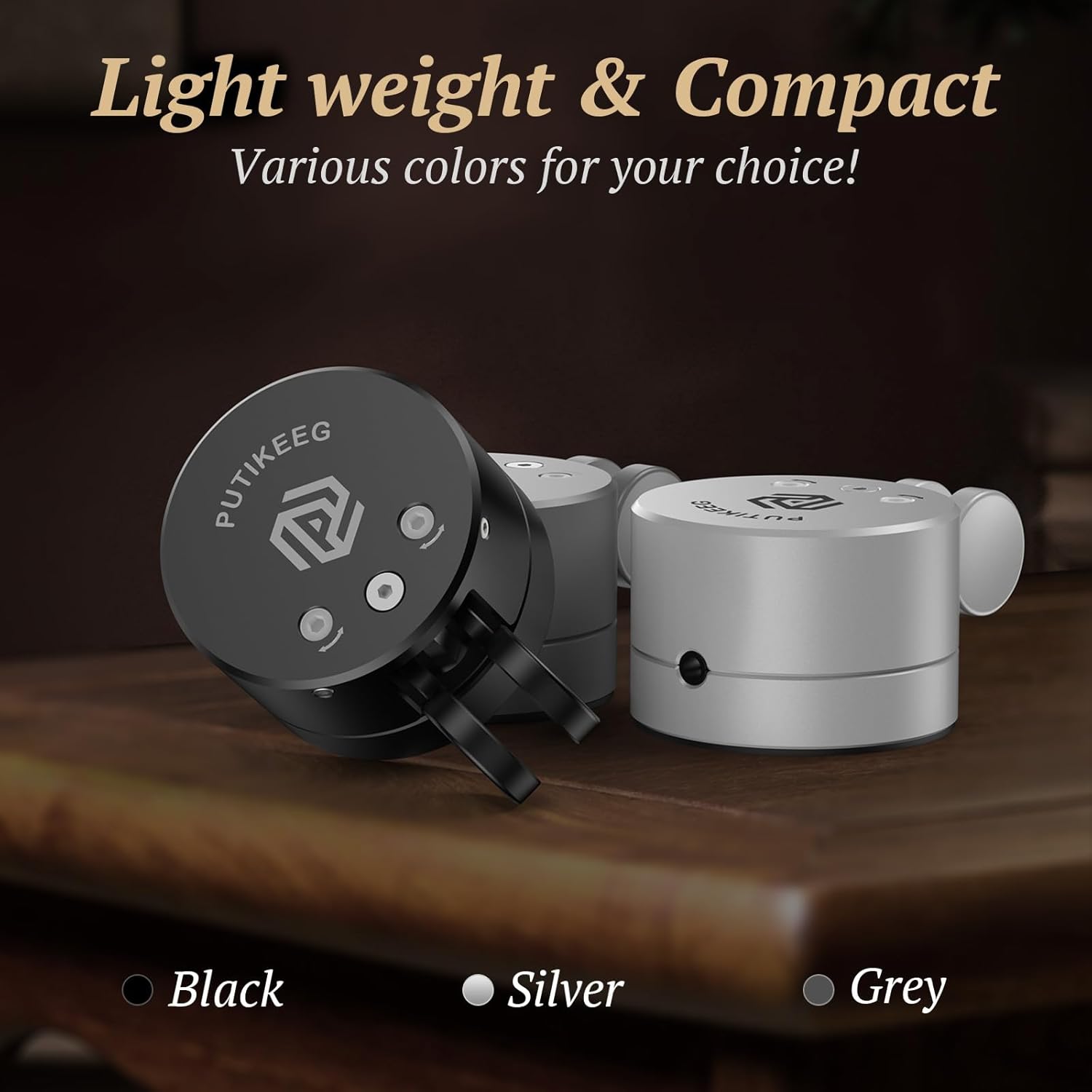
Image 5.1: The Putikeeg Mini Morse Code Key in an outdoor setting, demonstrating its portability and ease of use.
6. Adjustments
The MCT03 key offers several adjustment points to customize its feel and performance:
- Paddle Distance (Throw):
Locate the small set screws on the side of each paddle arm. Using the provided hex wrench, loosen these screws slightly. Carefully adjust the distance of the paddle from the center contact to achieve your desired 'throw' or travel distance. Once set, gently tighten the screws to secure the position. Ensure not to overtighten. - Magnetized Preload Adjustments:
The key features magnetized preload adjustments, typically located on the bottom or side of the unit (refer to Image 3.2). These adjustments control the tension or force required to activate the paddles. Use the appropriate tool (often a small screwdriver or hex wrench) to fine-tune the magnetic preload until the paddle return feels responsive and comfortable for your operating style. - Left/Right-Handed Switch:
Some models may include a switch to reverse the dit/dah assignment for left-handed operators. If present, this switch is usually located on the bottom of the unit (refer to Image 3.2). Slide the switch to the desired position (left for left-handed, right for right-handed) to reconfigure the paddle functions.
Always make small adjustments and test the key's response to avoid over-adjusting or damaging components.
7. Maintenance
To ensure the longevity and optimal performance of your Putikeeg Mini Morse Code Key, follow these maintenance guidelines:
- Cleaning: Wipe the key's exterior with a soft, dry cloth. Avoid using abrasive cleaners or solvents, which can damage the anodized finish.
- Contact Care: The solid brass contacts are designed for durability. If contact issues arise, gently clean the contact points with a cotton swab lightly dampened with isopropyl alcohol. Ensure the key is disconnected from power before cleaning contacts.
- Storage: Store the key in a clean, dry environment when not in use. The compact size makes it suitable for travel.
- Inspection: Periodically inspect the paddle arms and adjustment screws for any looseness. Tighten as necessary, but avoid overtightening.
8. Troubleshooting
If you encounter issues with your Putikeeg Mini Morse Code Key, consider the following:
- Inconsistent Contact/No Signal:
- Check the 3.5mm cable connection at both the key and your keyer/transceiver.
- Verify that the paddle distance adjustment screws are not overtightened, preventing full contact.
- Inspect the brass contact points for any debris or corrosion. Clean if necessary (refer to Section 7).
- Ensure the keyer or transceiver settings are correctly configured for a dual-paddle key.
- Paddles Feel Too Loose or Too Stiff:
- Adjust the magnetized preload settings (refer to Section 6) to increase or decrease tension.
- Key Moves During Operation:
- Ensure the key is placed on a ferrous metal surface to utilize its magnetic base effectively.
- Consider using a non-slip mat if operating on non-metallic surfaces.
If problems persist after attempting these troubleshooting steps, please contact Putikeeg customer support for further assistance.
9. Specifications
| Attribute | Specification |
|---|---|
| Model Number | MCT03 |
| Item Weight | 7.7 ounces (approx. 218 grams) |
| Package Dimensions | 4.09 x 3.39 x 1.93 inches (approx. 10.39 x 8.61 x 4.90 cm) |
| Material | 6061 Billet Aluminum (body), Brass (contacts) |
| Color | Grey (as per this model variant) |
| Special Feature | Shockproof design |
| Water Resistance Level | Not Water Resistant |
| Included Components | CW Morse code key, 3.5mm cable, hex wrenches, spare screws |

Image 9.1: The key held in a hand, illustrating its compact size and approximate dimensions.
10. Warranty Information
Please note that this product does not come with a manufacturer's warranty. For any issues or concerns, please refer to the troubleshooting section or contact the seller directly.
11. Contact and Support
For further assistance, technical support, or inquiries regarding your Putikeeg Mini Morse Code Key, please refer to your purchase platform or contact the seller directly through the provided channels. Ensure you have your product model number (MCT03) and purchase details available when seeking support.
