EKAT 9.7-inch Android Car Stereo for Jeep Grand Cherokee (2014-2020)
User Instruction Manual
1. Product Overview
The EKAT 9.7-inch Android Car Stereo is a vertical touchscreen head unit designed for Jeep Grand Cherokee models from 2014 to 2020. It features an Android operating system, 2GB RAM, 64GB ROM, and supports various functions including wireless CarPlay, Android Auto, Hi-Fi audio, GPS navigation, 1080P HD video playback, Bluetooth, Wi-Fi hotspot, and steering wheel control.

Figure 1: EKAT 9.7-inch Android Car Stereo installed in a Jeep Grand Cherokee dashboard, illustrating compatibility with both low and high configuration vehicle models.
2. Setup and Installation
2.1 Unpacking and Component Check
Before installation, carefully unpack all components and verify against the packing list. Ensure all cables, antennas, and the main unit are present and undamaged.

Figure 2: Included components with the EKAT 9.7-inch Android Car Stereo, including the main unit, wiring harnesses, GPS antenna, USB cables, and installation tools.
2.2 Installation Steps
Installation typically involves removing the original car radio, connecting the new unit's wiring harness, and securing the new display. The unit is equipped with Canbus to support original steering wheel controls.
- Removal of Original Unit: Use appropriate tools to carefully pry open the dashboard trim and remove the existing radio unit. Disconnect all cables.
- Wiring Connections: Connect the provided wiring harness to the vehicle's existing connectors. Ensure all connections are secure.
- Canbus Integration: The included Canbus module ensures compatibility with your vehicle's systems, including steering wheel controls.
- GPS Antenna: Install the GPS antenna in a location with a clear view of the sky for optimal signal reception.
- AHD Rear View Camera (Optional): If installing an AHD camera, connect it to the designated input. The reversing input must be plugged in even if the camera is not used.
Video 1: Installation guide for the car stereo in a Jeep Grand Cherokee (2014-2021) and Dodge RAM 1500 (2014-2018), demonstrating the removal of the old unit and connection of new components.
Video 2: Detailed installation process for the car stereo in a Jeep Grand Cherokee (2014-2020).

Figure 3: Wiring diagram for connecting an AHD backup camera. Note that the reversing input must be connected even if the camera is not used.

Figure 4: Steering wheel control configuration. After connecting the Canbus, navigate to Settings > Factory Setting (password: 8888) > Protocol Settings, then choose 'Raise + the year and model of your car' to enable steering wheel buttons.
3. Operating Instructions
3.1 Android System Navigation
The unit runs on an Android operating system, allowing you to install various applications. Navigate through the interface using the 9.7-inch vertical touchscreen. The split-screen function enables simultaneous use of two applications.
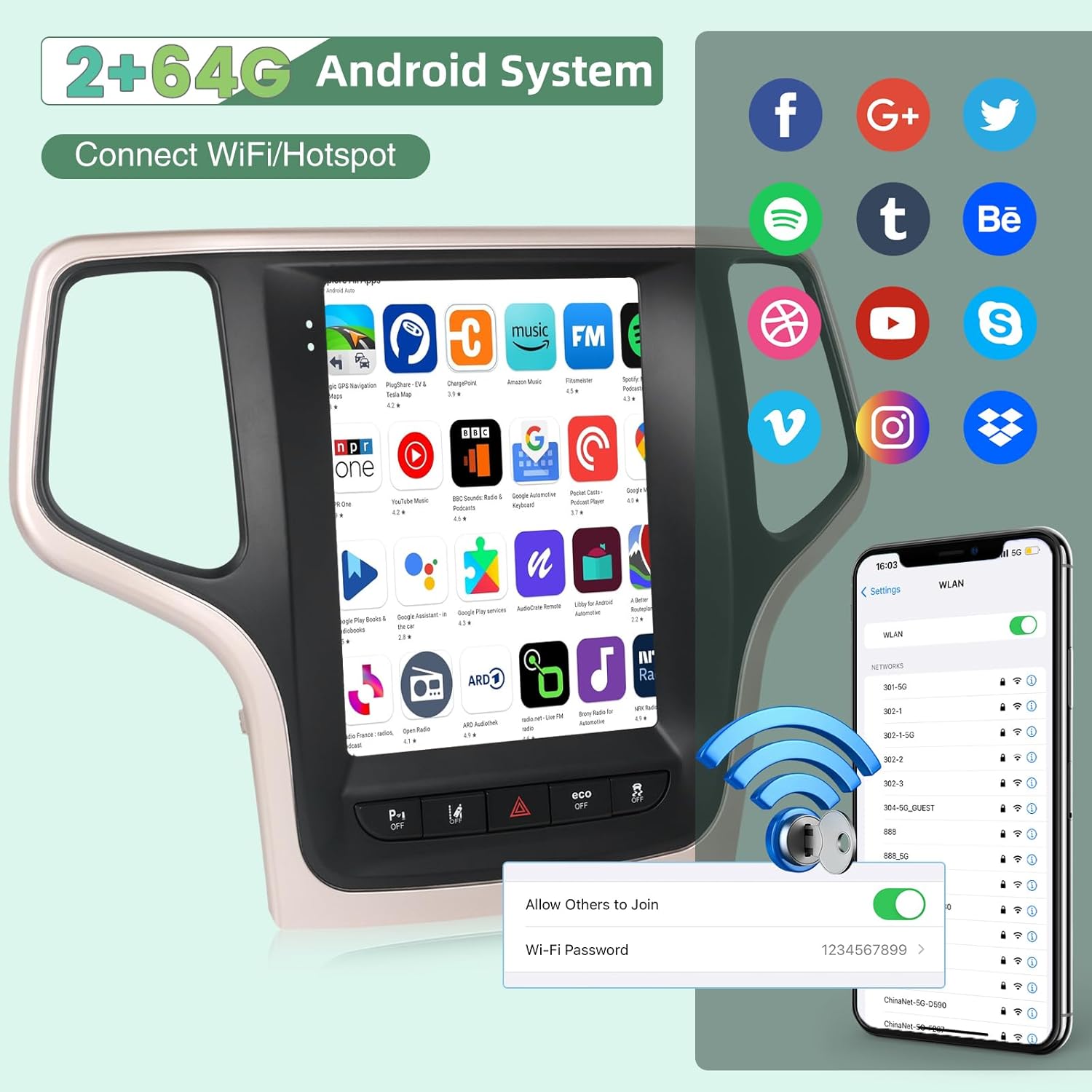
Figure 5: Android system interface with various applications and Wi-Fi hotspot connection options.
Video 3: Demonstration of the Android car radio stereo features for Jeep Grand Cherokee (2014-2016), showcasing UI navigation and various functions.
Video 4: Overview of the Android car radio stereo for Jeep Grand Cherokee, highlighting its user interface and features.
Video 5: Features and UI demonstration of the car radio for Jeep Grand Cherokee (2014-2017).
3.2 Wireless CarPlay & Android Auto
The unit supports both wireless and wired CarPlay and Android Auto via the Z-link APP. This allows seamless integration with your smartphone for calls, music, navigation, and voice assistant access.
- Connection: Access the Z-link APP on the stereo. Follow the on-screen prompts to connect your smartphone via Bluetooth for wireless connection or USB for wired connection.
- Functionality: Once connected, you can use your phone's navigation apps, make calls, send messages, and play music directly from the car stereo display.
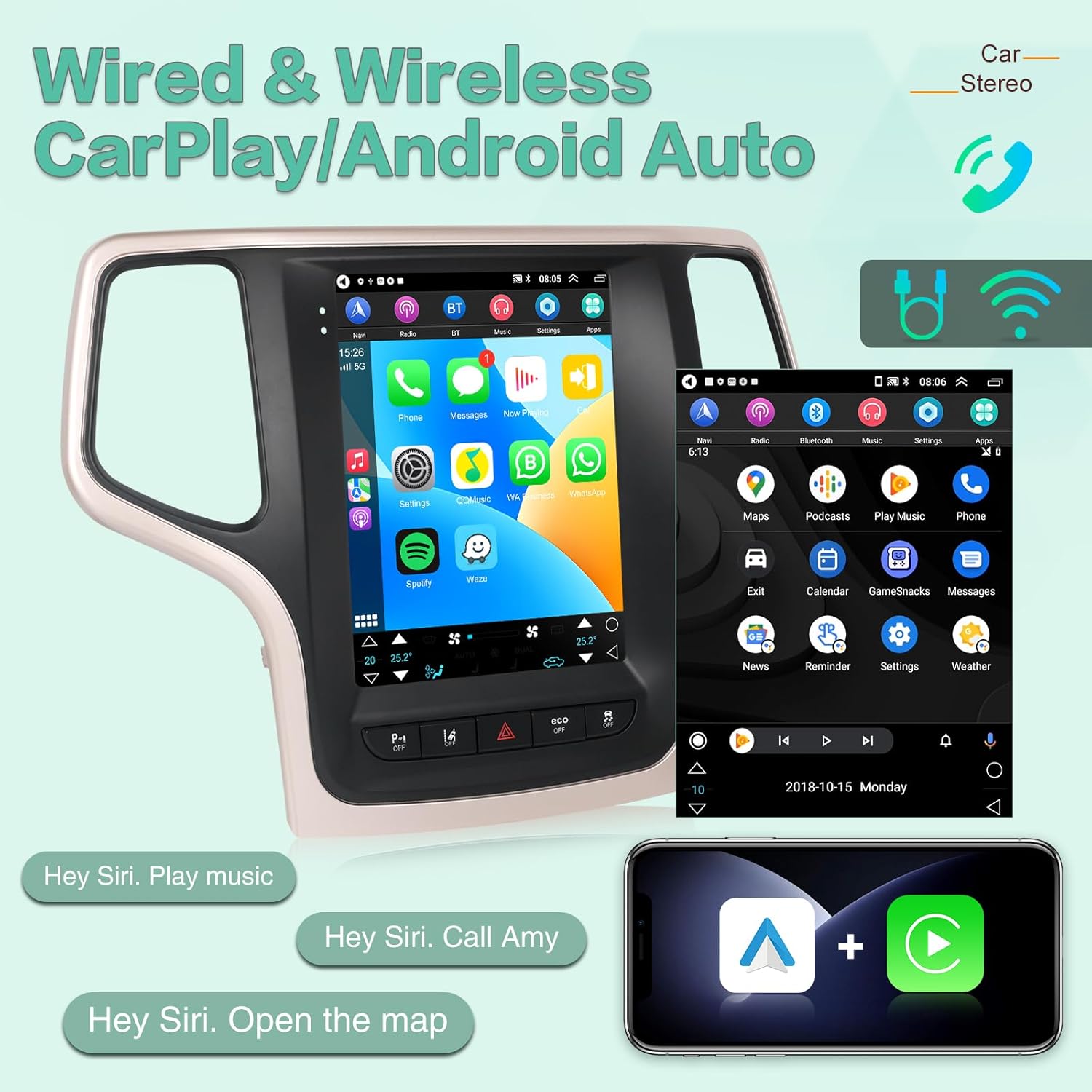
Figure 6: Wireless CarPlay and Android Auto interface, demonstrating smartphone integration for various functions.
Video 6: Instructions on how to connect CarPlay and Android Auto on Sc7862 Android Screen units.
3.3 Audio and Radio Functions
The stereo supports Hi-Fi audio and FM RDS radio. You can adjust sound settings and tune into your favorite radio stations.
- Hi-Fi Audio: Enjoy high-fidelity sound quality. The system includes an equalizer for custom sound adjustments.
- FM RDS Radio: Tune into FM radio stations. RDS (Radio Data System) provides additional information like station name and song title.

Figure 7: Hi-Fi Audio and 1080P HD Screen features, including sound adjustment options.
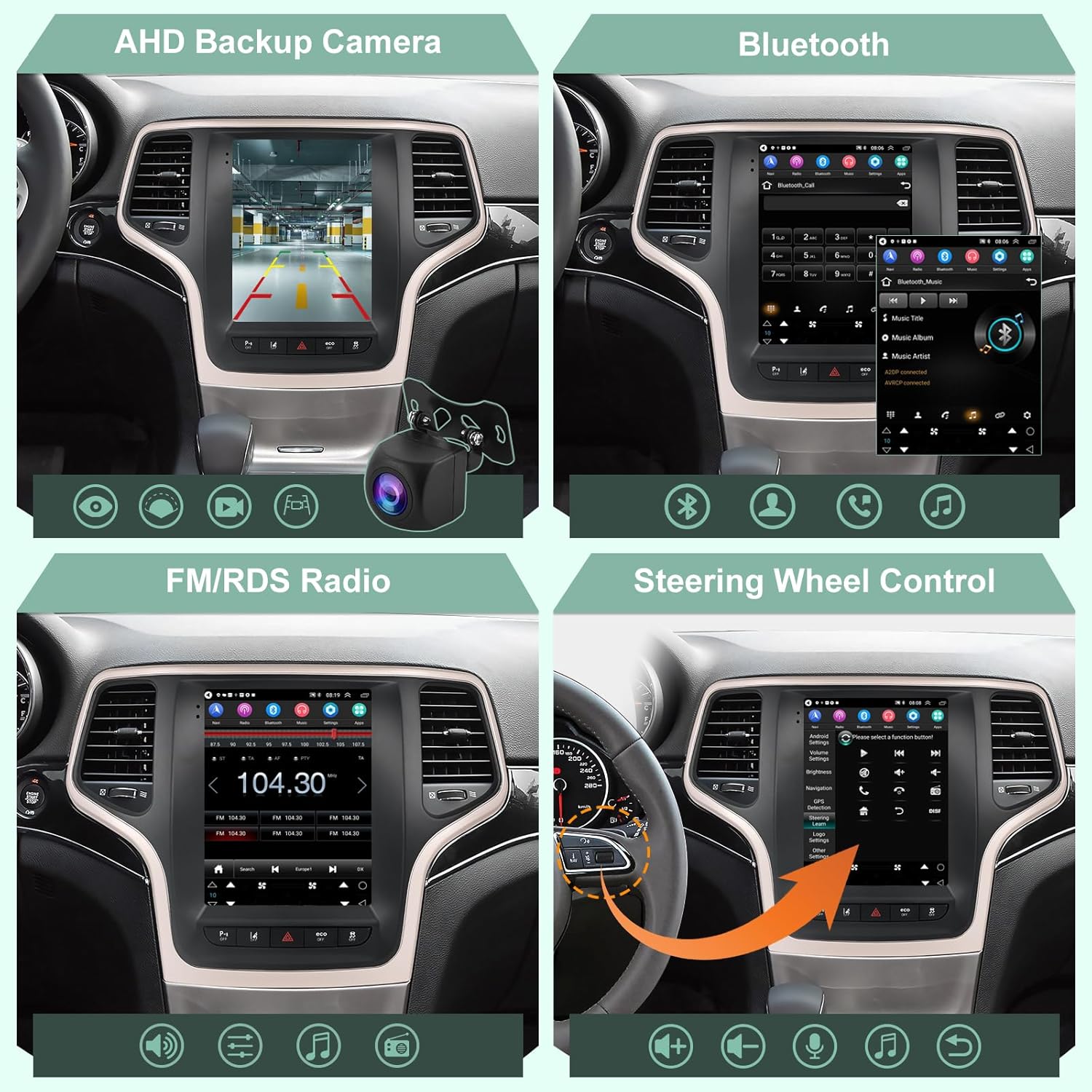
Figure 8: Overview of AHD Backup Camera, Bluetooth, FM/RDS Radio, and Steering Wheel Control features.
4. Maintenance
To ensure the longevity and optimal performance of your EKAT Android Car Stereo, follow these general maintenance guidelines:
- Screen Cleaning: Use a soft, lint-free cloth to gently wipe the touchscreen. Avoid abrasive cleaners or harsh chemicals that could damage the screen.
- Software Updates: Periodically check for and install software updates to ensure the system runs efficiently and has the latest features and security patches.
- Temperature Control: Avoid exposing the unit to extreme temperatures (very hot or very cold) for extended periods, as this can affect electronic components.
- Cable Connections: Ensure all cables are securely connected and not pinched or damaged, which could lead to intermittent functionality.
5. Troubleshooting
If you encounter issues with your car stereo, refer to the following common troubleshooting tips:
- Unit Not Powering On: Check all power connections and ensure the vehicle's ignition is on. Verify fuses if necessary.
- No Sound: Check volume levels, audio source selection, and speaker connections. Ensure the equalizer settings are not set to mute or extreme levels.
- CarPlay/Android Auto Not Connecting: Ensure your phone's Bluetooth is on and paired (for wireless) or the USB cable is properly connected (for wired). Restart the Z-link app and your phone if needed.
- Steering Wheel Controls Not Working: Verify the Canbus connection and ensure the steering wheel control settings are correctly configured in the system's factory settings (refer to Figure 4).
- GPS Signal Issues: Ensure the GPS antenna has a clear line of sight to the sky. Avoid placing it under metal objects.
- Slow Performance: Close unused applications running in the background. Consider a system reset if performance issues persist.
6. Specifications
| Feature | Specification |
|---|---|
| Display Size | 9.7 Inches |
| Operating System | Android |
| Memory Storage Capacity | 64 GB |
| Connectivity Technology | Bluetooth |
| Special Feature | Bluetooth |
| Map Type | Worldwide |
| Mounting Type | Dashboard Mount |
| Vehicle Service Type | Car |
| Item Weight | 6.17 pounds |
| Package Dimensions | 16.14 x 12.6 x 5.12 inches |
| Included Components | CAR RADIO |
7. Warranty and Support
7.1 Warranty Information
This product comes with a 2-year warranty. Please retain your proof of purchase for warranty claims.
7.2 Technical Support
For any questions or technical assistance regarding your EKAT Jeep Grand Cherokee car radio, please contact our support team. You can reach us through your Amazon Order details by clicking on the seller's name and selecting "Ask a question." We aim to reply to all inquiries within 24 hours.

Figure 9: EKAT's commitment to customer satisfaction, offering 24/7 technical support, a 30-day money-back service, and a 2-year warranty.