
1. Safety Information
Please read and understand all safety instructions before assembling or operating this desk. Failure to follow these instructions may result in injury or damage to the product.
- Always follow the assembly instructions carefully.
- Keep children and pets away from the desk during assembly and use.
- Do not use the desk if it is damaged or unstable.
- Always use the safety features, such as the anti-collision function, when adjusting the desk height.
- Ensure all cables are properly managed to prevent tripping hazards and damage.
2. Product Overview
The OffiGo 63 Inch L-Shaped Standing Desk is designed to provide a versatile and ergonomic workspace. It features electric height adjustment, integrated wooden drawers for storage, and a built-in power strip for convenience.

Figure 2.1: Overview of the OffiGo L-Shaped Standing Desk in a typical office environment.
Key Features:
- Wooden Drawers: Four durable wooden drawers provide ample storage to keep your desktop organized.
- L-Shaped Workspace: Optimizes corner space, offering an expansive work surface.
- Electric Height Adjustment: Customize desk height from 29.9" to 46.1" with three programmable presets.
- Integrated Power Strip: Includes 3 AC outlets, 1 USB port, and 1 Type-C port for convenient device charging.
- Reversible Design: The sub-table plate can be installed on either the left or right side to suit your preference.
- Sturdy Construction: Industrial-grade steel frame ensures stability and long-lasting performance.
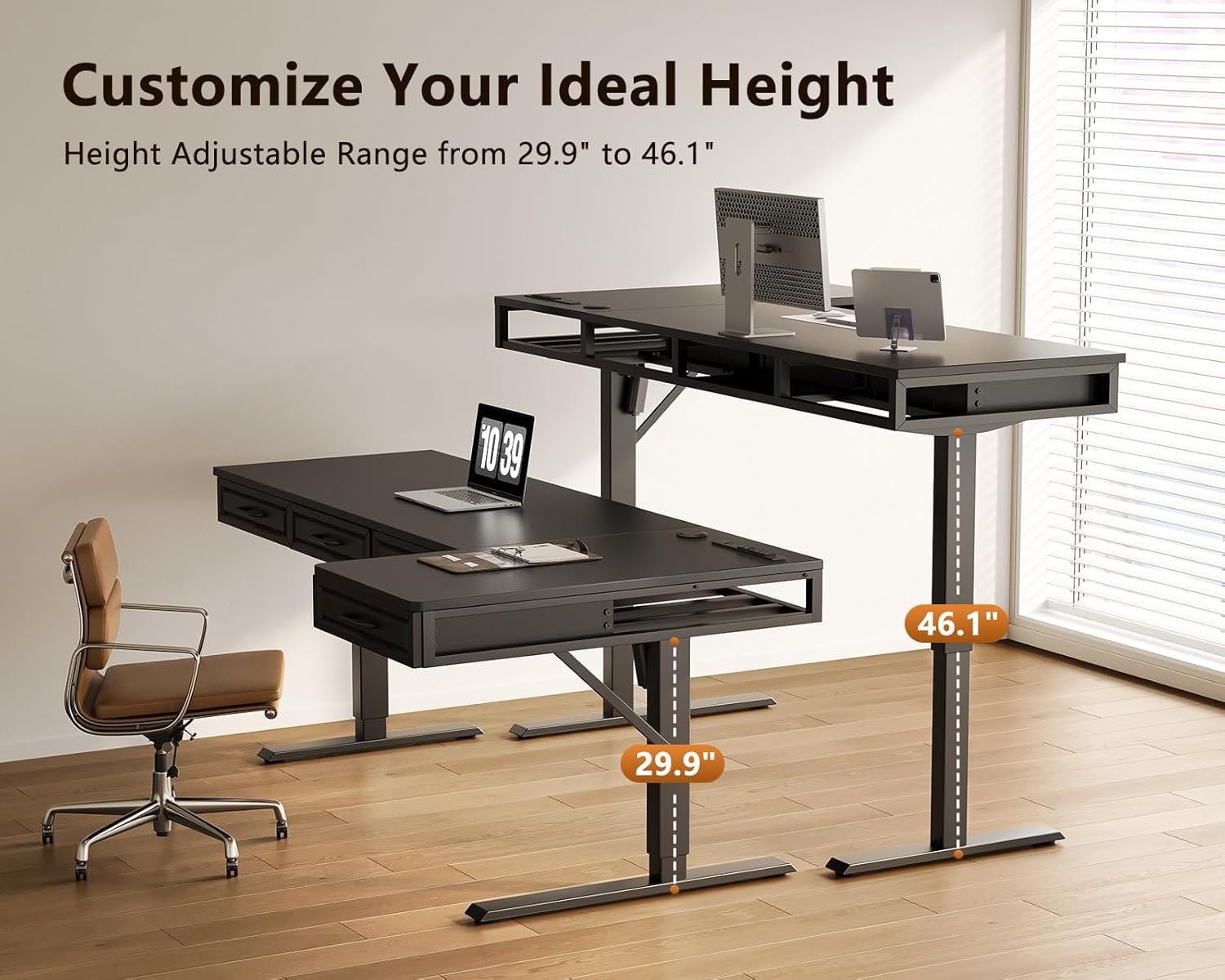
Figure 2.2: Detailed dimensions of the L-shaped standing desk, including height adjustment range.

Figure 2.3: The wooden drawers offer robust storage for office supplies.
3. Setup and Assembly
The OffiGo L-Shaped Standing Desk is designed for straightforward assembly. All necessary parts are clearly labeled, and detailed instructions are provided. It is recommended to have a second person assist with certain steps, especially when handling larger components.
Assembly Steps:
- Unpack all components and verify against the parts list in the included instruction manual.
- Follow the step-by-step instructions provided in the manual to assemble the desk frame.
- Attach the desktop panels, ensuring all screws are securely tightened.
- Install the wooden drawers into their designated slots.
- Connect the motor and control panel according to the wiring diagram.
- Place the desk in its desired location, ensuring it is level and stable.
Video 3.1: A detailed assembly guide for the L-Shaped Standing Desk with 4 Wooden Drawers. This video demonstrates each step of the assembly process, from unpacking to final setup, ensuring correct installation of all components.

Figure 3.1: The reversible design allows the L-shaped extension to be configured on either the left or right side during assembly.
4. Operating Instructions
The electric height adjustment feature allows for seamless transitions between sitting and standing positions. The digital controller provides easy access to height settings and memory functions.
Height Adjustment:
- Use the Up (▲) and Down (▼) buttons on the digital controller to manually adjust the desk height.
- The desk can be adjusted from a minimum height of 29.9 inches to a maximum height of 46.1 inches.
Memory Presets:
The desk features three programmable memory presets to save your preferred sitting and standing heights.
- Adjust the desk to your desired height using the Up/Down buttons.
- Press the 'S' button, then immediately press one of the number buttons ('1', '2', or '3') to save the current height to that preset.
- To recall a saved height, simply press the corresponding number button.
Using the Built-in Power Strip:
The desk includes a built-in power strip with 3 AC outlets, 1 USB port (5V/2A), and 1 Type-C port (5V/2A) for convenient charging of your devices.
- Plug your devices directly into the available outlets or USB/Type-C ports.
- Ensure the desk is connected to a power source for the outlets to function.

Figure 4.1: The desk's adjustable height range from 29.9 inches to 46.1 inches.

Figure 4.2: The integrated power strip provides easy access to charging ports.

Figure 4.3: The digital controller for height adjustment and the hidden cable management tray.
Video 4.1: This video demonstrates the key features of the L-Shaped Standing Desk, including the wooden drawers, adjustable height, and integrated power strip, showcasing its functionality in a home office setting.
5. Maintenance
Regular maintenance helps ensure the longevity and optimal performance of your OffiGo standing desk.
- Cleaning: Wipe the desk surfaces with a soft, damp cloth. Avoid harsh chemicals or abrasive cleaners that could damage the finish.
- Inspections: Periodically check all screws and connections to ensure they are tight. Retighten if necessary.
- Cable Management: Ensure cables are neatly organized in the cable management tray to prevent strain or damage.
- Motor Care: Avoid overloading the desk beyond its maximum weight capacity (154 pounds) to prevent strain on the electric motor.
6. Troubleshooting
If you encounter any issues with your OffiGo standing desk, refer to the following troubleshooting tips.
Common Issues and Solutions:
- Desk Not Adjusting Height:
- Check if the power cord is securely plugged into both the desk and a working wall outlet.
- Ensure no obstructions are blocking the desk's movement.
- Reset the desk by unplugging it for 30 seconds, then plugging it back in.
- Uneven Height Adjustment:
- Verify that the desk is placed on a level surface.
- Check that all assembly screws are tightened evenly.
- Noise During Operation:
- A slight motor hum is normal. Excessive noise may indicate loose connections or an overloaded desk.
- Ensure the desk is not overloaded and all components are securely fastened.
Video 6.1: This video addresses common lifting problems and provides troubleshooting steps for the standing desk mechanism. It covers issues such as desk not moving, uneven movement, and error codes.
7. Specifications
| Feature | Detail |
|---|---|
| Brand | OffiGo |
| Model | 63 Inch L Shaped Standing Desk |
| Shape | L-Shape |
| Product Dimensions (D x W x H) | 21.2"D x 63"W x 29.9"H |
| Color | Black |
| Minimum Height | 29.9 inches |
| Maximum Height | 46.1 inches |
| Lifting Mechanism | Electric |
| Number of Height Positions | 3 (Programmable Presets) |
| Number of Drawers | 4 |
| Drawer Type | Wooden Drawer |
| Built-in Outlets | 3 AC Outlets (125V/12A) |
| Built-in USB Port | 1 USB Port (5V/2A) |
| Built-in Type-C Port | 1 Type-C Port (5V/2A) |
| Top Material Type | Engineered Wood |
| Base Material | Carbon Steel |
| Maximum Weight Recommendation | 154 pounds |
| Item Weight | 80.2 pounds |
8. Warranty and Support
Warranty Information:
This OffiGo standing desk comes with a Limited Warranty. Please refer to the warranty card included with your product for specific terms and conditions.
Customer Support:
For further assistance, technical support, or to inquire about replacement parts, please contact OffiGo-US customer service. You can typically find contact information on the manufacturer's website or through your purchase platform.
Online support for OffiGo products can be found by visiting the OffiGo Store on Amazon.