1. Introduction
The HABOTEST HT121 is a smart pen-type digital multimeter designed for accurate and efficient electrical measurements. This device offers multiple functions including DC/AC voltage, resistance, capacitance, frequency, continuity, diode testing, live wire detection, and three-phase sequence detection. Its compact design, smart auto-recognition feature, and safety compliance make it suitable for various electrical testing applications.
This manual provides essential information for the safe and effective operation, maintenance, and troubleshooting of your HT121 multimeter. Please read it thoroughly before use.
2. Safety Information
Always adhere to safety precautions when using any electrical testing equipment. Failure to do so may result in electric shock, injury, or damage to the meter or equipment under test.
- The HABOTEST HT121 conforms to IEC61010-1 CAT.III 600V overvoltage safety standard and pollution level 2.
- Do not apply voltage or current that exceeds the specified maximum limits.
- Ensure the test leads are in good condition and properly connected before taking measurements.
- Do not use the meter if it appears damaged or if the case is open.
- Exercise extreme caution when working with live circuits.
- Replace batteries when the low battery indicator appears to ensure accurate readings.
- Do not operate the meter in explosive gas, vapor, or dusty environments.
3. Product Overview
The HABOTEST HT121 features a pen-type design for easy handling and portability. It includes a clear LCD display, functional buttons, and a dedicated input port for the test lead.
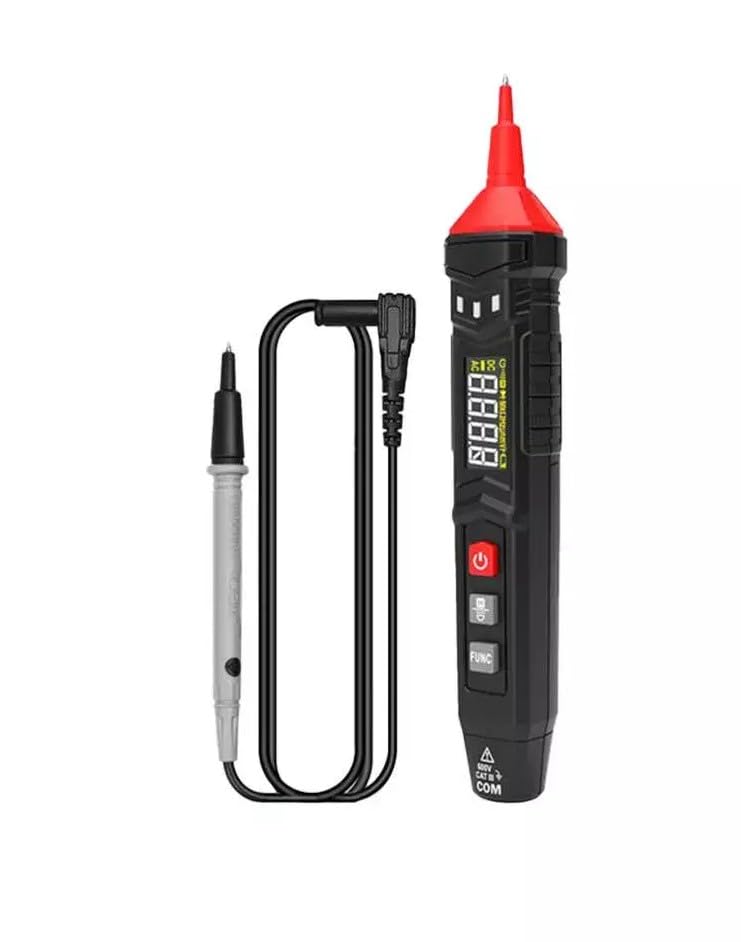
Image 3.1: The HABOTEST HT121 Pen Type Digital Multimeter shown with its accompanying test lead.
3.1 Panel Functions
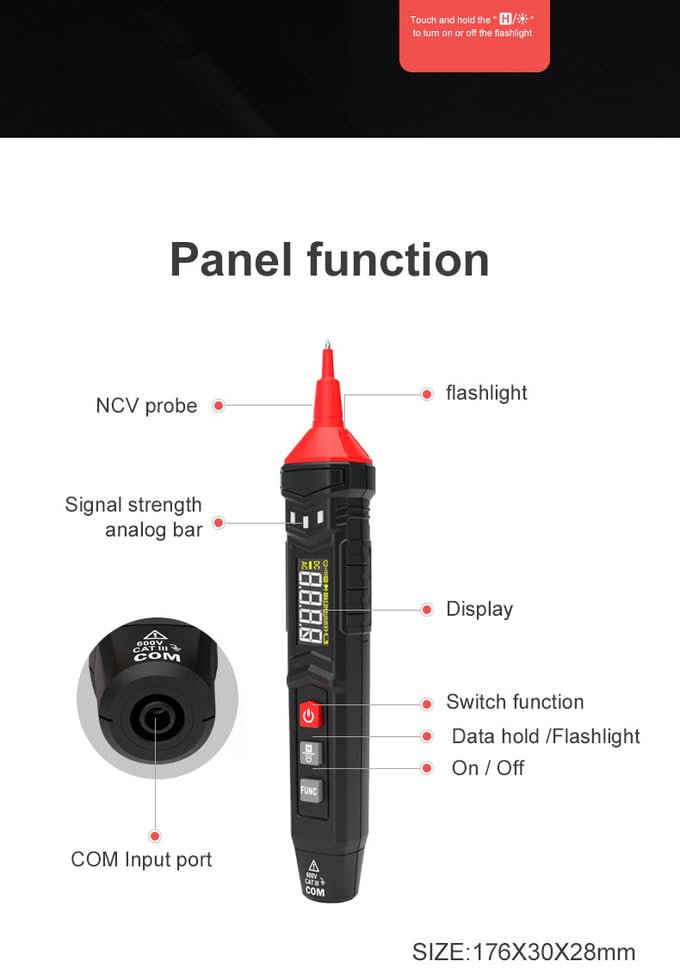
Image 3.2: Detailed diagram illustrating the various components and functions on the HT121 multimeter, including the NCV probe, flashlight, signal strength analog bar, display, switch function, data hold/flashlight button, and COM input port.
- NCV Probe: Used for non-contact voltage detection.
- Flashlight: Integrated LED light for illuminating dark work areas.
- Signal Strength Analog Bar: Visual indicator for signal intensity.
- Display: 1.3-inch LCD screen showing measurement readings and indicators.
- Power Button: To turn the device on or off.
- FUNC Button: To switch between different measurement modes (e.g., Diode, Continuity, Frequency).
- Data Hold/Flashlight Button: Short press to hold data, long press to activate/deactivate flashlight.
- COM Input Port: Connection point for the test lead.
4. Setup
4.1 Battery Installation
The HABOTEST HT121 is powered by two 1.5V AAA batteries. To install or replace batteries:
- Ensure the multimeter is turned off.
- Locate the battery compartment cover on the back of the device.
- Use a screwdriver to open the battery compartment.
- Insert two AAA batteries, observing the correct polarity (+/-).
- Securely close the battery compartment cover.
The meter features a low battery indication. Replace batteries promptly when this indicator appears to maintain measurement accuracy.
5. Operating Instructions
5.1 Power On/Off
Press the Power button to turn the multimeter on. Press and hold the Power button again to turn it off. The device also features a 15-minute auto power-off function to conserve battery life.
5.2 Smart Function (Auto Recognition)
In Smart mode, the multimeter automatically identifies the measurement signal for DC/AC voltage, resistance, and continuity. This simplifies operation by eliminating the need for manual range selection.
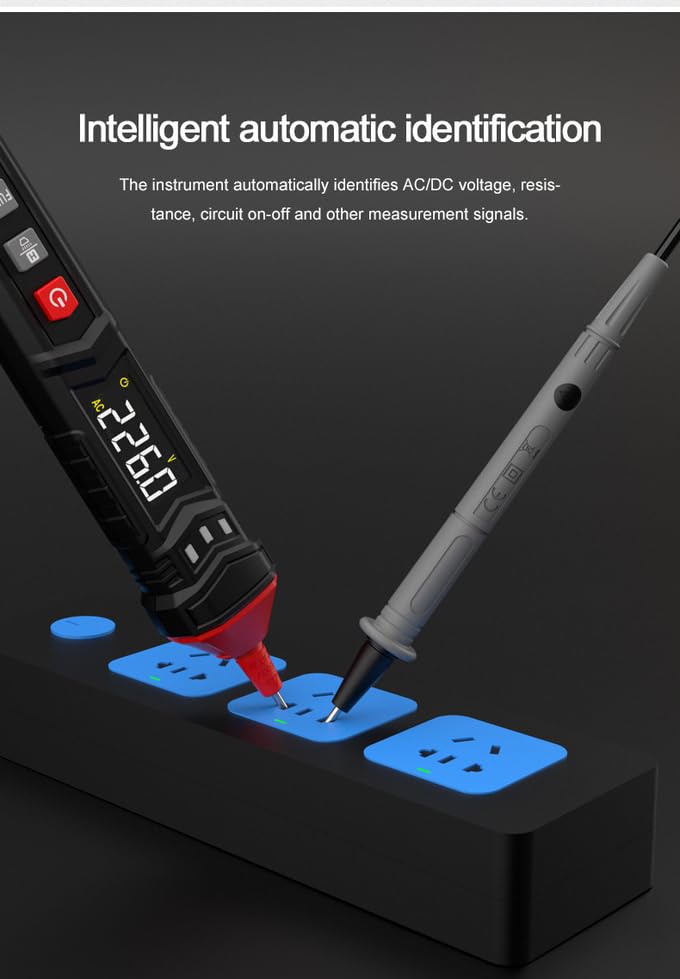
Image 5.1: The HT121 multimeter demonstrating its intelligent automatic identification feature, detecting AC voltage from a power strip.
5.3 Specific Measurements
For specific functions not covered by Smart mode, or to manually select a range, use the FUNC button.
- DC/AC Voltage: Connect the test lead to the COM port and the probe to the circuit. The meter will automatically detect AC or DC voltage in Smart mode. For manual selection, press FUNC until the desired mode is displayed.
- Resistance: Ensure the circuit is de-energized before measuring resistance. Connect the test lead and probe across the component.
- Capacitance: Discharge capacitors before testing. Connect the test lead and probe across the capacitor terminals.
- Frequency: Connect the test lead and probe to the signal source.
- Continuity: Use to check for open or closed circuits. A low resistance reading (typically below 50Ω) indicates continuity, often accompanied by an audible beep.
- Diode Test: Use to check the forward voltage drop of a diode.
- Live Test: Detects live wires. When performing a LIVE induction test, the multimeter provides an intelligent sound and light reminder.
- NCV (Non-Contact Voltage) Detection: Hold the NCV probe near a conductor to detect AC voltage without direct contact.
- Three-Phase Sequence Detection: Used to determine the phase sequence in three-phase systems.
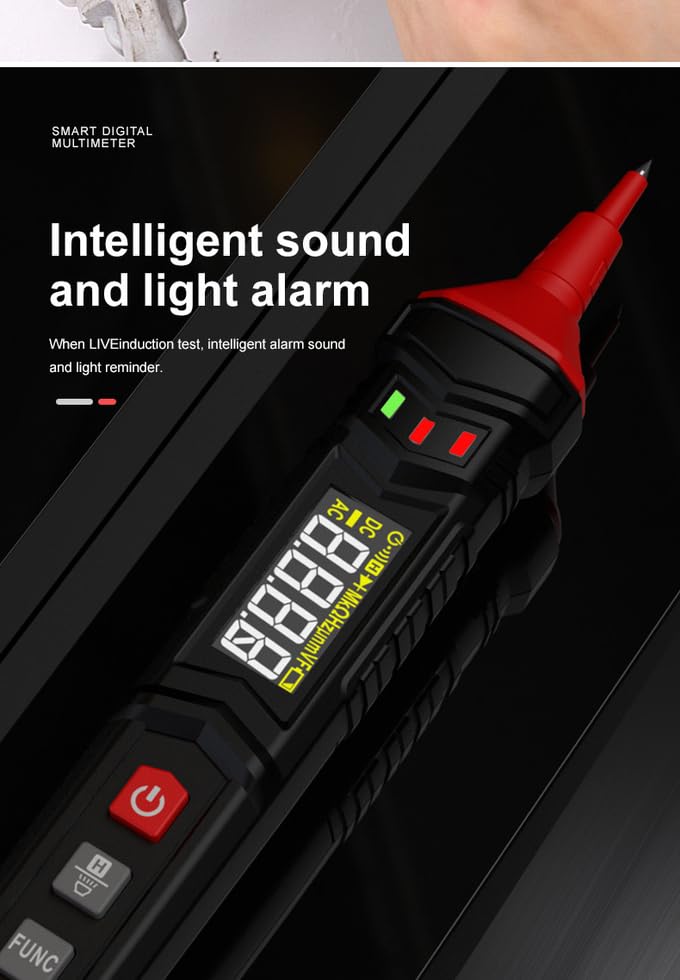
Image 5.2: The HT121 multimeter displaying its intelligent sound and light alarm feature, indicating a live circuit during testing.
5.4 Data Hold and Flashlight
- Data Hold: Short press the Data Hold/Flashlight button to freeze the current reading on the display. Press again to release.
- Flashlight: Long press the Data Hold/Flashlight button to turn the built-in LED flashlight on or off.
6. Specifications
The following table details the technical specifications of the HABOTEST HT121 Digital Multimeter:
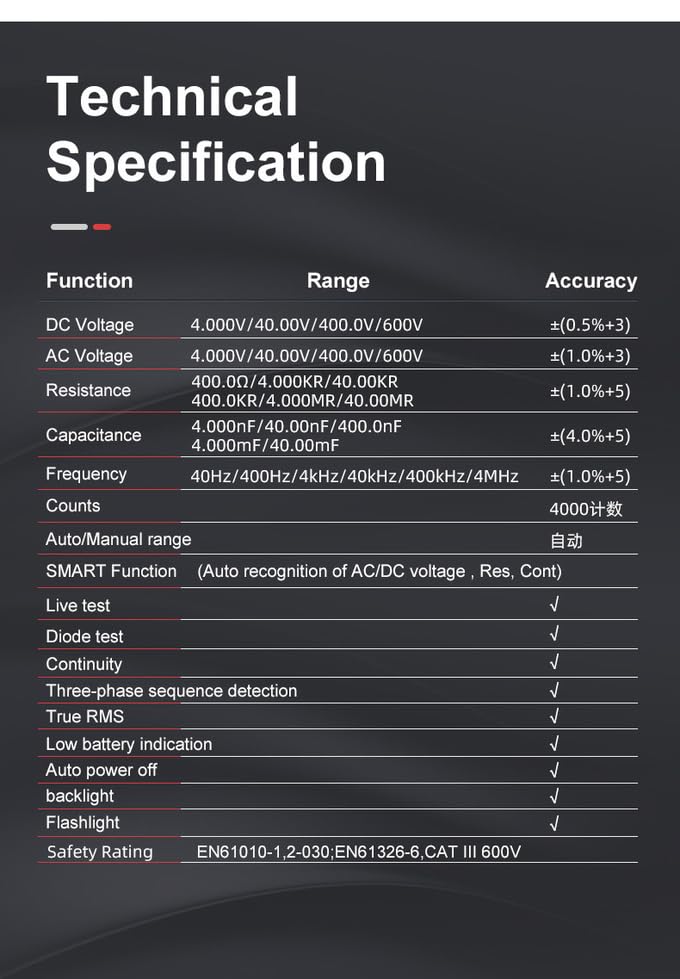
Image 6.1: A table outlining the technical specifications of the HT121 multimeter, including measurement ranges and accuracies for various functions.
| Function | Range | Accuracy |
|---|---|---|
| DC Voltage | 4.000V/40.00V/400.0V/600V | ±(0.5%+3) |
| AC Voltage | 4.000V/40.00V/400.0V/600V | ±(1.0%+3) |
| Resistance | 400.0Ω/4.000KΩ/40.00KΩ/400.0KΩ/4.000MΩ/40.00MΩ | ±(1.0%+5) |
| Capacitance | 4.000nF/40.00nF/400.0nF/4.000mF/40.00mF | ±(4.0%+5) |
| Frequency | 40.00Hz/400.0Hz/4.000kHz/40.00kHz/400.0kHz/4.000MHz | ±(1.0%+5) |
| Counts | 4000 | |
| Auto/Manual Range | Automatic | |
| SMART Function | Auto Recognition of AC/DC Voltage, Resistance, Continuity | |
| Live Test | Yes | |
| NCV | Yes | |
| Diode Test | Yes | |
| Continuity | Yes | |
| Three-Phase Sequence Detection | Yes | |
| True RMS | Yes | |
| Low Battery Indication | Yes | |
| Auto Power Off | Yes (15 minutes) | |
| Backlight | Yes | |
| Flashlight | Yes | |
| Power Source | 2 x 1.5V AAA batteries | |
| Safety Rating | EN61010-1,2-030; EN61326-6, CAT III 600V | |
| Dimensions (LxWxH) | 21 x 5 x 3.5 cm | |
| Item Weight | 150 g |
7. Maintenance
- Cleaning: Wipe the meter with a damp cloth and mild detergent. Do not use abrasives or solvents.
- Battery Replacement: Replace batteries as soon as the low battery indicator appears to ensure accurate readings and proper operation.
- Storage: If the meter is not used for an extended period, remove the batteries to prevent leakage and damage. Store in a cool, dry place.
- Test Leads: Regularly inspect test leads for any signs of damage, such as cracks or frayed insulation. Replace damaged leads immediately.
8. Troubleshooting
- Meter does not power on: Check if batteries are correctly installed and have sufficient charge. Replace batteries if necessary.
- Inaccurate readings: Ensure test leads are properly connected. Check battery level. Verify that the correct measurement function is selected (if not in Smart mode).
- No display: Check battery power. If the issue persists, contact support.
- Auto power-off too soon: This is a built-in feature (15 minutes). If it powers off more frequently, check battery level.
9. Warranty and Support
The HABOTEST HT121 Pen Type Digital Multimeter comes with a 1-year warranty from the date of purchase, covering manufacturing defects.
For technical support, warranty claims, or service inquiries, please contact the importer:
MDS Automech Solutions
Q-106, Phase 3, Shivalik Nagar, BHEL, Haridwar, Uttarakhand-249403
Contact: +91-9870694636
Email: mohit@mdsautomech.in
Please retain your proof of purchase for warranty validation.


