
1. Product Overview
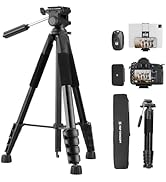
The K&F CONCEPT S255A3+BV01 is a portable and lightweight tripod designed for a wide range of photographic and videographic applications. Its compact design, flexible height adjustment, and versatile pan head make it suitable for use with DSLRs, mirrorless cameras, smartphones, and tablets.
Key Features:
- Compact Design: Features a five-sided shaped tube and a reversible center shaft, allowing for a compact folded size of 50 cm and a storage diameter of 70mm, making it easy to carry.
- Lightweight Construction: Weighing only 1.35 kg, it is ideal for travel and outdoor shooting, supporting a load capacity of up to 4 kg.
- Flexible Height Adjustment: A 5-section center column with 4 quick locks allows for rapid height adjustment from 48 cm (19 inches) to 190 cm (75 inches).
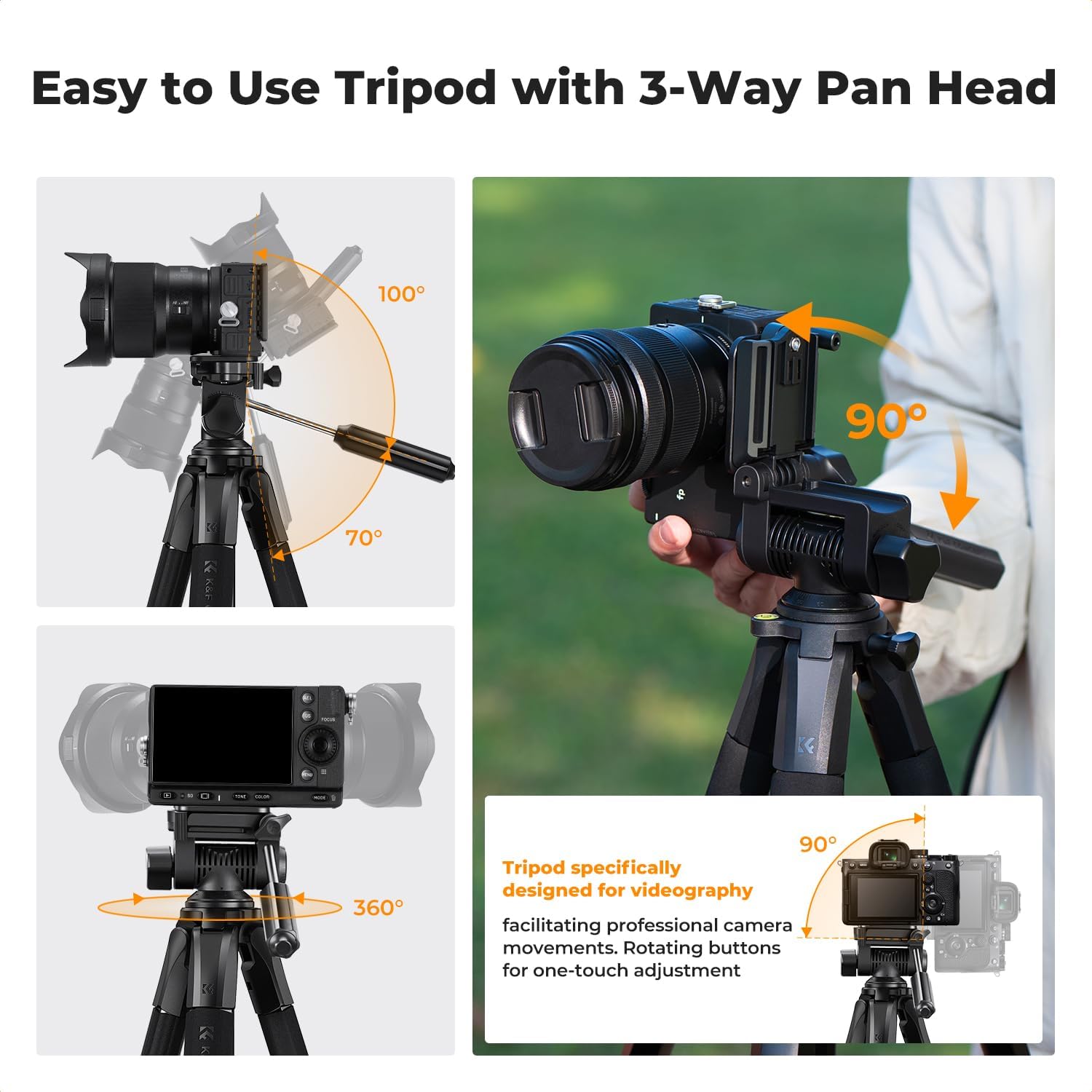
- Three-Way Panoramic Head: Equipped with a three-way pan head and a comfortable handle for smooth and quick adjustments, enabling 360° horizontal rotation, 100° tilt, and 90° side shooting.
- Exceptional Stability: The center column features a control knob for height adjustment and a hook at the bottom to hang additional weight (e.g., camera bags) for increased stability.
- Non-slip Feet: Horseshoe-shaped non-slip feet enhance grip on various surfaces, adapting well to uneven terrain.
- Wide Compatibility: Compatible with mobile phones, tablets, mirrorless cameras, DSLRs, and other devices.
- Included Accessories: Comes with 2 quick release plates, a tablet/phone clip, a Bluetooth remote control, and a storage bag.
2. Setup Instructions
2.1 Unfolding the Tripod
- Place the tripod on a flat, stable surface.
- Gently pull the legs outwards until they are fully extended or set to your desired angle. The horseshoe-shaped non-slip feet will provide stability.
- To adjust the height of each leg section, use the quick flip locks. Flip open the lock, extend the leg to the desired length, and then close the lock securely.

2.2 Attaching the Quick Release Plate
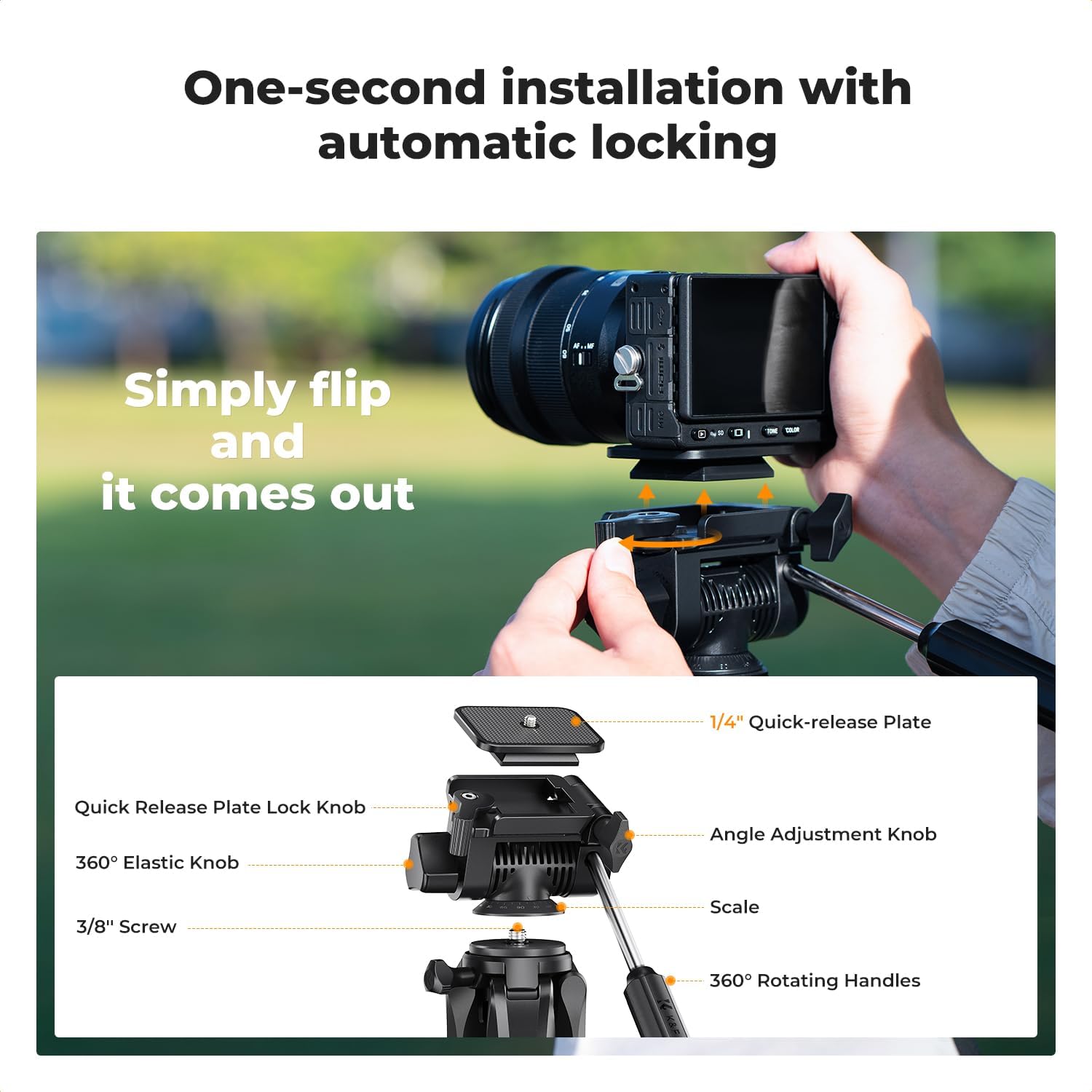
- Locate the quick release plate lock knob on the tripod head.
- Loosen the quick release plate lock knob and remove the quick release plate from the tripod head.
- Attach your camera, smartphone clip, or tablet clip to the quick release plate using the 1/4-inch screw. Ensure it is tightened securely.
- Slide the quick release plate with your device back into the tripod head until it clicks into place. Tighten the quick release plate lock knob to secure it.
2.3 Adjusting Center Column Height
To raise or lower the center column, loosen the center column locking knob. Adjust the column to the desired height, then tighten the knob firmly to secure it. For maximum stability, ensure the center column is not extended more than necessary.
3. Operating Instructions
3.1 Using the Three-Way Pan Head
The three-way pan head allows for precise control over your camera's position:
- Horizontal Panning (360°): Use the horizontal rotation lock knob to control the 360° rotation. Loosen to pan, tighten to lock.
- Vertical Tilt (-70° to +100°): Use the tilt handle to adjust the vertical angle. Loosen the tilt lock knob, adjust the angle, and then tighten the knob.
- Side Tilt (90°): For portrait orientation or specific side angles, loosen the side tilt lock knob, adjust the camera to 90°, and tighten the knob.
3.2 Enhancing Stability
For added stability, especially in windy conditions or when using heavier equipment, utilize the hook located at the bottom of the center column. You can hang your camera bag or other weights from this hook to lower the tripod's center of gravity.
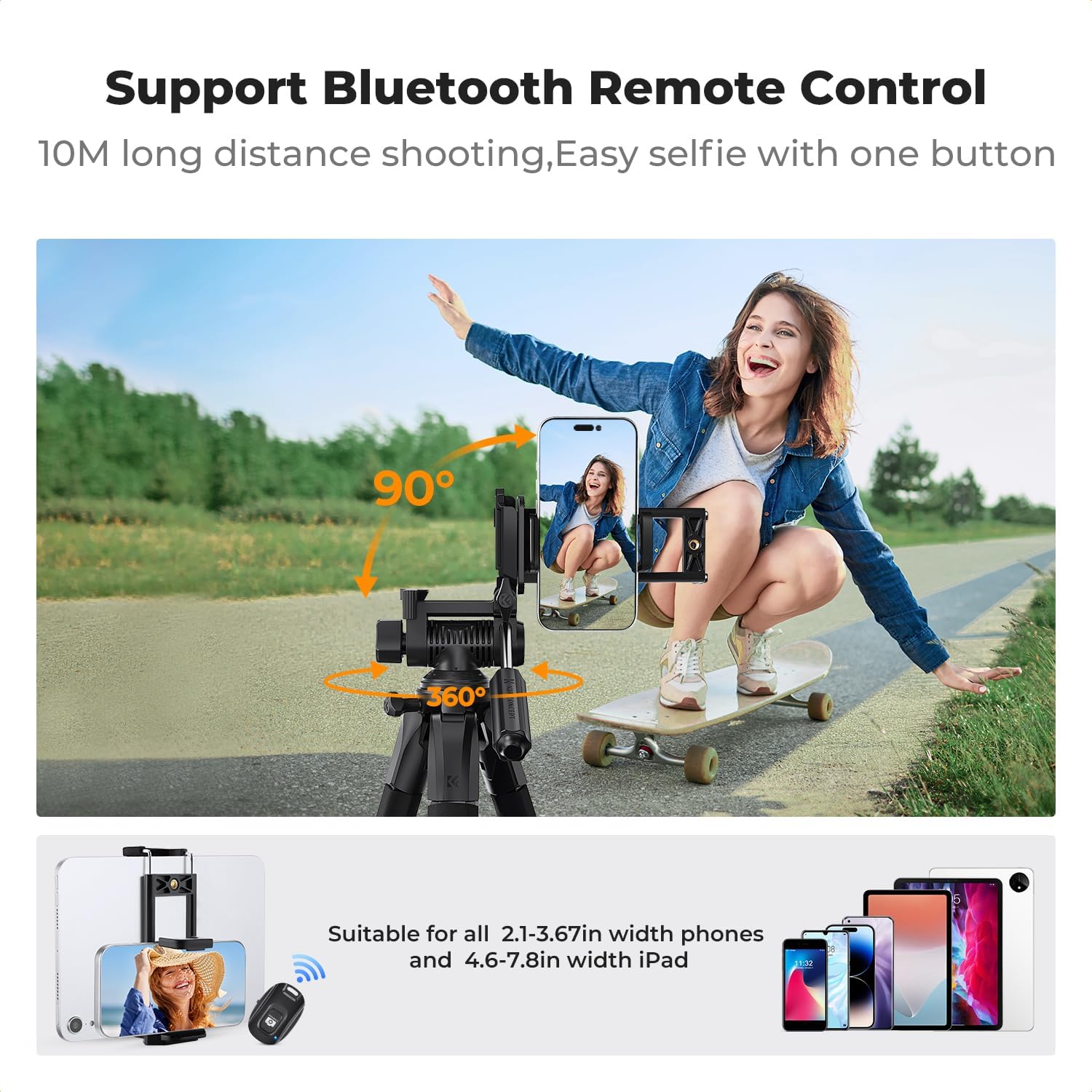
3.3 Using the Bluetooth Remote Control
The included Bluetooth remote control allows for convenient remote shutter release, ideal for selfies or group photos. Refer to the separate instructions provided with the remote for pairing and operation.
4. Maintenance
Proper maintenance ensures the longevity and optimal performance of your tripod.
- Cleaning: After use, especially in dusty or sandy environments, wipe down the tripod legs and head with a soft, dry cloth. If necessary, use a slightly damp cloth, then dry thoroughly. Avoid harsh chemicals or abrasive cleaners.
- Lubrication: The moving parts of the tripod head and leg locks are designed for smooth operation. Do not apply lubricants unless specifically instructed by the manufacturer, as this can attract dust and debris.
- Storage: Store the tripod in its included storage bag in a cool, dry place away from direct sunlight and extreme temperatures. Ensure all locks are disengaged or lightly tightened to prevent stress on components during storage.
- Inspection: Periodically check all screws, knobs, and leg locks for tightness. Ensure the quick release plate mechanism operates smoothly.

5. Troubleshooting
If you encounter issues with your tripod, refer to the following common troubleshooting tips:
- Tripod is unstable:
- Ensure all leg sections are fully extended and their quick flip locks are securely closed.
- Verify that the center column locking knob is tightened.
- Spread the legs as wide as possible for a broader base.
- Hang a weight from the center column hook to increase stability.
- Check that the non-slip feet are making full contact with the ground.
- Camera/Device is loose on the head:
- Ensure the quick release plate is firmly attached to your device.
- Verify that the quick release plate is fully inserted into the tripod head and the quick release plate lock knob is tightened.
- Head movements are stiff or loose:
- Check the tension of the pan and tilt lock knobs. Loosen for smoother movement, tighten to secure.
- Ensure no debris is obstructing the movement of the head.
- Bluetooth remote not connecting:
- Ensure the remote has fresh batteries.
- Check that Bluetooth is enabled on your smartphone/tablet.
- Follow the pairing instructions for the remote control carefully.
6. Specifications
| Feature | Specification |
|---|---|
| Brand | K&F CONCEPT |
| Model Name | S255A3+BV01 |
| Material | Aluminum |
| Color | Grey |
| Product Weight | 1.18 kg (2.6 Pounds) |
| Maximum Weight Load | 4 kg |
| Maximum Height | 190 cm (75 Inches) |
| Minimum Height | 48 cm |
| Folded Size | 50 cm |
| Number of Leg Sections | 5 |
| Tripod Head Type | Pan Head |
| Compatible Devices | Camera, Video Camera, Smartphone, Tablet |
| Special Features | Flexible shooting angle (360° horizontal, -70° to +100° tilt), Compact five-sided tube design, Extendable center column, Adjustable height (48cm to 190cm), Wide compatibility |
| Included Components | Tripod, 2 Quick Release Plates, Tablet/Phone Clip, Bluetooth Remote Control, Storage Bag |
7. Warranty and Support
The K&F CONCEPT S255A3+BV01 Tripod typically comes with a 1-year warranty from the date of purchase, covering manufacturing defects. Please retain your proof of purchase for warranty claims.
For technical support, warranty service, or inquiries about your product, please contact K&F CONCEPT customer service through their official website or the retailer where you purchased the product. Provide your model number (S255A3+BV01) and a detailed description of the issue to expedite assistance.