Introduction
This manual provides detailed instructions for the Champonic YYK-526 Bluetooth Headset. It covers setup, operation, maintenance, and troubleshooting to ensure optimal performance and user experience. Please read this manual thoroughly before using your headset.
What's in the Box
Verify that all items are present in the package:
- Wireless Headset
- Charging Case
- USB Dongle
- Replacement Eartips (S/M/L)
- USB-C Cable
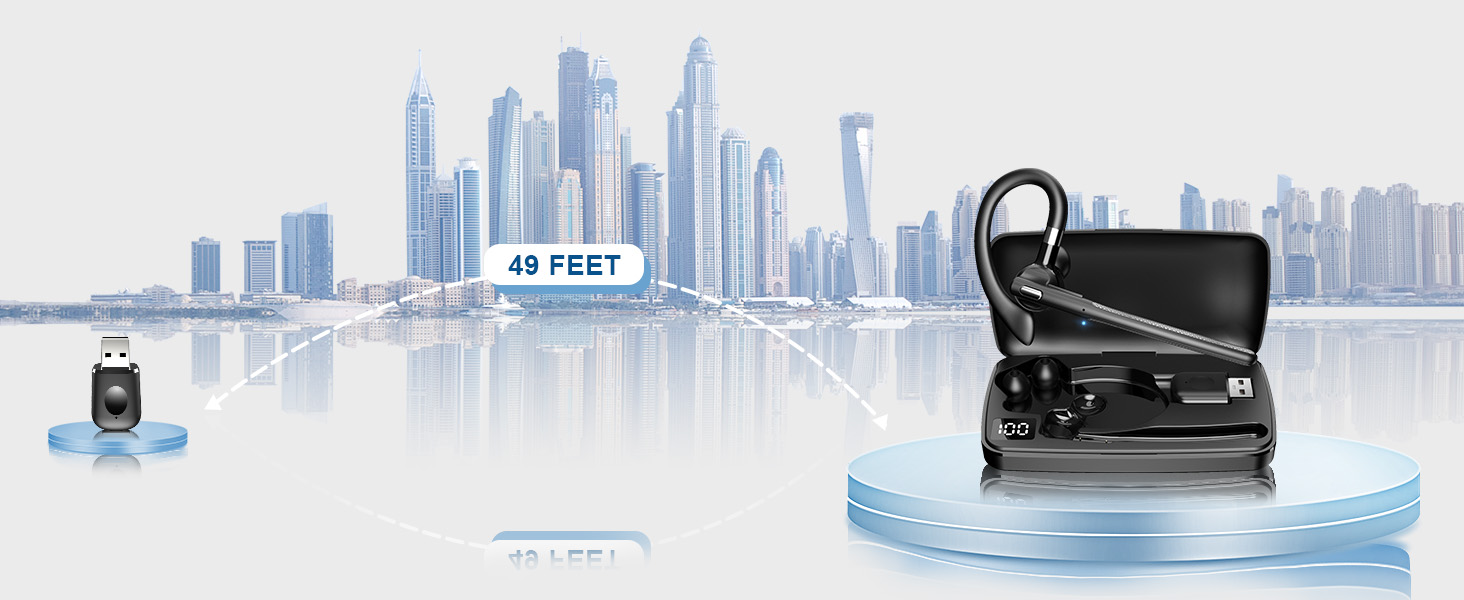
Image: Contents of the Champonic YYK-526 Bluetooth Headset package, including the headset, charging case, USB dongle, ear tips, and USB-C cable.
Product Overview
The Champonic YYK-526 Bluetooth Headset is designed for clear communication and comfortable wear. It features a lightweight design, a multi-function button, and a flexible ear hook.

Image: The Champonic YYK-526 Bluetooth Headset, its charging case, three sizes of ear tips, and the USB dongle.
Setup
1. Charging the Headset and Case
Before first use, fully charge the headset and charging case. Connect the provided USB-C cable to the charging case and a power source. The LED digital display on the case will indicate the battery level. A full charge takes approximately 1.5 hours.
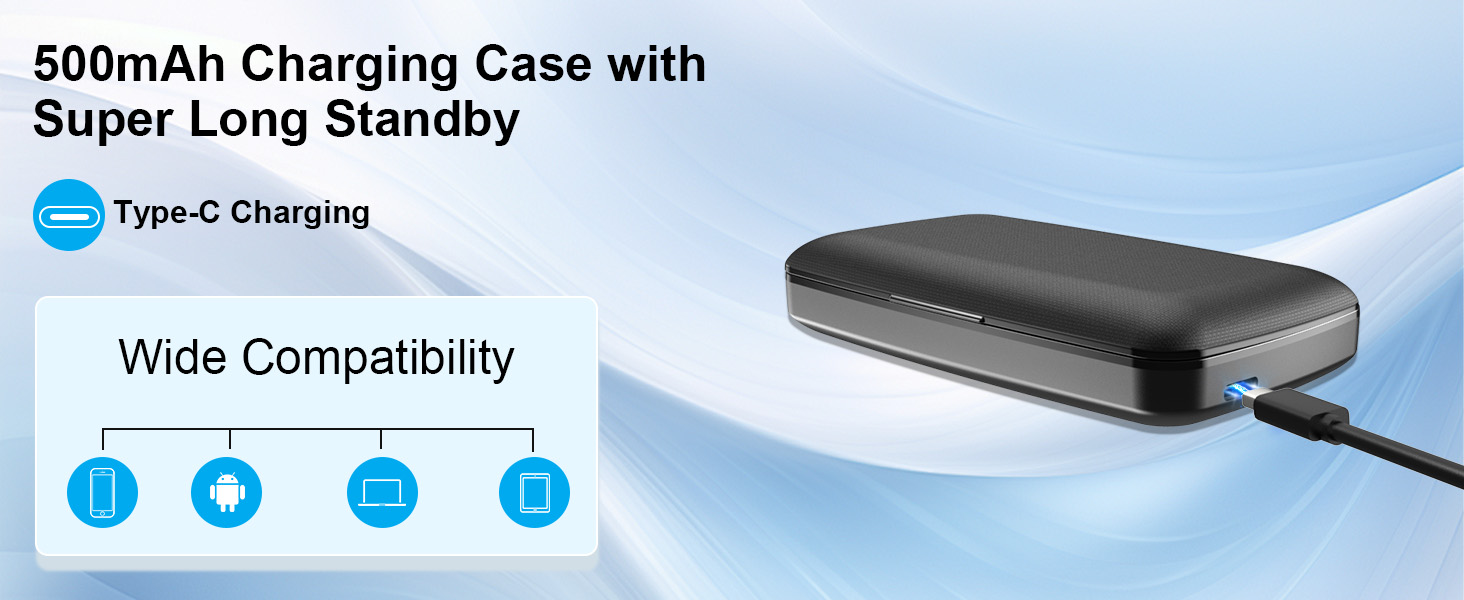
Image: The 500mAh charging case for the headset, featuring an LED digital display showing battery percentage.
2. Powering On/Off
- Power On: Press and hold the Multi-Function Button (MFB) for 3 seconds.
- Power Off: Press and hold the MFB for 5 seconds.
3. Bluetooth Pairing
The headset supports standard Bluetooth pairing and includes a USB adapter for devices without built-in Bluetooth.
Standard Bluetooth Pairing (Phone/Tablet)
- Ensure the headset is powered off.
- Press and hold the MFB until the indicator light flashes blue and red, indicating pairing mode.
- On your device, enable Bluetooth and search for "YYK-526" in the list of available devices.
- Select "YYK-526" to connect. A voice prompt will confirm "connected" upon successful pairing.
Image: Diagram illustrating Bluetooth pairing between the YYK-526 headset and a smartphone, with a laptop in the background.
Using the USB Adapter (for PCs without Bluetooth)
- Plug the USB adapter into an available USB port on your desktop PC or laptop.
- The adapter will automatically connect to the YYK-526 headset.
- This provides a stable connection up to 49 feet (15 meters).

Image: The Champonic YYK-526 headset wirelessly connected to a laptop via its USB dongle, demonstrating PC compatibility.
Dual Bluetooth Pairing
The headset supports connecting to two devices simultaneously. After pairing with the first device, disable Bluetooth on that device. Pair with the second device. Then, re-enable Bluetooth on the first device, and the headset should connect to both. This allows seamless switching between devices.

Image: The Champonic YYK-526 headset positioned between a laptop and a smartphone, symbolizing its dual connection capability.
4. Wearing the Headset
The ergonomic design ensures comfort for extended wear. The ear hook can be rotated 180 degrees to fit either the left or right ear. Three sizes of ear tips (S/M/L) are included to provide a secure and comfortable fit.
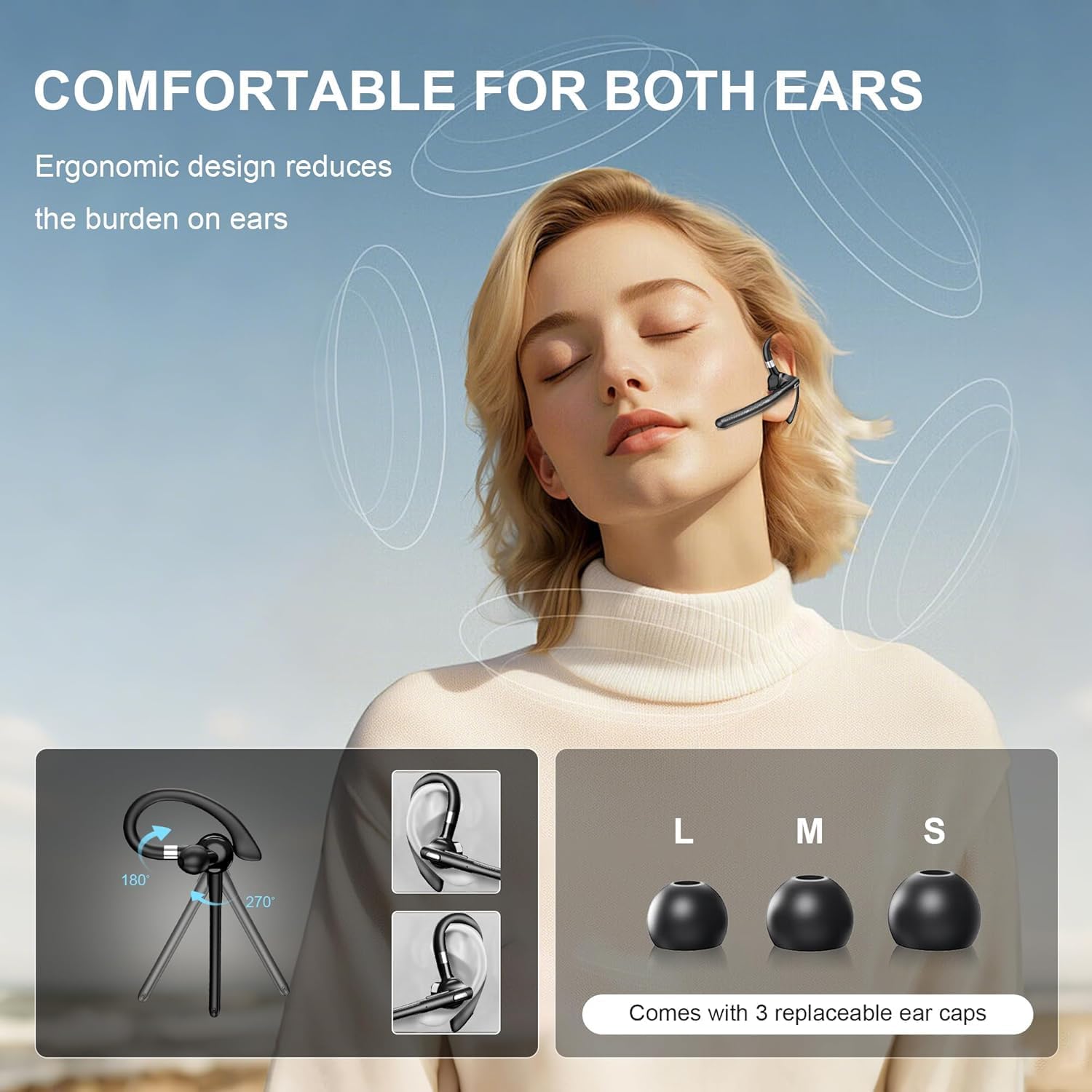
Image: A woman wearing the Champonic YYK-526 headset, with insets showing the 180-degree rotation of the ear hook and the three included ear tip sizes (S, M, L).
Operating Instructions
Multi-Function Button (MFB) Controls
The MFB and volume buttons provide control over various functions:
- Power On/Off: Press and hold MFB for 3 seconds (On) / 5 seconds (Off).
- Play/Pause Media: Press MFB once.
- Answer/End Calls: Press MFB once.
- Reject Call: During an incoming call, press and hold MFB for 2 seconds.
- Volume +: Press and hold for 1 second to go to the next track.
- Volume -: Press and hold for 1 second to play the previous song.
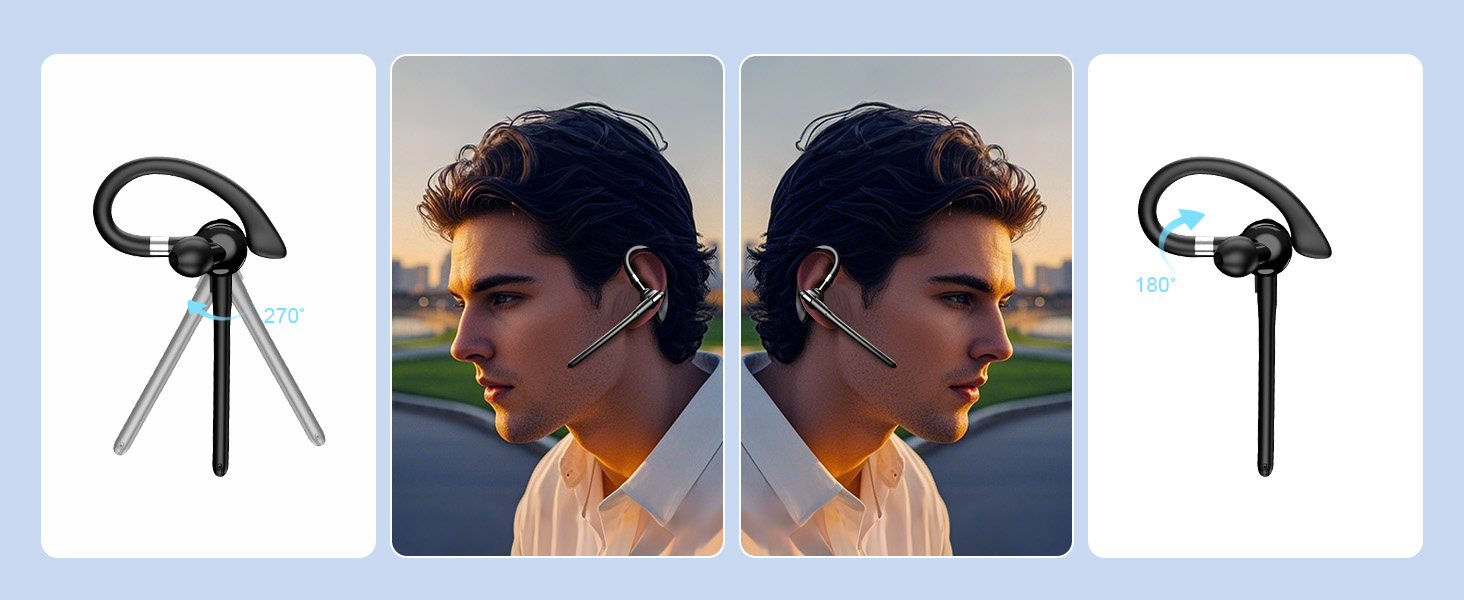
Image: A detailed diagram highlighting the Multi-Function Button (MFB) and volume controls on the Champonic YYK-526 headset, with corresponding actions.
Voice Assistant Function
To activate your device's voice assistant (e.g., Siri, Google Assistant), long press the MFB button for 2 seconds when not on a call. This allows for hands-free control of your device.
Environmental Noise Cancellation (ENC)
The headset is equipped with advanced ENC technology, which effectively filters out ambient noise during calls. This ensures crystal-clear communication, making it suitable for various environments such as business meetings, conference calls, or driving.
Maintenance
To ensure the longevity and optimal performance of your Champonic YYK-526 Bluetooth Headset, follow these maintenance guidelines:
- Cleaning: Regularly wipe the headset and charging case with a soft, dry cloth. Avoid using harsh chemicals or abrasive materials.
- Storage: When not in use, store the headset in its charging case to protect it from dust and damage. Store in a cool, dry place away from direct sunlight and extreme temperatures.
- Water Resistance: The headset is water repellent. Avoid submerging it in water or exposing it to heavy rain.
Troubleshooting
If you encounter issues with your headset, refer to the following common problems and solutions:
| Problem | Possible Solution |
|---|---|
| Headset won't power on | Ensure the headset is fully charged. Place it in the charging case for a few minutes, then try powering on again. |
| Cannot pair with device | Ensure the headset is in pairing mode (flashing blue and red light). Disable and re-enable Bluetooth on your device. Try restarting both the headset and your device. |
| No sound or poor audio quality | Check the volume levels on both the headset and your connected device. Ensure the headset is within range of your device. Re-pair the headset if necessary. |
| USB adapter not connecting | Ensure the USB adapter is fully inserted into the USB port. Try a different USB port. Restart your computer. |
| Voice assistant not responding | Ensure the headset is connected to your device. Confirm that the voice assistant is enabled on your device. Long press the MFB for 2 seconds to activate. |
Specifications
Key technical specifications for the Champonic YYK-526 Bluetooth Headset:
| Feature | Specification |
|---|---|
| Model Name | YYK-526 |
| Brand | Champonic |
| Bluetooth Version | 5.4 |
| Connectivity Technology | Wireless (Bluetooth) |
| Noise Control | Adaptive Noise Cancellation (ENC) |
| Charging Case Capacity | 500mAh |
| Item Weight | 0.32 oz (headset) / 5 ounces (package) |
| Water Resistance Level | Water Repellent |
| Compatible Devices | Cellphones, Desktops, Laptops, Smart Speaker, Smart Watch |
| Ear Placement | On Ear |
| Impedance | 32 Ohm |
Warranty and Support
For warranty information or technical support, please refer to the product packaging or contact Champonic customer service through the retailer where the product was purchased. Keep your proof of purchase for warranty claims.


