
Introduction
The Vaxee x Ninjutso Sora 4K is a high-performance wireless gaming mouse designed for competitive play. It combines the ergonomic shape of Ninjutso's original Sora with VAXEE's advanced 4K wireless technology. Featuring a PixArt PAW3950 sensor, this lightweight mouse (approximately 59-60g) delivers ultra-low latency and precise tracking for demanding esports environments.
Package Contents
- Vaxee x Ninjutso Sora 4K Wireless Gaming Mouse
- Wireless Receiver (USB Dongle)
- USB-C Charging Cable
Setup
1. Charging the Mouse
Before initial use, ensure the mouse is fully charged. Connect the provided USB-C cable to the mouse's charging port and the other end to a USB power source (e.g., computer USB port, USB wall adapter). The mouse will indicate charging status, typically with an LED indicator.
Charging Speed: 0-100% in approximately 1 hour 50 minutes.
2. Connecting the Wireless Receiver
Insert the wireless USB receiver into an available USB port on your computer. The mouse is designed for plug-and-play functionality, requiring no additional drivers for basic operation.
3. Powering On the Mouse
Locate the power switch on the bottom of the mouse and slide it to the 'ON' position. The mouse should automatically connect to the receiver.
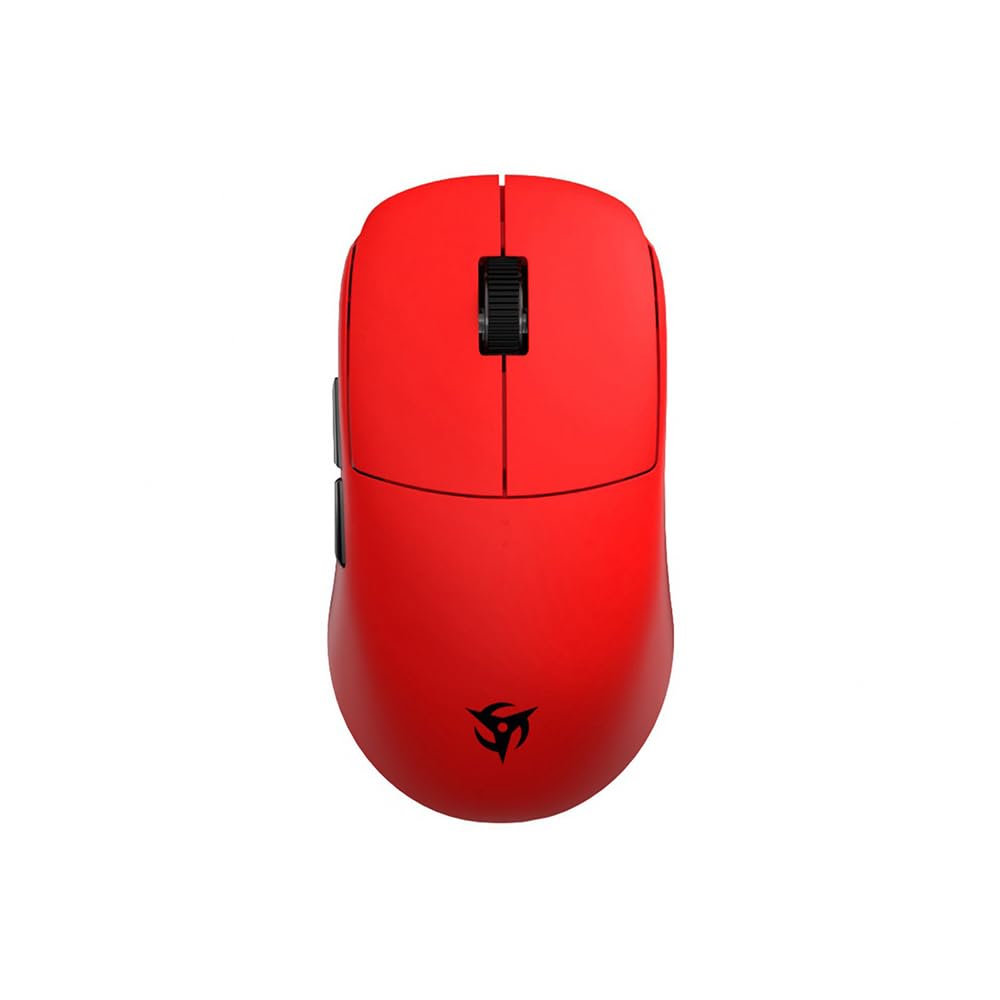
Image: Bottom view of the Vaxee x Ninjutso Sora 4K wireless gaming mouse, showing the optical sensor, DPI switch, and power/mode switch.
Operating Instructions
DPI Adjustment
The mouse features 4 adjustable DPI stages: 400, 800, 1600, and 3200. You can cycle through these settings using the dedicated DPI button, typically located on the bottom of the mouse. An indicator light will show the current DPI setting.
LOD (Lift-Off Distance) Adjustment
The mouse supports two types of LOD settings, which can be adjusted based on your mouse pad surface:
- Low LOD: Approximately 0.5-1.0mm (initial value)
- High LOD: Approximately 1.0-1.5mm
Refer to the specific instructions provided with your mouse or on the manufacturer's website for details on how to switch between LOD settings.
Competitive Mode vs. Normal Mode
The Vaxee x Ninjutso Sora 4K offers two operational modes:
- VAXEE Competitive Mode: This mode optimizes the sensor scan frequency and wireless transmission for ultra-low latency and high-speed real-time tracking. It is recommended for gamers.
- Normal Mode: This mode prioritizes extended battery life. Note that Normal Mode does not support 2K or 4K polling rates.
Switching between modes can be done via a dedicated switch or button on the mouse. For gamers, the default Competitive Mode is recommended.
Battery Life Estimates:
- Competitive Mode:
- 4K Polling Rate: Approximately 30 hours
- 2K Polling Rate: Approximately 34 hours
- 1K Polling Rate: Approximately 38 hours
- Normal Mode:
- 1K Polling Rate: Approximately 110 hours
To ensure longer battery life, switching to Normal Mode is recommended when not engaged in competitive gaming.
Button Functions
The mouse features 5 buttons: Left Click, Right Click, Scroll Wheel Click, and two Side Buttons. All settings, including button assignments, can be configured directly on the mouse without the need for additional drivers, thanks to its plug-and-play design.

Image: Front/Top view of the red Vaxee x Ninjutso Sora 4K wireless gaming mouse, showing the left and right click buttons, scroll wheel, and side buttons.
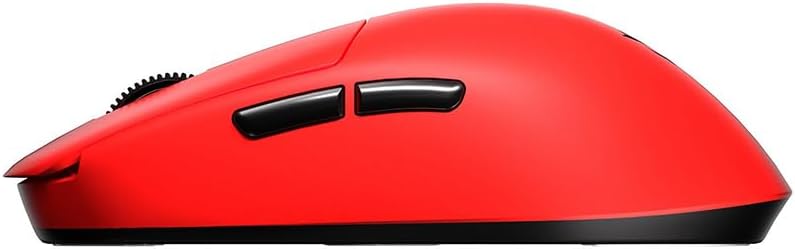
Image: Side view of the red Vaxee x Ninjutso Sora 4K wireless gaming mouse, highlighting its ergonomic shape and side buttons.
Maintenance
Cleaning
To maintain optimal performance, regularly clean your mouse. Use a soft, dry cloth to wipe the surface. For stubborn dirt, a slightly damp cloth can be used, but ensure no moisture enters the mouse's internal components. Avoid harsh chemicals or abrasive materials.
Battery Care
To prolong the lifespan of the internal rechargeable battery:
- Avoid fully discharging the battery frequently.
- Do not expose the mouse to extreme temperatures.
- If storing the mouse for an extended period, charge it to about 50% before storage.
Troubleshooting
Mouse Not Responding
- Ensure the mouse is powered on.
- Check if the wireless receiver is securely plugged into a working USB port.
- Verify the mouse battery has sufficient charge. Connect the charging cable to see if it powers on.
- Try plugging the receiver into a different USB port.
- Restart your computer.
DPI/LOD Settings Not Changing
- Ensure you are pressing the correct button for DPI/LOD adjustment.
- Refer to the official Vaxee or Ninjutso support page for detailed instructions on advanced settings.
Battery Not Charging
- Ensure the USB-C cable is properly connected to both the mouse and the power source.
- Try a different USB port or power adapter.
- Inspect the charging cable for any damage.
Specifications
| Brand | Ninjutso |
| Model | Sora 4K |
| Color | Red |
| Weight | Approx. 59-60g |
| Sensor | PixArt PAW3950 Optical Sensor |
| DPI Settings | 400 / 800 / 1600 / 3200 (Adjustable) |
| Number of Buttons | 5 |
| Connectivity | Wireless (USB Receiver), Wired (USB-C for charging/data) |
| LOD (Lift-Off Distance) | Low (0.5-1.0mm), High (1.0-1.5mm) |
| Charging Time | Approx. 1 hour 50 minutes (0-100%) |
| Country of Origin | China |
Warranty Information
This product comes with a 1-year warranty from the date of purchase. Please retain your proof of purchase for warranty claims. The warranty covers manufacturing defects but does not cover damage caused by misuse, accidents, unauthorized modifications, or normal wear and tear.
Support
For further assistance, technical support, or warranty inquiries, please visit the official Ninjutso or Vaxee website. You may also contact your local authorized dealer or distributor for support.


