
Introduction
Welcome to the user manual for your new AGFA Photo Classic Digital Camera DC8300. This compact point-and-shoot camera is designed to capture your memories with 21MP photos and Full HD videos, featuring an 8x optical zoom and a 2.7-inch LCD screen. Please read this manual thoroughly to understand the camera's functions and ensure proper operation and maintenance. Keep this manual for future reference.
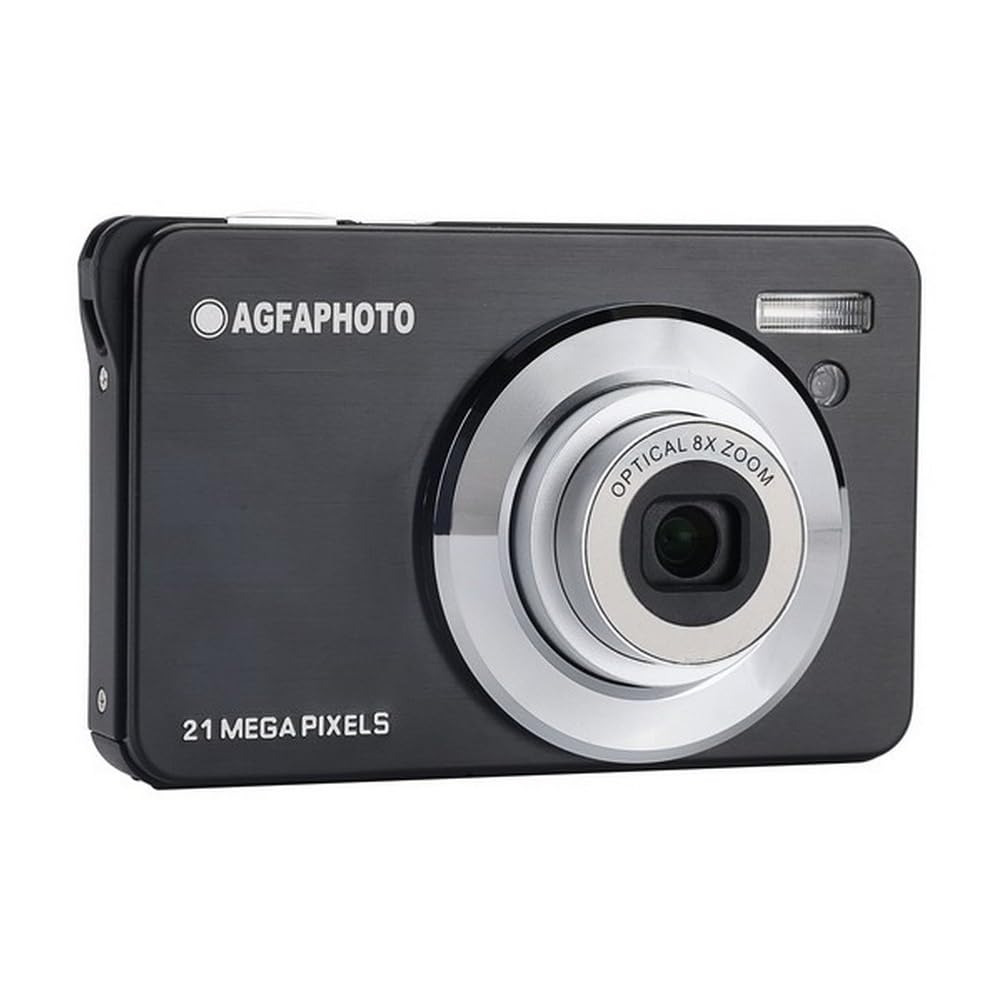
The AGFA Photo Classic Digital Camera DC8300 in black, a compact and stylish device for everyday photography.
1. Setup
1.1 Unboxing and Package Contents
Carefully unpack your camera and check for the following items:
- AGFA Photo Classic Digital Camera DC8300
- Li-ion Battery
- USB Cable
- Camera Bag
- Wrist Strap
1.2 Battery Installation and Charging
- Open the battery compartment cover located at the bottom of the camera.
- Insert the provided Li-ion battery, ensuring the correct orientation as indicated inside the compartment.
- Close the battery compartment cover securely.
- To charge the battery, connect the camera to a USB power source (e.g., computer, wall adapter) using the supplied USB cable. The charging indicator light will illuminate.
- Charging is complete when the indicator light turns off or changes color (refer to camera display for specific status).
1.3 Memory Card Installation
The camera requires an SD card (up to 32GB) for storing photos and videos. A memory card is not included.
- Locate the memory card slot, usually near the battery compartment.
- Insert the SD card with the metal contacts facing the front of the camera until it clicks into place.
- To remove, gently push the card until it springs out.
1.4 Initial Power On and Settings
After installing the battery and memory card, press the power button to turn on the camera. You may be prompted to set the date and time. Follow the on-screen instructions using the navigation buttons.

The AGFA Photo DC8300 camera connected via USB cable for charging or data transfer.
2. Operating the Camera
2.1 Camera Controls Overview
Familiarize yourself with the buttons and controls on your camera. The 2.7-inch LCD screen provides a live view and access to menus.
2.2 Powering On/Off
Press the Power button to turn the camera on or off.
2.3 Taking Photos
- Turn on the camera.
- Frame your shot using the 2.7-inch LCD screen.
- Press the Shutter button halfway down to focus.
- Press the Shutter button fully to capture the 21MP image.
The camera offers various shooting modes such as Portrait, Landscape, and Night. Access these through the camera's menu system.
2.4 Using Optical Zoom
The camera features an 8x optical zoom. Use the zoom lever (often around the shutter button) to zoom in or out. Optical zoom allows you to get closer to your subject without losing image quality.

Demonstration of the 8x optical zoom capability, showing a subject captured from a distance and then zoomed in.
2.5 Recording Videos
- Switch the camera to video recording mode (if applicable, via a dedicated button or menu option).
- Press the Record button to start recording Full HD 1080p video.
- Press the Record button again to stop. Videos are saved in MP4 format.
2.6 Playback Mode
To view your captured photos and videos, enter playback mode (usually via a dedicated playback button). Use the navigation buttons to scroll through your media.
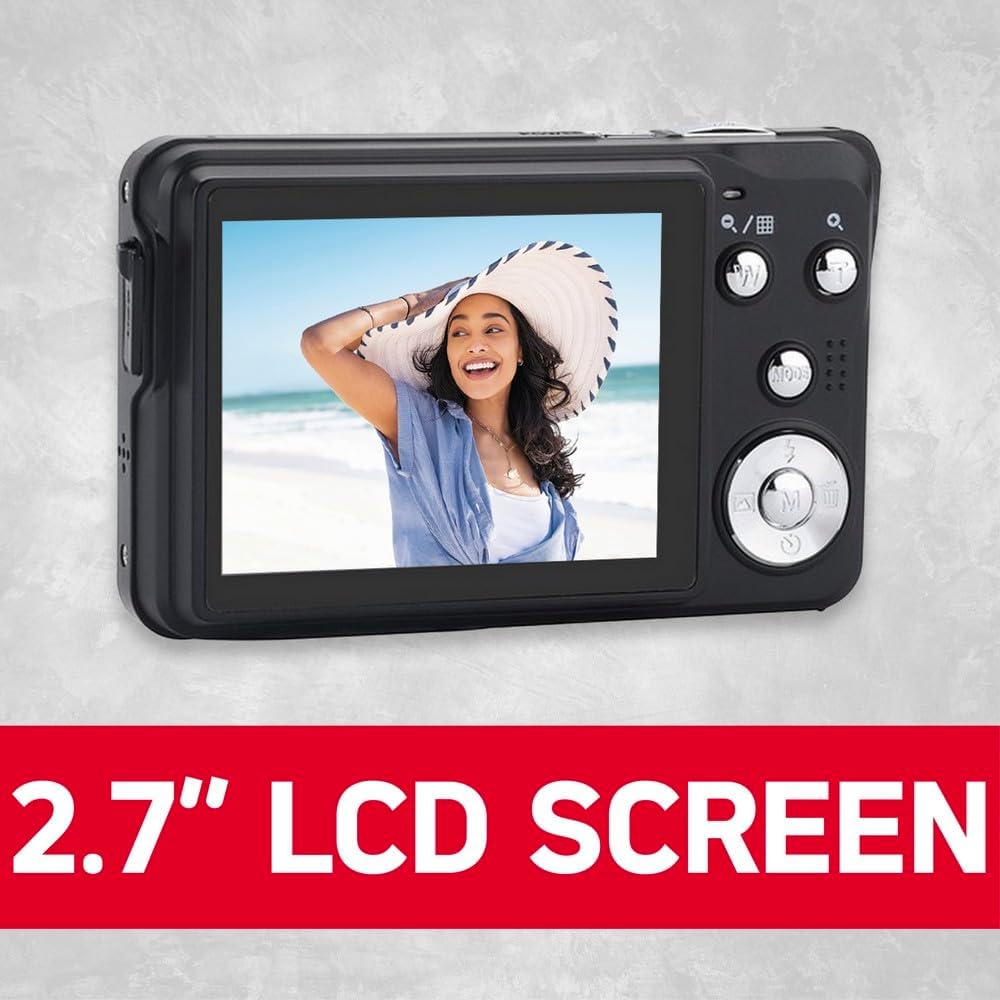
The camera's 2.7-inch LCD screen displaying a captured image, providing clear viewing.
2.7 Flash Modes
The built-in flash has several modes:
- Auto Flash: The camera automatically determines if flash is needed.
- Force Flash: The flash fires for every shot.
- Flash Off: The flash is disabled.
- Red-eye Reduction: Fires a pre-flash to reduce red-eye effect.
Select the appropriate flash mode from the camera's menu.
2.8 Special Features
- Face Detection: The camera automatically detects and focuses on faces in the frame.
- Self-Timer: Set a delay (e.g., 10 seconds) before the shutter fires, useful for self-portraits or group photos.

The camera's face detection feature actively identifying and framing faces in a scene.
3. Maintenance
3.1 Cleaning the Camera and Lens
- Use a soft, lint-free cloth to clean the camera body. Do not use harsh chemicals.
- For the lens, use a specialized lens cleaning cloth or brush. Avoid touching the lens surface with your fingers.
- Keep the LCD screen clean with a soft cloth to ensure clear viewing.
3.2 Battery Care
- Store the Li-ion battery in a cool, dry place when not in use.
- Avoid fully discharging the battery frequently to prolong its lifespan.
- If the camera will not be used for an extended period, remove the battery.
3.3 Storage
When not in use, store the camera in its provided bag or a protective case to prevent dust and scratches. Avoid extreme temperatures and high humidity.
4. Troubleshooting
If you encounter issues with your camera, refer to the following common problems and solutions:
| Problem | Possible Cause | Solution |
|---|---|---|
| Camera does not turn on | Battery is dead or incorrectly inserted. | Charge the battery or re-insert it correctly. |
| Photos are blurry | Camera shake, subject too close, or lens dirty. | Hold camera steady, ensure proper focus distance, clean the lens. |
| Memory card error | Card not inserted correctly or corrupted. | Re-insert the card. If error persists, try a different card or format the current one (this will erase all data). |
| Flash not firing | Flash mode set to 'Off' or 'Auto' in bright conditions. | Change flash mode to 'Force Flash' or ensure conditions require flash in 'Auto' mode. |
5. Specifications
Key technical specifications for the AGFA Photo Classic Digital Camera DC8300:
- Effective Still Resolution: 21 MP
- Optical Zoom: 8x
- Video Resolution: Full HD 1080p
- Screen Size: 2.7 Inches LCD
- Sensor Type: CMOS
- Supported File Formats: JPEG (photos), MP4 (videos)
- Image Stabilization: Yes
- Special Features: Face Detection, Self-Timer
- Battery Type: Lithium Ion
- External Memory: Supports SD cards up to 32 GB
- Connectivity: USB
- Item Weight: 3.63 Ounces

The retail packaging of the AGFA Photo Realishot DC8300, detailing its main features and specifications.
6. Warranty Information
Your AGFA Photo Classic Digital Camera DC8300 comes with a limited manufacturer's warranty. The terms and duration of the warranty may vary by region and retailer. Please refer to the warranty card included in your product packaging or visit the official AgfaPhoto website for detailed warranty information and registration procedures. Keep your proof of purchase for any warranty claims.
7. Support
For further assistance, technical support, or service inquiries regarding your AGFA Photo Classic Digital Camera DC8300, please contact AgfaPhoto customer service. You can typically find contact information on the official AgfaPhoto website or in the documentation provided with your camera. When contacting support, please have your camera model (DC8300) and any relevant purchase details ready.


