
1. Introduction
Welcome to the user manual for your new Samsung Galaxy F16 5G smartphone. This guide provides essential information on setting up, operating, and maintaining your device to ensure optimal performance and longevity. The Galaxy F16 5G features a vibrant FHD+ sAMOLED display, a powerful Dimensity 6300 processor, and a versatile 50MP triple camera system, all powered by a long-lasting 5000mAh battery.
Please read this manual thoroughly before using your device.
2. What's in the Box
Upon unboxing your Samsung Galaxy F16 5G, please verify that all the following items are included:
- Samsung Galaxy F16 5G Handset
- Data Cable (USB Type-C to Type-C)
- SIM Ejection Pin
- Quick Start Guide
Note: A power adapter is not included and must be purchased separately.
3. Device Layout and Components
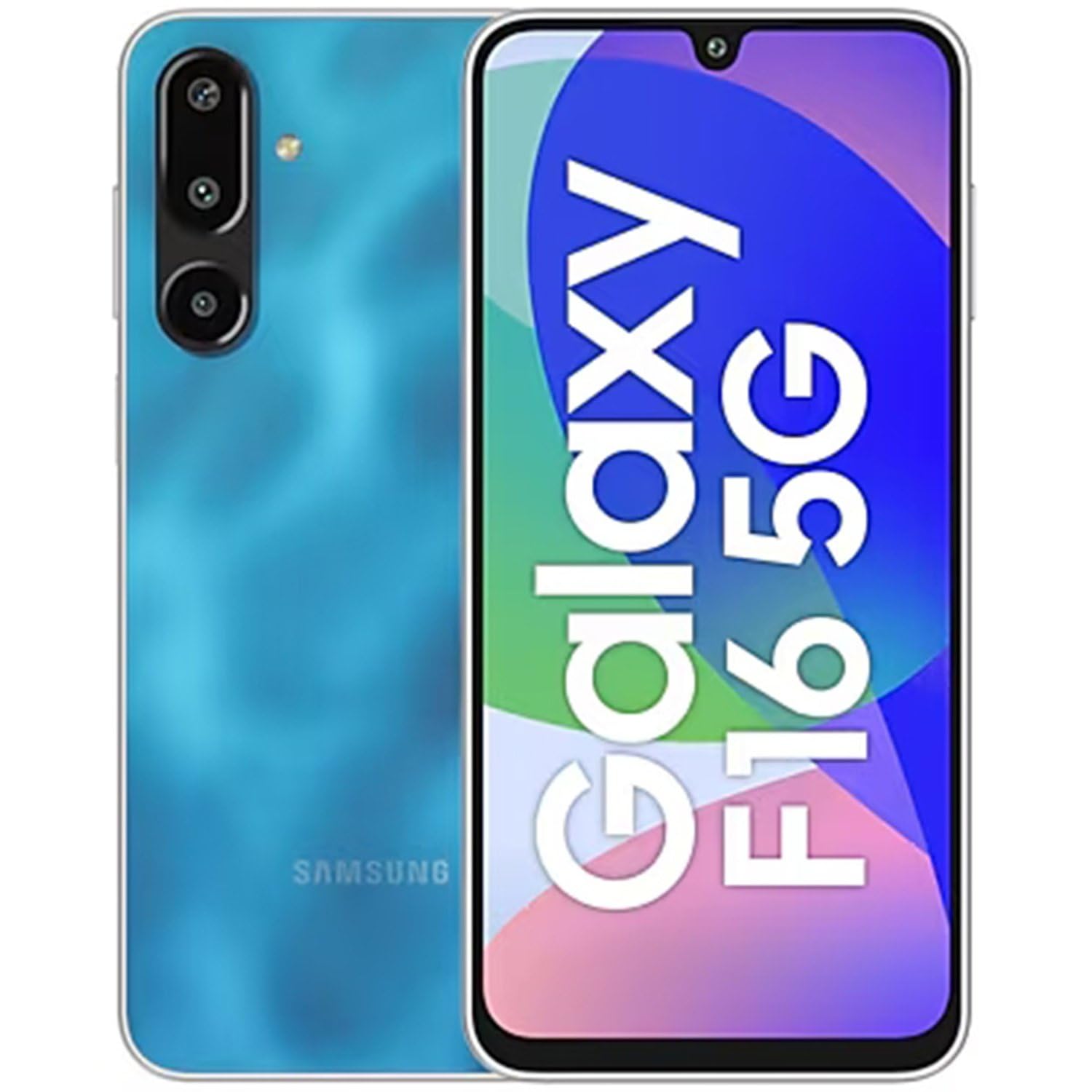
Figure 3.1: Front view of the Samsung Galaxy F16 5G, showing the display and front camera cutout.
The Samsung Galaxy F16 5G features a sleek design with essential components strategically placed for user convenience. The front of the device is dominated by the large sAMOLED display, with the front camera discreetly located at the top center. The power button and volume rocker are typically found on the right side, while the SIM tray is on the left.

Figure 3.2: Side profile of the Samsung Galaxy F16 5G, highlighting its slim 7.9mm design.
The device's slim profile, measuring 7.9mm, contributes to a comfortable grip. The USB Type-C port for charging and data transfer is located at the bottom, alongside the speaker grille. The rear panel houses the triple camera module and the Samsung branding.

Figure 3.3: Rear view of the Samsung Galaxy F16 5G in Vibing Blue, showcasing the camera array and brand logo.
4. Setup
4.1. Inserting the SIM Card
- Locate the SIM tray on the side of your device.
- Insert the SIM ejection pin into the small hole on the SIM tray to open it.
- Place your Nano-SIM card(s) into the tray with the gold contacts facing down. The Galaxy F16 5G supports Dual SIM.
- Carefully reinsert the SIM tray into the phone.
4.2. Charging the Battery
Before initial use, fully charge your device. Connect the USB Type-C cable to the phone's charging port and the other end to a compatible power adapter (sold separately). The device supports 25W fast charging.
4.3. Powering On/Off
- To power on: Press and hold the Power button until the Samsung logo appears.
- To power off: Press and hold the Power button, then tap "Power off" on the screen.
4.4. Initial Setup Wizard
Follow the on-screen prompts to complete the initial setup, including selecting your language, connecting to Wi-Fi, setting up your Google account, and configuring security features like fingerprint recognition.
5. Operating Your Device
5.1. Navigation
- Touchscreen Gestures: Tap, swipe, pinch-to-zoom are standard gestures.
- Home Screen: Access apps, widgets, and notifications.
- App Drawer: Swipe up from the home screen to view all installed applications.
5.2. Display Features
The Galaxy F16 5G features a 16.91 cm (6.657 inch) Full HD+ sAMOLED display. This display technology provides vivid colors and deep blacks, offering an immersive viewing experience even under direct sunlight.
- Brightness: Adjust screen brightness from the Quick Settings panel or Display settings.
- Dark Mode: Enable Dark Mode for a more comfortable viewing experience in low light.
5.3. Camera Usage
The device is equipped with a versatile camera system:
- Rear Cameras: 50MP Main camera, 5MP Ultra-wide camera, and 2MP Depth camera.
- Front Camera: 13MP for selfies and video calls.
Open the Camera app to access various modes like Photo, Video, Portrait, and more. Tap the shutter button to capture images or start/stop video recording. Adjust settings like flash, timer, and aspect ratio from the camera interface.
5.4. Audio and Sound
Adjust volume using the physical volume buttons on the side of the device. The phone features a mono speaker. For calls, the Voice Focus feature helps cancel out background noise for clearer conversations.
6. Connectivity
- 5G Network: Enjoy high-speed internet connectivity. Ensure your SIM card and plan support 5G.
- Wi-Fi: Connect to wireless networks via Settings > Connections > Wi-Fi.
- Bluetooth: Pair with wireless headphones, speakers, and other Bluetooth devices via Settings > Connections > Bluetooth.
- NFC: Use for contactless payments with Samsung Wallet and quick data sharing.
- USB Type-C: For charging, data transfer, and connecting USB accessories.
7. Security and Updates
- Fingerprint Recognition: Secure your device with the integrated fingerprint sensor. Set it up in Settings > Security and privacy > Biometrics.
- Software Updates: Your device is designed to receive 6 generations of OS upgrades and 6 years of security updates. Regularly check for and install updates via Settings > Software update to ensure optimal performance and security.
8. Maintenance
- Cleaning: Use a soft, lint-free cloth to clean the screen and body. Avoid harsh chemicals.
- Battery Care: To prolong battery life, avoid extreme temperatures and do not let the battery drain completely often.
- Storage: Regularly clear unnecessary files and apps to maintain optimal performance. The device supports expandable storage up to 1TB via microSD card (sold separately).
- Water Resistance: The device has a water-resistant rating. Avoid intentional submersion or exposure to high-pressure water.
9. Troubleshooting
| Problem | Possible Solution |
|---|---|
| Device does not power on | Ensure the battery is charged. Connect to a charger for at least 10 minutes, then try powering on again. |
| Apps are slow or unresponsive | Close background apps. Clear app cache (Settings > Apps > [App Name] > Storage > Clear cache). Restart the device. |
| Cannot connect to Wi-Fi | Ensure Wi-Fi is enabled. Restart your router. Forget the network and reconnect. |
| Poor call quality | Check network signal strength. Enable Voice Focus in call settings. Try moving to a different location. |
| Battery drains quickly | Reduce screen brightness. Close unused apps. Disable unnecessary features like GPS or Bluetooth when not in use. Check battery usage in Settings to identify power-hungry apps. |
10. Specifications
| Feature | Detail |
|---|---|
| Brand | Samsung |
| Model | Galaxy F16 5G |
| Operating System | Android 14 |
| RAM Memory | 6 GB |
| Storage Capacity | 128 GB (Expandable up to 1 TB) |
| Processor | Mediatek Dimensity 6300 (2.4 GHz) |
| Display | 16.91 cm (6.657 inch) Full HD+ sAMOLED (1080 x 2340 Pixels, 385 PPI) |
| Rear Camera | 50MP (Main) + 5MP (Ultra-wide) + 2MP (Depth) |
| Front Camera | 13MP |
| Battery Capacity | 5000 mAh |
| Charging | 25W Fast Charging |
| Connectivity | 5G, Bluetooth, Wi-Fi, NFC, USB Type-C |
| SIM Type | Dual Nano SIM |
| Biometric Security | Fingerprint Recognition |
| Water Resistance Level | Water Resistant |
| Dimensions | 12 x 8 x 6 Centimeters |
| Weight | 230 Grams |
11. Warranty and Support
11.1. Warranty Information
Your Samsung Galaxy F16 5G comes with a 1 Year Manufacturer Warranty for the device and 6 Months for in-box accessories from the date of purchase. Please retain your proof of purchase for warranty claims.
For detailed warranty terms and conditions, please refer to the warranty card included with your product or visit the official Samsung support website.
11.2. Customer Support
For further assistance, technical support, or service inquiries, please contact Samsung Customer Service. You can find contact information and frequently asked questions on the official Samsung support website: www.samsung.com/support/


