
1. Product Overview
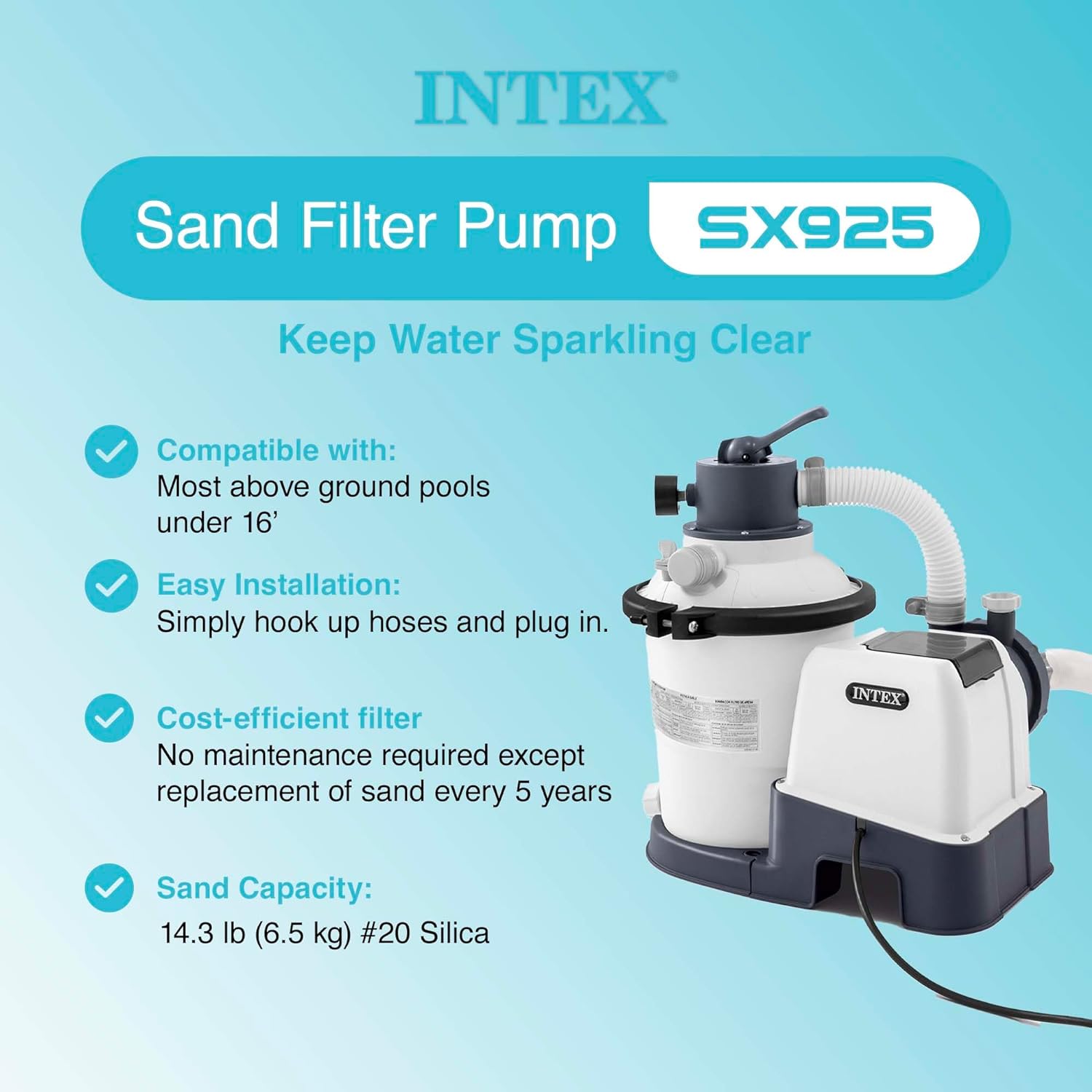
The Intex Krystal Clear Sand Filter Pump (Model 26641EG) is designed for above-ground pools to provide efficient water filtration. This system utilizes sand as a filter medium, which requires less frequent replacement compared to traditional cartridge filters. The bundle includes a 50 lb bag of OptiFlow Premium Pure Silica Filter Sand, engineered for superior performance and water clarity.
Key features of this system include:
- Hydro Aeration Technology: Enhances water circulation, filtration, and clarity by increasing negative ions at the water surface.
- Easy Installation: Requires minimal assembly; simply connect hoses and plug in.
- 24-Hour Timer: Built-in timer with pre-set cycles (2 to 12 hours) for automatic operation, simplifying pool maintenance.
- Cost-Efficient Filtration: Sand filter medium typically requires replacement only once every five years.
- Four Functions: Supports filtration, circulation, backwash, and drain operations.

2. Specifications
| Attribute | Detail |
|---|---|
| Brand | Intex |
| Model Number | 26641EG |
| Pump Flow Rate | 925 GPH (Gallons Per Hour) |
| Sand Capacity | 50 lb (bundled with OptiFlow Premium Pure Silica Filter Sand) |
| Material | Plastic, Stainless Steel |
| Power Source | AC/DC |
| UPC | 193802398007 |
| Compatible Pool Type | Above Ground Pools |
3. Setup Instructions
Before beginning installation, ensure all components are present and undamaged. Refer to the owner's manual for a complete parts list.
- Positioning the Pump: Place the sand filter pump on a firm, level surface near your above-ground pool. Ensure it is at least 10 feet (3 meters) from the pool and has access to a GFCI-protected electrical outlet.
- Filling the Sand Tank:
- Remove the multi-port valve (MPV) from the top of the filter tank.
- Carefully pour the OptiFlow Premium Pure Silica Filter Sand into the tank. Consult the pump's manual for the exact sand quantity required for your specific model (typically 14.3 lbs for the 925 GPH model, but the bundle includes 50 lbs).
- Ensure the standpipe is centered while filling to prevent sand from entering it.
- Once filled, replace the MPV, ensuring a tight seal.
- Connecting Hoses:
- Connect the pool's return line to the "RETURN" port on the MPV.
- Connect the pool's suction line (from the skimmer or main drain) to the "PUMP" inlet on the filter pump.
- Connect the filter pump's outlet to the "PUMP" port on the MPV.
- Ensure all connections are secure to prevent leaks.
- Priming the Pump: Before starting, ensure the pool is filled to the appropriate level and all air is bled from the system. Follow the priming instructions in your detailed owner's manual.

Video 1: This video provides a visual guide to setting up and operating the Intex Krystal Clear Sand Filter Pump, including filling the sand and connecting hoses. It also demonstrates the filtration process and maintenance steps.
4. Operating Instructions
The sand filter pump features a multi-port valve (MPV) with several settings for different operations. Always turn off the pump before changing the MPV setting.
- Filter (Normal Operation): This setting is used for daily filtration. Water is pumped through the sand bed, trapping debris, and then returned to the pool.
- Recirculate: This setting bypasses the filter sand and circulates water directly back to the pool. Useful for mixing chemicals without filtering.
- Waste/Drain: This setting bypasses the filter and sends water directly out of the waste port. Used for lowering pool water level or vacuuming heavy debris directly to waste.
- Rinse: Used after backwashing to flush out any remaining loose dirt from the sand bed before returning to filter mode.
- Closed: Shuts off all flow to the filter and pump. Use this setting when performing maintenance on the pump or filter.
The built-in 24-hour timer allows you to automate the pump's operation. Set the desired run time (2 to 12 hours) for consistent daily filtration.

5. Maintenance
Regular maintenance ensures optimal performance and longevity of your sand filter pump.
- Backwashing:
- Monitor the pressure gauge. When the pressure rises 3-5 PSI (0.21-0.35 BAR) above the clean operating pressure, it's time to backwash.
- Turn off the pump.
- Set the MPV to "BACKWASH".
- Turn on the pump and run until the water flowing out of the waste port is clear (typically 1-2 minutes).
- Turn off the pump.
- Set the MPV to "RINSE".
- Turn on the pump and run for about 30 seconds to flush the lines.
- Turn off the pump.
- Set the MPV back to "FILTER" for normal operation.
- Sand Replacement: The filter sand typically needs to be replaced only once every five years. Over time, sand grains wear down and become less effective at trapping debris.
- Winterization: At the end of the swimming season, properly winterize your pump to prevent damage from freezing temperatures. Drain all water from the pump, filter tank, and hoses. Store the pump and filter in a dry, protected area.
6. Troubleshooting
If you encounter issues with your sand filter pump, refer to the following common problems and solutions:
| Problem | Possible Cause | Solution |
|---|---|---|
| Low Water Flow | Clogged skimmer basket or pump strainer; dirty filter sand; air leak in suction line. | Clean baskets; backwash/rinse filter; check all connections for air leaks. |
| Cloudy Pool Water | Insufficient filtration time; dirty filter sand; improper chemical balance. | Increase filtration time; backwash/rinse filter; test and adjust pool chemicals. |
| Pump Not Starting | No power; tripped GFCI; motor issue. | Check power supply and GFCI; consult a qualified technician if motor fails. |
| Water Leaking | Loose connections; damaged O-rings/gaskets. | Tighten connections; inspect and replace O-rings/gaskets as needed. |
For more detailed troubleshooting, refer to the complete owner's manual provided with your product.
7. Warranty and Support
Intex products are manufactured with high-quality materials and workmanship. All Intex products have been inspected and found free of defects prior to leaving the factory. Intex warrants this product against defects in materials and workmanship for a period specified in the warranty card included with your product. The warranty period is effective from the date of purchase.
For warranty claims, technical support, or to order replacement parts, please contact Intex Customer Service. Keep your proof of purchase and model number readily available when contacting support.
Contact Information: Refer to your product packaging or the official Intex website for the most current customer service contact details.


