
realme RMX5085
realme GT 7T Smartphone User Manual
Model: RMX5085
1. Introduction
Welcome to the user manual for your new realme GT 7T smartphone. This guide provides essential information on setting up, operating, maintaining, and troubleshooting your device. Please read it carefully to ensure optimal performance and longevity of your smartphone.
1.1 Package Contents
Upon unboxing your realme GT 7T, please verify that all the following items are included:
- realme GT 7T Smartphone
- Phone Case
- Power Adapter (120W)
- USB Cable (Type-C)
- SIM Tray Ejector
- Quick Start Guide (this document)
- Warranty Card

Image 1.1: realme GT 7T Smartphone (Front and Back)
This image displays the realme GT 7T smartphone in IceSense Blue, showcasing its sleek design from both the front and rear perspectives. The front features the display, while the rear highlights the camera module and the realme branding.
2. Device Overview
Familiarize yourself with the physical components of your realme GT 7T smartphone.
2.1 Physical Components
- Front Camera: Located at the top center of the display.
- Display: Large touchscreen for interaction.
- Volume Buttons: On the left side, for adjusting audio levels.
- Power Button: On the right side, for turning the device on/off and locking/unlocking the screen.
- USB Type-C Port: At the bottom, for charging and data transfer.
- Speaker: Located at the bottom.
- Microphone: Located at the bottom and top.
- SIM Card Tray: On the left side, for inserting SIM cards.
- Rear Camera Module: Located on the back, housing multiple lenses and flash.

Image 2.1: realme GT 7T Side View
This image shows the side profile of the realme GT 7T, highlighting the placement of the volume rocker and the power button.

Image 2.2: realme GT 7T Back View
This image presents the rear of the realme GT 7T, detailing the design of the camera module and the realme logo.
3. Initial Setup
3.1 Inserting SIM Cards
- Locate the SIM card tray on the left side of the device.
- Insert the SIM tray ejector tool into the small hole next to the tray and press gently until the tray pops out.
- Place your Nano-SIM card(s) into the designated slots on the tray, ensuring the gold contacts face downwards.
- Carefully reinsert the tray into the phone until it clicks into place.
3.2 Powering On/Off
- To Power On: Press and hold the Power button on the right side until the realme logo appears.
- To Power Off: Press and hold the Power button, then select 'Power Off' from the options on the screen.
- To Restart: Press and hold the Power button, then select 'Restart' from the options on the screen.
3.3 Initial Charging
Before first use, it is recommended to fully charge your device. The realme GT 7T supports 120W Ultra Charge technology for rapid charging.
- Connect the USB Type-C cable to the charging port at the bottom of your phone.
- Connect the other end of the USB cable to the provided 120W Power Adapter.
- Plug the Power Adapter into a wall outlet.
- The charging indicator will appear on the screen. Your device can charge up to 50% in approximately 15 minutes.

Image 3.1: 120W Ultra Charge for 7000mAh Battery
This image illustrates the realme GT 7T being charged with its 120W Ultra Charge technology, highlighting the 7000mAh battery capacity and the rapid charging capability.
4. Operating Your Device
4.1 Display Features
The realme GT 7T features a high-quality display designed for clarity and responsiveness.
- Brightness: Up to 6000 nits peak brightness for clear visibility in various lighting conditions.
- Color Technology: Supports Dolby Vision and HDR 10+ for enhanced color accuracy and contrast.
- PWM Dimming: 22160Hz PWM dimming for reduced eye strain.
- Touch Response: Rain Water Smart Touch ensures accurate touch input even with wet hands.

Image 4.1: High Brightness Display
This image highlights the realme GT 7T's display capabilities, emphasizing its 6000 nits brightness for vibrant and clear visuals.
4.2 Performance
The device is powered by advanced hardware for smooth operation and multitasking.
- Processor: MediaTek Dimensity 8400 MAX chipset for efficient performance.
- RAM: 12GB RAM for seamless multitasking.
- Storage: Available in 256GB and 512GB internal storage options.
- Cooling: Advanced 360° IceSense Cooling with Graphene ensures optimal thermal management during intensive use.

Image 4.2: MediaTek Dimensity 8400 MAX Chipset
This image provides a visual representation of the MediaTek Dimensity 8400 MAX chipset, emphasizing its role in the phone's performance.
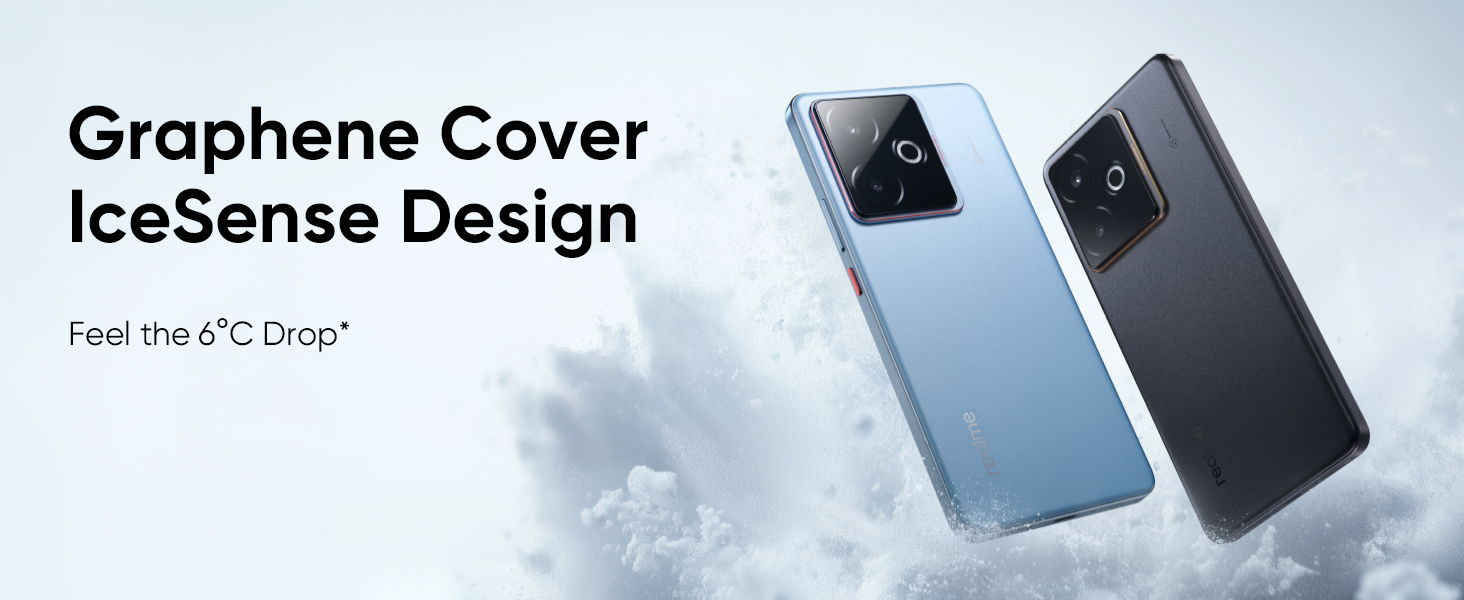
Image 4.3: Graphene Cover IceSense Design
This image showcases the realme GT 7T's Graphene Cover IceSense Design, illustrating its 360-degree ultimate cooling capabilities.
4.3 Camera System
The realme GT 7T is equipped with an AI-enhanced camera system for versatile photography and videography.
- Main Camera: IMX896 OIS Main Camera for stable and high-resolution images.
- Wide-Angle Camera: 8MP WideAngle lens for capturing broader scenes.
- Front Camera: 32MP Front Camera for clear selfies and video calls.
- Video Recording: Supports AI-enhanced 4K 60FPS video capture.
- AI Features: Includes AI Edit Genie for intelligent photo editing, AI Travel Snap, AI 2K Livephoto, and AI Eraser.

Image 4.4: AI Travel Snap Camera Components
This image provides a detailed breakdown of the realme GT 7T's AI Travel Snap Camera system, including the IMX896 OIS Main Camera, 8MP WideAngle Camera, and 32MP Front Camera.
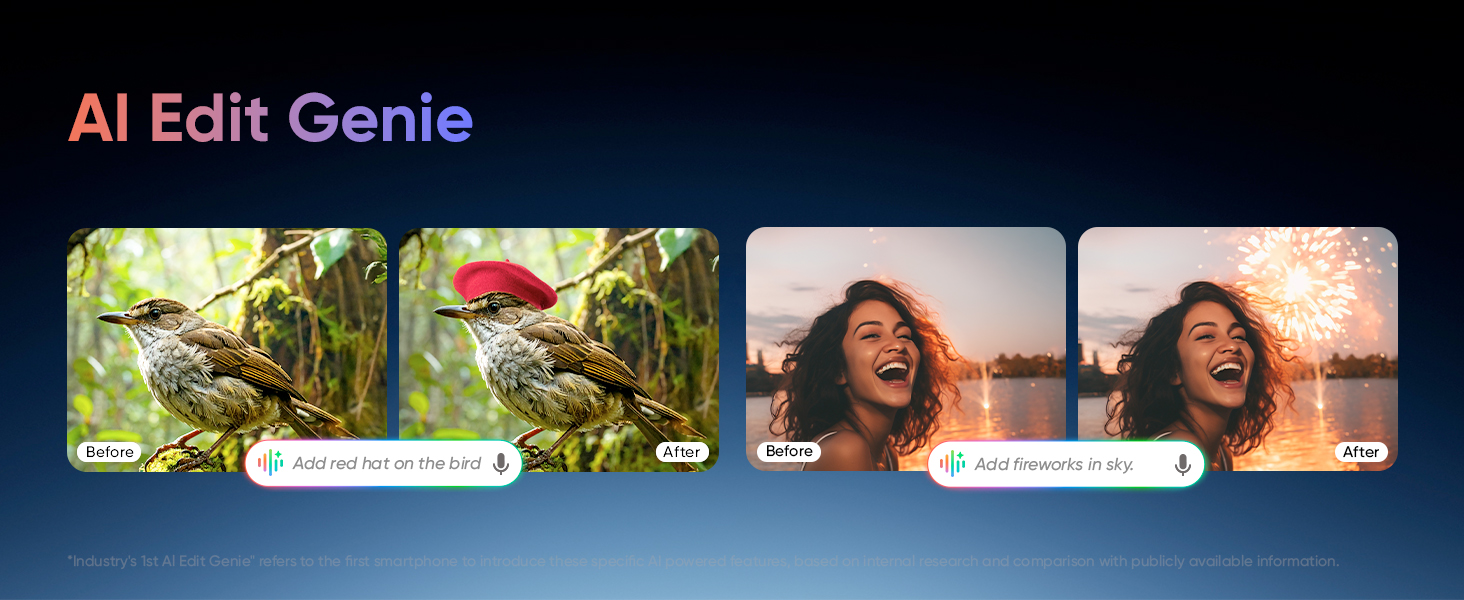
Image 4.5: AI Edit Genie in Action
This image demonstrates the AI Edit Genie feature, showing examples of how artificial intelligence can be used to modify and enhance photographs.
4.4 Battery and Charging
The realme GT 7T is equipped with a large battery and fast charging capabilities.
- Battery Capacity: 7000mAh battery for extended usage.
- Charging: 120W Ultra Charge for rapid power replenishment.
4.5 Software and AI Features
The device runs on Android 15 with realme UI 6.0, integrating various AI functionalities.
- Operating System: Android 15.
- User Interface: realme UI 6.0.
- AI Planner: Built-in Smart AI Planner to assist with daily organization.
- Google Gemini: Integrated Google Gemini features for enhanced AI assistance.
- Updates: Guaranteed 4 major OS updates and 6 years of system maintenance.
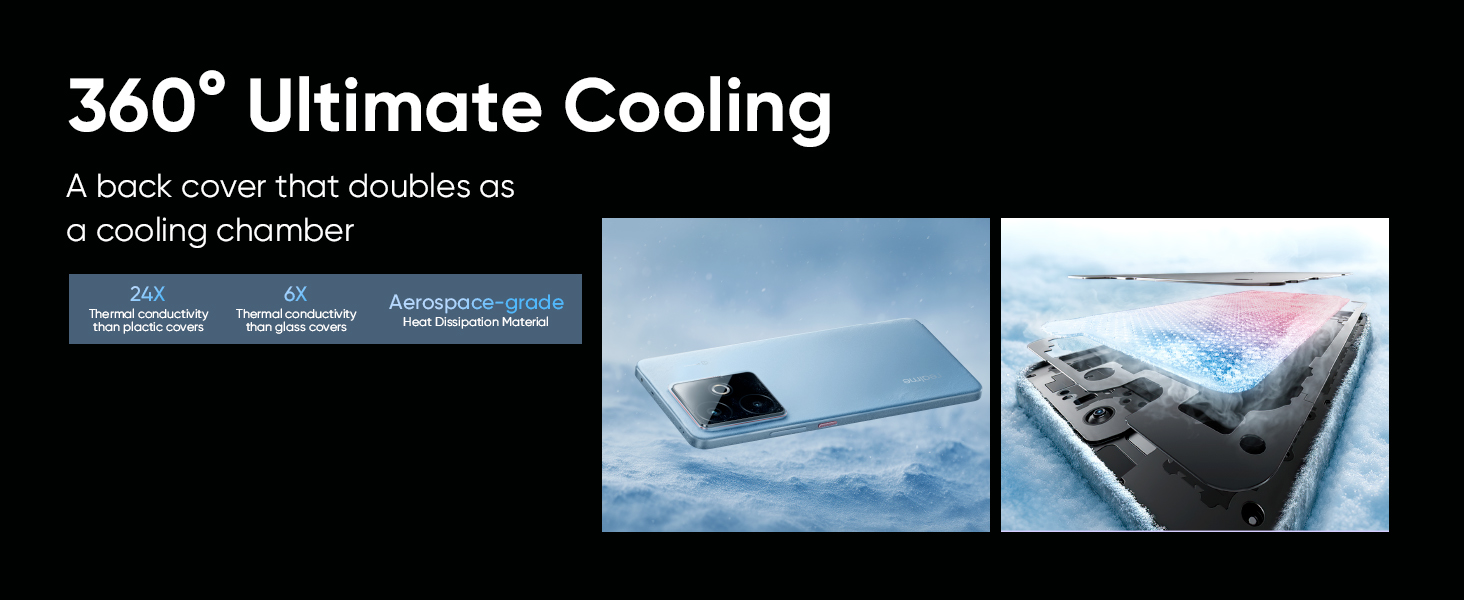
Image 4.6: AI Planner Interface
This image displays the AI Planner feature on the realme GT 7T, illustrating how it can help organize daily schedules and tasks.

Image 4.7: Google Gemini Integration
This image showcases the integration of Google Gemini features on the realme GT 7T, including functionalities like Circle to Search and Magic Compose.
4.6 Connectivity and Durability
- Network: SignalCatcher Algorithm for improved signal strength in weak network areas.
- Water Resistance: IP69 Ultimate Water-proof rating.
- Screen Protection: ArmorShell™ Glass for enhanced display durability.
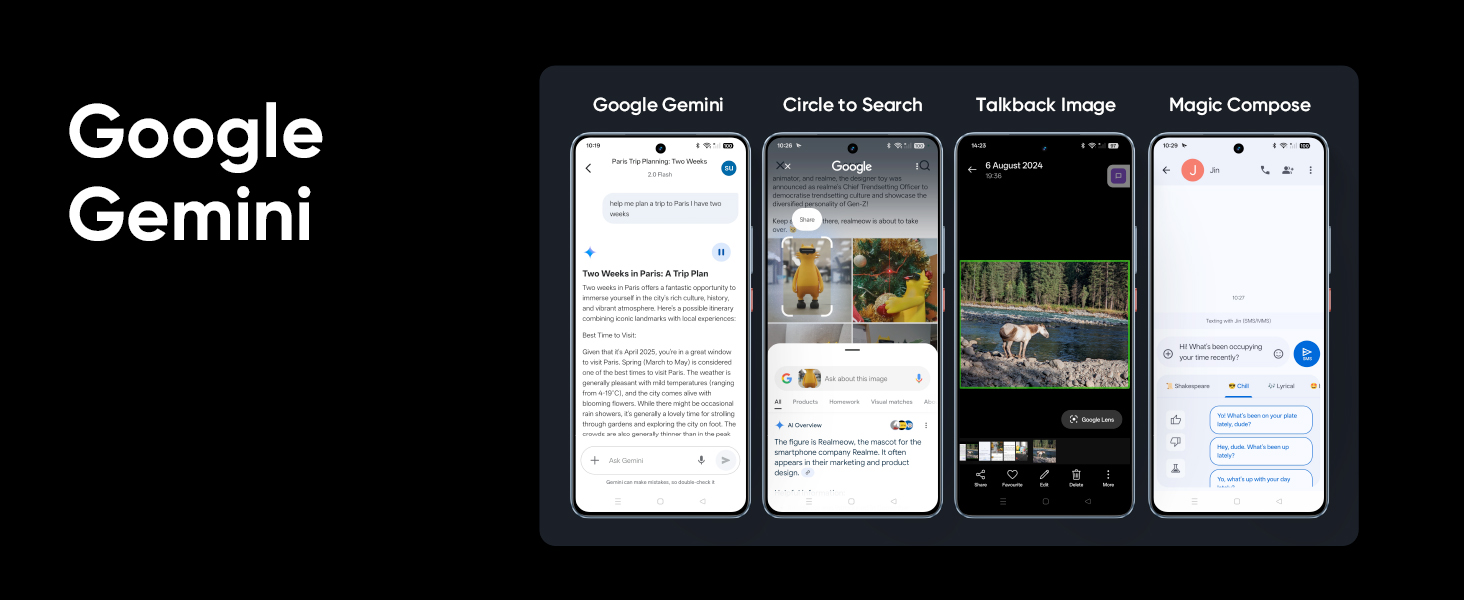
Image 4.8: SignalCatcher Algorithm
This image illustrates the SignalCatcher Algorithm, demonstrating its ability to maintain strong network signals even in challenging environments.

Image 4.9: IP69 Water-proof and ArmorShell™ Glass
This image highlights the realme GT 7T's robust construction, featuring IP69 ultimate water-proof rating and ArmorShell™ Glass for enhanced durability.
5. Maintenance
5.1 Cleaning Your Device
- Use a soft, lint-free cloth to gently wipe the screen and body of the phone.
- Avoid using harsh chemicals, abrasive materials, or aerosol sprays.
- Do not allow moisture into openings.
5.2 Software Updates
Regular software updates are released to improve performance, add new features, and enhance security. Your realme GT 7T is guaranteed to receive 4 major OS updates and 6 years of system maintenance.
- To check for updates, go to Settings > About device > realme UI version.
- Ensure your device has sufficient battery and is connected to Wi-Fi before downloading and installing updates.
5.3 Battery Care
- Avoid exposing the device to extreme temperatures.
- Use only the original realme 120W Power Adapter and USB cable for charging.
- Do not fully discharge the battery frequently.
6. Troubleshooting
This section addresses common issues you might encounter with your realme GT 7T.
6.1 Device Not Powering On
- Ensure the battery is charged. Connect the device to the charger for at least 15 minutes.
- Press and hold the Power button for 10-15 seconds to force a restart.
6.2 Charging Issues
- Verify that the charger and USB cable are securely connected to both the phone and the power outlet.
- Use only the original realme 120W Power Adapter and USB cable.
- Check if the charging port is clean and free of debris.
6.3 Network Connectivity Problems
- Ensure your SIM card is correctly inserted and activated.
- Check if Airplane Mode is disabled.
- Restart your device.
- Go to Settings > Mobile network > Network operators and select your network manually.
6.4 Screen Unresponsive
- Force restart the device by pressing and holding the Power button for 10-15 seconds.
- If the issue persists, contact customer support.
7. Technical Specifications
Detailed specifications for the realme GT 7T smartphone (Model: RMX5085).
| Feature | Specification |
|---|---|
| Operating System | Android 15 |
| RAM | 12 GB |
| Internal Storage | 256 GB / 512 GB |
| Processor | MediaTek Dimensity 8400 MAX (CPU Speed: 3.25 GHz) |
| Battery Capacity | 7000 mAh Lithium Ion |
| Charging | 120W Ultra Charge |
| Product Dimensions | 16.2 x 7.6 x 0.8 cm |
| Item Weight | 202 g |
| Connectivity | USB, Wi-Fi, GPS |
| Special Features | Advanced 360° IceSense Cooling with Graphene, Smart AI Planner Built-In, IP69 Water-proof, ArmorShell™ Glass |
| Primary Device Interface | Touchscreen |
| Form Factor | Bar |
| Color | IceSense Blue (variant) |
| Manufacturer | OPPO MOBILES INDIA PRIVATE LIMITED |
| Country of Origin | India |
| Date First Available | 26 May 2025 |
8. Warranty and Support
8.1 Warranty Information
Your realme GT 7T smartphone comes with a manufacturer's warranty. Please refer to the warranty card included in your package for specific terms and conditions, including coverage period and limitations.
Additionally, realme provides 6 years of system maintenance for this device, ensuring long-term software stability and security updates.
8.2 Customer Support
For further assistance, technical support, or service inquiries, please contact realme customer service. You can find contact details on the official realme website or through the support information provided in your device's settings.
Manufacturer: OPPO MOBILES INDIA PRIVATE LIMITED
Address: PLOT-NO.1, SECTOR ECOTECH-VII, GREATER NOIDA, UTTAR PRADESH, 201306