
BESUS C300
BESUS C300 Retro Projector User Manual
Model: C300 | Brand: BESUS
1. Product Overview
The BESUS C300 Retro Projector is a versatile 4K Full HD projector designed for immersive visual and auditory experiences. It features built-in applications, advanced connectivity options, and a unique karaoke function with included microphones, making it suitable for both home entertainment and outdoor activities.

Image: The BESUS C300 Retro Projector, showcasing its unique retro design with a modern lens and control buttons.
2. What's in the Box
Upon unboxing your BESUS C300 Retro Projector, please ensure all the following items are present:
- Power Cord
- User Manual
- Remote Control
- 2 x Microphones
3. Setup Guide
3.1 Physical Placement
Position the projector on a stable, flat surface. For optimal viewing, ensure the projection distance is between 1.3 to 6 meters, which allows for a display area ranging from 40 to 230 inches. The projector features automatic keystone correction and auto-focus for easy image adjustment.
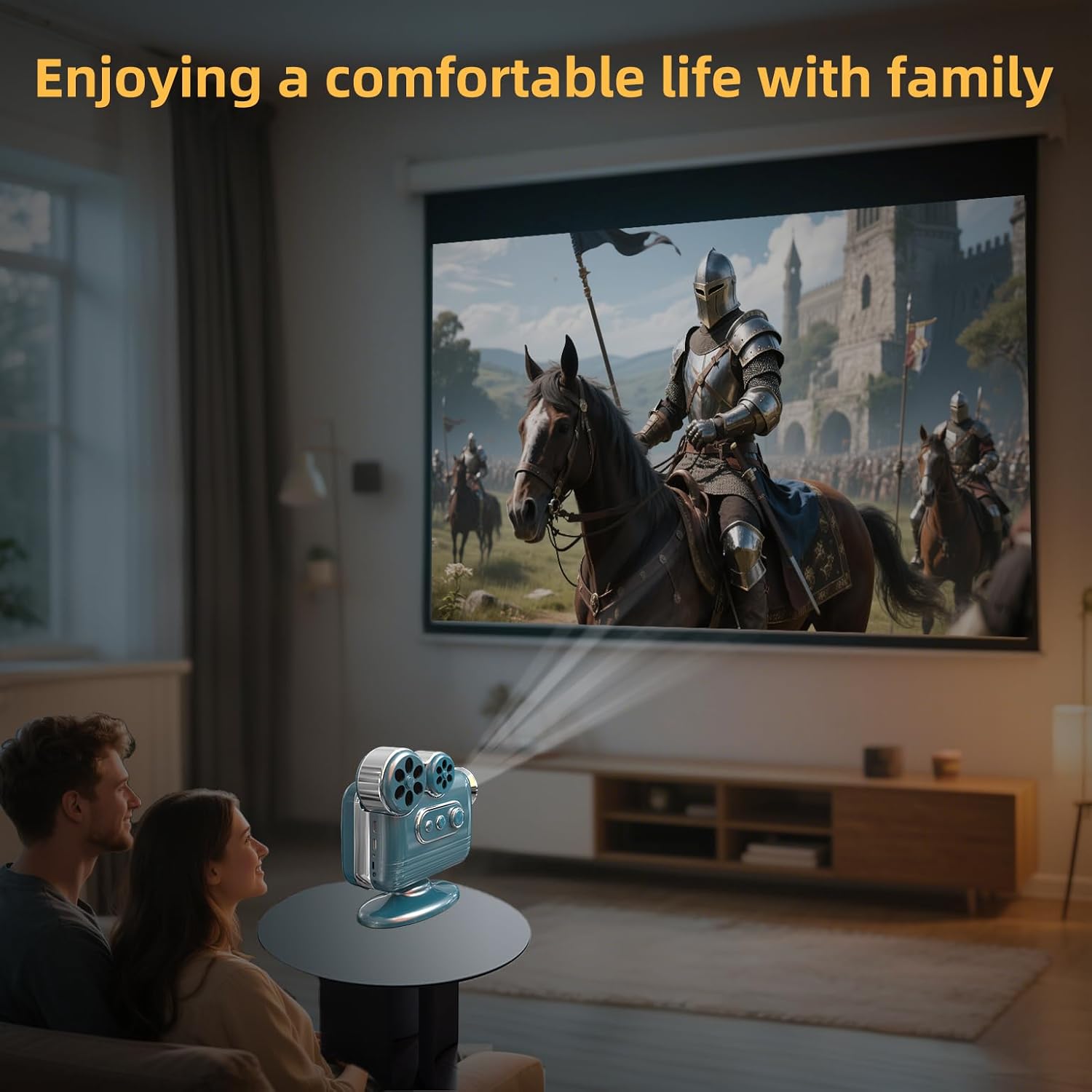
Image: The BESUS C300 Retro Projector set up in a living room, projecting a movie onto a large screen for a couple.
3.2 Power Connection
Connect the provided power cord to the projector's power input and then to a standard electrical outlet. Press the power button on the projector or remote control to turn it on.
3.3 Initial Setup and Focus
Upon first power-on, the projector will automatically adjust focus and keystone. If manual adjustment is needed, use the remote control or the physical controls on the projector to fine-tune the image clarity and shape.
4. Operating Instructions
4.1 Connectivity
The BESUS C300 supports advanced connectivity options:
- Wi-Fi 6: For fast and stable wireless internet connection.
- Bluetooth 5.1: Allows wireless connection to external Bluetooth speakers, headphones, and other compatible devices for an enhanced audio experience.
- Wired Connections: Compatible with TYPE-C, USB, headphones, TV boxes, tablets, TV sticks, and laptops.

Image: The BESUS C300 Retro Projector wirelessly connecting to a laptop and a tablet, demonstrating multi-device compatibility.
4.2 Built-in Applications
The projector comes with over 8,000 built-in applications, including popular streaming services like Netflix and Amazon Prime Video, providing a wide range of entertainment options without needing external devices.
4.3 Karaoke Function
Utilize the built-in 360-degree surround sound KTV speaker and the two included wireless microphones for a karaoke experience. Connect to your favorite karaoke apps and enjoy singing with family and friends.
Video: Demonstrates the use of BESUS projectors, highlighting the karaoke feature with two people singing outdoors.
4.4 Image and Audio Quality
The projector supports 4K Full HD content, delivering clear and vivid colors with rich picture quality and details. The newly improved 2025 uniform lighting system ensures consistent brightness across the entire projected image. The integrated speaker system provides robust audio output.

Image: A graphic indicating 4K support for the projector, emphasizing clearer and more vivid colors.
5. Maintenance
5.1 Cooling System
The BESUS C300 features an advanced noise-reducing cooling system with efficient fan technology. This system effectively dissipates heat from the bulb, extending its lifespan to approximately 85,000 hours. Ensure the projector's vents are not obstructed to maintain optimal cooling performance.

Image: An internal view of the projector highlighting its efficient heat dissipation system with blue airflow indicators.
5.2 Cleaning
Regularly clean the projector lens with a soft, lint-free cloth specifically designed for optical surfaces. For the exterior, use a dry or slightly damp cloth. Avoid abrasive cleaners or solvents.
6. Troubleshooting
This section addresses common issues you might encounter with your BESUS C300 Retro Projector.
| Problem | Possible Cause | Solution |
|---|---|---|
| No Power | Power cord not connected; Power outlet issue | Ensure power cord is securely connected. Try a different outlet. |
| No Image | Input source not selected; Lens cap on; Connection issue | Select correct input source. Remove lens cap. Check cable connections. |
| Blurry Image | Out of focus; Incorrect projection distance | Allow auto-focus to adjust or manually adjust focus. Adjust projection distance. |
| No Sound | Volume too low; Muted; External audio device not connected | Increase volume. Unmute. Check external audio connections. |
| Wi-Fi/Bluetooth Connectivity Issues | Out of range; Interference; Incorrect settings | Ensure devices are within range. Reduce interference. Reconfigure network settings. |
7. Specifications
| Feature | Detail |
|---|---|
| Brand | BESUS |
| Model | C300 |
| ASIN | B0F6YPMGR1 |
| Item Weight | 4.2 pounds |
| Product Dimensions | 8.86 x 4.13 x 9.1 inches |
| Country of Origin | China |
| Color | Cyan |
| Display Resolution | 1920 x 1080 (Supports 4K Full HD) |
| Connectivity Technology | Bluetooth 5.1, Wi-Fi 6, USB, Type-C |
| Special Features | Built-In Speaker, Dust-Proof, Auto Focus, Built-In Cooling System, Wi-Fi Ready, Karaoke Function (2 Microphones) |
| Recommended Uses | Home Cinema, Business, Outdoor Entertainment |
| Bulb Lifespan | 80,000 - 85,000 hours |
| Projection Distance | 1.3 to 6 meters |
| Display Area | 40 to 230 inches |
| Storage | DDR 2GB, 32GB FLASH |
8. Warranty and Support
For warranty information and customer support, please refer to the contact details provided with your purchase documentation or visit the official BESUS website. The manufacturer is committed to providing high-quality products and support.
Ask a question about this manual
Ask about setup, troubleshooting, compatibility, parts, safety, or missing instructions. Manuals+ will review the question and use this page’s manual context to help answer it.