
Lefant M210P
Lefant M210 Pro Robot Vacuum User Manual
Model: M210P
Introduction
Thank you for choosing the Lefant M210 Pro Robot Vacuum. This manual provides essential information for setting up, operating, maintaining, and troubleshooting your new robot vacuum cleaner. Designed for efficient cleaning of pet hair, dust, and debris on hard floors and low carpets, the M210 Pro offers powerful suction and smart features for a cleaner home.

Figure 1: Lefant M210 Pro Robot Vacuum and accessories.
What's Included
Please check the package contents to ensure all items are present:
- Lefant M210 Pro Robot Vacuum
- Battery (pre-installed)
- Charging Adapter
- Docking Station
- Filter (HEPA Filtration)
- Side Brushes (set of 4)
Setup Guide
1. Initial Charging
Before first use, ensure the robot vacuum is fully charged. Turn on the blue switch button located inside the robot. Place the robot on its charging base, ensuring the charging contacts align. A full charge provides up to 120 minutes of continuous cleaning.

Figure 2: Power switch and initial charging instructions.
2. Connecting to the Lefant App
The Lefant M210 Pro supports 2.4 GHz WiFi networks only. Follow these steps to connect your robot vacuum to the Lefant App for smart control:
- Download the "Lefant" App from your mobile device's app market.
- Open the App and add your M210P robot vacuum.
- Ensure your phone is connected to a 2.4 GHz WiFi network.
- Turn on the robot's blue switch button to "I".
- Press and hold the start button on the robot for 6 seconds.
- Select "M210P" in the App and wait for the robot to pair successfully.

Figure 3: Lefant App connection process.
3. Connecting to Alexa or Google Home
For voice control, you can link your Lefant M210 Pro with Amazon Alexa or Google Home:
- Connect your Alexa or Google Home device to the internet and pair it.
- Open the Lefant App, go to "Mine" and select "Google Assistant/Alexa".
- Choose "Alexa" or "Google Assistant" and tap "One-click Bind".
- Tap "Log in to Amazon Account" (for Alexa) or follow Google Home prompts. Click "LINK", then press "Back".
- Alexa/Google Home is now successfully bound.
- Open the "Amazon Alexa" or "Google Home" app to view the bound devices under "Devices".

Figure 4: Voice control setup with Alexa.
Operating Modes and Features
The Lefant M210 Pro offers various cleaning modes and advanced features to optimize your cleaning experience:
Cleaning Modes
You can select from six distinct cleaning modes via the Lefant App:
- Zigzag Mode: Cleans in a systematic S-shaped path for thorough coverage.
- Random Mode: Navigates randomly, suitable for open spaces.
- Spot Mode: Concentrates cleaning on a specific dirty area in a spiral pattern.
- Edge Mode: Cleans along walls and furniture edges.
- Scheduled Mode: Allows you to set specific cleaning times.
- Manual Control: Control the robot's movement directly via the app.

Figure 5: Multiple cleaning modes for different needs.

Figure 6: Zigzag cleaning path for systematic coverage.
Adjustable Suction Levels
The M210 Pro features three adjustable suction levels to tackle various types of debris, from fine dust and pet hair to larger particles like cat litter and coffee beans. Adjust suction via the Lefant App.

Figure 7: Three suction levels for versatile cleaning.
Carpet Boost Function
The robot automatically recognizes carpets and increases suction to the maximum level for optimal cleaning performance, ensuring thorough removal of dust particles and hairs stuck in fibers on low-pile carpets.

Figure 8: Automatic carpet boost for deeper cleaning.
Freemove Tech 3.0 and Obstacle Avoidance
Equipped with Freemove Tech 3.0 and 13 pairs of infrared sensors, the M210 Pro intelligently navigates around furniture, walls, and obstacles. This technology prevents the vacuum from getting stuck or falling, ensuring high-coverage cleaning and protecting your furniture.

Figure 9: Freemove Tech 3.0 for intelligent navigation.

Figure 10: Advanced obstacle avoidance in action.
Compact Design and Quiet Operation
With a height of 2.99 inches and a diameter of 11 inches, the M210 Pro can easily clean under low furniture and in hard-to-reach areas. Its quiet operation (55dB) ensures minimal disturbance during cleaning cycles.

Figure 11: Slim design for cleaning under furniture and quiet operation.

Figure 12: Compact design allows access to tight spaces.
Auto Recharging
The robot vacuum automatically returns to its charging base when cleaning is complete or the battery is low, ensuring it's always ready for the next cleaning cycle.

Figure 13: Auto-recharge function.
Maintenance
Regular maintenance ensures optimal performance and extends the lifespan of your Lefant M210 Pro. Always turn off the robot and disconnect it from the charging base before performing any maintenance.
1. Emptying the Dustbin
The M210 Pro features a 500ml dustbin. It is recommended to empty the dustbin after each cleaning cycle, especially if you have pets or clean frequently.

Figure 14: Dustbin capacity.
2. Cleaning the Filter
The HEPA filter should be cleaned regularly to maintain suction power. Tap off loose debris and use the cleaning brush to remove any remaining dust. Replace the filter every 1-3 months depending on usage.
3. Cleaning Side Brushes
Inspect the side brushes for tangled hair or debris. Carefully remove any obstructions. Replace worn brushes as needed to ensure effective edge cleaning.
4. Cleaning Sensors and Charging Contacts
Wipe the anti-drop sensors, obstacle avoidance sensors, and charging contacts on both the robot and the charging base with a clean, dry cloth. This prevents performance issues due to dust accumulation.
Troubleshooting
Here are solutions to common issues you might encounter:
Q: Why does the robot vacuum stop working after a few minutes of first use?
A: For first-time use, it is recommended to fully charge the battery before operation. The robot may stop if the battery level is too low.

Figure 15: Solution for robot stopping prematurely.
Q: Where is the remote control?
A: This set does not include a physical remote control. The robot is primarily controlled via the Lefant App, or through voice commands with Alexa or Google Home. A remote control can be purchased additionally if desired.

Figure 16: Information regarding remote control availability.
Q: Why can't the robot connect to WiFi?
A: The robot only works with 2.4 GHz Wi-Fi networks. Ensure your router is broadcasting a 2.4 GHz signal and your phone is connected to it during the setup process.
Figure 17: WiFi connectivity solution.
Q: How high can a robot climb?
A: The robot can climb onto objects with a height of less than 12mm. If you do not want it to climb on certain items, please remove them from its cleaning path.
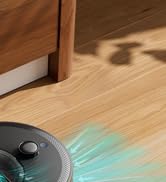
Figure 18: Robot climbing capability.
Specifications
| Brand | Lefant |
| Model Name | M210P |
| Color | Gray |
| Product Dimensions | 11"L x 11"W x 2.99"H |
| Item Weight | 5.2 pounds |
| Filter Type | HEPA Filtration |
| Battery Life | 120 minutes |
| Voltage | 12.8 Volts |
| Dustbin Capacity | 500 Milliliters |
| Control Method | App, Remote (optional), Touch, Voice |
| Compatible Devices | Amazon Echo, Google Home, Smartphones, Tablets |
| Special Features | Anti-Fall, Auto-Docking, Edge Cleaning, Low Noise, Pet Hair Pick Up, Carpet Boost |
| UPC | 644161765820 |
Warranty and Support
Lefant is committed to providing excellent customer service. If you have any questions, concerns, or require assistance with your M210 Pro Robot Vacuum, please contact our dedicated customer support team. They are available to offer prompt assistance and solutions to ensure a satisfying post-purchase experience.
For more information, visit the official Lefant store: Lefant Store on Amazon.
Related documentsM210P


Ask a question about this manual
Ask about setup, troubleshooting, compatibility, parts, safety, or missing instructions. Manuals+ will review the question and use this page’s manual context to help answer it.