
Introduction
Thank you for choosing the ropelux SD04USRP1 Solar Shed Light. This manual provides essential information for the safe and efficient installation, operation, and maintenance of your solar light. Please read these instructions thoroughly before use and retain them for future reference.
Safety Information
- Ensure all components are securely installed to prevent accidental falls.
- Do not attempt to disassemble or modify the product, as this may void the warranty and pose safety risks.
- Keep the solar panel clean to ensure optimal charging efficiency.
- Avoid direct eye exposure to the LED light source when operating at high brightness.
- This product is designed for outdoor and indoor use, but ensure the solar panel receives direct sunlight.
Package Contents
Verify that all items listed below are included in your package:
- 1 x Solar Light Unit
- 1 x Solar Panel
- 1 x Remote Control
- Mounting Hardware (screws, wall anchors)
- Instruction Manual
Setup
Follow these steps for proper installation of your solar shed light:
- Choose a Location: Select a location for the solar panel where it will receive at least 6-8 hours of direct sunlight daily. The light unit can be installed indoors or in shaded outdoor areas, thanks to the separate solar panel design and 15.6ft cable.
- Mount the Solar Panel: Use the provided mounting hardware to securely attach the solar panel to a wall, roof, or ground stake. Adjust the panel's angle to maximize sun exposure.
- Mount the Light Unit: Hang the solar light unit in your desired location using appropriate mounting hardware. Ensure it is stable and secure.
- Connect the Components: Connect the cable from the solar panel to the solar light unit. Ensure the connection is firm and waterproof.
- Initial Charge: Allow the solar panel to charge the light's internal battery for a full day (6-8 hours) before first use to ensure optimal performance. The charging indicator on the light unit will show red when charging and green when fully charged (indicator works only when the switch is ON).


Operating Instructions
The ropelux Solar Shed Light features a remote control for convenient operation. Ensure the light unit's main power switch is ON before using the remote.
Remote Control Functions:
- ON/OFF: Powers the light on or off.
- Mode Selection (1-5): Cycles through the 5 lighting modes.
- Brightness Adjustment: Adjusts the light intensity (4 levels).
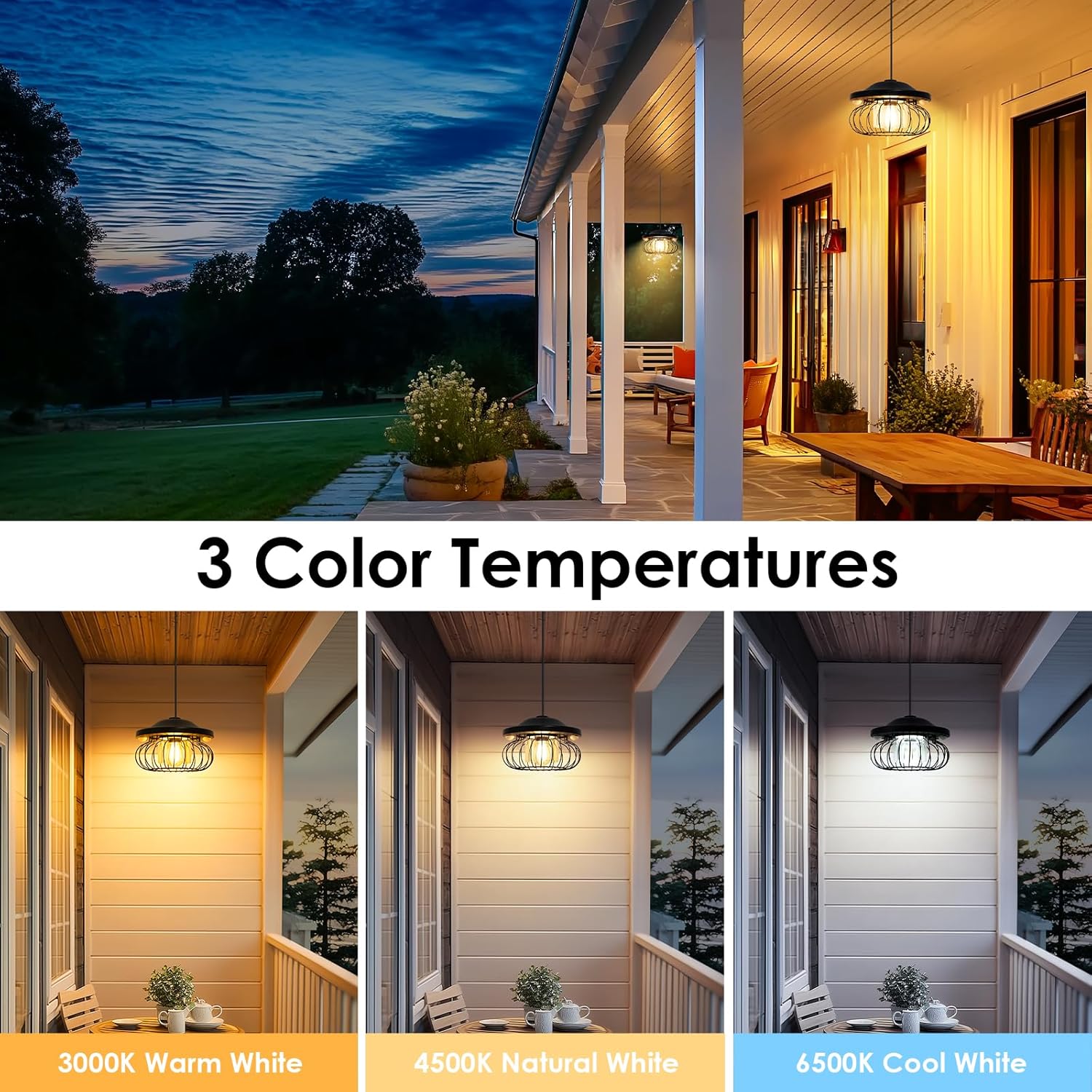
- Color Temperature: Switches between Warm White, Natural White, and Cool White.
- Timer (4H/6H): Sets the light to turn off after 4 or 6 hours (available in Modes 1-3).
Lighting Modes:
The light offers 5 distinct operating modes, including options for daytime use:
- Mode 1 (Night Motion Sensor): Low light at night, brightens to 100% for 20 seconds upon motion detection.
- Mode 2 (Night Motion Only): Light stays off at night, brightens to 100% for 20 seconds upon motion detection.
- Mode 3 (All-Night Constant): Provides continuous light at night.
- Mode 4 (All-Day Motion Sensor): Light stays off all day, brightens to 100% for 20 seconds upon motion detection. Ideal for dim indoor spaces.
- Mode 5 (All-Day Constant): Provides continuous light all day. Ideal for dim indoor spaces.

Color Temperature Adjustment:
The light offers three color temperature options to suit different preferences and environments:
- 3000K Warm White: Provides a cozy, inviting ambiance.
- 4500K Natural White: Offers a balanced, neutral light.
- 6500K Cool White: Delivers a bright, crisp illumination.
Brightness Levels:
Adjust the brightness to one of four levels using the remote control. In sensor modes, the light will activate at 100% brightness upon motion, then return to a dim level (25% or 10%) or turn off, depending on the mode. In constant modes, the brightness can be set to a desired level.

Motion Sensor:
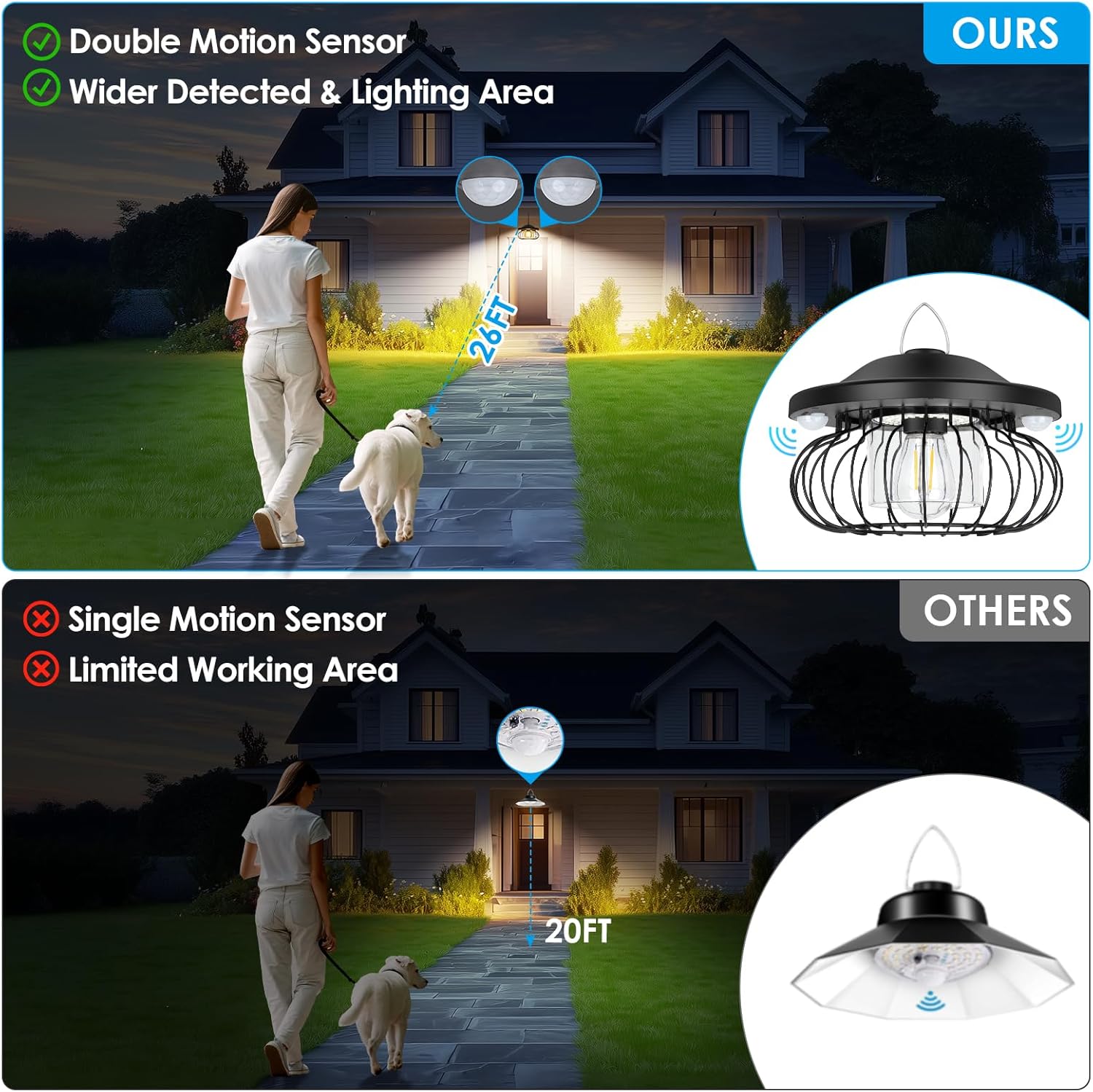
Equipped with dual PIR motion sensors, the light detects movement up to 26 feet within a 180° range, providing enhanced security and convenience. The light will activate or brighten when motion is detected, depending on the selected mode.
Timer Function:
In Modes 1-3, you can set a timer for the light to operate for 4 or 6 hours. To cancel the timer, simply turn the light off and then on again.

Maintenance
Regular maintenance ensures the longevity and optimal performance of your solar light.
- Solar Panel Cleaning: Periodically wipe the solar panel with a soft, damp cloth to remove dust, dirt, or debris that may obstruct sunlight and reduce charging efficiency.
- Battery Care: The integrated 4400mAh battery is designed for long-lasting performance. For best results, ensure the solar panel receives adequate sunlight daily. Avoid prolonged storage in a completely discharged state.
- Weather Resistance: The light unit has an IP65 waterproof rating, making it resistant to rain and dust. However, avoid submerging the unit in water.
Troubleshooting
If you encounter issues with your ropelux Solar Shed Light, refer to the following common problems and solutions:
| Problem | Possible Cause | Solution |
|---|---|---|
| Light does not turn on at night. | Insufficient solar panel charging. | Ensure the solar panel is in direct sunlight for 6-8 hours. Clean the panel surface. Check the main power switch is ON. |
| Light is dim or runtime is short. | Battery not fully charged; panel obstructed; cold weather. | Relocate the solar panel for better sun exposure. Clean the panel. Battery performance may be reduced in extreme cold. |
| Motion sensor not working. | Incorrect mode selected; sensor obstructed; remote battery low. | Ensure a motion-sensing mode (Mode 1, 2, or 4) is selected. Clear any obstructions from the sensor. Replace remote control batteries if necessary. |
| Remote control not responding. | Remote battery depleted; light unit switch OFF. | Replace the remote control battery. Ensure the main power switch on the light unit is ON. |
Specifications
Key technical specifications for the ropelux SD04USRP1 Solar Shed Light:
- Model: SD04USRP1
- Brand: ropelux
- Brightness: Up to 3000 Lumens
- Battery: 4400mAh (included)
- Color Temperatures: 3000K Warm White, 4500K Natural White, 6500K Cool White
- Lighting Modes: 5 (including all-day and motion sensor options)
- Motion Sensor: Dual PIR, 180° detection angle, up to 26 feet range
- Cable Length: 15.6 feet (solar panel to light unit)
- Water Resistance: IP65
- Control Method: Remote Control, Push Button
- Material: Acrylonitrile Butadiene Styrene, Aluminum, Tempered Glass, Wrought Iron
- Product Dimensions: 7.87"L x 7.87"W x 5.5"H
- Item Weight: 2.51 pounds
Warranty & Support
This ropelux product comes with a Limited Warranty. For specific details regarding warranty coverage and duration, please refer to the documentation included with your purchase or contact customer support.
Return Policy: This product is eligible for a refund or replacement within 30 days of purchase, subject to the retailer's return policy.
For technical assistance, troubleshooting not covered in this manual, or warranty claims, please contact ropelux customer support through the retailer's platform or visit the official ropelux website.
