
Omethey KMT-75
Omethey 6.5 Cu ft Extra Large Home Safe Box
User Manual
Brand: Omethey | Model: KMT-75
1. Introduction
The Omethey 6.5 Cu ft Extra Large Home Safe Box (Model: KMT-75) is designed to provide secure storage for your valuables. Featuring a robust alloy steel construction, fireproof and waterproof capabilities, a convenient drop slot, and a digital keypad with dual alarm system, this safe offers enhanced protection for documents, cash, jewelry, firearms, and other important items. Its double door design allows for separate access and organization.
This manual provides comprehensive instructions for the proper setup, operation, and maintenance of your Omethey safe. Please read it thoroughly before use to ensure optimal performance and security.
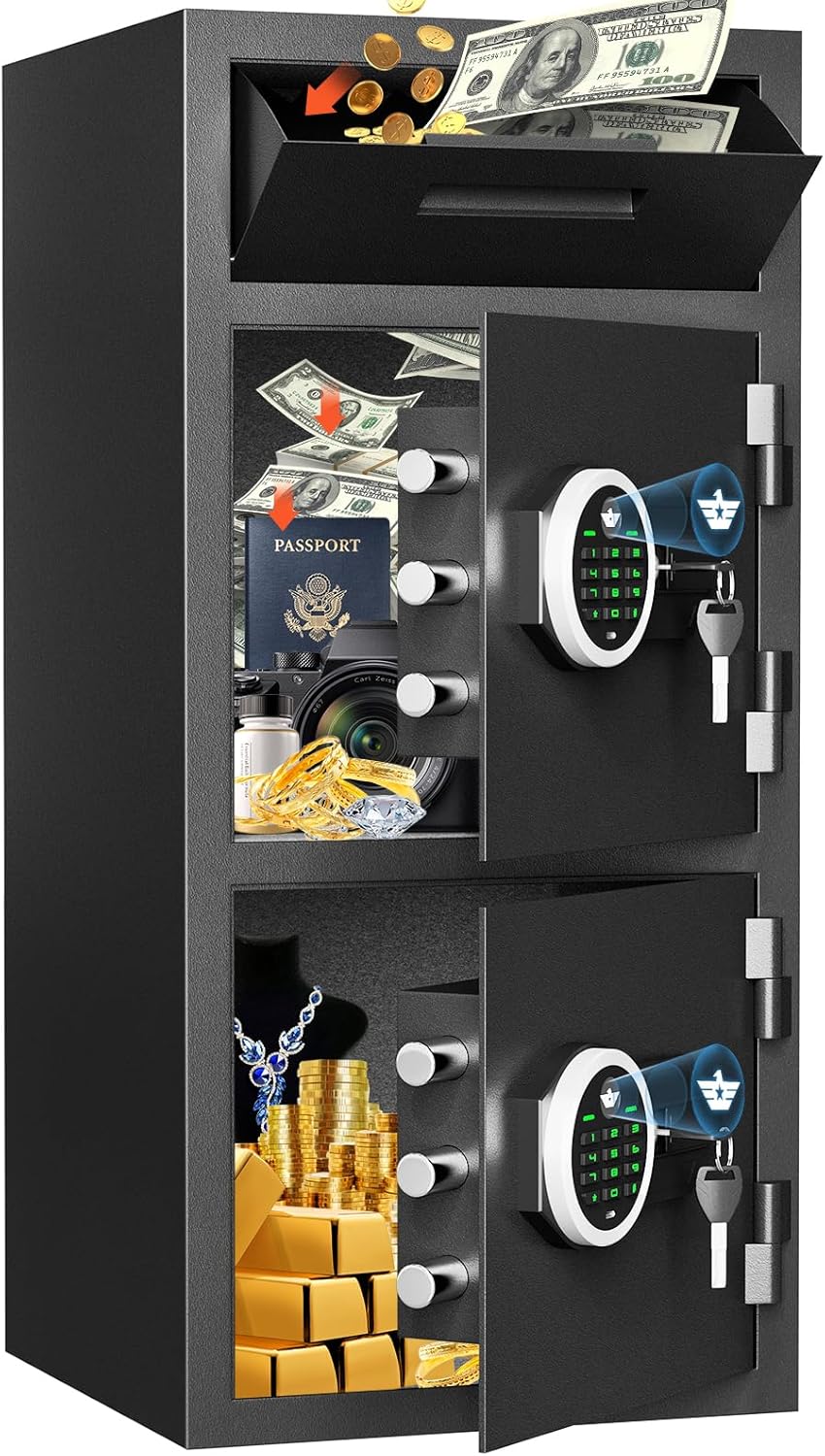
Image: The Omethey 6.5 Cu ft Home Safe Box, showcasing its large capacity and double door design, with various valuables like money, passports, and jewelry stored inside.
2. What's Included
Please verify that all the following components are included in your package:
- 1 x Omethey 6.5 Cub Drop Safe (KMT-75)
- 4 x Emergency Keys
- 1 x USB Type-C Cable (for emergency power)
- 4 x Non-slip Pads
- 6 x Expansion Screws (for mounting)
- 1 x User Manual

Image: A visual representation of all items included with the Omethey safe: the safe unit, emergency keys, foot mats, USB Type-C cable, expansion screws, and the user manual.
3. Setup
3.1 Unpacking and Placement
Carefully remove the safe from its packaging. Choose a suitable location for the safe, ensuring it is on a flat, stable surface. Consider mounting the safe for added security.
3.2 Battery Installation
The digital keypad requires batteries to operate. Locate the battery compartment, typically on the inside of the safe door or behind the keypad. Insert the required batteries (usually AA or AAA, not included) according to the polarity markings. Ensure the batteries are fresh and correctly oriented for proper function.
3.3 Mounting the Safe (Optional, Recommended)
For increased security, it is highly recommended to bolt the safe to the floor, wall, or inside a cabinet. The safe comes with pre-drilled mounting holes and six expansion bolts (four at the back, two at the bottom) for this purpose.
- Step 1: Position the Safe. Place the safe in the desired mounting location.
- Step 2: Mark Drilling Points. Use a pencil or marker to mark the positions of the pre-drilled holes on the floor or wall.
- Step 3: Drill Holes. Move the safe away and drill holes at the marked positions using an appropriate drill bit for your surface (concrete, wood, etc.).
- Step 4: Secure the Safe. Reposition the safe over the drilled holes. Insert the expansion bolts through the safe's mounting holes and into the drilled holes. Tighten the bolts securely to anchor the safe in place.

Image: A diagram illustrating the easy installation process of the safe, showing pre-drilled holes and the use of expansion bolts for securing it to a wall or floor.
4. Operating Instructions
4.1 Opening the Safe
Your Omethey safe offers three methods for opening:
- Emergency Key: Insert the emergency key into the keyhole, turn it, and then turn the knob to open the door. This method is primarily for initial setup or when batteries are dead.
- Password + Knob: Enter your programmed password on the digital keypad, then turn the knob to open the door.
- USB Type-C + Password + Knob (Emergency Power): If batteries are completely drained, connect the provided USB Type-C cable to the emergency power port on the keypad and to a power source (e.g., power bank). Then, enter your password and turn the knob to open.

Image: A clear diagram illustrating the three methods of opening the safe: using an emergency key, entering a password, and using a USB Type-C cable for emergency power combined with a password.
4.2 Setting/Changing Your Passcode
Refer to the detailed instructions in the included Quick Start Guide for specific steps on setting and changing your personal password. Generally, this involves pressing a reset button inside the safe (with the door open), entering your new code, and confirming it.

Image: A close-up view of the backlit digital keypad, highlighting its visibility in both day and night conditions for easy operation.
4.3 Mute Function
To activate or deactivate the mute function for silent operation, press the '*' key, then press the '1' key on the keypad. This is useful when you need to access the safe without making audible sounds.
4.4 Dual Alarm System
The Omethey safe is equipped with a dual alarm system that activates under the following conditions:
- After 3 consecutive incorrect password entries.
- Upon detection of violent vibrations or tampering attempts.
When triggered, the alarm emits a loud sound (70 decibels) for 60 seconds, designed to deter intruders. The alarm can be stopped by entering the correct password.

Image: An illustration demonstrating the mute function and the dual alarm system, showing the 70dB alarm sound propagation and the keypad for mute activation.
4.5 Drop Slot Usage
The anti-fishing design drop slot allows for quick and easy deposit of small items like coins, money, receipts, or keys without needing to open the main safe door. This feature is ideal for businesses, offices, or home use where frequent deposits are made.

Image: Detailed view of the quick access drop slot safe, highlighting its large opening angle and anti-theft serrated design, along with the double door feature.
4.6 Internal Features
The safe's interior includes a soft lining to protect valuables from scratches, built-in LED lights that illuminate automatically when the door is opened, and key hooks for organizing keys.

Image: A comprehensive view of the safe's product details, including the soft lining, LED lights, key hooks, the drop slot mechanism, double door structure, and the robust locking bolts.
5. Maintenance
- Cleaning: Wipe the exterior of the safe with a soft, damp cloth. Avoid abrasive cleaners or solvents that could damage the finish.
- Battery Replacement: Replace batteries promptly when the low battery indicator appears or if the keypad becomes unresponsive. Always use new, high-quality batteries.
- Key Storage: Store emergency keys in a secure location away from the safe and your primary residence. Do not store them inside the safe.
- Avoid Moisture: While the safe is waterproof, avoid placing it in excessively damp environments to prevent potential damage to electronic components.
6. Troubleshooting
- Keypad Not Working: Check battery levels. Replace batteries if necessary. If the issue persists, use the emergency key or the USB Type-C emergency power method to open the safe.
- Alarm Activates Unexpectedly: Ensure the safe is on a stable surface and not subject to accidental bumps or vibrations. If the alarm triggers due to incorrect password attempts, simply enter the correct password to silence it.
- Forgotten Password: Use the emergency key to open the safe. Once open, refer to the Quick Start Guide for instructions on resetting or changing your password.
- Door Not Closing/Opening Smoothly: Check for any obstructions around the door or locking bolts. Ensure the safe is level.
7. Specifications
| Feature | Detail |
|---|---|
| Brand | Omethey |
| Model Number | KMT-75 |
| Product Dimensions (D x W x H) | 13.78"D x 13.78"W x 29.53"H |
| Capacity | 6.5 Cubic Feet |
| Item Weight | 48.8 Pounds |
| Material | Alloy Steel |
| Lock Type | Electronic Combination Lock |
| Special Features | Adjustable & Removable Shelf, Alarm System, Anti-Theft, Combination Lock, Sensor Light, Drop Slot |
| Mounting Type | Wall & Floor Mount |
| Alarm Type | Audible & Vibration |
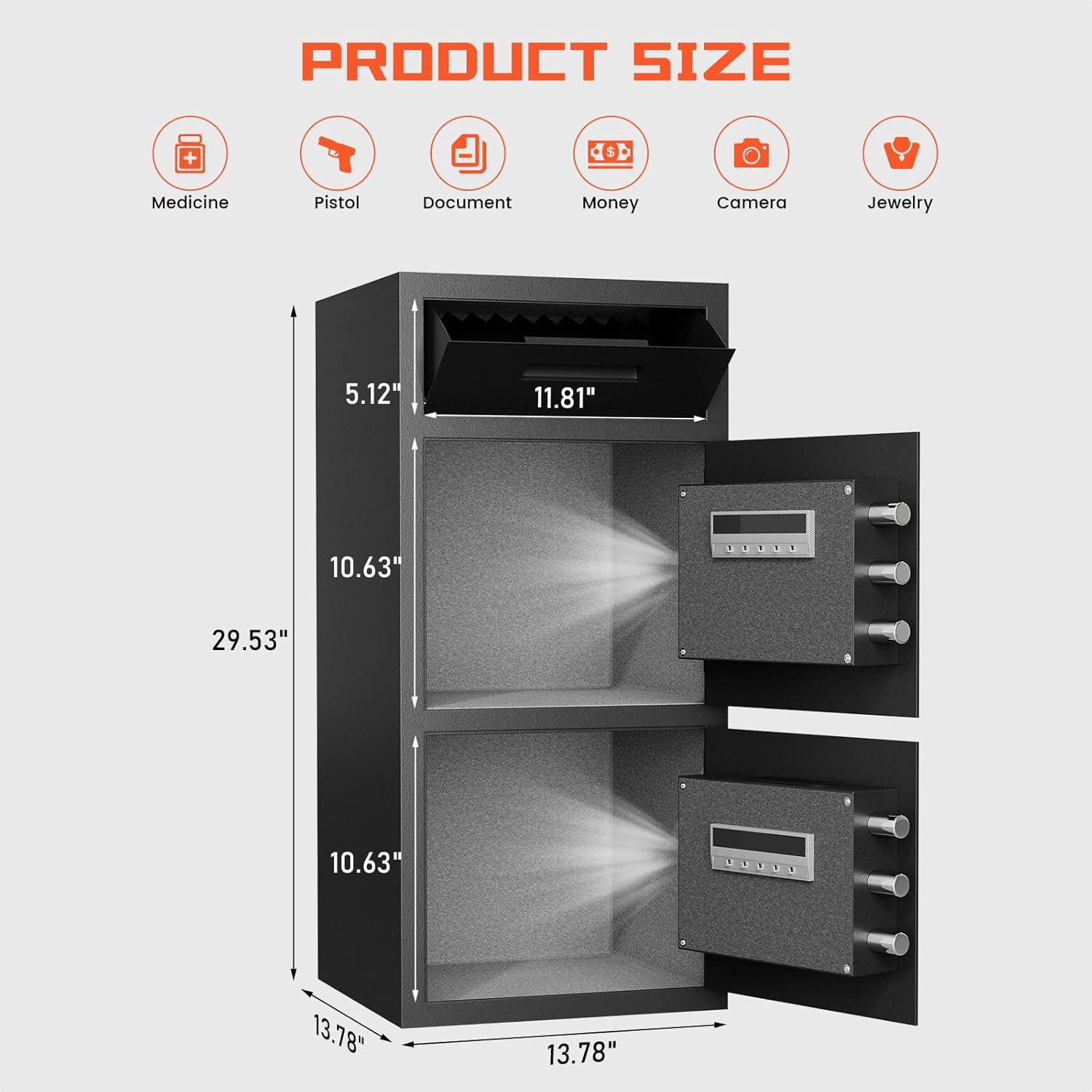
Image: A diagram illustrating the precise dimensions of the Omethey safe, including its height, width, and depth, along with internal compartment measurements.
8. Warranty and Support
Omethey provides lifetime customer service for every safe sold. If you have any questions or require assistance, please do not hesitate to contact Omethey customer service. We are committed to providing friendly 24/7 support to ensure your satisfaction.
For support, please refer to the contact information provided on the product packaging or the official Omethey website.
Ask a question about this manual
Ask about setup, troubleshooting, compatibility, parts, safety, or missing instructions. Manuals+ will review the question and use this page’s manual context to help answer it.