
1. Introduction
This manual provides comprehensive instructions for the ORICO CZ20PLUS Magnetic External SSD. Please read this manual carefully before using the product to ensure proper operation and to maximize its lifespan. Keep this manual for future reference.
Package Contents:
- ORICO CZ20PLUS Magnetic External SSD
- USB-C to USB-C Cable
- User Manual

Image 1.1: ORICO CZ20PLUS Magnetic External SSD and included USB-C cable.
2. Key Features
- Magnetic Attachment: Securely attaches to compatible devices, such as iPhones with MagSafe.
- Integrated Kickstand: Provides multi-angle viewing for hands-free use.
- High-Speed Data Transfer: Up to 2000MB/s via USB 3.2 Gen 2x2 interface.
- 4K ProRes HDR Video Recording: Supports direct recording from compatible devices like iPhone 16 Pro/Pro Max.
- Compact and Portable Design: Lightweight aluminum alloy body for durability and heat dissipation.
- Wide Compatibility: Works with macOS, Windows, Android, iPhone, and iPad (USB-C models).

Image 2.1: The ORICO CZ20PLUS SSD featuring strong magnetic attachment to a smartphone.
3. Setup and Connection
3.1 Connecting to a Smartphone/Tablet:
- Ensure your smartphone or tablet has a USB-C port. For iPhones 14 and earlier models, an ORICO LC10 Lightning adapter is required (sold separately). Adapters from other brands are not supported.
- Attach the ORICO CZ20PLUS SSD to the back of your compatible device using its magnetic attraction.
- Connect the provided USB-C to USB-C cable from the SSD to your device's USB-C port.
- The device should automatically recognize the SSD. You may need to access your device's file manager or camera settings to select the SSD as the storage destination.

Image 3.1: The SSD connected to a smartphone, demonstrating the kickstand functionality for media viewing.
3.2 Connecting to a Computer:
- Connect the provided USB-C to USB-C cable from the ORICO CZ20PLUS SSD to an available USB-C port on your computer.
- The SSD will appear as an external drive in your computer's file explorer (Windows) or Finder (Mac).
- No additional drivers are typically required for standard operation.
4. Operating Instructions
4.1 Data Transfer:
To transfer files, simply drag and drop them to and from the ORICO CZ20PLUS SSD as you would with any other external storage device. The SSD supports high-speed transfers up to 2000MB/s, depending on your device's USB port capabilities.

Image 4.1: High-speed data transfer from a computer to the ORICO CZ20PLUS SSD.
4.2 4K ProRes HDR Video Recording (iPhone 16 Pro/Pro Max):
For iPhone 16 Pro/Pro Max users, the ORICO CZ20PLUS SSD enables direct 4K 60 fps ProRes HDR video recording. Connect the SSD as described in Section 3.1. In your iPhone's camera settings, select the ORICO SSD as the external storage for video recording. This allows for immediate saving and editing of high-quality video files directly on the SSD.

Image 4.2: Demonstrating 4K ProRes video recording directly to the ORICO CZ20PLUS SSD using an iPhone.
4.3 Using the Kickstand:
The integrated kickstand can be rotated 360 degrees to provide various viewing angles. Gently pull out the ring on the back of the SSD to deploy the kickstand. Adjust it to your desired angle for comfortable media consumption or video calls.
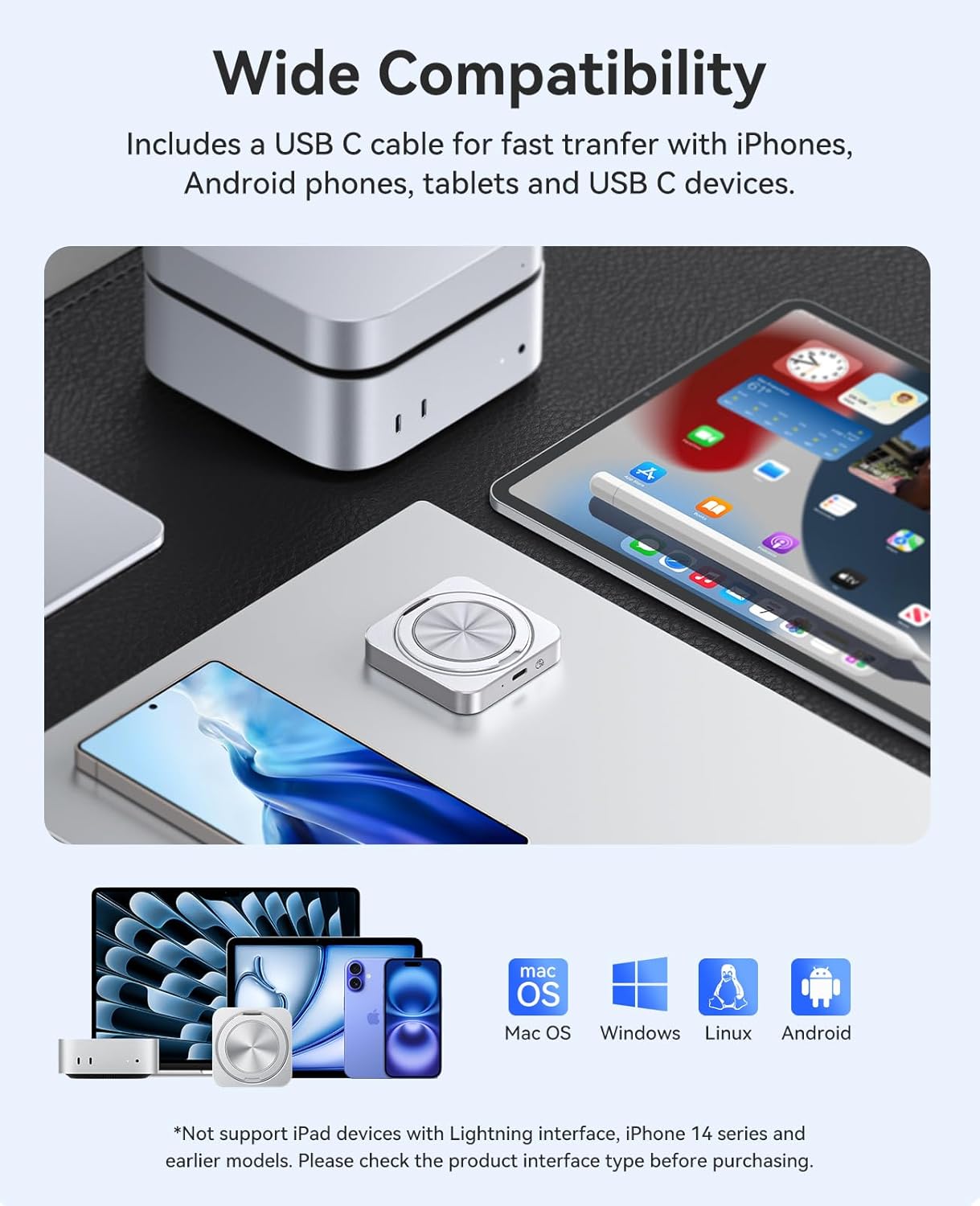
Image 4.3: The flexible kickstand allows for multi-angle viewing, suitable for various scenarios.
5. Compatibility
The ORICO CZ20PLUS SSD is designed for broad compatibility across various operating systems and devices:
- Operating Systems: macOS, Windows, Linux, Android.
- Devices: Smartphones (USB-C enabled), Tablets (USB-C enabled), Computers (USB-C enabled).
- Note: iPad devices with Lightning interface, iPhone 14 series, and earlier models require the ORICO LC10 Lightning adapter (sold separately).

Image 5.1: The ORICO CZ20PLUS SSD offers wide compatibility with multiple devices and operating systems.
6. Product Specifications
| Feature | Specification |
|---|---|
| Model | CZ20PLUS |
| Digital Storage Capacity | 2 TB |
| Hard Disk Interface | USB 3.0 (Note: Product features indicate speeds up to 2000MB/s, typically achieved with USB 3.2 Gen 2x2. Please refer to product packaging for exact interface details.) |
| Connectivity Technology | USB |
| Brand | ORICO |
| Special Feature | Portable, Magnetic, Kickstand |
| Hard Disk Form Factor | 2.5 Inches (Internal SSD size) |
| Compatible Devices | Smartphone, Tablet, Computer |
| Installation Type | External Hard Drive |
| Dimensions (Approx.) | 2.52 x 2.52 x 0.51 inches |
| Weight (Approx.) | 0.1 lbs |

Image 6.1: Physical dimensions and weight of the ORICO CZ20PLUS SSD, highlighting its compact and lightweight design.
7. Troubleshooting
- SSD Not Recognized:
- Ensure the USB-C cable is securely connected to both the SSD and your device.
- Try a different USB-C port on your computer or device.
- Verify your device's operating system is up to date.
- For iPhones 14 and earlier, confirm you are using the ORICO LC10 Lightning adapter.
- Slow Transfer Speeds:
- Ensure your device's USB-C port supports USB 3.2 Gen 2x2 for optimal speeds. Older USB versions will result in lower speeds.
- Close other applications that might be using system resources or performing background transfers.
- Check the cable for damage; use the provided ORICO cable or a certified high-speed USB-C cable.
- Overheating:
- The aluminum alloy body is designed for rapid heat dissipation. If the device feels excessively hot, ensure it is not covered or in an enclosed space during heavy use.
- Reduce continuous heavy data transfers if overheating persists.
8. Warranty and Support
ORICO products come with a standard manufacturer's warranty. For specific warranty terms and conditions, please refer to the warranty card included in your product packaging or visit the official ORICO website. For technical support, product inquiries, or service requests, please contact ORICO customer support through their official channels.
Additional data recovery plans may be available for purchase separately. Refer to your retailer for details.
9. Product Videos
ORICO CZ20PLUS Magnetic SSD Overview
Video 9.1: A brief overview of the ORICO CZ20PLUS Magnetic External SSD, showcasing its magnetic attachment, kickstand, and high-speed recording capabilities. This video highlights the product's key features and how it integrates with mobile devices for content creation and storage.
ORICO CZ20PLUS Magnetic SSD Hands-On Review
Video 9.2: A hands-on review of the ORICO CZ20PLUS Magnetic External SSD, demonstrating its physical attributes, ease of connection to various devices (smartphone, tablet, computer), and practical use cases for expanding storage and transferring files. The video also shows the functionality of the integrated kickstand and discusses transfer speeds.


