
1. Introduction
Thank you for choosing the TCL 98C6K 98-inch 4K QD-MiniLED Smart TV. This manual provides essential information for setting up, operating, maintaining, and troubleshooting your new television. Please read this manual thoroughly before using the product to ensure safe and optimal performance. Keep this manual for future reference.
2. Safety Information
Always follow basic safety precautions when using this television to reduce the risk of fire, electric shock, and injury.
- Do not expose the TV to rain or moisture.
- Do not open the TV casing; refer all servicing to qualified personnel.
- Ensure proper ventilation around the TV.
- Keep the TV away from direct sunlight, heat sources, and open flames.
- Use only the power cord and accessories provided by TCL.
- Unplug the TV during lightning storms or when unused for long periods.
3. Package Contents
Verify that all items are present in the package:
- TCL 98C6K 98-inch 4K QD-MiniLED Smart TV
- Remote Control
- User Manual
- TV Stand Components
- Power Cable
- Power Adapter
4. Setup
4.1 Unpacking and Placement
Carefully remove the TV from its packaging. It is recommended that two or more people handle the TV due to its size and weight. Place the TV on a stable, flat surface or mount it on a wall using a compatible VESA mount (sold separately).
4.2 Stand Installation
If using the included stand, attach the stand components to the bottom of the TV using the provided screws. Ensure the stand is securely fastened before placing the TV upright.
4.3 Connecting Devices
Connect your external devices (e.g., Blu-ray player, game console, soundbar) to the TV using the appropriate ports.
- HDMI: For high-definition audio and video.
- USB: For connecting USB storage devices.
- Power: Connect the power cable to the TV and then to a power outlet.
The TV supports Bluetooth and Wi-Fi connectivity for wireless devices and internet access.

Side view of the TCL 98C6K TV, illustrating the location of HDMI, USB, and other connectivity ports.

Rear view of the TCL 98C6K TV, detailing the back panel design and potential wall-mounting points.
4.4 Initial Power On
After connecting all necessary cables, plug the TV into a power outlet. Press the power button on the remote control or on the TV itself. Follow the on-screen instructions for initial setup, including language selection, network connection, and channel scanning.
5. Operating Your TV
5.1 Remote Control Overview
The remote control allows you to access all TV functions. Familiarize yourself with the buttons for power, volume, channel selection, smart TV navigation, and input source selection.
5.2 Basic Functions
- Power On/Off: Press the power button.
- Volume Control: Use the Volume Up/Down buttons.
- Channel Selection: Use the Channel Up/Down buttons or number pad.
- Input Source: Press the 'Source' button to switch between HDMI, USB, and other inputs.
5.3 Smart TV Features
Your TCL 98C6K TV runs on a smart operating system, providing access to various applications and services. It includes features like Google Assistant for voice control and Chromecast for casting content from your mobile devices.
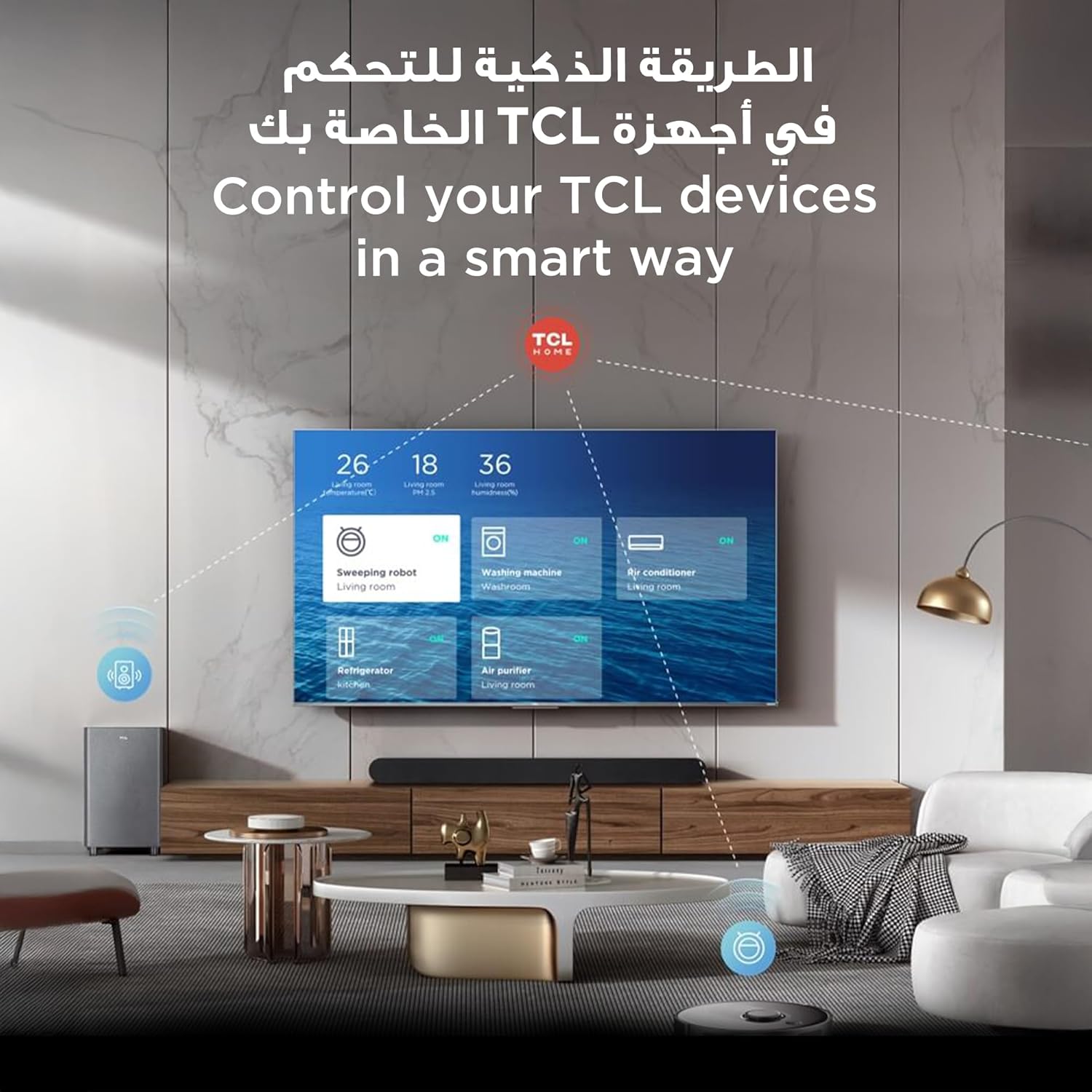
The TCL TV's smart interface allows for integrated control of other TCL smart home devices.
5.4 Picture and Sound Settings
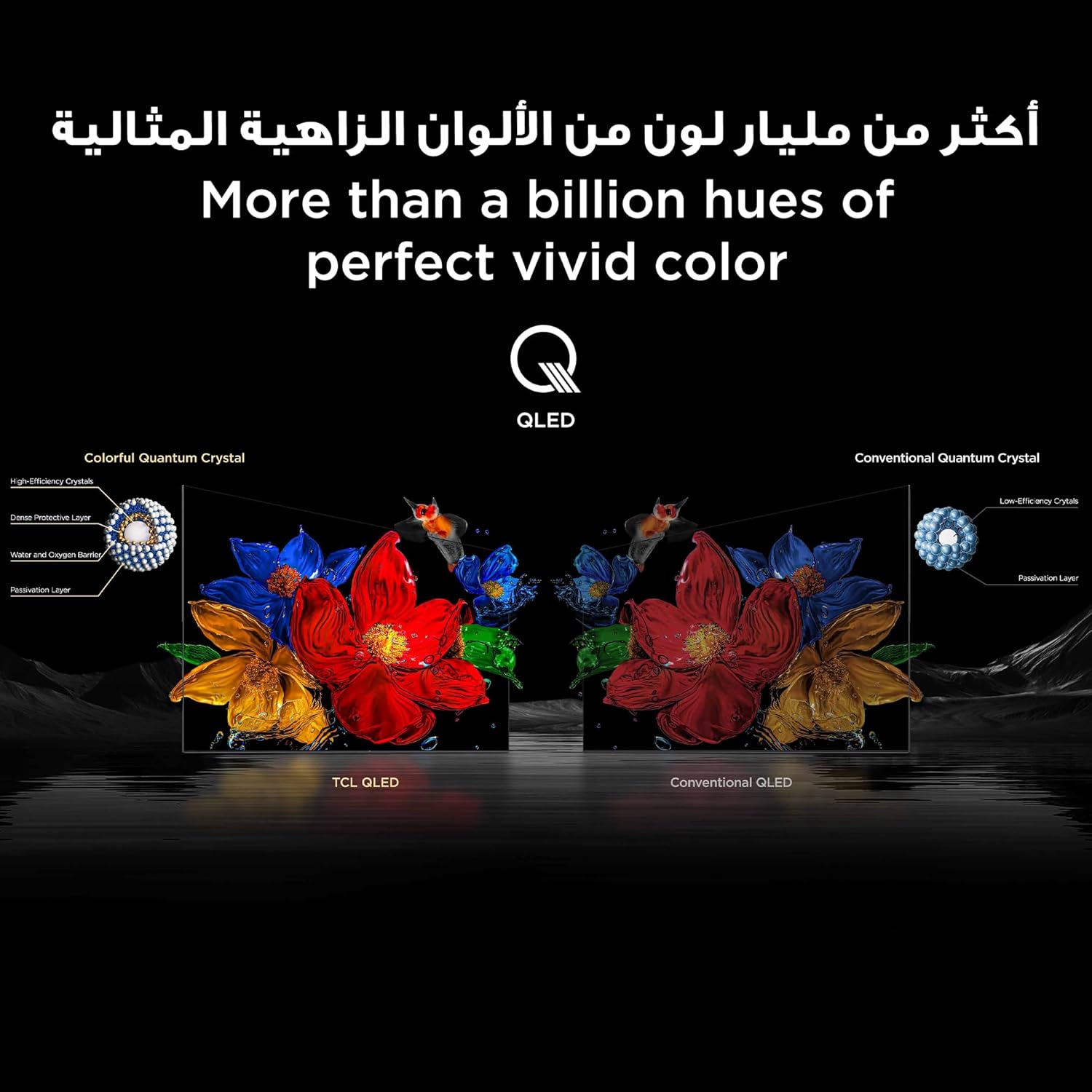
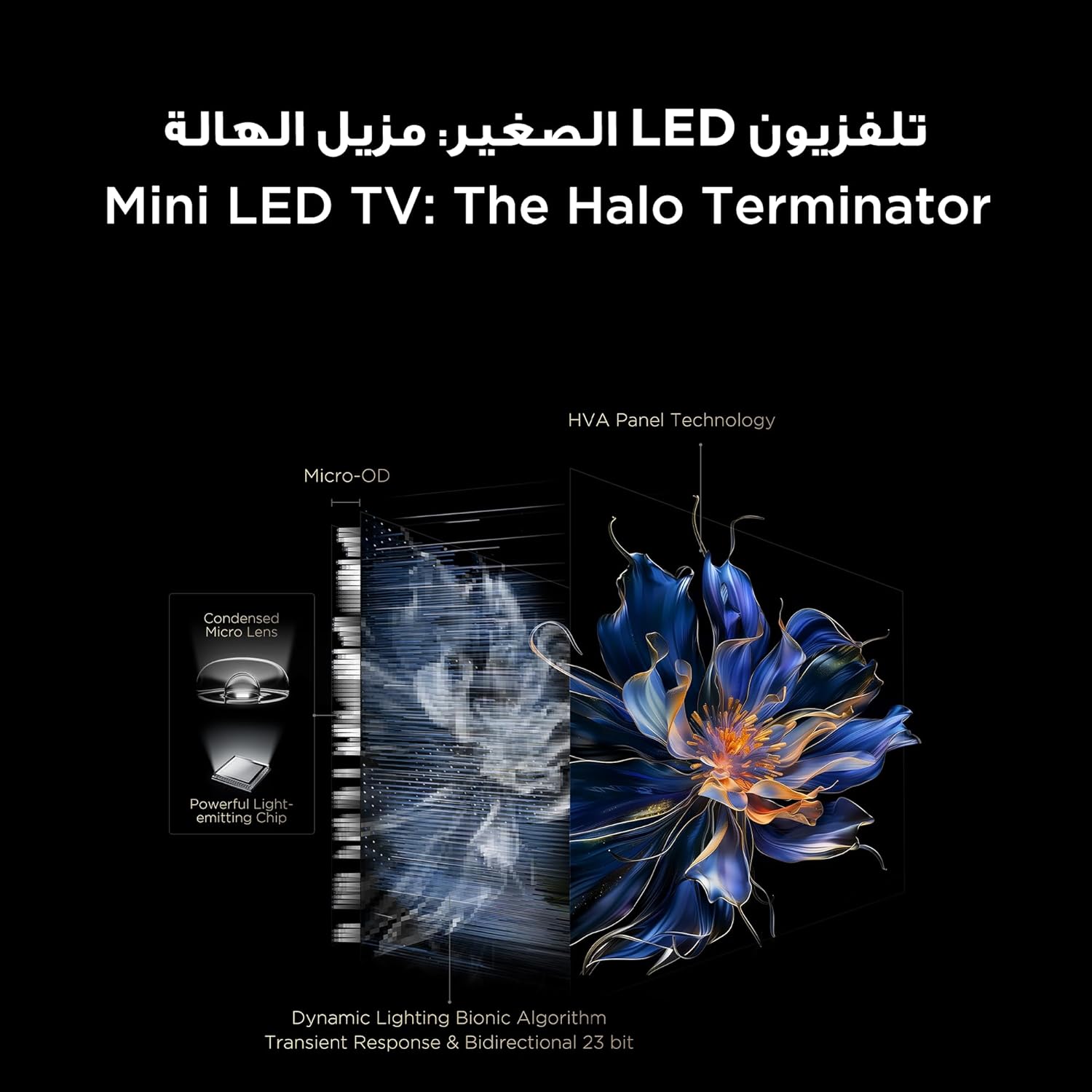
The TV features QD-MiniLED technology, offering precise dimming across up to 512 zones for enhanced contrast and brightness. With Quantum Dot technology, it delivers over a billion vibrant colors, covering 93% of the DCI-P3 color gamut. High Dynamic Range (HDR) support ensures stunning detail in both bright and dark scenes.
Visual representation of TCL QLED technology, showcasing its ability to produce over a billion vibrant colors.

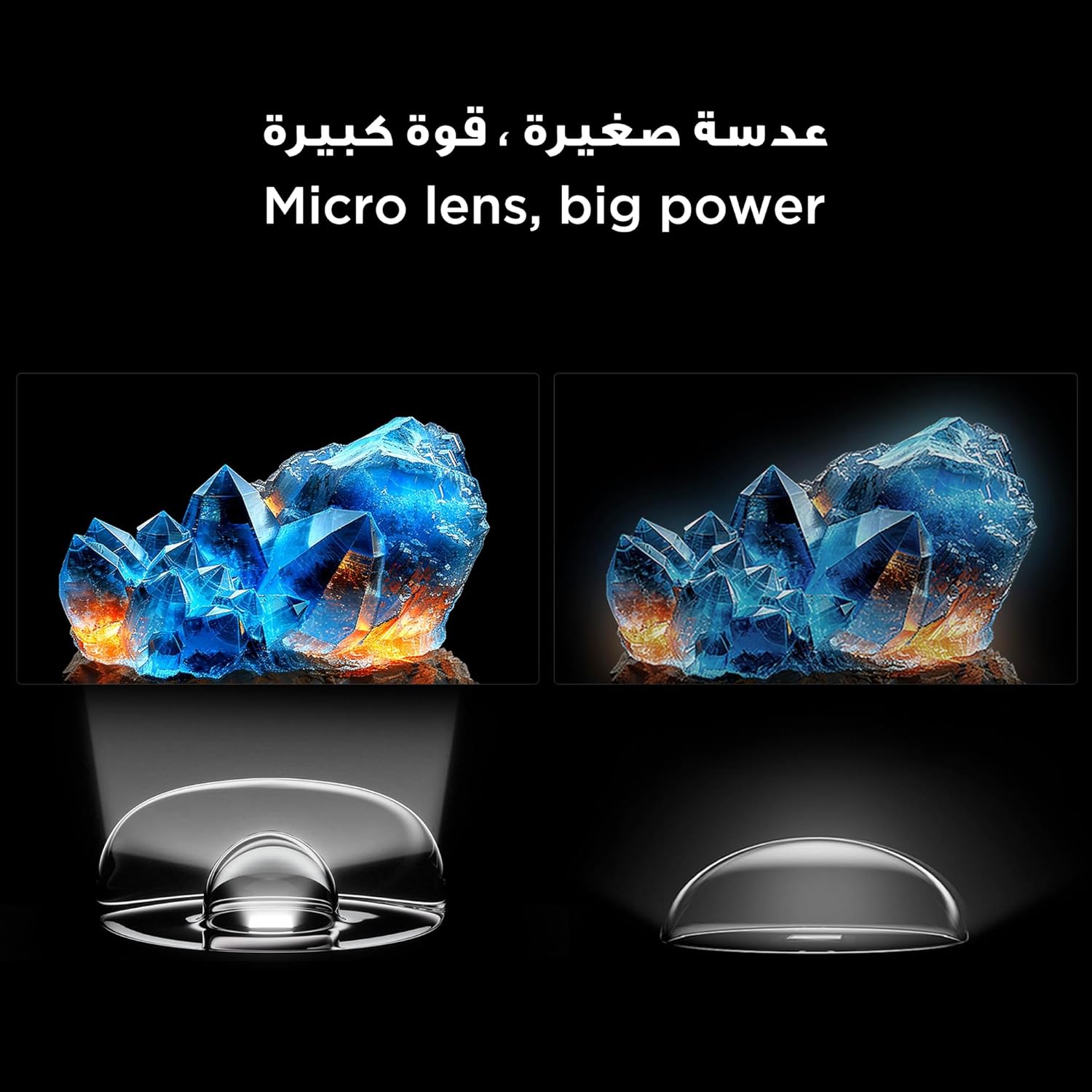
An illustration of the Mini LED TV technology, highlighting its advanced backlighting system for improved contrast and reduced halo effects.
Detail of the micro lens technology used in the Mini LED display, enhancing light control and picture quality.
The integrated AiPQ Pro Processor optimizes picture and sound in real-time, ensuring a superior viewing experience. For audio, the TV features an Onkyo 2.1 Hi-Fi sound system, delivering rich and immersive sound.

The AiPQ Pro Processor, responsible for intelligent picture and sound optimization.
The Onkyo 2.1 sound system provides a cinematic audio experience.
5.5 Gaming Features
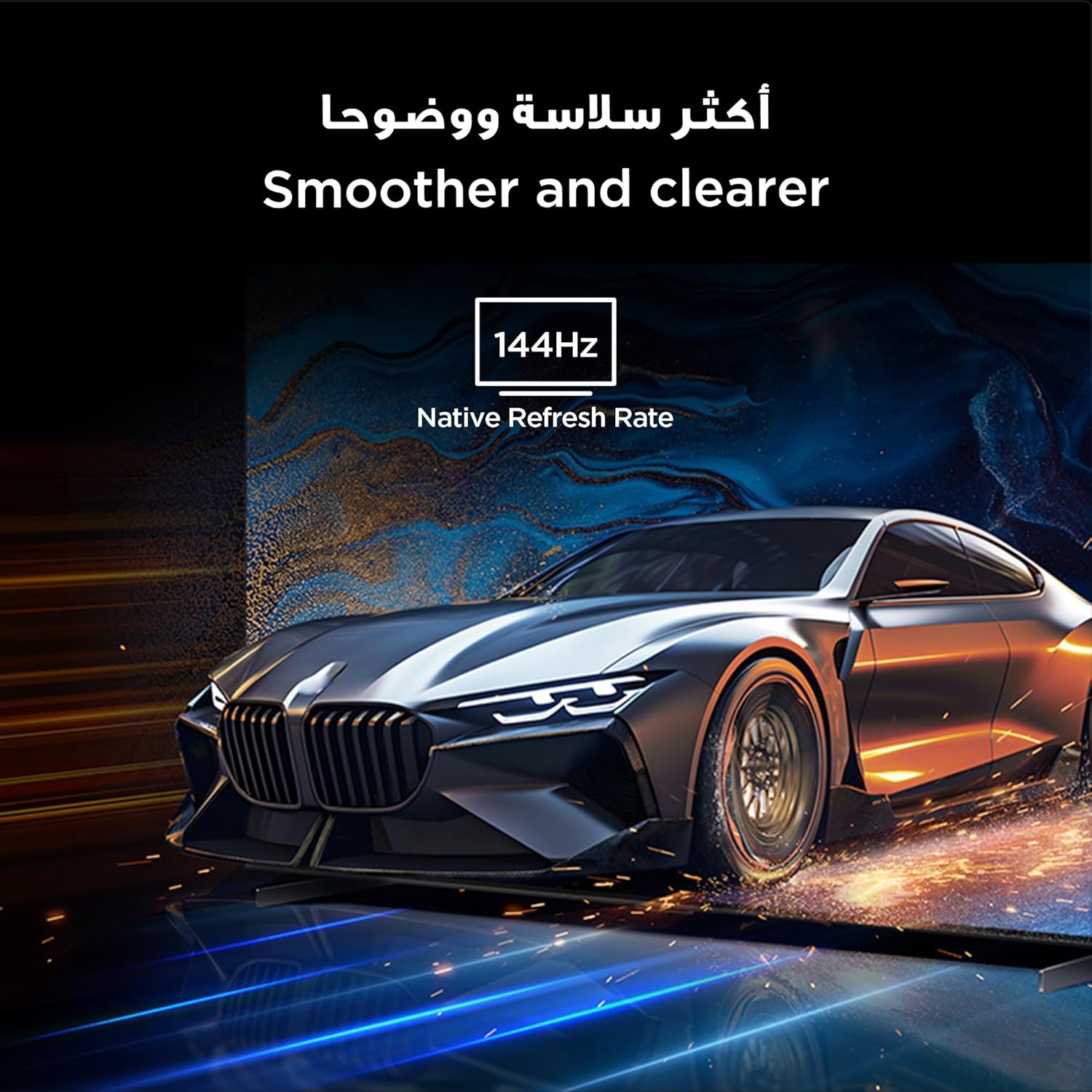
With a native 144Hz refresh rate, the TV provides ultra-smooth motion, ideal for fast-paced action and gaming. This ensures a clear and fluid visual experience without motion blur.
The 144Hz native refresh rate ensures smoother and clearer motion, especially beneficial for gaming and fast-action content.
6. Maintenance
6.1 Cleaning the Screen
Gently wipe the screen with a soft, lint-free cloth. For stubborn marks, lightly dampen the cloth with water or a specialized screen cleaner. Avoid using harsh chemicals or abrasive materials.
6.2 General Care
Keep the TV free from dust by regularly wiping the casing with a dry, soft cloth. Ensure ventilation openings are not blocked. Do not place heavy objects on the TV.
7. Troubleshooting
If you encounter issues with your TV, refer to the following common solutions:
| Problem | Possible Solution |
|---|---|
| No Power | Check if the power cable is securely connected and the power outlet is working. Try a different outlet. |
| No Picture, but Sound is Present | Ensure the correct input source is selected. Check cable connections to external devices. |
| No Sound, but Picture is Present | Check volume levels and mute settings. Verify audio cable connections. |
| Remote Control Not Working | Replace batteries. Ensure there are no obstructions between the remote and the TV. |
| Poor Picture Quality | Adjust picture settings (brightness, contrast, sharpness). Check the quality of the input signal. |
| Cannot Connect to Wi-Fi | Ensure your router is on and within range. Re-enter the Wi-Fi password. Restart the TV and router. |
If the problem persists, please contact TCL customer support.
8. Specifications
Detailed technical specifications for the TCL 98C6K TV:
| Feature | Detail |
|---|---|
| Manufacturer | TCL |
| Country of Origin | China |
| Model Number | 98C6K |
| Product Dimensions (L x W x H) | 218.4 x 10.2 x 127 cm |
| Product Weight | 52 kg |
| Screen Size | 98 Inches |
| Display Technology | QD-MiniLED |
| Resolution | 4K |
| Refresh Rate | 144 Hz (Native) |
| Special Features | Onkyo 2.1 Hi-Fi, IMAX Enhanced, Ultra-slim design, High HDR brightness, Multi-eye care, Chromecast, Google Assistant, AiPQ Pro Processor, AI mode |
| Included Components | Remote control, User manual, Stand, Power cable, Power adapter |
| Connectivity Technology | HDMI, USB, Bluetooth, Wi-Fi |
| Aspect Ratio | 16:9 |
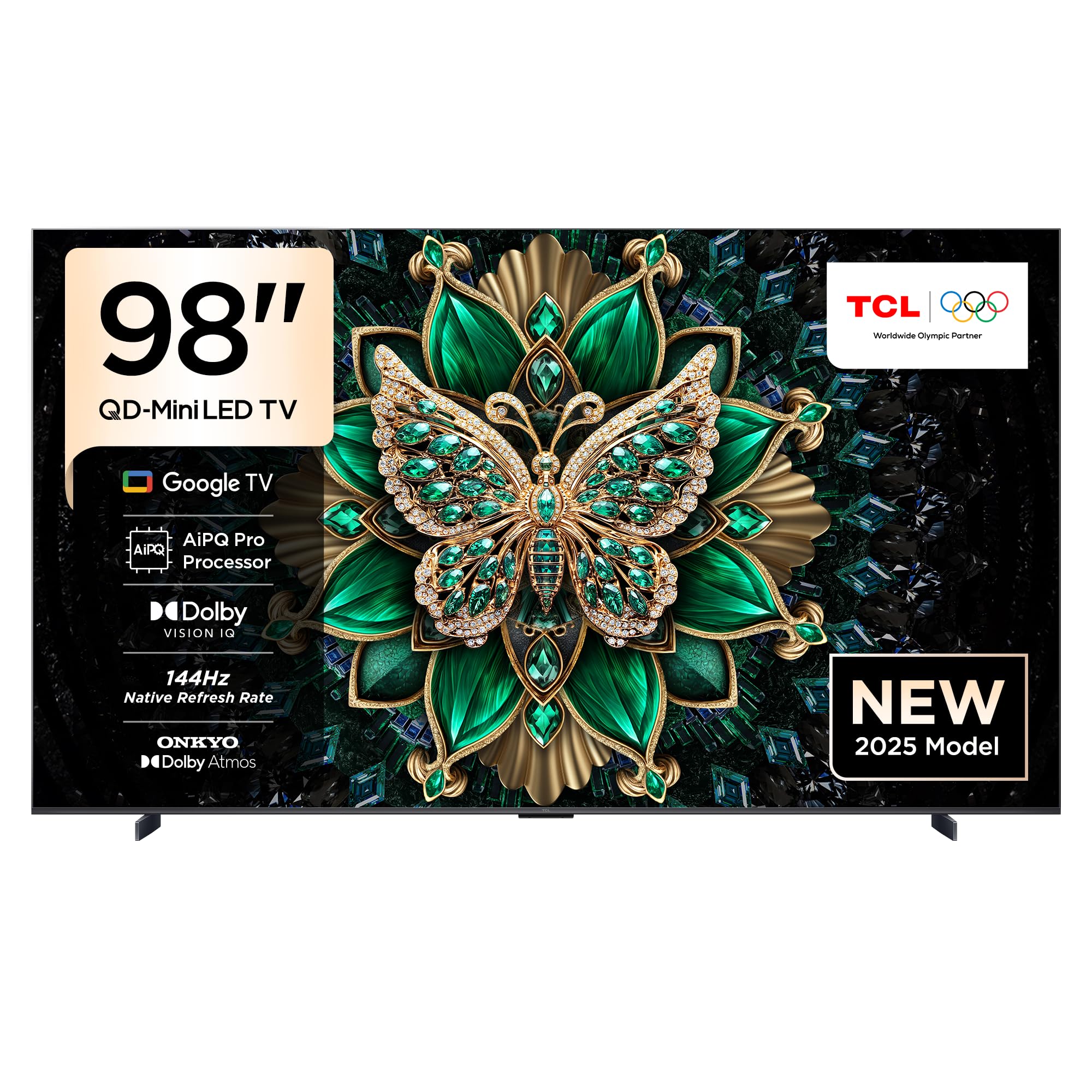
Front view of the TCL 98C6K 98-inch 4K QD-MiniLED Smart TV.

Angled front view of the TCL 98C6K TV.
Side profile of the TCL 98C6K TV, showcasing its slim design.
9. Warranty and Support
For warranty information, please refer to the warranty card included with your product or visit the official TCL website. For technical support, product registration, or service inquiries, please contact TCL customer service through their official channels.
You can find additional support and resources on the TCL Brand Store.


