
eppfun AK3040Pro
eppfun AK3040Pro USB-C Bluetooth 5.2 Transmitter User Manual
Model: AK3040Pro
1. Introduction
The eppfun AK3040Pro is a versatile USB-C Bluetooth 5.2 audio transmitter designed to provide high-quality wireless audio for various devices. It supports advanced audio codecs like aptX-Adaptive, aptX HD, aptX LL, aptX, and SBC, ensuring low latency and superior sound. This manual provides detailed instructions for setting up, operating, and troubleshooting your AK3040Pro transmitter.

Image: The eppfun AK3040Pro USB-C Bluetooth transmitter, highlighting its compatibility with PS5, Nintendo Switch, PC, and Mac, along with supported audio technologies like Qualcomm aptX Adaptive and Hi-Def audio.
2. Package Contents
Please check the box contents upon unpacking to ensure all items are present.
- eppfun AK3040Pro USB-C Bluetooth 5.2 Transmitter
- Analog Microphone
- Instruction Manual
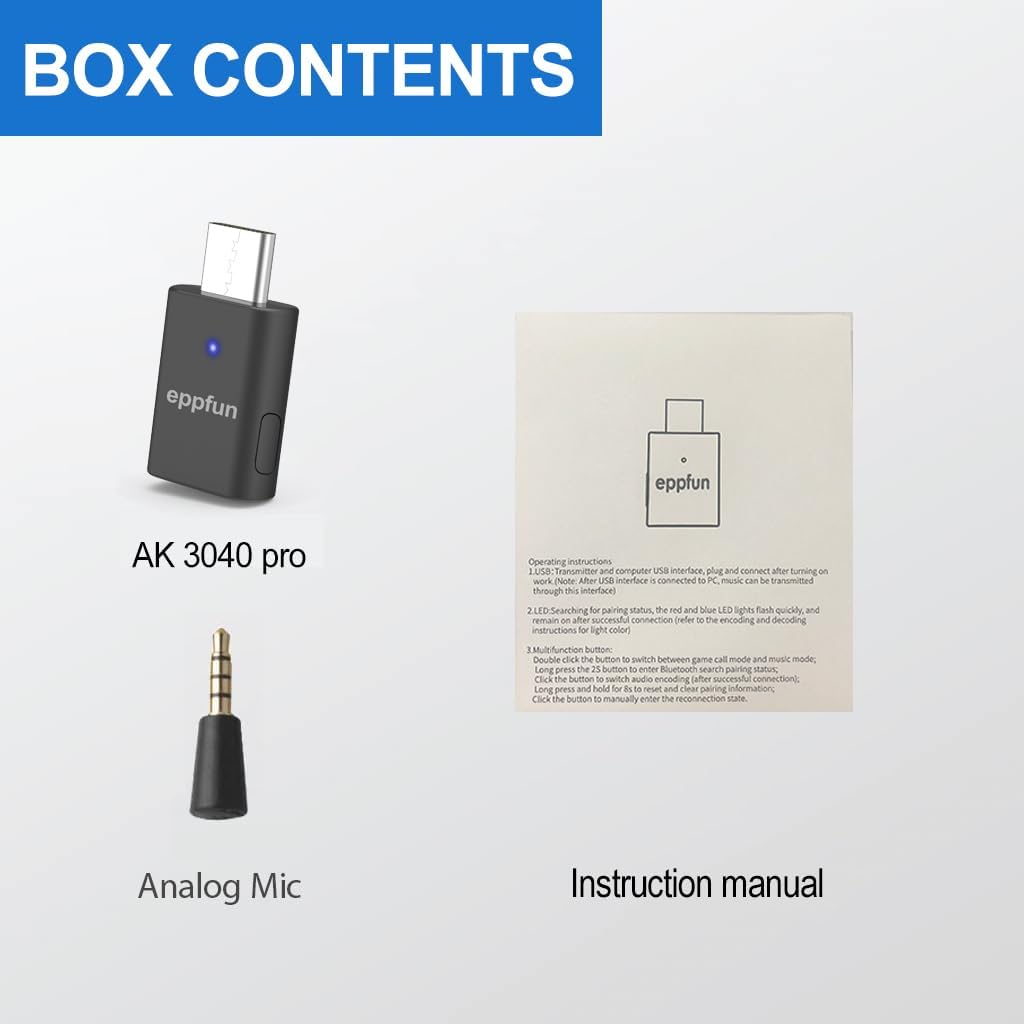
Image: The contents of the eppfun AK3040Pro package, including the AK3040Pro transmitter, an analog microphone, and the instruction manual.
3. Product Overview
The eppfun AK3040Pro is a compact USB-C audio transmitter designed for plug-and-play operation. It features a multi-function button and an LED indicator for status and codec selection. The included analog microphone allows for voice chat functionality.

Image: A close-up view of the eppfun AK3040Pro USB-C Bluetooth transmitter, showing its USB-C connector, LED indicator, and the attached analog microphone.
LED Indicator for Audio Playback Mode:
The LED indicator on the transmitter changes color to indicate the active audio codec.
- Orange: aptX Adaptive
- Green: aptX HD
- White: aptX LL (Low Latency)
- Cyan: aptX
- Blue: SBC

Image: A diagram illustrating the eppfun AK3040Pro's LED indicator colors corresponding to different audio codecs: Orange for aptX Adaptive, Green for aptX HD, White for aptX LL, Cyan for aptX, and Blue for SBC.
4. Setup and Pairing
4.1 Initial Setup
- Insert the eppfun AK3040Pro into a USB 2.0/3.0 port on your PC, Mac, PS5, or Nintendo Switch.
- Upon first use, the LED indicator will flash red and blue, indicating it has automatically entered pairing mode.
- No driver installation is required for most operating systems.

Image: The eppfun AK3040Pro transmitter plugged into a laptop's USB-C port, demonstrating its plug-and-play functionality without the need for driver installation.
4.2 Pairing with Bluetooth Headphones/Speakers
- Ensure your Bluetooth headphones or speaker are in pairing mode. Refer to your audio device's manual for specific instructions.
- The AK3040Pro's LED will flash red and blue when in pairing mode.
- Once successfully paired, the LED indicator on the AK3040Pro will remain steadily lit, displaying the color corresponding to the active audio codec.

Image: The eppfun AK3040Pro transmitter plugged into a PlayStation 5 console, indicating its use as a gaming companion for wireless audio.
5. Operating Instructions
5.1 Codec Selection
The AK3040Pro supports multiple audio codecs. You can manually switch between them by pressing the multi-function button on the transmitter. The LED indicator will change color to reflect the currently active codec.

Image: An illustration showing the eppfun AK3040Pro cycling through different audio codecs (AptX, AptX LL, AptX HD, AptX Adaptive) by pressing the button, with corresponding LED colors.
5.2 Duplex Mode (Game Call + Music)
The AK3040Pro supports a duplex mode for simultaneous game audio and voice chat.
- When connected to a PS4 or PS5, the transmitter may automatically switch to call mode.
- In duplex mode, the music quality may decrease, potentially with some sizzling noise.
- To switch back to music-only mode, double-click the multi-function button.
- To re-enter call mode (if not automatically activated), double-click the multi-function button again.

Image: A PlayStation 5 gaming setup showing the eppfun AK3040Pro transmitter connected, with an icon indicating microphone functionality for voice chat.
5.3 Bluetooth Search and Clear Pairing Information
- Enter Bluetooth Search Status: Long press the multi-function button for 2 seconds.
- Reset and Clear Pairing Information: Long press and hold the multi-function button for 8 seconds.
- Manually Enter Pairing Mode: Click the button to manually enter pairing mode.
6. Compatibility
The eppfun AK3040Pro is compatible with a wide range of devices and operating systems.
- Operating Systems: Windows 8/10/11, macOS, Linux OS, Nintendo Switch OS.
- Gaming Consoles: PS4, PS5, Nintendo Switch.
- Audio Devices: All Bluetooth headphones and speakers from version 2.1 and onwards.
Note: The AK3040Pro is designed for audio devices only (Bluetooth headsets, speakers, earbuds, soundbars).

Image: An illustration demonstrating the eppfun AK3040Pro's compatibility with various host devices (PC, PS5, Nintendo Switch, Mac) and audio output devices (Bluetooth headset, sound bar, Bluetooth speaker, earbuds).
7. Specifications
| Feature | Detail |
|---|---|
| Model | AK3040Pro |
| Bluetooth Version | 5.2 |
| Audio Codecs Supported | aptX-Adaptive, aptX HD, aptX LL, aptX, SBC |
| Interface | USB-C |
| Special Feature | Low Latency (approx. 60ms with aptX-Adaptive) |
| Connectivity Technology | Bluetooth |
| Power Source | Corded Electric (via USB-C host) |
| Item Weight | 1.41 ounces (approx. 0.04 Kilograms) |
| Package Dimensions | 4.72 x 3.54 x 0.59 inches |
8. Troubleshooting
- No Audio:
- Ensure the AK3040Pro is correctly plugged into the USB-C port.
- Verify your Bluetooth headphones/speaker are powered on and successfully paired with the transmitter (LED is steadily lit).
- Check the audio output settings on your host device (PC, Mac, console) to ensure the AK3040Pro is selected as the output device.
- Try re-pairing the devices.
- Poor Audio Quality / Sizzling Noise:
- If in duplex (game call + music) mode, double-click the multi-function button to switch to music-only mode.
- Ensure your audio device supports the same high-quality codecs (e.g., aptX-Adaptive, aptX HD) as the transmitter for optimal performance.
- Reduce interference by moving closer to the transmitter or away from other wireless devices.
- Cannot Pair:
- Ensure both the AK3040Pro and your audio device are in pairing mode.
- Clear previous pairing information on the AK3040Pro by long-pressing the multi-function button for 8 seconds, then re-enter pairing mode by clicking the button.
- Clear pairing history on your Bluetooth headphones/speaker.
- Intermittent Connection:
- Ensure there are no physical obstructions between the transmitter and your audio device.
- Avoid placing the transmitter near strong electromagnetic interference sources.
- Try re-pairing the devices.
9. Maintenance
- Keep the device dry. Avoid exposure to moisture or liquids.
- Clean the device with a soft, dry cloth. Do not use harsh chemicals or abrasive cleaners.
- Store the device in a cool, dry place when not in use.
- Avoid extreme temperatures.
10. Warranty and Support
For warranty information and technical support, please refer to the official eppfun website or contact their customer service directly.
eppfun Official Website: Visit the eppfun Store on Amazon
Related documentsAK3040Pro

Ask a question about this manual
Ask about setup, troubleshooting, compatibility, parts, safety, or missing instructions. Manuals+ will review the question and use this page’s manual context to help answer it.