
Introduction
This manual provides detailed instructions for the ZAGG Mophie Essentials USB-A to USB-C Cable. This 2-meter black cable is designed for reliable charging and data transfer between devices equipped with USB-A and USB-C ports. Please read this manual carefully to ensure proper use and maintenance of your cable.
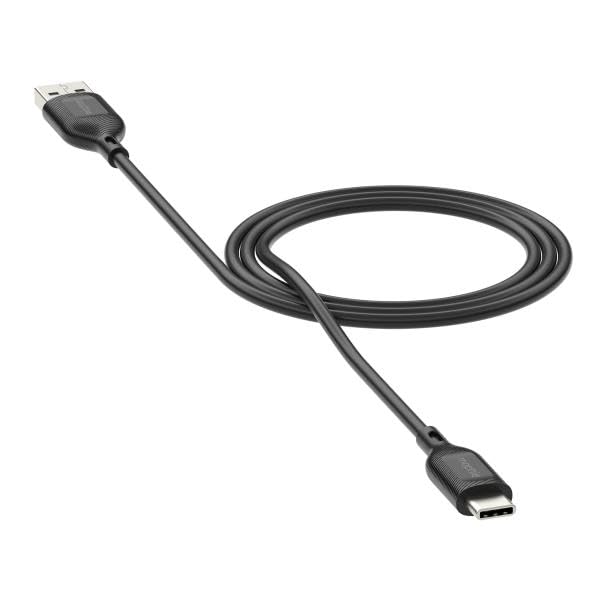
Image: The ZAGG Mophie Essentials USB-A to USB-C Cable, black, 2 meters in length, with a USB-A connector on one end and a USB-C connector on the other.
Setup
The ZAGG Mophie Essentials USB-A to USB-C Cable is designed for plug-and-play functionality. No software installation is required.
- Identify Ports: Locate the USB-A port on your power adapter, computer, or other host device, and the USB-C port on your smartphone, tablet, laptop, or other compatible device.
- Connect USB-A: Insert the USB-A (male) end of the cable into the USB-A port of your power source or host device. Ensure it is fully seated.
- Connect USB-C: Insert the USB-C (male) end of the cable into the USB-C port of your target device. The USB-C connector is reversible, so it can be inserted in either orientation.
- Verify Connection: Once connected, your device should begin charging or establish a data connection, depending on the function of the host device.
Operating Instructions
This cable facilitates two primary functions: charging and data transfer.
- For Charging:
- Connect the USB-A end to a compatible USB wall charger, car charger, or power bank.
- Connect the USB-C end to your device (e.g., smartphone, tablet).
- Ensure the power source is active. Your device's charging indicator should activate.
- For Data Transfer:
- Connect the USB-A end to a USB-A port on a computer (PC or Mac).
- Connect the USB-C end to your device.
- Your computer should recognize the connected device. Follow on-screen prompts on your computer and device to allow data access and transfer files.
Maintenance
Proper care will extend the life of your ZAGG Mophie Essentials cable.
- Cleaning: Use a soft, dry, lint-free cloth to gently wipe the cable and connectors. Do not use harsh chemicals, cleaning solvents, or strong detergents.
- Storage: Store the cable in a cool, dry place away from direct sunlight and extreme temperatures. Avoid tightly coiling or bending the cable at sharp angles, especially near the connectors, as this can damage internal wires.
- Handling: Always grasp the connector housing when plugging or unplugging the cable. Do not pull on the cable itself, as this can strain the connection points and lead to damage.
- Avoid Liquids: Keep the cable away from water and other liquids. If the cable gets wet, disconnect it immediately and allow it to dry completely before reuse.
Troubleshooting
If you encounter issues with your ZAGG Mophie Essentials cable, try the following solutions:
| Problem | Possible Solution |
|---|---|
| Device not charging. |
|
| Data transfer not working. |
|
| Cable appears damaged. |
|
Specifications
| Feature | Detail |
|---|---|
| Brand | ZAGG |
| Model Number | 409913775 |
| Connector Type | USB-A (Male) to USB-C (Male) |
| Cable Type | USB Cable |
| Length | 2 Meters |
| Color | Black |
| Compatible Devices | Devices with USB-C ports (e.g., smartphones, tablets, laptops) and USB-A host ports (e.g., chargers, computers) |
| Package Dimensions | 5.91 x 5.91 x 3.94 inches |
| Item Weight | 3.53 ounces |
| Manufacturer | ZAGG |
| Date First Available | April 30, 2025 |
Warranty and Support
ZAGG stands behind the quality of its products.
- Warranty: This ZAGG Mophie Essentials cable comes with a three-year warranty against manufacturing defects. Please retain your proof of purchase for warranty claims.
- Customer Support: For further assistance, troubleshooting not covered in this manual, or warranty inquiries, please visit the official ZAGG website or contact their customer support directly.
You can find more information and support on the official ZAGG Store on Amazon.


