1. Introduction
Thank you for purchasing the AVIOT TE-V1R-GIM Wireless Earbuds. These earbuds are a special collaboration edition featuring "The Idolm@Ster Gakuen" and offer a unique audio experience with custom voice lines, adaptive noise canceling, and high-quality sound. This manual provides essential information for setup, operation, maintenance, and troubleshooting to ensure optimal performance and longevity of your device.

Image: The AVIOT TE-V1R-GIM earbuds resting in their open charging case, highlighting the unique design elements.
2. What's in the Box
Verify that all the following items are included in your package:
- AVIOT TE-V1R-GIM Wireless Earbuds
- Wireless Charging Case
- USB Charging Cable
- Multiple Sizes of Ear Cushions
- User Manual (this document)
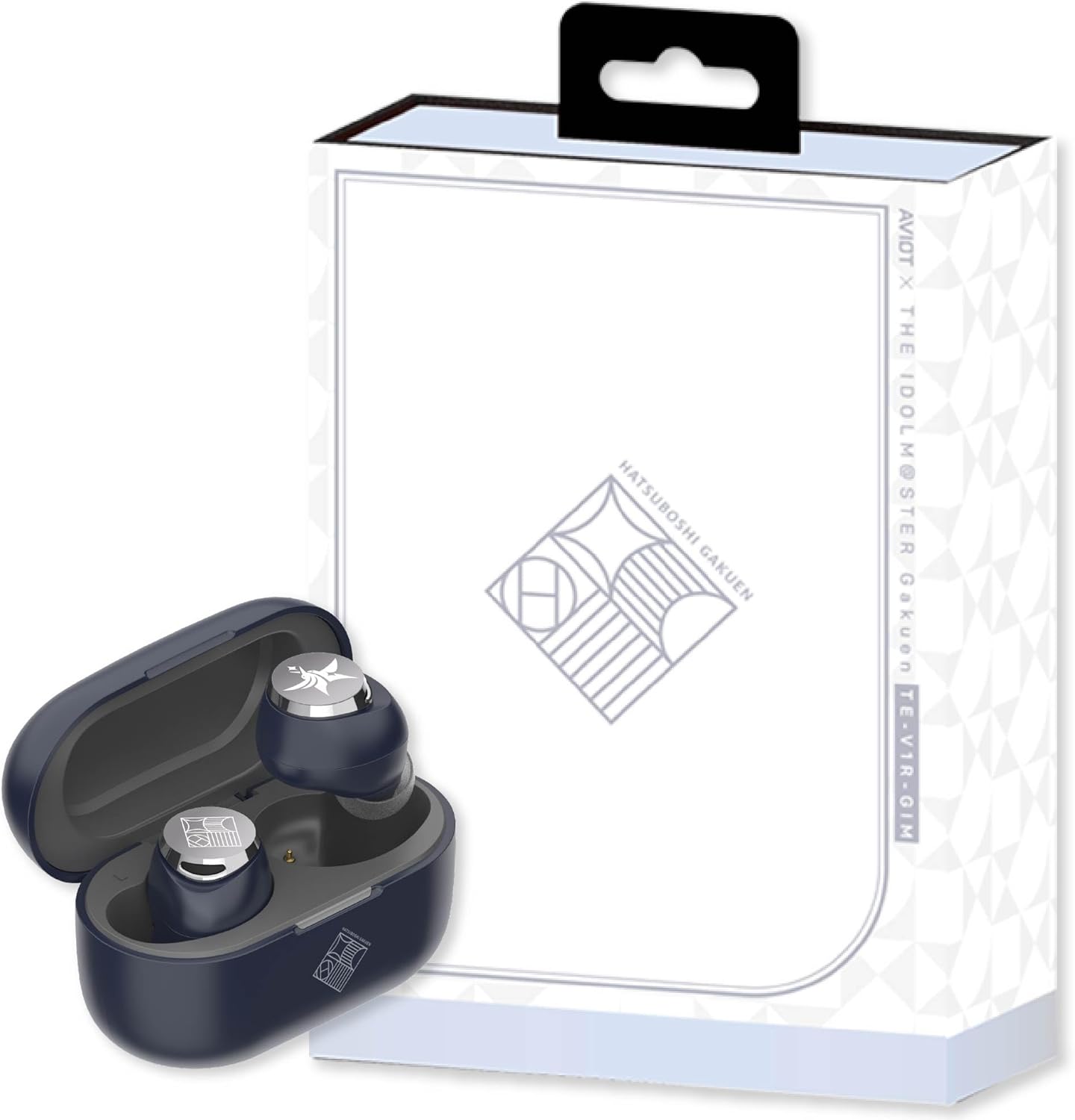
Image: The AVIOT TE-V1R-GIM earbuds, charging case, and the special collaboration packaging.
3. Product Features
The AVIOT TE-V1R-GIM earbuds are designed with advanced technology and unique collaboration elements:
- Special Voice Lines: Over 200 newly recorded voice lines from 12 idols, including voice guidance for notifications and a "random voice" feature.
- Unique Design: A stylish navy, gray, and silver color scheme with the school crest and emblem on the earbuds.
- Adaptive Noise Cancelling: Automatically adjusts noise cancellation strength based on your environment.
- High-Resolution Audio: Enjoy superior sound quality with Hybrid Dual Driver 2.0 technology.
- Extended Battery Life: Up to 19 hours of playback on earbuds alone, and up to 62 hours with the charging case.
- Wireless Charging: Convenient charging for the case.
- Multipoint Connectivity: Connect to multiple devices simultaneously.
- IPX4 Water Resistance: Protection against splashes (earbuds only).

Image: An infographic summarizing key features such as Adaptive Noise Cancelling, Hi-Res Audio, battery life, multipoint connectivity, IPX4 rating, Hybrid Dual Driver, and wireless charging.
3.1 Special Voice Feature
The earbuds include over 200 unique voice lines from the 12 idols of The Idolm@Ster Gakuen. These voices provide system notifications (e.g., power on/off, connection status) and can also be played randomly. Refer to the detailed voice line list for specific phrases and idol assignments.

Image: A visual representation of the 12 Idolm@Ster Gakuen idols who provide the special voice lines for the earbuds.
3.2 Special Design
The earbuds feature a distinctive navy, gray, and silver color palette. The earbud surfaces are adorned with the school crest and emblem, offering a subtle yet unique aesthetic.
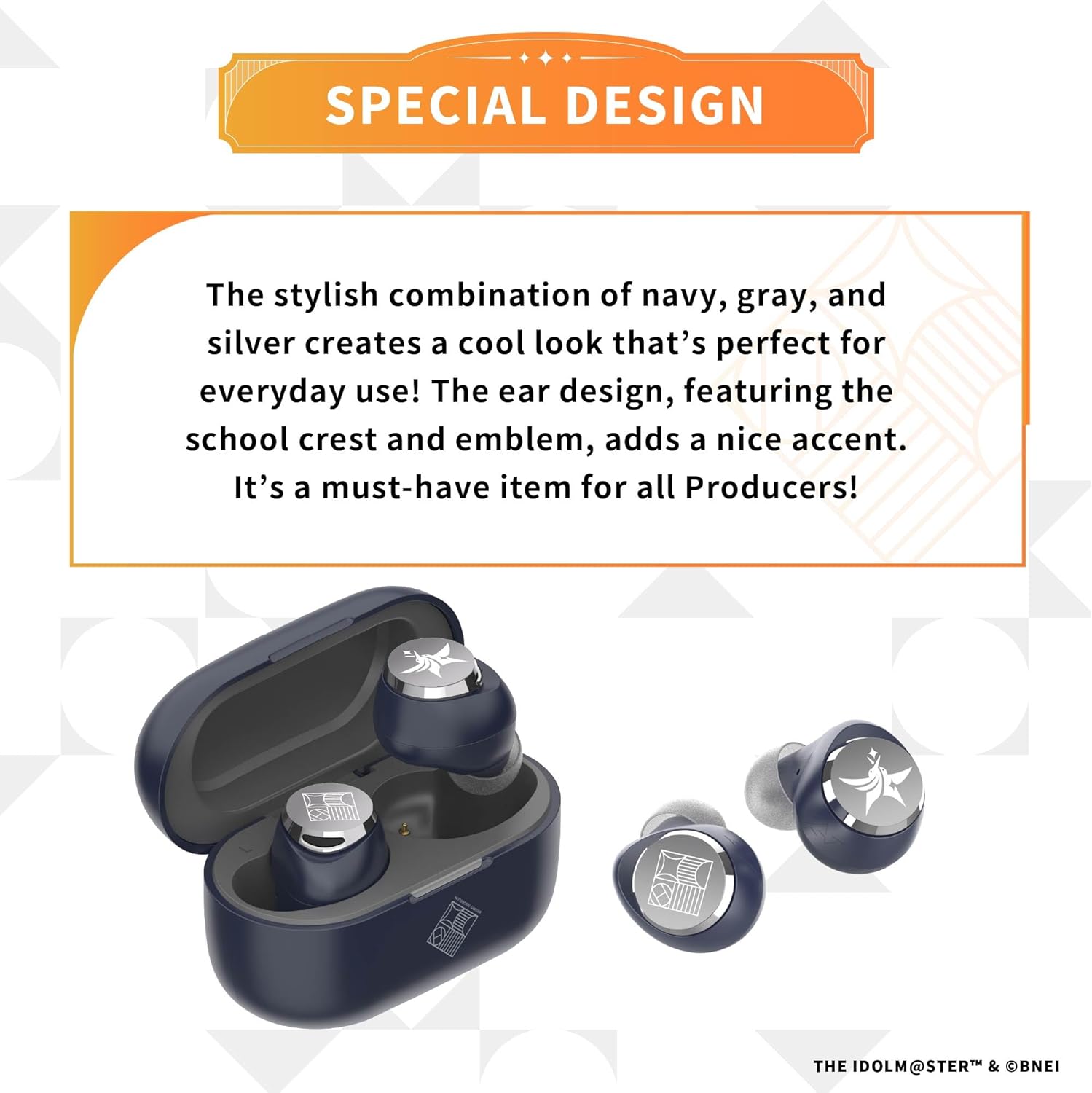
Image: A detailed view of the earbuds, emphasizing their navy, gray, and silver color scheme and the engraved school crest.
3.3 Special Sound Tuning
The audio tuning for these earbuds was meticulously handled by Takafumi Sato, a renowned sound engineer known for his work on The Idolm@Ster series. This specialized tuning enhances the vocal presence and energy of the idol songs, providing a rich and immersive listening experience with clear mid-to-high frequencies and powerful low-end.

Image: Takafumi Sato, the sound producer for Gakuen Idolmaster, detailing his approach to tuning the earbuds for optimal vocal and musical performance.
4. Setup
4.1 Charging the Earbuds and Case
- Place the earbuds into the charging case. Ensure they are seated correctly.
- Connect the USB charging cable to the charging case and a power source (e.g., USB wall adapter, computer USB port).
- The indicator light on the charging case will show the charging status.
- For wireless charging, place the charging case on a compatible wireless charging pad.
- A full charge provides up to 19 hours of earbud playback, and the case extends this to 62 hours total. Actual charging time for the case itself is typically shorter than total playback time.
4.2 Pairing with a Device
- Initial Pairing: Open the charging case. The earbuds will automatically enter pairing mode, indicated by a flashing LED on the earbuds.
- On your device (smartphone, tablet, laptop), go to Bluetooth settings and enable Bluetooth.
- Select "AVIOT TE-V1R-GIM" from the list of available devices.
- Once connected, the earbud LED will stop flashing, and you will hear a voice confirmation.
- Re-pairing: If the earbuds do not connect automatically, place them back in the case, close the lid, then open it again to re-enter pairing mode.
5. Operating Instructions
5.1 Touch Controls
The earbuds feature touch-sensitive controls. Specific functions may vary slightly depending on your device and application.
| Action | Function |
|---|---|
| Single Tap (Left/Right) | Play/Pause, Answer Call/End Call |
| Double Tap (Right) | Next Track |
| Double Tap (Left) | Previous Track |
| Triple Tap (Right) | Volume Up |
| Triple Tap (Left) | Volume Down |
| Long Press (Left/Right) | Toggle Noise Cancelling / Ambient Mode / Normal Mode |
| Press and Hold (Right) | Activate "Random Voice" feature |
| Voice Assistant (Long Press) | Activate device's voice assistant (e.g., Siri, Google Assistant) |
5.2 Noise Control Modes
The AVIOT TE-V1R-GIM earbuds offer three noise control modes:
- Adaptive Noise Cancelling: Reduces ambient noise for an immersive listening experience. The system intelligently adjusts to your surroundings.
- Ambient Sound Mode: Allows you to hear your surroundings while listening to audio, enhancing situational awareness.
- Normal Mode: Standard audio playback without noise cancellation or ambient sound enhancement.
Toggle between these modes by performing a long press on either earbud.
6. Maintenance
Proper care ensures the longevity and performance of your earbuds:
- Cleaning: Use a soft, dry, lint-free cloth to clean the earbuds and charging case. Do not use abrasive cleaners or solvents.
- Ear Cushions: Regularly remove and clean the ear cushions with a damp cloth. Ensure they are completely dry before reattaching.
- Storage: When not in use, store the earbuds in their charging case to protect them and keep them charged.
- Water Resistance: The earbuds are IPX4 rated (splash-proof). Avoid submerging them in water or exposing them to heavy rain. The charging case is not water-resistant.
- Temperature: Avoid exposing the earbuds to extreme temperatures (hot or cold) or high humidity.
7. Troubleshooting
If you encounter issues, refer to the following common solutions:
| Problem | Solution |
|---|---|
| Earbuds won't turn on. | Ensure earbuds are charged. Place them in the charging case and connect the case to power. |
| Cannot pair with device. |
|
| No sound or low volume. |
|
| Intermittent connection. |
|
| Noise Cancelling not effective. |
|
8. Specifications
| Feature | Detail |
|---|---|
| Model Name | TE-V1R-GIM |
| Connectivity Technology | Wireless (Bluetooth) |
| Bluetooth Version | 5.3 |
| Noise Control | Adaptive Noise Cancellation |
| Audio Driver Type | Balanced Armature Driver |
| Battery Life (Earbuds) | Up to 19 Hours |
| Battery Life (with Charging Case) | Up to 62 Hours |
| Water Resistance Level | IPX4 (Earbuds only) |
| Control Method | Touch |
| Compatible Devices | Smartphones, Laptops, Gaming Consoles, Tablets, Desktops |
| Material | Plastic |
| Item Weight | 7.2 ounces |
| Manufacturer | AVIOT |
9. Warranty and Support
AVIOT products are manufactured to high standards and undergo rigorous quality checks. For specific warranty information, please refer to the warranty card included with your product or visit the official AVIOT website. Keep your proof of purchase for warranty claims.
For technical support, troubleshooting assistance beyond this manual, or service inquiries, please contact AVIOT customer support through their official website or the contact information provided in your product packaging.
Online Resources:
- AVIOT Official Store: Visit AVIOT Store on Amazon