1. Introduction
This manual provides essential information and instructions for the safe and effective operation of your DJI Mini 5 Pro Fly More Combo Plus with DJI RC 2. Please read this guide thoroughly before using your drone and retain it for future reference. Familiarity with all components and functions is crucial for optimal performance and safety.
2. What's in the Box
The DJI Mini 5 Pro Fly More Combo Plus with DJI RC 2 package includes the following components:
- DJI Mini 5 Pro Aircraft x 1
- DJI RC 2 Remote Controller x 1
- DJI Mini 5 Pro Intelligent Flight Battery Plus x 3
- DJI Mini 5 Pro Spare Propeller (Pair) x 3
- DJI Mini 5 Pro ND Filter Set (ND8/32/128) x 1
- DJI Mini 5 Pro Two-Way Charging Hub x 1
- DJI Mini 5 Pro Shoulder Bag x 1
- USB-C to USB-C Data Cable x 1
- DJI Mini 5 Pro Storage Cover x 1
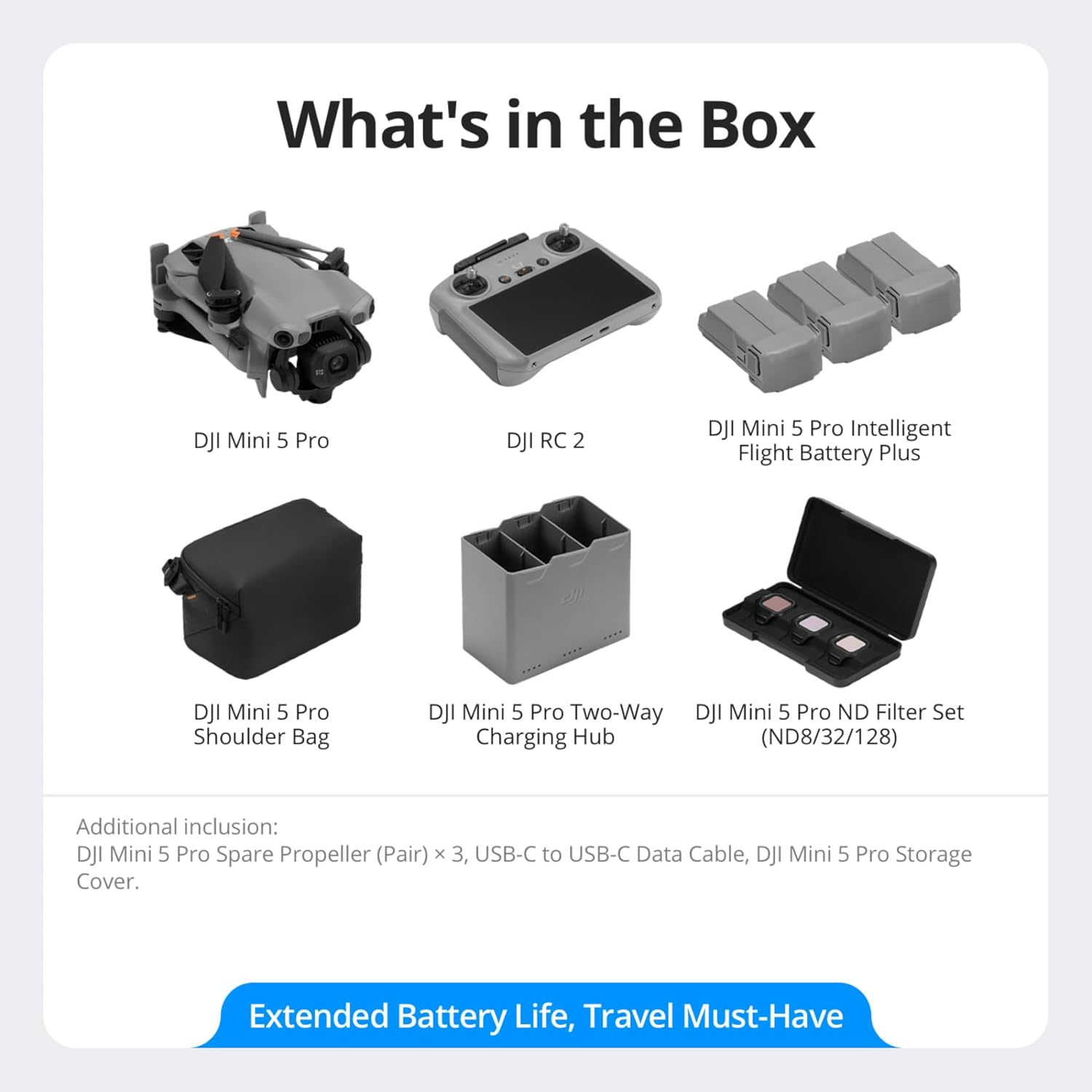
Image: All components included in the DJI Mini 5 Pro Fly More Combo Plus with DJI RC 2 package, neatly arranged.
3. Setup
3.1 Unboxing and Initial Preparation
Carefully unbox all components. Unfold the aircraft arms and attach propellers if not already installed. Ensure the gimbal protector is removed before flight.
Video: A detailed unboxing and overview of the DJI Mini 5 Pro and its features, demonstrating the initial setup steps.
3.2 Battery Installation and Charging
Insert the Intelligent Flight Battery Plus into the aircraft until it clicks securely. Use the Two-Way Charging Hub and USB-C cable to charge all batteries. Fully charging three Intelligent Flight Battery Plus units takes approximately 193 minutes.

Image: The Two-Way Charging Hub with three Intelligent Flight Batteries, illustrating the charging process.
3.3 DJI RC 2 Remote Controller Setup
The DJI RC 2 remote controller comes with a built-in screen. Ensure it is fully charged before use. Power on the controller by pressing the power button once, then pressing and holding it again until the screen lights up. The DJI Fly app is pre-installed on the DJI RC 2.
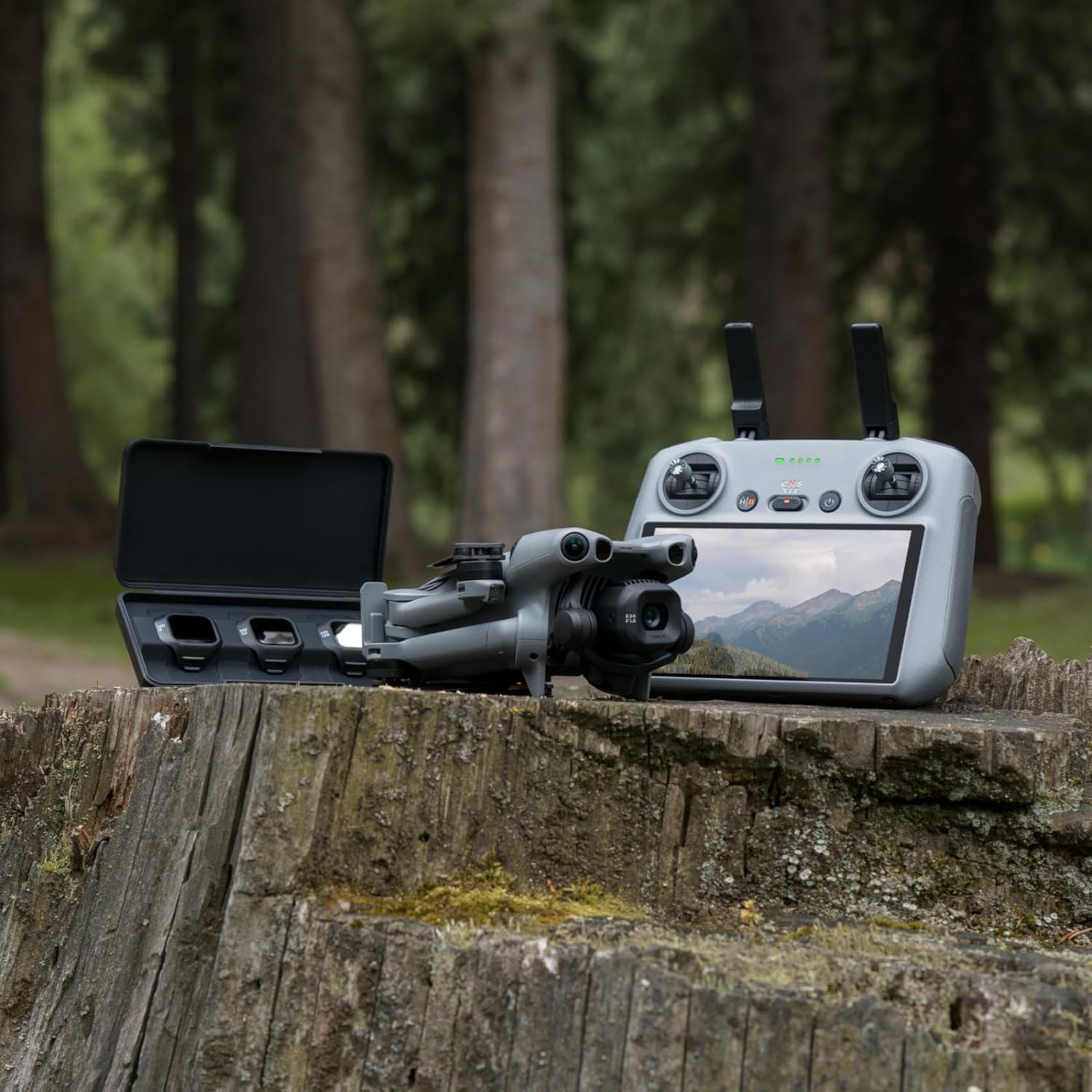
Image: The DJI Mini 5 Pro drone alongside the DJI RC 2 remote controller, ready for operation.
3.4 DJI Fly App Installation/Update
For optimal performance, always ensure the DJI Fly app and drone firmware are up to date. Due to platform compatibility issues, the DJI Fly app has been removed from Google Play. Visit the official DJI website to download the latest DJI Fly app. When the drone is connected to the remote controller and a new firmware version is available, the DJI Fly app will send you a firmware update prompt. Follow the on-screen instructions to update the firmware for the drone, remote controller, battery, and other devices.
4. Key Features
4.1 Ultra-Light, Palm-Sized Foldable Design
The DJI Mini 5 Pro features a compact and foldable design, making it easy to carry. It weighs under 249 grams with the standard battery, allowing for flexible flight regulations in many regions. The drone also offers 42GB of internal storage.

Image: The compact DJI Mini 5 Pro drone easily fits into a small bag, highlighting its portability.
4.2 1-Inch CMOS Camera with 4K/60fps HDR Video
Equipped with a 1-inch CMOS sensor, the DJI Mini 5 Pro captures stunning 4K/60fps HDR video and 50MP effective still resolution. This larger sensor allows for exceptional detail and vibrant colors, even in challenging lighting conditions.

Image: The DJI Mini 5 Pro drone resting on the ground, with an emphasis on its advanced 1-inch CMOS camera sensor.
4.3 True Vertical Filming & 225° Flexible Gimbal Rotation
The redesigned gimbal offers true vertical filming and 225° roll rotation, enabling diverse angles and creative footage for social media and professional projects.

Image: Visual representations of the drone's 225° gimbal rotation, true vertical filming capability, and ability to capture 55° upward shots.
4.4 Nightscape Omnidirectional Obstacle Sensing
Forward-facing LiDAR and vision sensors provide omnidirectional obstacle sensing, enhancing safety for night flights and automated return-to-home functions. This system detects obstacles in all directions, even in low-light conditions.

Image: The DJI Mini 5 Pro drone flying at night, with a visual representation of its omnidirectional obstacle sensing grid detecting its surroundings.
4.5 Upgraded ActiveTrack 360°
ActiveTrack 360° offers customizable tracking modes and enhanced stability, keeping subjects in focus with faster response. It intelligently detects different sports scenarios and automatically selects Cycling or Standard mode for optimal framing and tracking.
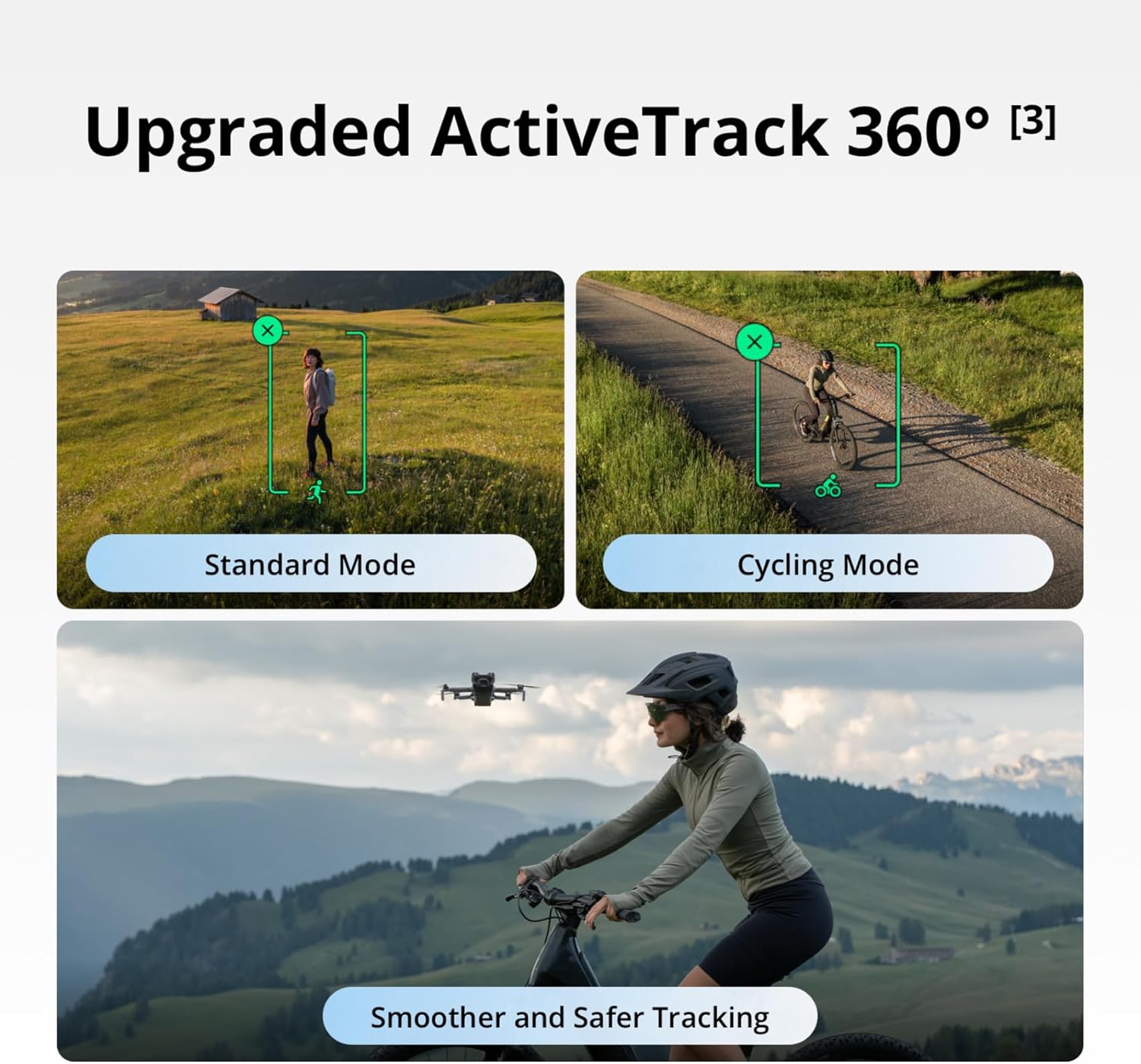
Image: Visuals demonstrating the DJI Mini 5 Pro's ActiveTrack 360° capabilities, including standard tracking and a specialized cycling mode for smoother and safer subject tracking.
4.6 Extended Battery Life & DJI O4+ Video Transmission
Enjoy up to 52 minutes of flight time with the Intelligent Flight Battery Plus. The drone also features DJI O4+ 10-bit video transmission, offering a stable 20 km range even in urban environments, with higher quality video feed.

Image: The DJI Mini 5 Pro in flight, with an overlay indicating its extended flight time of up to 52 minutes and a flight range comparison.
5. Operating Instructions
5.1 Pre-Flight Checks
- Ensure all batteries (aircraft and remote controller) are fully charged.
- Check propellers for any damage or cracks.
- Remove the gimbal protector.
- Ensure the flight environment is safe and clear of obstacles.
- Verify local regulations for drone operation.
5.2 Takeoff and Landing
Place the aircraft on a flat, open surface. Power on the drone and remote controller. Wait for the DJI Fly app to indicate a strong GPS signal and 'Ready to Fly'.
Video: A demonstration of the DJI Mini 5 Pro taking off and flying, showcasing its stability and ease of control.
5.3 Intelligent Flight Modes
The DJI Mini 5 Pro offers several intelligent flight modes to enhance your creative possibilities:
- ActiveTrack 360°: Select a subject on the screen, and the drone will track it from various angles.
- QuickShots: Automated flight paths and video recording for cinematic shots (e.g., Dronie, Rocket, Circle, Helix, Boomerang, Asteroid).
- MasterShots: Automatically executes a sequence of complex maneuvers and generates a short cinematic video.
- Waypoints: Plan flight routes with multiple waypoints for precise and repeatable flights.
- Cruise Control: Maintain a constant flight speed and direction without continuous stick input.
- Hyperlapse: Create stunning time-lapse videos with dynamic camera movement.
Video: An introductory video showcasing the DJI Mini 5 Pro's design and various intelligent flight features.
5.4 Camera Operation
The DJI Mini 5 Pro's camera offers advanced capabilities:
- 4K/60fps HDR Video: Capture high-quality video with enhanced dynamic range.
- True Vertical Filming: The gimbal physically rotates to capture vertical footage without cropping.
- 225° Gimbal Rotation: Achieve unique camera angles by manually controlling the gimbal's roll.
- Nightscape: Optimized for low-light photography and videography.
- Med-Tele Mode: Offers 2x zoom for capturing subjects from a distance with clarity.
- 4K/120fps Slow-Motion Video: Capture crisp slow-motion footage for dramatic effects.
5.5 QuickTransfer
Transfer files at up to 100 MB/s even when the drone is off. View and download footage anytime with the DJI Fly app via Bluetooth connection.

Image: A user initiating QuickTransfer from the DJI Mini 5 Pro to a smartphone, demonstrating wireless file transfer.
6. Maintenance
6.1 Battery Care
Store batteries in a cool, dry place. Avoid overcharging or fully discharging batteries. Use only official DJI charging equipment. If not used for extended periods, discharge batteries to 40-60% for storage.
6.2 Propeller Inspection and Replacement
Regularly inspect propellers for any signs of wear, cracks, or damage. Replace damaged propellers immediately using the spare propellers provided in the Fly More Combo Plus. Follow the instructions in the quick start guide for safe replacement.
6.3 Gimbal Protection
Always attach the gimbal protector when the drone is not in use or during transport to prevent damage to the camera and gimbal mechanism.
6.4 Firmware Updates
Regularly check for and install firmware updates via the DJI Fly app or DJI Assistant 2 (Consumer Drones Series) software on a computer. Updates often include performance enhancements, new features, and bug fixes.
7. Safety Guidelines
Always prioritize safety during drone operation:
- Local Regulations: Check and comply with all local regulations and laws before flying, especially regarding flight zones, altitude limits, and night flight restrictions. In certain countries or regions, relevant permits may be required for night flights.
- Obstacle Avoidance: While the drone features omnidirectional obstacle sensing, it is not foolproof. Always maintain visual line of sight with the aircraft and be prepared to take manual control.
- Weather Conditions: Avoid flying in strong winds, heavy rain, or dense fog. The DJI Mini 5 Pro has a wind resistance rating of up to 43.2 km/h.
- Water Contact: Avoid contact with water during use, as it may damage the device. If it rains during flight, return and land as soon as possible, and wait until the drone is fully dry inside and out before using it again.
8. Troubleshooting
8.1 DJI Fly App Compatibility
If you encounter issues with the DJI Fly app, ensure you have downloaded the latest version directly from the official DJI website, as it has been removed from Google Play.
8.2 Obstacle Sensing Issues
Dirt and debris can lead to false obstacle detection. Keep the forward-facing LiDAR clean to ensure accurate obstacle sensing. The LiDAR works automatically in moderately lit environments, but it will not function properly in bright light. Pay attention to ambient light conditions to maintain safe flight operations.
8.3 Firmware Update Failures
If a firmware update fails, ensure the drone and remote controller are fully charged and have a stable internet connection. Attempt the update again. If issues persist, contact DJI Support.
9. Specifications
| Feature | Specification |
|---|---|
| Brand | DJI |
| Model Name | DJI Mini 5 Pro |
| Item Weight | 249 Grams (8.8 ounces) |
| Product Dimensions | 10.04"L x 7.12"W x 3.56"H |
| Video Capture Resolution | 4K |
| Effective Still Resolution | 50 MP |
| Optical Sensor Technology | CMOS (1-inch) |
| Connectivity Technology | Bluetooth, Wi-Fi |
| Battery Life (Intelligent Flight Battery Plus) | Up to 52 minutes |
| Obstacle Sensing | Nightscape Omnidirectional (LiDAR and Vision Sensors) |
| Gimbal Rotation | 225° Flexible Gimbal Rotation, True Vertical Filming |
| Internal Storage | 42GB |
| Video Transmission | DJI O4+ (20 km range, 10-bit) |
10. Warranty and Support
For detailed warranty information, product support, and service requests, please visit the official DJI website. Keep your proof of purchase for warranty claims. It is recommended to register your product on the DJI website.


