
MERACH S29
Contents
MERACH S29 Exercise Bike User Manual
Model: S29
1. Introduction
Thank you for choosing the MERACH S29 Exercise Bike. This manual provides essential information for the safe assembly, operation, and maintenance of your exercise bike. Please read this manual thoroughly before initial use and retain it for future reference.
2. Important Safety Information
Before using the MERACH S29 Exercise Bike, please observe the following safety precautions:
- Consult your physician before starting any new exercise program.
- Ensure all parts are securely assembled before each use.
- Keep children and pets away from the exercise bike during operation.
- Place the bike on a flat, stable surface.
- Wear appropriate athletic footwear and clothing.
- Do not exceed the maximum user weight capacity of 350 lbs.
- Stop exercising immediately if you feel faint, dizzy, or experience pain.
- Keep hands and feet clear of all moving parts.
3. Product Overview
The MERACH S29 Exercise Bike is designed for effective indoor cardio training. It features a robust build and advanced functionalities for a comprehensive workout experience.
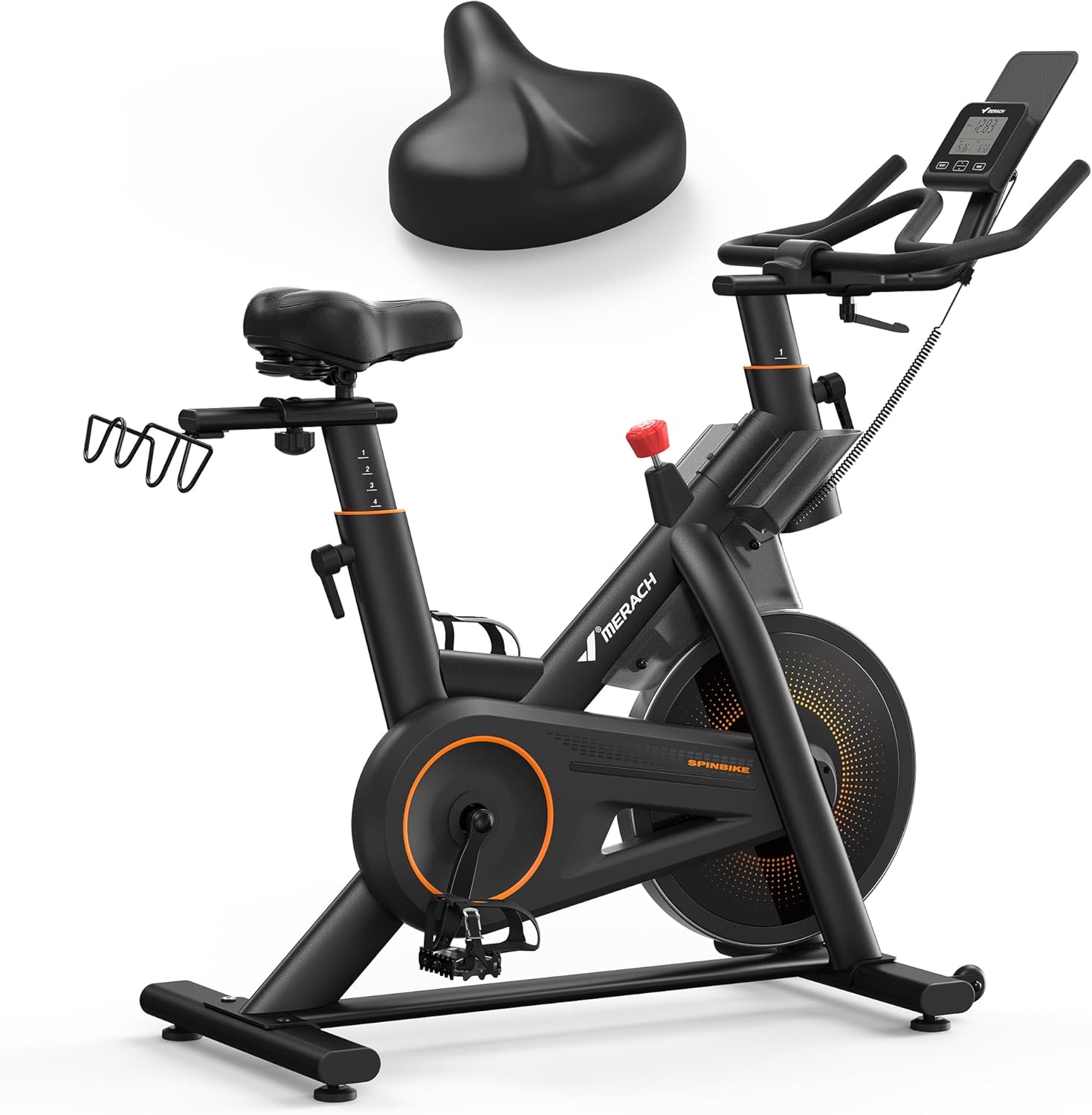
Figure 3.1: The MERACH S29 Exercise Bike, shown with the included comfortable saddle. This image provides a full view of the bike's design and components.
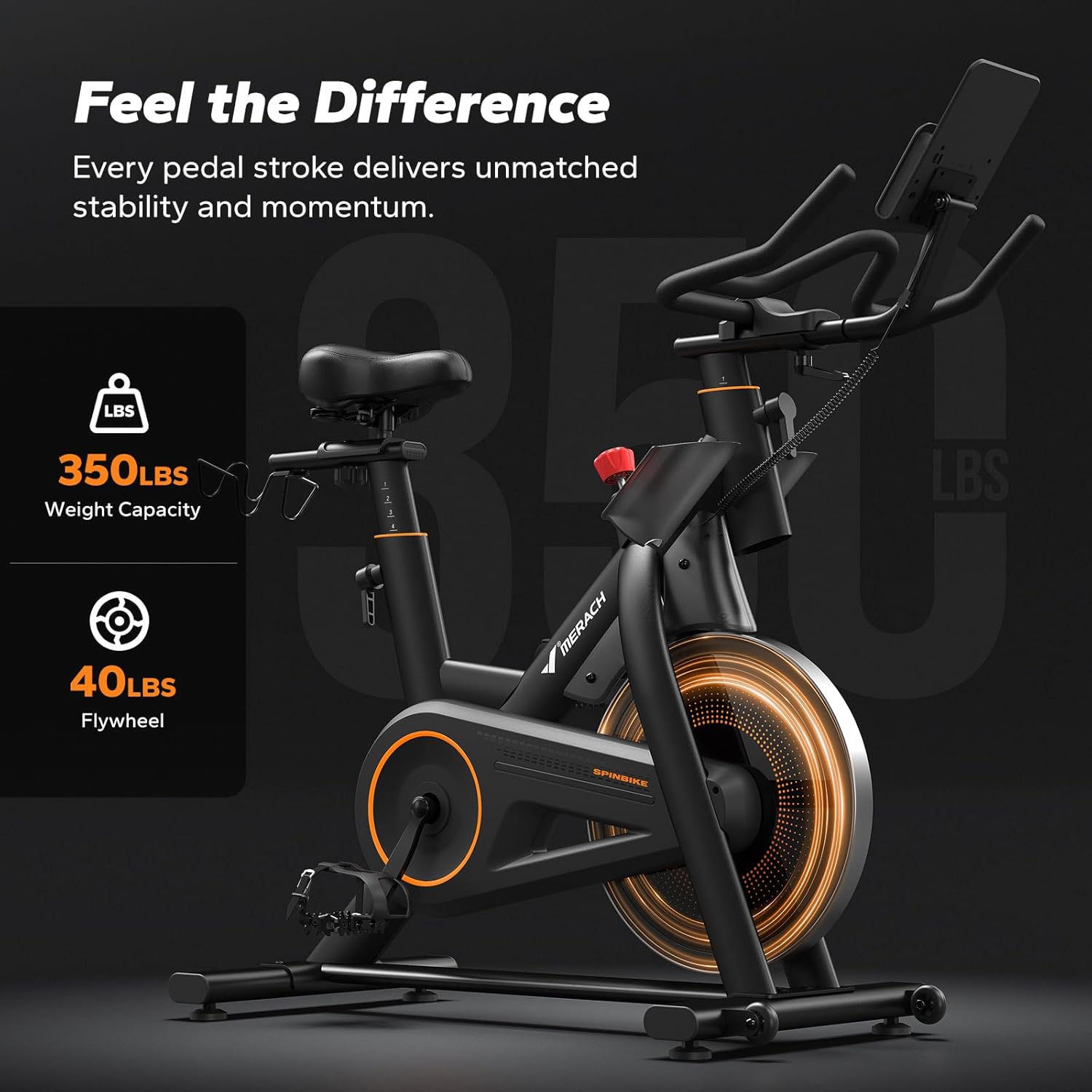
Figure 3.2: Key specifications of the MERACH S29, emphasizing its 350 lbs weight capacity and the heavy 40 lbs flywheel for smooth and stable pedaling.
4. Key Features
- 40 LBS Heavy Flywheel: Provides a challenging and smooth workout experience, suitable for all fitness levels.
- 350 lbs Weight Capacity: Constructed with reinforced steel tubing for stability and durability during intense workouts.
- Real-time Fitness Tracking: Connects with the MERACH APP and FantomFite gaming app to monitor resistance level, distance, time, calories, and BPM. Data can sync with Google Fit and Apple Health.
- Home-Friendly Operation: Features an advanced silent magnetic resistance system, operating under 25 dB for quiet workouts.
- Versatile Adjustability: Includes a 4-way adjustable handlebar and 4-way adjustable seat, accommodating users from 4'8'' to 6'4''.
- Integrated Dumbbell Holder: Allows for combining cardio and strength training.

Figure 4.1: The MERACH S29's compatibility with the MERACH APP, FantomFite, Apple Health, and Google Fit for comprehensive fitness tracking.

Figure 4.2: Illustration of the noise-reducing belt drive design, highlighting the quiet operation of the MERACH S29 Exercise Bike, ideal for home environments.
5. Assembly Instructions
Follow these steps to assemble your MERACH S29 Exercise Bike. It is recommended to have two people for assembly.
5.1. Saddle Assembly
The MERACH S29 comes with a comfortable, high-density foam saddle designed for extended use.
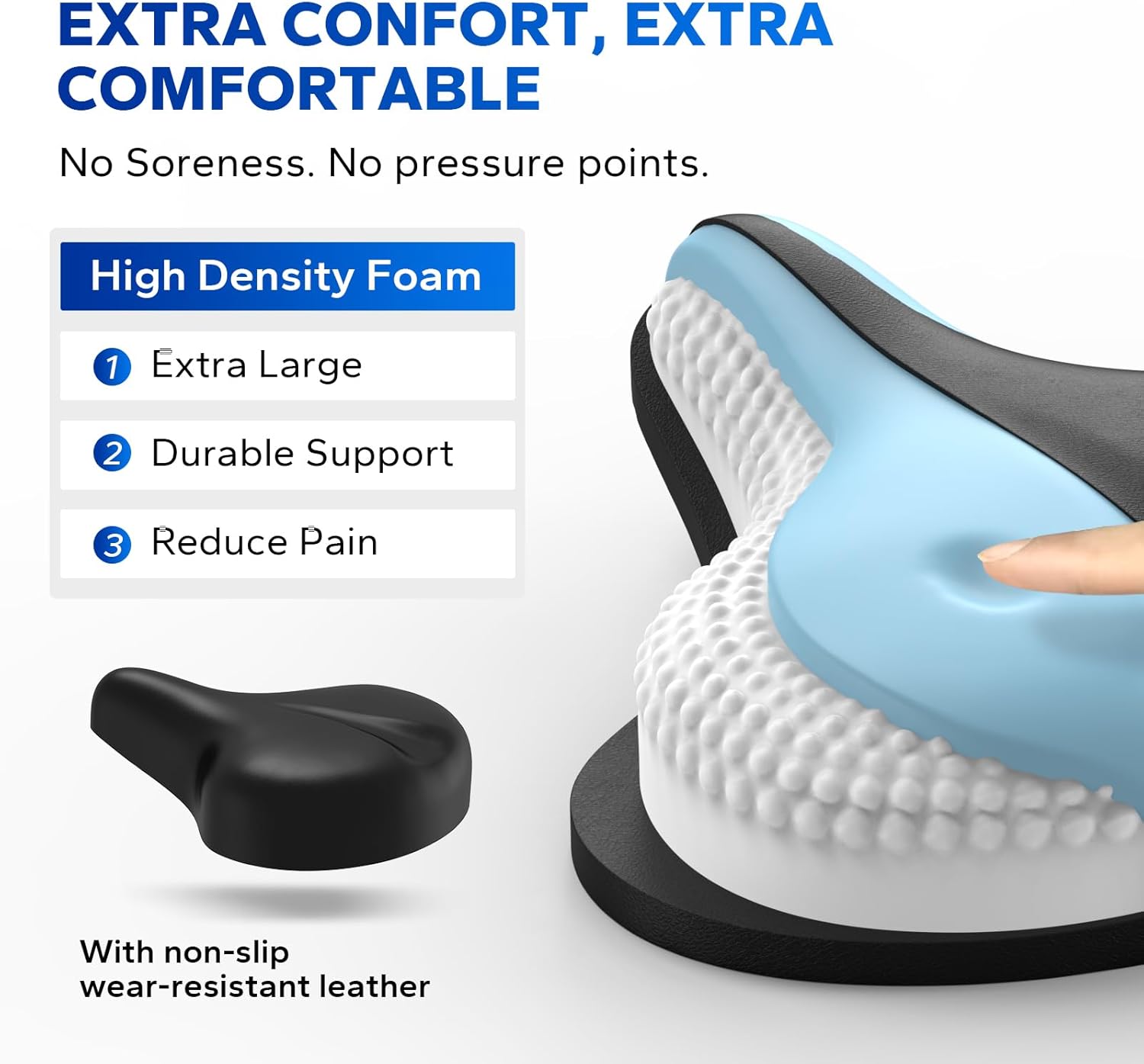
Figure 5.1.1: Close-up view of the high-density foam saddle, highlighting its extra-large size, durable support, and pain-reducing properties. It features non-slip, wear-resistant leather.

Figure 5.1.2: Demonstrates how the saddle provides stable support and shock absorption, reducing pressure points for the user during exercise.

Figure 5.1.3: An internal view illustrating the pressure distribution and shock absorption mechanism within the saddle, ensuring comfort.

Figure 5.1.4: Dimensions of the extra-large saddle: 12.6 inches in length and 4.1 inches in width and height.
5.2. Attaching the Saddle
Follow these steps to securely attach the saddle to the seat post.

Figure 5.2.1: Step-by-step visual guide for installing the saddle onto the exercise bike's seat post. This image shows four distinct steps for proper attachment.
- Step 1: Place the saddle onto the seat post, aligning the mounting rails with the clamp.
- Step 2: Insert the bolts through the clamp and saddle rails.
- Step 3: Hand-tighten the nuts onto the bolts.
- Step 4: Use a wrench to fully tighten the nuts, ensuring the saddle is secure and does not wobble.
5.3. General Assembly (Refer to included Quick Start Guide)
For detailed assembly of the main frame, handlebars, pedals, and console, please refer to the separate Quick Start Guide included in your product packaging. Ensure all bolts and nuts are tightened securely before first use.
6. Operating Instructions
6.1. Adjusting the Bike
- Seat Adjustment: The seat can be adjusted 4-ways (up/down, forward/backward). Loosen the adjustment knob, slide the seat to your desired position, and tighten the knob firmly.
- Handlebar Adjustment: The handlebars can be adjusted 4-ways (up/down, forward/backward). Loosen the adjustment knob, move the handlebars to a comfortable height and distance, and tighten the knob.
- Pedal Straps: Adjust the pedal straps to secure your feet firmly to the pedals.
6.2. Using the Console and Apps
The MERACH S29 features a console to display workout data and can connect to external applications for enhanced tracking and interactive experiences.
- Console Display: The integrated console displays real-time data such as time, distance, speed, calories burned, and heart rate (if connected to a compatible heart rate monitor).
- Connecting to MERACH APP: Download the official MERACH APP from your device's app store. Enable Bluetooth on your device and follow the in-app instructions to pair with your S29 bike.
- FantomFite Gaming App: For an interactive workout experience, download and connect to the FantomFite gaming app.
- Data Sync: Your workout data from the MERACH APP can be synced with Google Fit and Apple Health for a comprehensive fitness overview.
6.3. Adjusting Resistance
The MERACH S29 uses a magnetic resistance system. Turn the resistance knob clockwise to increase resistance for a more challenging workout, and counter-clockwise to decrease resistance.
To engage the emergency brake, press the resistance knob down firmly.
7. Maintenance
Regular maintenance ensures the longevity and optimal performance of your MERACH S29 Exercise Bike.
- Cleaning: Wipe down the bike with a damp cloth after each use to remove sweat and dust. Do not use abrasive cleaners.
- Lubrication: The magnetic resistance system is maintenance-free. No lubrication is required for the flywheel or resistance mechanism.
- Inspecting Bolts and Nuts: Periodically check all bolts, nuts, and moving parts to ensure they are securely tightened. Tighten any loose components.
- Belt Drive: The belt drive system is designed for low maintenance. Inspect for any signs of wear or damage.
- Storage: Store the bike in a dry, cool place away from direct sunlight and extreme temperatures.
8. Troubleshooting
| Problem | Possible Cause | Solution |
|---|---|---|
| Bike is unstable or wobbles. | Uneven floor; loose assembly bolts. | Adjust the leveling feet on the base stabilizers. Check and tighten all assembly bolts. |
| Resistance feels inconsistent or too loose/tight. | Resistance knob not properly adjusted; internal mechanism issue. | Ensure the resistance knob is turned fully to the desired setting. If issue persists, contact customer support. |
| Console not displaying data. | Batteries low or incorrectly installed; loose sensor connection. | Replace console batteries. Check all cable connections to the console and sensors. |
| Squeaking or grinding noise. | Loose parts; foreign object; worn component. | Inspect all visible parts for looseness and tighten. Ensure no objects are near moving parts. If noise persists, contact customer support. |
9. Product Specifications
| Feature | Detail |
|---|---|
| Model | MERACH S29 |
| Flywheel Weight | 40 lbs |
| Weight Capacity | 350 lbs |
| Resistance System | Magnetic |
| Drive System | Belt Drive |
| Noise Level | Under 25 dB |
| Adjustable Handlebar | 4-way adjustable |
| Adjustable Seat | 4-way adjustable |
| User Height Range | 4'8'' to 6'4'' |
| Connectivity | MERACH APP, FantomFite, Google Fit, Apple Health |
10. Warranty and Support
MERACH provides a limited warranty for the S29 Exercise Bike. Please refer to the warranty card included with your product for specific terms and conditions.
For technical support, replacement parts, or any inquiries, please contact MERACH customer service through the official website or the contact information provided in your product packaging.
Visit the MERACH Store: MERACH Official Store
Documents and downloads
Ask a question about this manual
Ask about setup, troubleshooting, compatibility, parts, safety, or missing instructions. Manuals+ will review the question and use this page’s manual context to help answer it.