
1. Important Safety Information
Please read all instructions carefully before using the VEVOR Massage Chair. Retain this manual for future reference.
General Safety Precautions
- Do not use this product if you have any medical conditions that may be aggravated by massage. Consult a physician before use.
- Keep out of reach of children and pets.
- Ensure the power cord is not damaged and is properly plugged into a grounded outlet.
- Do not operate the chair in a wet or damp environment.
- Avoid placing the chair near heat sources or in direct sunlight.
- Do not stand on or jump on the chair.
- Unplug the chair from the power outlet before cleaning or maintenance.
Electrical Safety
- This appliance operates on standard household voltage. Ensure your outlet matches the chair's requirements.
- Do not attempt to repair or modify the chair yourself. Contact qualified service personnel.
- Always unplug the chair during lightning storms or when unused for extended periods.
2. Product Overview
The VEVOR 4D Full Body Zero Gravity Massage Chair is designed to provide a comprehensive and customizable massage experience. It features an ergonomic SL track, advanced 4D massage rollers, full-body airbags, heat therapy, and smart control options including AI voice commands and an LCD touchscreen.
Key Features
- Ergonomic SL Track & 4D Massage: Automatically scans body for tailored massage from neck to thighs.
- Smart Control: LCD screen, armrest controls, and AI voice commands.
- Zero Gravity & Yoga Stretch Mode: One-touch recline and flexibility enhancement.
- Full-Body Airbags & Heat: 36 airbags for compression massage, lower back heating.
- Foot Roller & Extendable Pedal: Deep foot relief with kneading rollers and retractable footrest.
- Bluetooth Connectivity: Integrated speakers for audio playback.
- USB Charging: Convenient charging port.
Components Diagram

Figure 2.1: Front view of the VEVOR 4D Full Body Zero Gravity Massage Chair, showcasing its sleek design and integrated control panel.
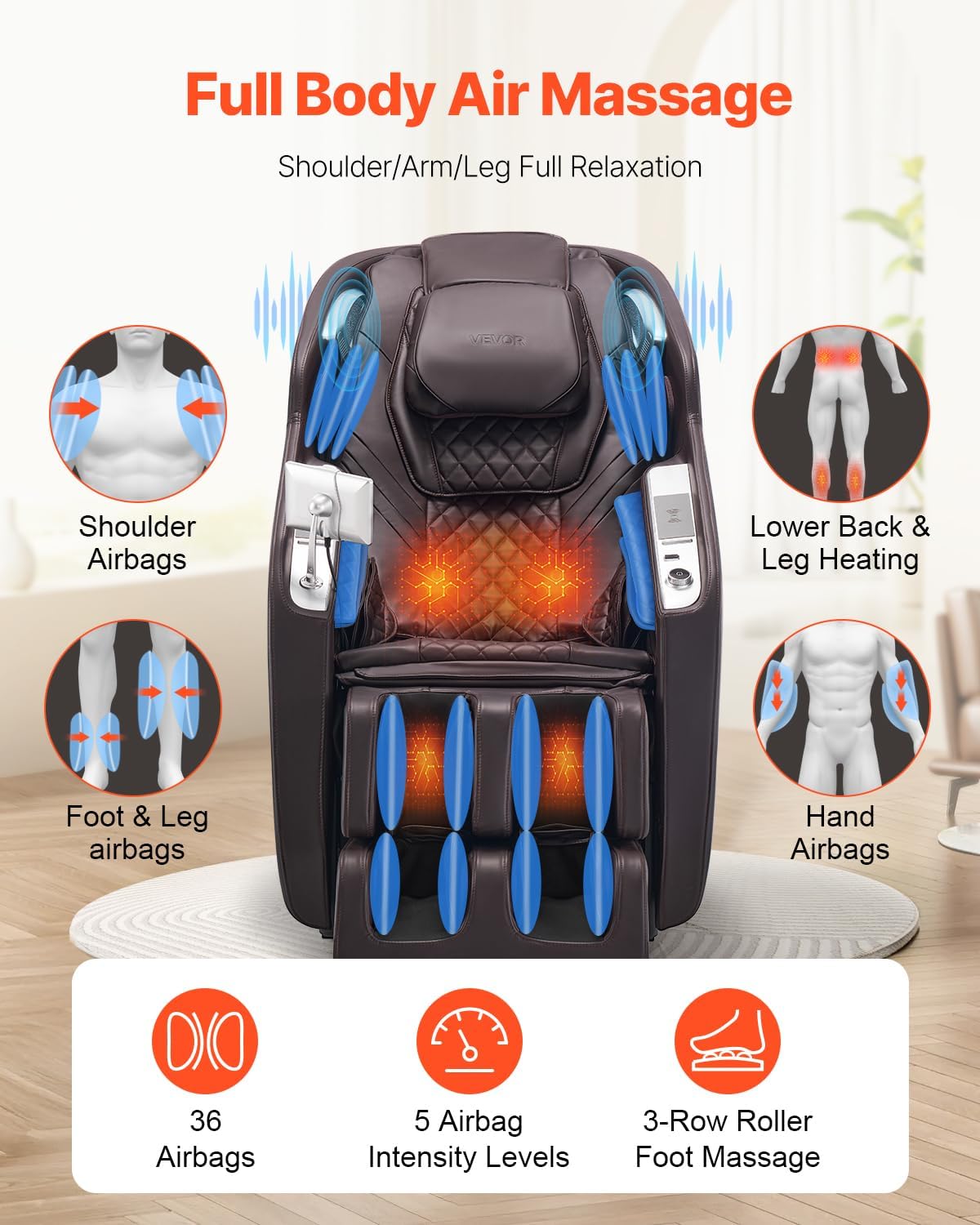
Figure 2.2: Diagram detailing the full-body airbag system, including shoulder, arm, foot, leg, and hand airbags, along with lower back and leg heating elements.
3. Setup and Installation
Unpacking
- Carefully remove the massage chair and all components from the packaging.
- Inspect the chair for any signs of damage. If damaged, do not proceed with assembly and contact customer support.
- Retain packaging materials for future transport or return.
Placement
Ensure adequate space around the chair for recline and movement. The chair requires approximately 7.87 inches (200 mm) from the wall for full recline in Zero Gravity mode.
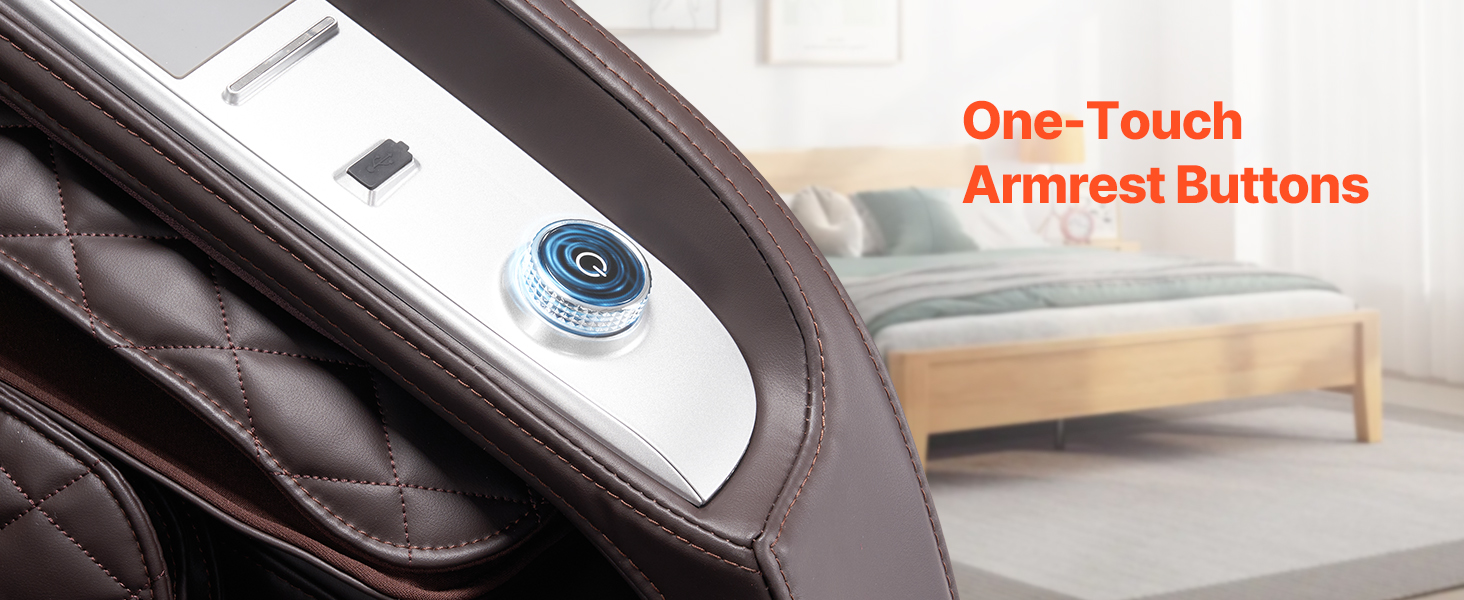
Figure 3.1: Diagram illustrating the dimensions of the massage chair and the required clearance from a wall for Zero-Gravity recline.
Assembly
The VEVOR Massage Chair typically comes largely pre-assembled. Minor assembly may be required for the footrest or side panels. Refer to the included quick start guide for specific assembly steps.
- Connect the power cord to the chair's power input and then to a grounded electrical outlet.
- Ensure all connections are secure before powering on.
4. Operating Instructions
Powering On/Off
Locate the main power switch, usually at the back or side of the chair. Press to turn on. The LCD screen will illuminate.
Control Interfaces
LCD Touchscreen
The intuitive LCD touchscreen allows for comprehensive control over all massage functions, modes, and settings.
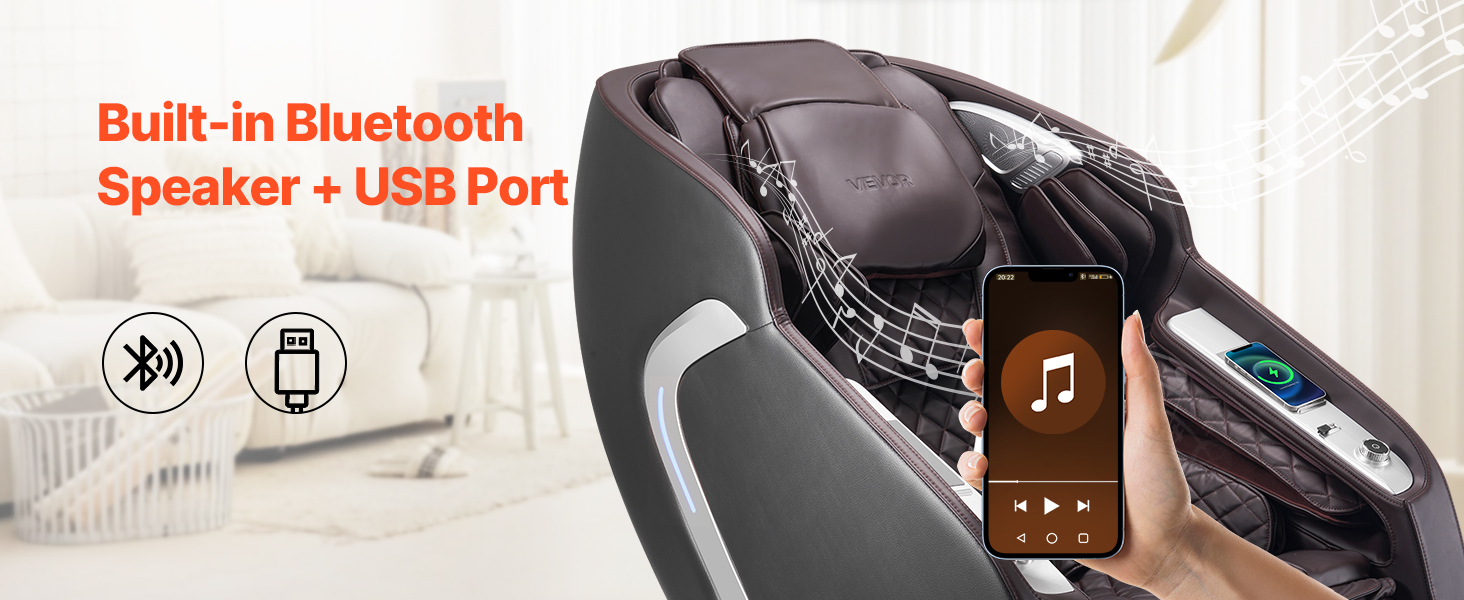
Figure 4.1: Close-up view of the smart LCD touchscreen, displaying various massage settings and options.
Armrest Controls
Quick access buttons on the armrest provide convenient control for frequently used functions like power, recline, and massage intensity.
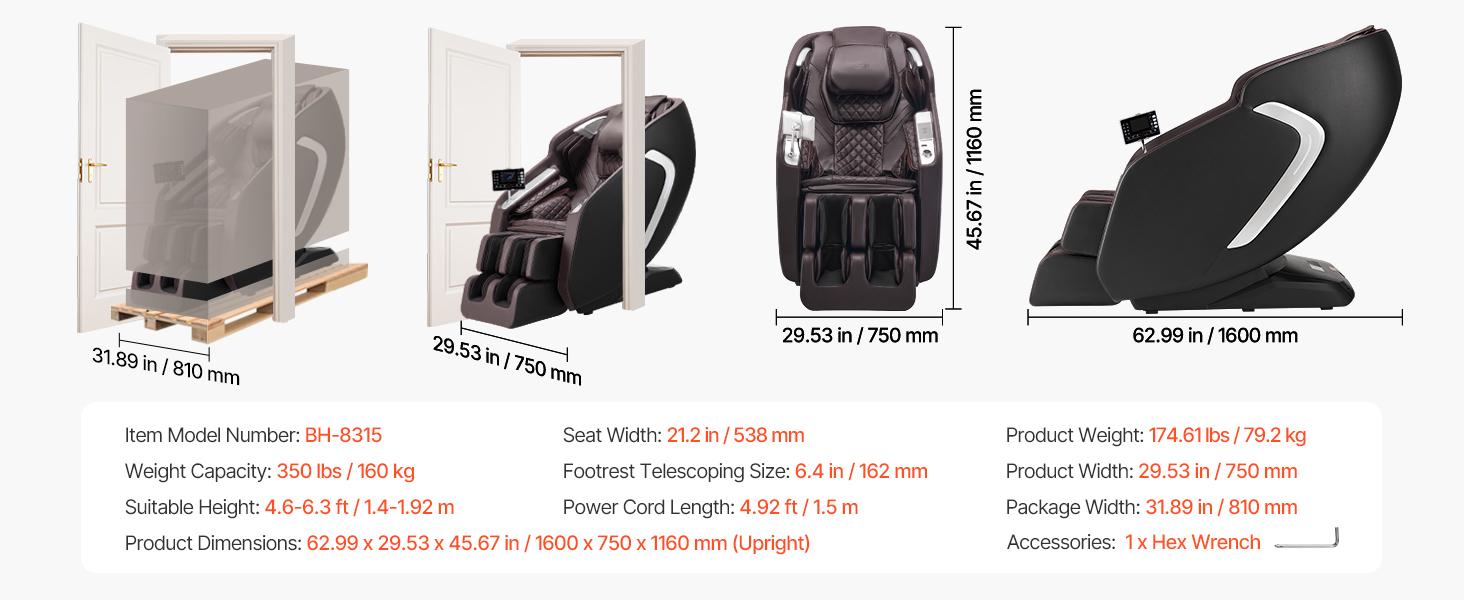
Figure 4.2: Detail of the one-touch armrest buttons, designed for easy access to common functions.
AI Voice Control
The chair features AI voice control for hands-free operation. To activate, say "Hello Hello". Once activated, you can issue commands such as "Zero Gravity" or "Recovery mode". Long press the voice button on the armrest to turn off the voice function.
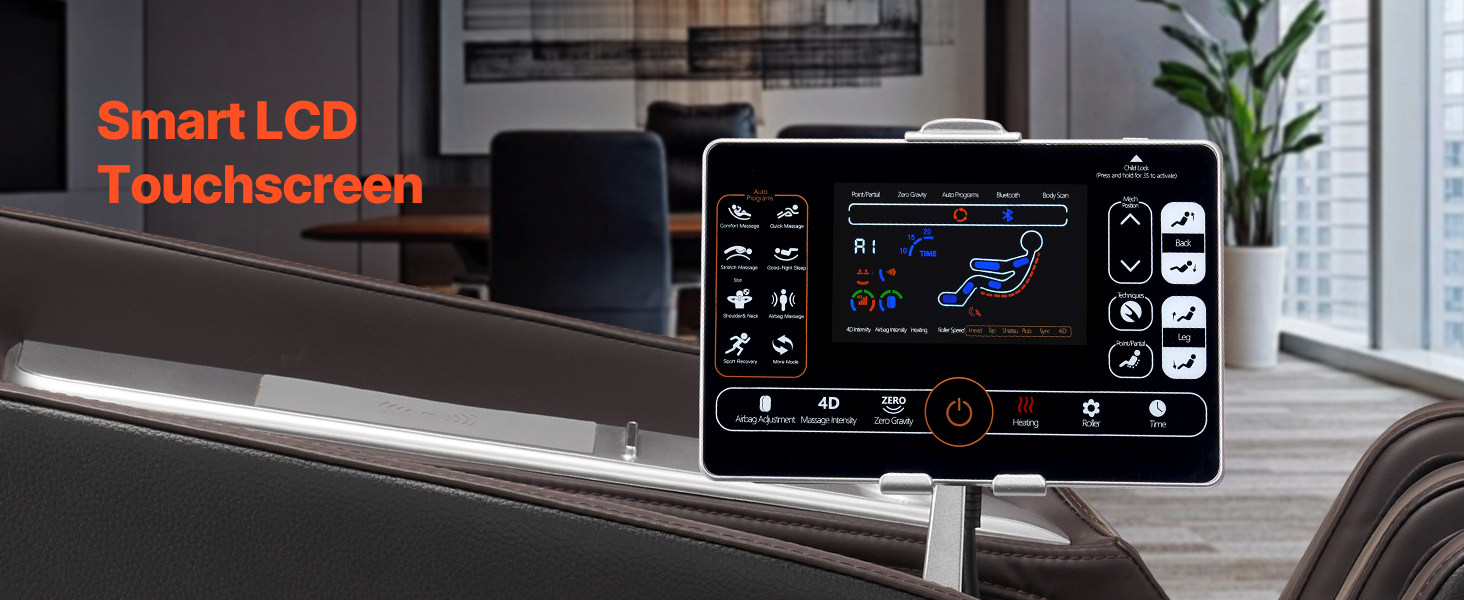
Figure 4.3: Illustration of the AI voice control feature, showing a user interacting with the chair using voice commands.
Massage Modes and Techniques
The chair offers 6 massage techniques and 15 auto modes. Use the LCD screen to select your desired program and adjust intensity levels (5 levels available).
- Massage Techniques: Kneading, Knocking, Shiatsu, Rolling, Kneading & Tapping, Tapping.
- Auto Modes: Include options for Ache Relieve, Good-night Sleep, Yoga Stretch, and more.
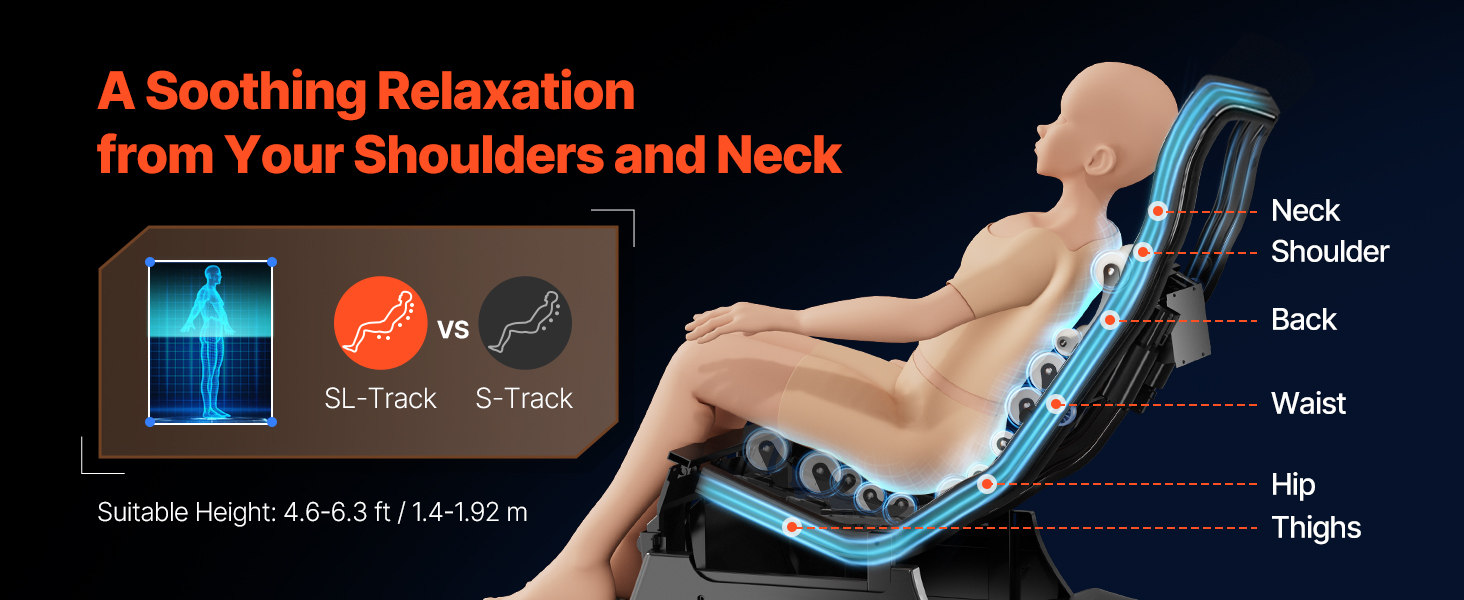
Figure 4.4: Visual representation of the six 4D massage techniques offered by the chair.
Special Features
Zero Gravity Mode
Activate Zero Gravity mode for a reclined position that elevates your legs above your heart, promoting circulation and reducing spinal pressure. There are 3 angle settings available.

Figure 4.5: Diagram illustrating the Zero-Gravity recline positions and their benefits.
Yoga Stretch Mode
This mode gently stretches your body to relieve tension and improve flexibility, mimicking yoga poses.
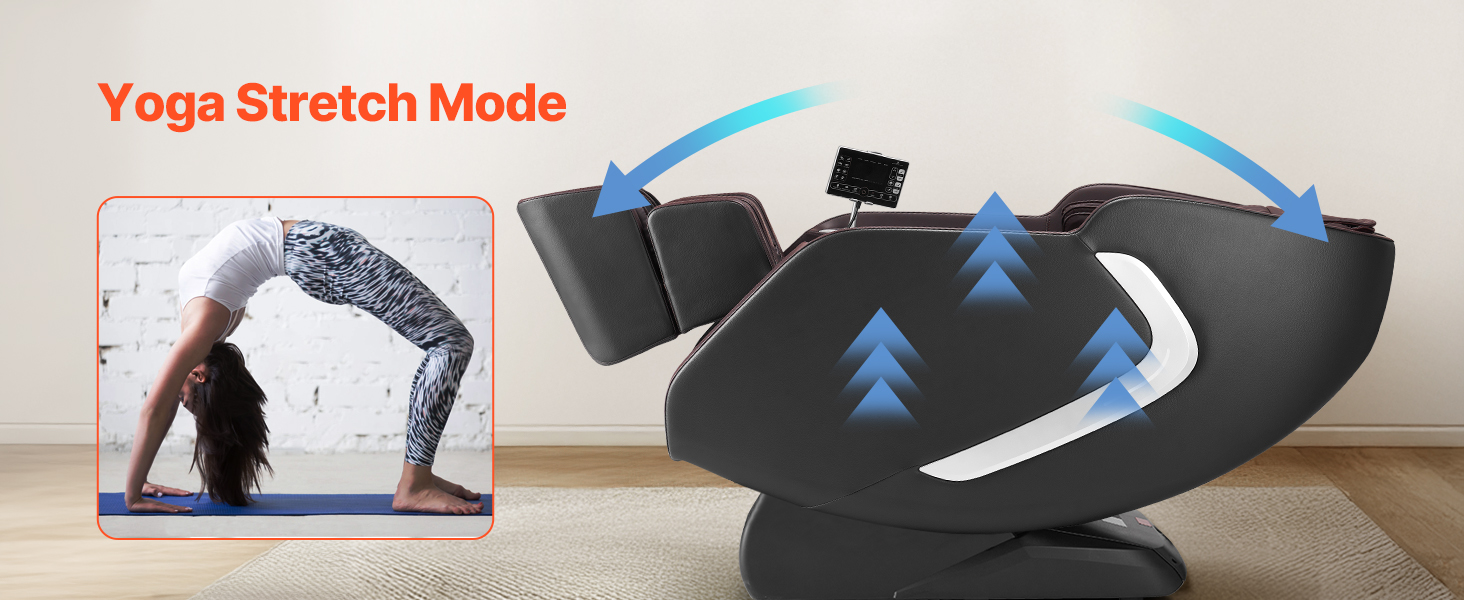
Figure 4.6: Visual depiction of the Yoga Stretch mode, showing the chair's movement to facilitate stretching.
Heat Therapy
Enjoy soothing heat therapy for your lower back and legs, enhancing relaxation and muscle relief.
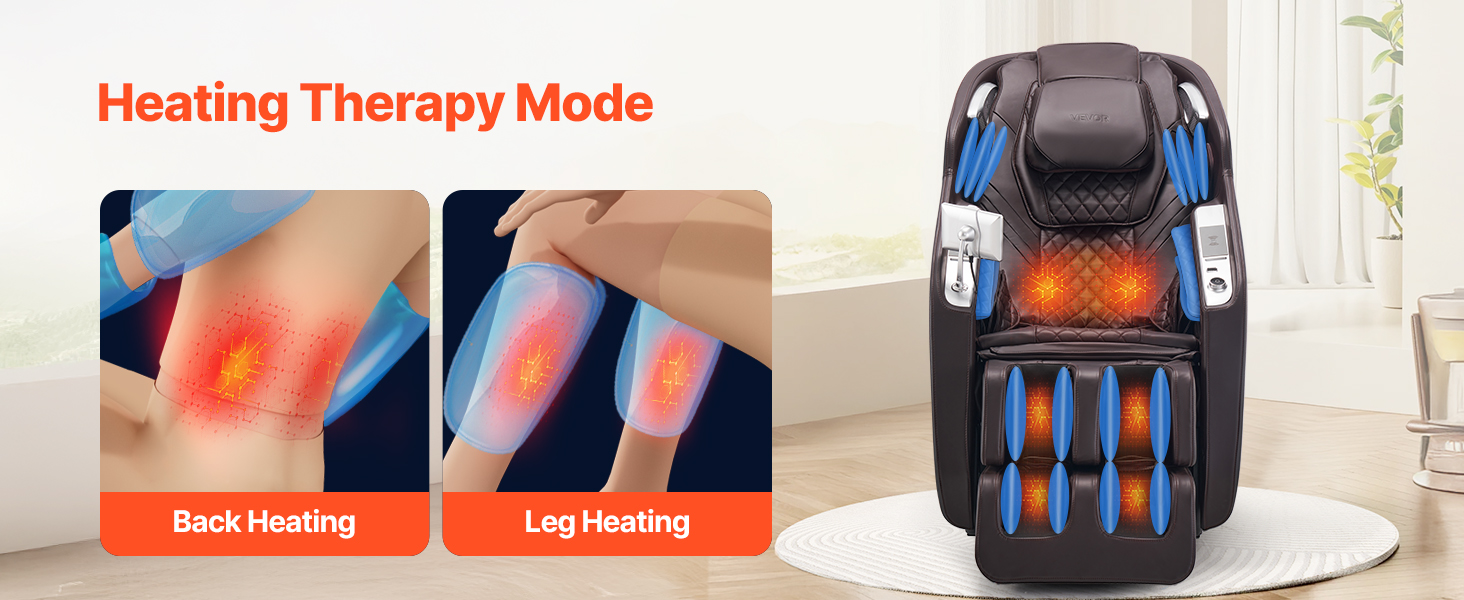
Figure 4.7: Illustration highlighting the back and leg heating zones within the massage chair.
Foot Roller & Extendable Pedal
The footrest features kneading rollers for deep foot relief and is extendable by 6.4 inches (162 mm) to accommodate users of different heights.
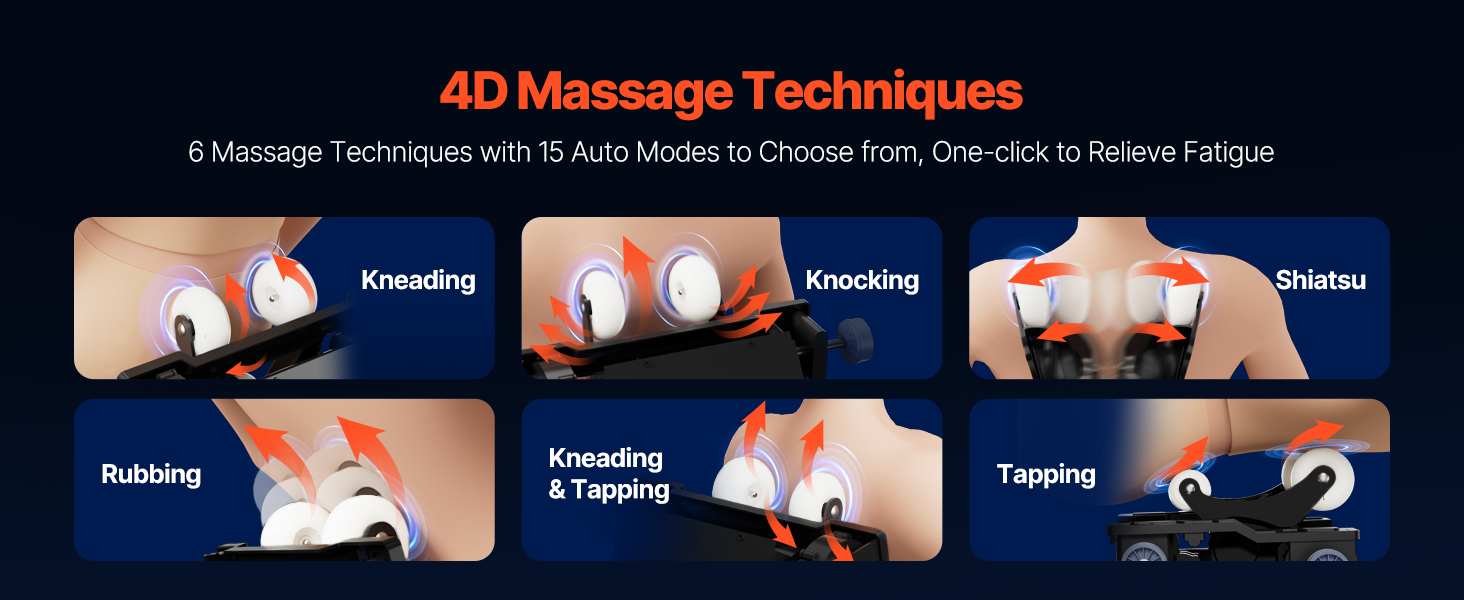
Figure 4.8: Detailed view of the foot massage features, including the telescoping footrest and 3-row roller technology.
Bluetooth Speakers & USB Charging
Connect your device via Bluetooth to enjoy music through the integrated speakers. A USB port is available for charging your mobile devices.
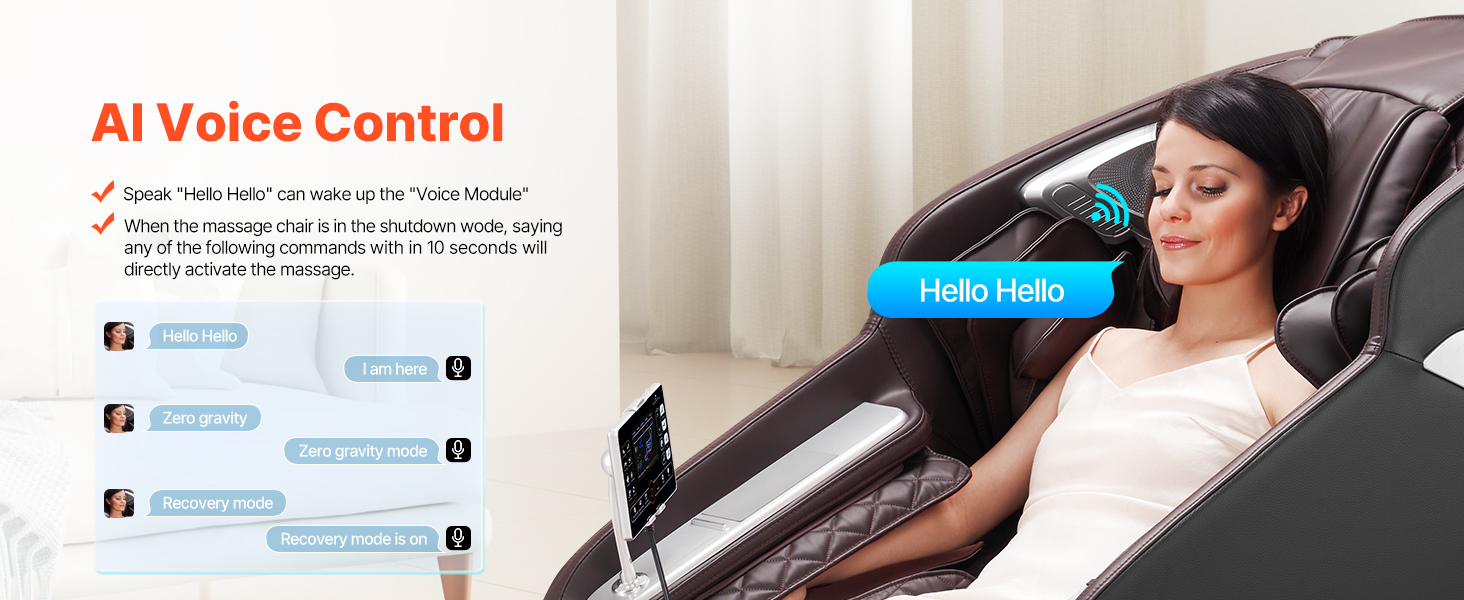
Figure 4.9: Image showing the location of the built-in Bluetooth speakers and USB charging port on the massage chair.
5. Maintenance
Cleaning
- Exterior: Wipe the chair's surface with a soft, damp cloth. Do not use abrasive cleaners or solvents.
- Fabric/Upholstery: For spills, blot immediately with a clean cloth. For deeper cleaning, use a mild soap solution and a soft brush, then wipe clean with a damp cloth and allow to air dry.
- Ensure the chair is unplugged before cleaning.
Storage
If storing the chair for an extended period, unplug it and cover it to protect from dust. Store in a cool, dry place.
Regular Checks
- Periodically check the power cord for any damage.
- Ensure all connections are secure.
6. Troubleshooting
| Problem | Possible Cause | Solution |
|---|---|---|
| Chair does not power on. | Power cord not plugged in; Main power switch off; Power outlet issue. | Ensure power cord is securely plugged into a working outlet. Check main power switch. Try a different outlet. |
| Massage rollers are not moving. | Massage mode not selected; Safety sensor activated. | Select a massage mode from the LCD screen. Ensure no obstructions are preventing roller movement. |
| Airbags are not inflating. | Airbag compression mode not active; Intensity set too low. | Activate airbag compression mode. Increase airbag intensity via the control panel. |
| AI Voice Control not responding. | Voice function off; Environment too noisy; Incorrect command. | Ensure voice function is enabled (long press voice button). Speak clearly and directly to the chair. Reduce background noise. Use correct commands (e.g., "Hello Hello"). |
| No heat from heating elements. | Heat function not activated. | Activate the heat function through the LCD control panel. Allow a few minutes for the elements to warm up. |
| Bluetooth connection issues. | Bluetooth not enabled on device; Chair's Bluetooth not discoverable. | Ensure Bluetooth is enabled on your device. Restart the chair and try pairing again. Refer to your device's Bluetooth pairing instructions. |
| Footrest not extending/retracting. | Obstruction; Mechanism issue. | Check for any obstructions. If the issue persists, contact customer support. |
| Unusual noises during operation. | Normal operation sounds; Loose component; Internal malfunction. | Some operational sounds (e.g., motor hum, airbag inflation) are normal. If the noise is loud, grinding, or unusual, discontinue use and contact customer support. |
If the problem persists after attempting the above solutions, please contact VEVOR Customer Support for assistance.
7. Specifications
| Attribute | Detail |
|---|---|
| Brand | VEVOR |
| Model Name | Massage Chair |
| Item Model Number | BH-8315 |
| Color | Coffee+black |
| Product Dimensions (Upright) | 62.99"D x 29.53"W x 45.67"H (1600 x 750 x 1160 mm) |
| Item Weight | 174.6 pounds (79.2 kg) |
| Frame Material | Metal |
| Massage Track | SL-Track |
| Massage Technology | 4D |
| Airbags | 36 |
| Footrest Extension | 6.4 inches (162 mm) |
| Suitable Height | 4.6-6.3 ft / 1.4-1.92 m |
| UPC | 197988873839 |
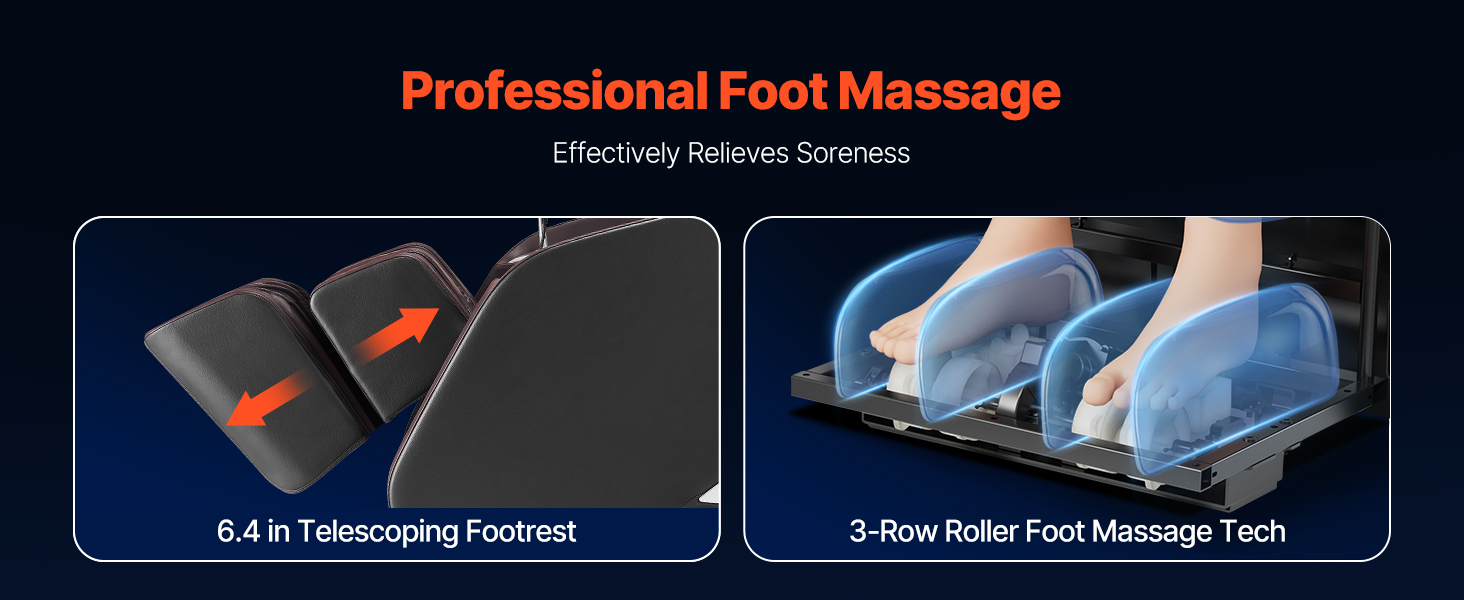
Figure 7.1: Detailed diagram showing the dimensions and key specifications of the VEVOR Massage Chair.
8. Warranty and Support
Warranty Information
VEVOR products typically come with a standard warranty. Please refer to the warranty card included with your product or visit the official VEVOR website for detailed warranty terms and conditions. Keep your purchase receipt as proof of purchase.
Customer Support
For technical assistance, troubleshooting, or warranty claims, please contact VEVOR Customer Support:
- Website: www.vevor.com
- Email: Refer to the VEVOR website for contact email.
- Phone: Refer to the VEVOR website for contact phone number.
When contacting support, please have your model number (BH-8315) and purchase information ready.


