
1. Introduction
The Autel MaxiIM KM100 (E) is a state-of-the-art handheld key programming tool designed to provide comprehensive solutions for automotive locksmiths and technicians. This device integrates advanced functions such as universal key generation, transponder reading/writing/cloning, frequency detection, and OBD key learning, making it an indispensable tool for modern vehicle maintenance and security. This manual provides detailed instructions for setting up, operating, maintaining, and troubleshooting your KM100 (E) device.
2. Product Overview
The Autel MaxiIM KM100 (E) offers a robust set of features and comes with essential accessories to get you started.
Key Features:
- 60-Second Key Generation: Rapid key generation for over 700 vehicle brands.
- Built-in APB112: Integrated APB112 functionality for advanced transponder operations, including ignition coil data reading, chip data interpretation, and transponder emulation.
- OBD Key Learning: Supports key matching via OBD for 95% of vehicle models across US, EU, and Asia.
- Frequency Detection: Detects 315MHz/433MHz and 868MHz/915MHz frequencies.
- Transponder Functions: Includes transponder editing (20+ protocols), generation, and simulation.
- VIN Retrieval: Quick VIN acquisition via AutoVIN, VIN scan, license plate scan, or manual input.
- Specialized Functions: Over 10 specialized functions including IMMO Data Processing, Ignition Coil Detection, Key Unlocking, and Toyota Smart Key Unlocking.
- Lifetime Free Upgrades: Ensures the device stays up-to-date with new models and features.
What's in the Box:
- 1* Autel KM100E Main Unit
- 1* Bluetooth Wireless MaxiVCI V200
- 1* Power adapter
- 1* Type-C USB Cable
- 1* Custom Mini USB Cable
- 1* USB-C to USB-C Cable
- 1* Quick Reference Guide
- 1* Packing List
- 1* Carry Case (330*262*100mm)
- 2* Universal Smart Accessories (315M/433M & 868M/915M)
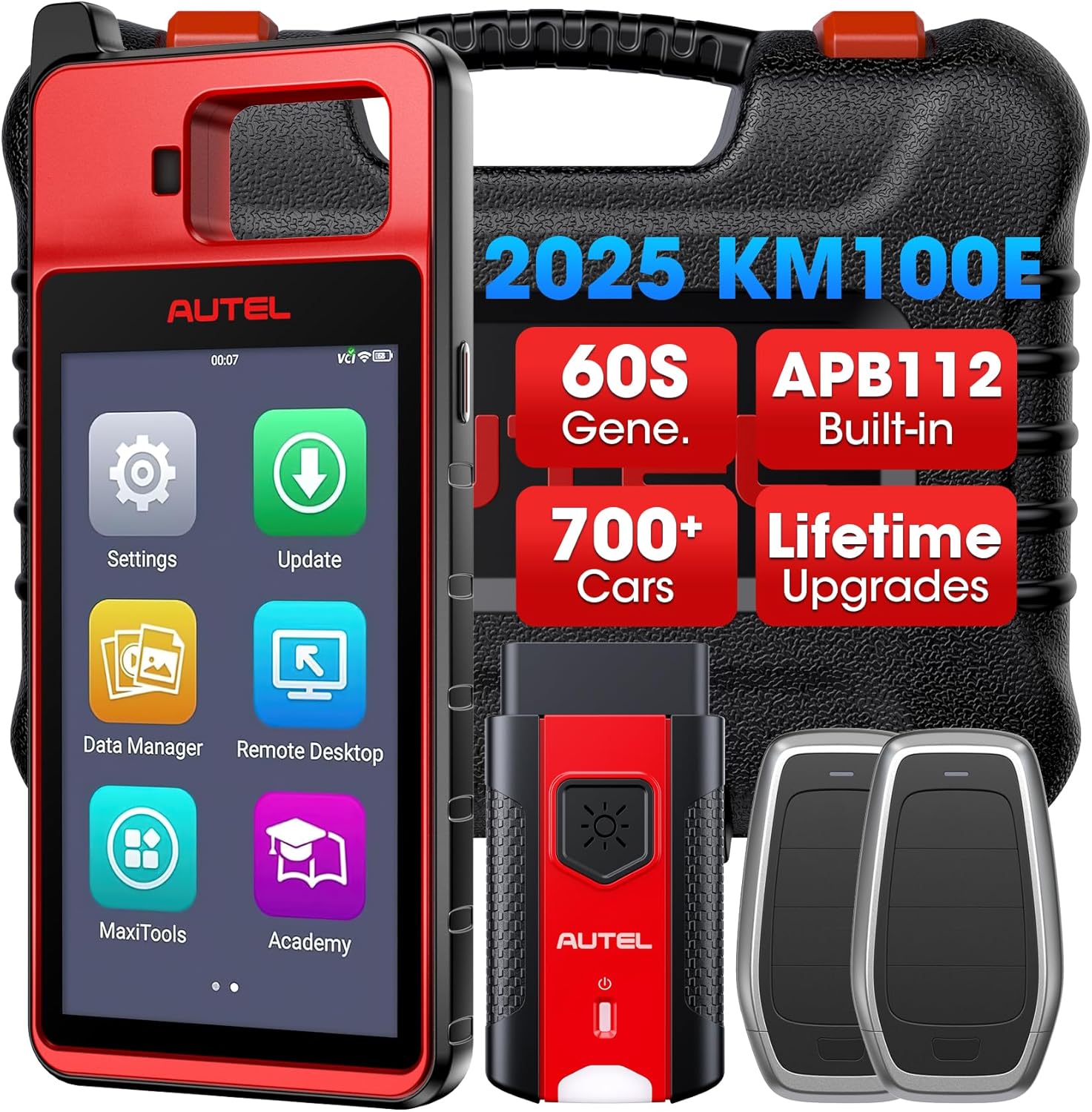
Figure 2.1: Autel MaxiIM KM100 (E) Programming Tool and included accessories.

Figure 2.2: Overview of the Autel MaxiIM KM100 (E)'s core features and technical specifications.
3. Setup
Follow these steps for the initial setup of your Autel MaxiIM KM100 (E) device.
3.1 Charging the Device
Before first use, ensure the KM100 (E) is fully charged. Connect the provided power adapter to the device's USB-C port and plug it into a power outlet. The charging indicator will illuminate.
3.2 Powering On/Off
- To Power On: Press and hold the Power button located on the side of the device until the screen illuminates.
- To Power Off: Press and hold the Power button until the power-off options appear on the screen. Select 'Power Off' and confirm.
3.3 Initial Software Setup and Updates
Upon first boot, the device will guide you through initial language and network settings. Connect the device to a stable Wi-Fi network. It is highly recommended to perform a software update immediately to ensure you have the latest features and vehicle coverage. Navigate to the 'Update' icon on the main menu and follow the on-screen instructions.
3.4 Connecting to Vehicle (MaxiVCI V200)
The MaxiVCI V200 is the vehicle communication interface. Plug the MaxiVCI V200 into the vehicle's OBDII port, usually located under the dashboard. The VCI will establish a Bluetooth connection with the KM100 (E) automatically. Ensure the vehicle's ignition is in the 'ON' position or the engine is running, as required by the specific function.
4. Operating Instructions
This section details the primary functions of the Autel MaxiIM KM100 (E).
4.1 Universal Key Generation (60S)
The KM100 (E) features a rapid 60-second universal key generation process.
- From the main menu, select the 'Key Generation' function.
- Use the AutoVIN feature to automatically identify the vehicle's make, model, and year, or manually input the VIN.
- Follow the step-by-step on-screen guide to select the appropriate key type and generate the new key. The system will automatically redirect to the corresponding IMMO matching function if needed.
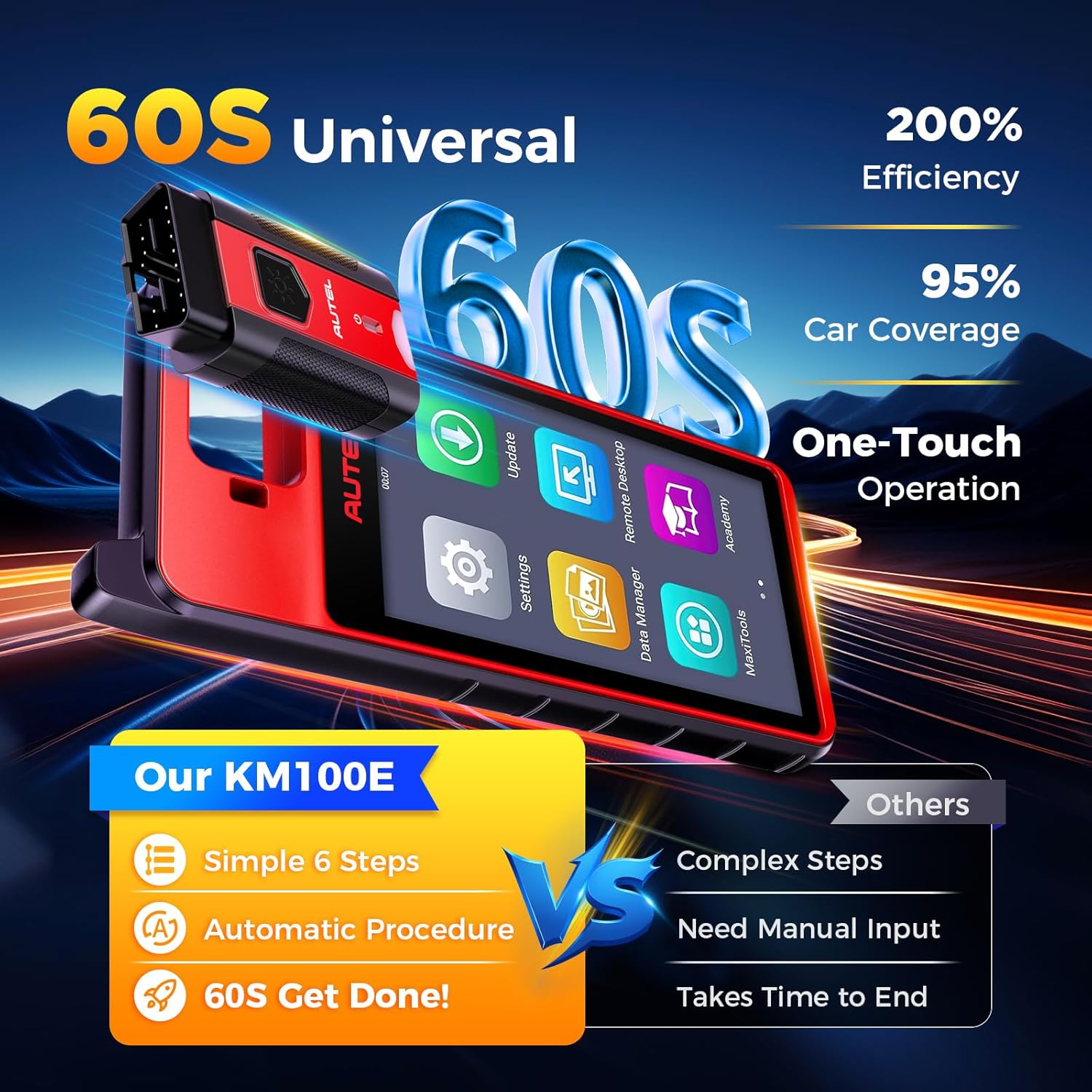
Figure 4.1: The streamlined 60-second universal key generation process.
4.2 Transponder Functions
The device supports various transponder operations.
- Read/Write/Clone: Place the transponder in the KM100 (E) slot and select 'Read' to view its information. You can then generate a new functional transponder or copy existing configurations and EEPROM data.
- Generation: Create new transponders for various vehicle brands.
- Simulation: Emulate transponder functionality, useful for diagnosing issues or when an original transponder is unavailable.
- Conversion: Convert between different transponder types, such as ID63 and ID83.

Figure 4.2: Transponder functions including conversion, generation, and simulation.
4.3 Frequency Detection
To detect the frequency of a remote key:
- Select 'Frequency Detection' from the main menu.
- Place the remote key within 10cm of the KM100 (E)'s detection area.
- Press a button on the remote key. The device will display the detected frequency (315MHz/433MHz or 868MHz/915MHz).
4.4 VIN Retrieval
The KM100 (E) offers multiple methods for quick VIN retrieval:
- AutoVIN: Automatically reads the VIN when connected to the vehicle.
- Scan VIN: Use the device's camera to scan the VIN barcode.
- Scan License: Scan the vehicle's license plate to retrieve VIN information.
- Manual Input: Enter the VIN manually using the on-screen keyboard.

Figure 4.3: Frequency detection and various VIN retrieval methods.
4.5 Specialized Functions
The KM100 (E) includes over 10 specialized functions for advanced operations:
- IMMO Data Processing
- Ignition Coil Detection
- Key Unlocking
- Toyota Smart Key Unlocking
- Temporary Tool Function
- Button Adjustment
- Universal Key Information Detection
- Nissan/Infiniti ID46 Smart Key DTC Clearing
- Mazda ID49 Smart Key Warning Lamp Clearing

Figure 4.4: Examples of specialized functions available on the KM100 (E).
5. Maintenance
Proper maintenance ensures the longevity and optimal performance of your Autel MaxiIM KM100 (E).
5.1 Software Updates
Regularly check for and install software updates. Autel provides lifetime free updates for the KM100 (E), which include new vehicle models, added features, and bug fixes. Connect the device to Wi-Fi and navigate to the 'Update' section on the main menu.
5.2 Cleaning the Device
Use a soft, damp cloth to clean the device's screen and body. Avoid using abrasive cleaners or solvents that could damage the plastic or screen. Keep the OBDII connector free of dust and debris.
5.3 Battery Care
To maximize battery life, avoid fully discharging the device frequently. Store the device in a cool, dry place when not in use, and charge it periodically if stored for extended periods.
6. Troubleshooting
This section addresses common issues you might encounter with your KM100 (E).
6.1 Device Not Powering On
- Ensure the device is fully charged. Connect it to the power adapter and allow it to charge for at least 30 minutes before attempting to power on again.
- Try holding the Power button for a longer duration (10-15 seconds) to force a restart.
6.2 Connection Issues with Vehicle (MaxiVCI V200)
- Verify the MaxiVCI V200 is securely plugged into the vehicle's OBDII port.
- Ensure the vehicle's ignition is in the 'ON' position or the engine is running.
- Check the Bluetooth connection on the KM100 (E) device. If disconnected, try re-pairing the VCI.
- Ensure the vehicle is compatible with the KM100 (E). Note that some models like Ford, Benz, Porsche, and Renault are not supported for certain functions.
6.3 Software Update Failures
- Ensure a stable and strong Wi-Fi connection during updates.
- Check if there is sufficient storage space on the device.
- If the issue persists, try restarting the device and attempting the update again.
6.4 Key Generation/Learning Failures
- Verify the correct vehicle information (make, model, year) has been entered.
- Ensure the transponder or key is correctly placed in the device's slot if required.
- Confirm the vehicle's battery voltage is stable and sufficient.
- For specific vehicle models (e.g., GM, Toyota, Lexus), the KM100 (E) supports adding a new key but may not support 'ALL LOST' scenarios.
For further assistance, please refer to the Warranty and Support section.
7. Specifications
| Feature | Specification |
|---|---|
| Operating System | Android 9.0 |
| Processor | Rockchip PX30 |
| Display | 5.5 inches (1280*720 resolution) |
| Memory | 2GB RAM + 64GB ROM |
| Camera | 8MP Rear |
| Battery | 4950mAh |
| Item Weight | 3.76 pounds |
| Package Dimensions | 12.99 x 10.75 x 4.17 inches |
| Connectivity | Bluetooth (MaxiVCI V200), Wi-Fi |
| Supported Frequencies | 315MHz/433MHz, 868MHz/915MHz |
8. Warranty and Support
Autel is committed to providing excellent product quality and customer support.
8.1 Warranty Information
The Autel MaxiIM KM100 (E) comes with a 12-Month Quality Backup, ensuring peace of mind regarding manufacturing defects and performance issues.
8.2 Lifetime Free Upgrades
Enjoy lifelong free software updates for your KM100 (E), which includes continuous additions of new vehicle models, features, and software optimizations.
8.3 Customer Support
For any questions, technical assistance, or troubleshooting not covered in this manual, please contact Autel customer support:
- Email: autelcare@outlook.com
- Availability: 24/7
Please provide your device's serial number (S/N, 12 digits) when contacting support for faster service.


