
Ströme AM70020
Ströme AM70020 Digital Microwave Oven User Manual
Model: AM70020 | Brand: Ströme
Introduction
Thank you for choosing the Ströme AM70020 Digital Microwave Oven. This manual provides essential information for the safe and efficient operation, maintenance, and troubleshooting of your new appliance. Please read it thoroughly before use and keep it for future reference.
Important Safety Instructions
When using electrical appliances, basic safety precautions should be followed, including the following:
- Read all instructions before using the appliance.
- Do not attempt to operate this oven with the door open as this can result in harmful exposure to microwave energy.
- Do not place any object between the oven front face and the door or allow soil or cleaner residue to accumulate on sealing surfaces.
- Do not operate the oven if it is damaged. It is particularly important that the oven door closes properly and that there is no damage to the: (1) door (bent), (2) hinges and latches (broken or loosened), (3) door seals and sealing surfaces.
- The oven should not be adjusted or repaired by anyone except properly qualified service personnel.
- Liquids or other foods must not be heated in sealed containers since they are liable to explode.
- Only use utensils that are suitable for use in microwave ovens.
- When heating food in plastic or paper containers, keep an eye on the oven due to the possibility of ignition.
- If smoke is observed, switch off or unplug the appliance and keep the door closed in order to stifle any flames.
- Overheating liquids can cause sudden boiling. Exercise caution when removing containers.
- Do not fry food in the microwave oven. Hot oil can damage oven parts and utensils and even result in skin burns.
- Eggs in their shell and whole hard-boiled eggs should not be heated in microwave ovens since they may explode, even after microwave heating has ended.
- The appliance is not intended for use by persons (including children) with reduced physical, sensory or mental capabilities, or lack of experience and knowledge, unless they have been given supervision or instruction concerning use of the appliance by a person responsible for their safety.
- Children should be supervised to ensure that they do not play with the appliance.
- The microwave oven must be placed on a flat, stable surface.
- Do not use the oven for storage purposes. Do not leave paper products, cooking utensils or food in the oven when not in use.
- This appliance is intended to be used in household and similar applications.
Product Overview
Familiarize yourself with the components of your Ströme AM70020 microwave oven.
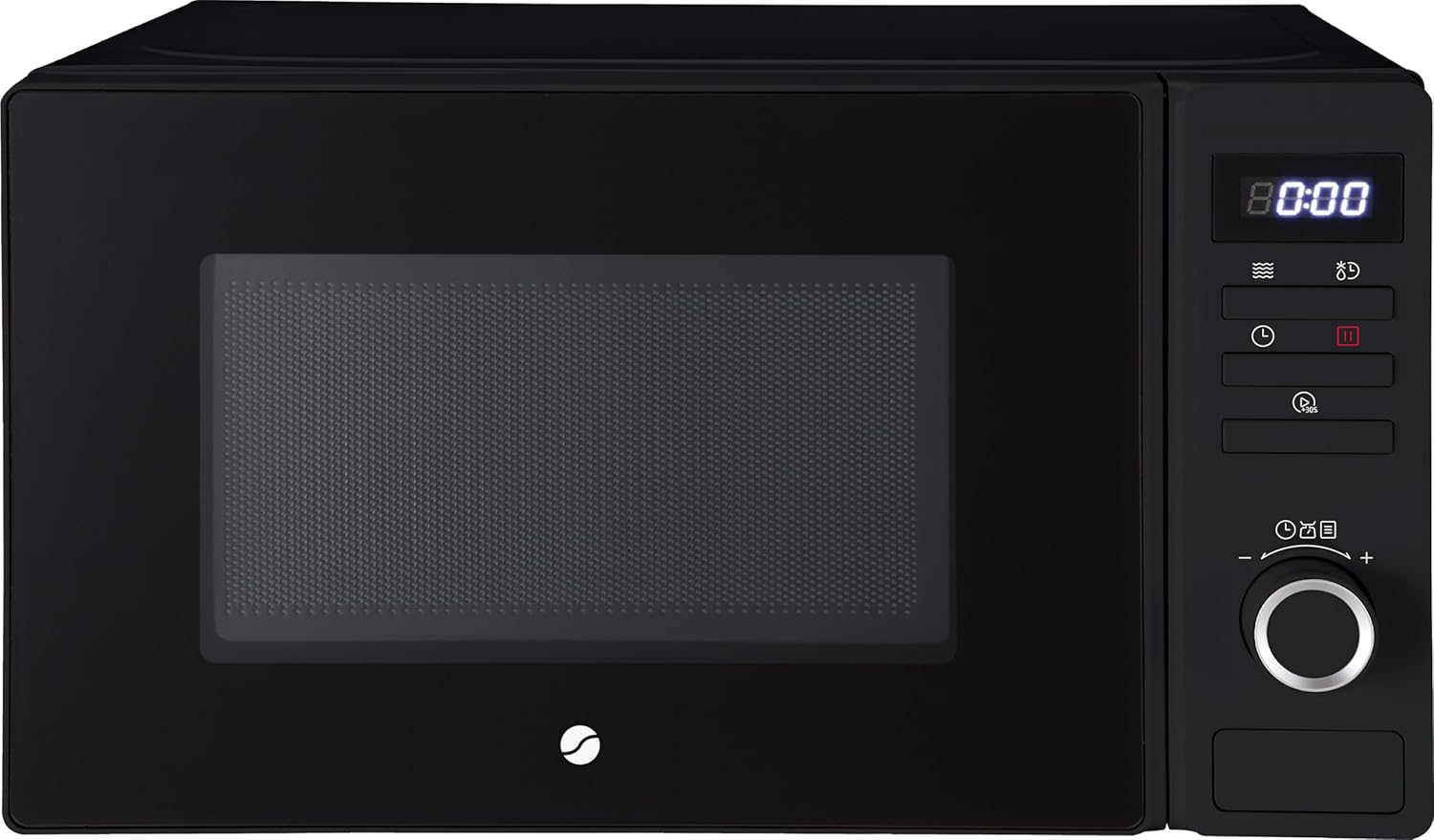
Figure 1: Front View - Shows the microwave oven from the front, highlighting the door, control panel, and digital display.

Figure 2: Angled View - Provides a perspective view of the microwave, showing its compact design and black finish.

Figure 3: Interior View - Displays the inside of the microwave with the door open, revealing the glass turntable and interior cavity.

Figure 4: Rear View - Shows the back of the microwave, including the power cord and the product information label with model and electrical details.
Main Components:
- Door: With viewing window and safety lock system.
- Control Panel: Digital display, function buttons, and rotary knob for settings.
- Turntable: Glass plate and roller ring for even heating.
- Oven Cavity: Interior space for food.
- Power Cord: For electrical connection.
Setup and Installation
- Unpacking: Carefully remove the microwave oven and all packaging materials. Check for any damage. Do not operate if damaged.
- Placement: Place the oven on a flat, stable surface strong enough to hold its weight. Ensure adequate ventilation space: at least 20 cm above, 10 cm at the rear, and 5 cm on each side. Do not block air vents.
- Turntable Assembly:
- Place the roller ring in the depression on the oven floor.
- Place the glass turntable on top of the roller ring, ensuring it sits securely.
- Power Connection: Plug the power cord into a grounded electrical outlet. Ensure the voltage matches the rating label on the back of the oven.
Operating Instructions
Setting the Clock:
- In standby mode, press the "Clock" button (often represented by a clock icon).
- Rotate the rotary knob to set the hour. Press "Clock" again to confirm.
- Rotate the rotary knob to set the minutes. Press "Clock" again to confirm. The clock is now set.
Microwave Cooking:
- Place food in a microwave-safe container on the turntable and close the door.
- Press the "Microwave" button (often represented by a microwave icon) repeatedly to select the desired power level (e.g., P100 for 100% power, P80 for 80%, etc.). The Ströme AM70020 has 8 power levels.
- Rotate the rotary knob to set the cooking time.
- Press the "Start" button (often represented by a play/start icon) to begin cooking.
Quick Start Function:
For quick heating at full power:
- In standby mode, press the "Quick Start" button (often represented by a +30s icon) repeatedly to add 30 seconds of cooking time at 100% power for each press.
- The oven will start automatically after a few seconds or immediately after the first press depending on the model.
Automatic Programs:
The Ströme AM70020 features 8 preset automatic programs for common foods:
- Press the "Auto Menu" button (often represented by a chef hat or menu icon).
- Rotate the rotary knob to select the desired program (e.g., P1 for vegetables, P2 for fish, etc.). Refer to the internal menu or a sticker on the oven for specific program details.
- Press the "Start" button to confirm and begin cooking.
Defrost Function:
Defrost food by weight or time.
- Defrost by Weight:
- Press the "Defrost by Weight" button (often represented by a snowflake icon with weight).
- Rotate the rotary knob to select the food weight.
- Press "Start" to begin defrosting.
- Defrost by Time:
- Press the "Defrost by Time" button (often represented by a snowflake icon with a clock).
- Rotate the rotary knob to set the defrosting time.
- Press "Start" to begin defrosting.
Child Lock:
To activate the child lock:
- Press and hold the "Stop/Cancel" button (often represented by a stop sign or X) for approximately 3 seconds. A lock indicator will appear on the display.
To deactivate the child lock:
- Press and hold the "Stop/Cancel" button again for approximately 3 seconds. The lock indicator will disappear.
Care and Maintenance
- Cleaning the Oven Interior: Wipe the inside of the oven with a damp cloth after each use. For stubborn stains, use a mild detergent. Do not use abrasive cleaners or harsh chemicals.
- Cleaning the Turntable and Roller Ring: The glass turntable and roller ring can be washed in warm soapy water or in a dishwasher. Ensure they are completely dry before placing them back in the oven.
- Cleaning the Exterior: Wipe the exterior surfaces with a soft, damp cloth. Avoid getting water into the ventilation openings.
- Door Seals: Regularly clean the door seals and adjacent parts to ensure proper closure and prevent microwave leakage.
- Odour Removal: To remove odors, combine a cup of water with the juice and peel of one lemon in a microwave-safe bowl. Microwave on high for 5 minutes, then let it sit in the oven for another 5 minutes before wiping clean.
Troubleshooting Guide
| Problem | Possible Cause | Solution |
|---|---|---|
| Oven will not start | Power cord not securely plugged in. Door not closed properly. Fuse blown or circuit breaker tripped. | Ensure plug is firmly in outlet. Close door securely. Check household fuse or reset circuit breaker. |
| Food not heating | Incorrect cooking time or power level set. Food not suitable for microwave. | Adjust time and power level. Ensure food is in microwave-safe dish. |
| Turntable not rotating | Turntable or roller ring not correctly placed. Obstruction under turntable. | Re-position turntable and roller ring. Clean oven floor and ensure no obstructions. |
| Unusual noise during operation | Turntable or roller ring not correctly placed. Utensils touching oven walls. | Re-position turntable and roller ring. Ensure utensils are not touching oven walls. |
| Display shows "E-" error code | Internal malfunction. | Unplug the oven for a few minutes, then plug it back in. If the error persists, contact customer support. |
Technical Specifications
| Brand | Ströme |
| Model | AM70020 |
| Product Dimensions (D x W x H) | 34.6 x 44 x 25.9 cm |
| Capacity | 20 Litres |
| Microwave Power Output | 700 Watts |
| Energy Consumption (Input) | 1050 Watts |
| Number of Power Levels | 8 |
| Installation Type | Freestanding |
| Material | Metal |
| Colour | Black |
| Special Features | Automatic cooking, Defrost, Child lock, Rotating plate, Timer |
Warranty and Customer Support
Ströme products are designed for reliability and performance. For information regarding warranty coverage, please refer to the warranty card included with your purchase or visit the official Ströme website.
If you encounter any issues not covered in the troubleshooting section or require further assistance, please contact Ströme customer support. Have your model number (AM70020) and purchase details ready.
Online Support: www.stromeproducts.com/support (Example link, replace with actual if available)
Email: support@stromeproducts.com (Example email)
Related documentsAM70020


Ask a question about this manual
Ask about setup, troubleshooting, compatibility, parts, safety, or missing instructions. Manuals+ will review the question and use this page’s manual context to help answer it.