1. Important Safety Information
Please read and understand all instructions before assembly and use of this product. Failure to follow these instructions may result in injury or damage to the product.
- Anti-Tip Device: Always ensure the stand is securely attached to the wall using the provided anti-tip devices. This prevents accidental tipping, which can cause serious injury.
- Weight Capacity: Do not overload the shelves. The maximum static load capacity per level is 20 kg (44 lbs). Distribute weight evenly.
- Assembly: Assemble the product on a soft, clean surface to prevent scratches. Ensure all screws and fasteners are tightened securely before use.
- Placement: Place the stand on a level and stable surface. Avoid placing it in areas with high humidity or direct sunlight.
- Children: Keep small parts and packaging materials away from children during assembly.
2. Product Overview
The HOOBRO 4-Layer Audio Media Stand (Model BF38CJ01) is designed to organize and display your audio and media equipment. Its robust construction and thoughtful design make it suitable for various devices.
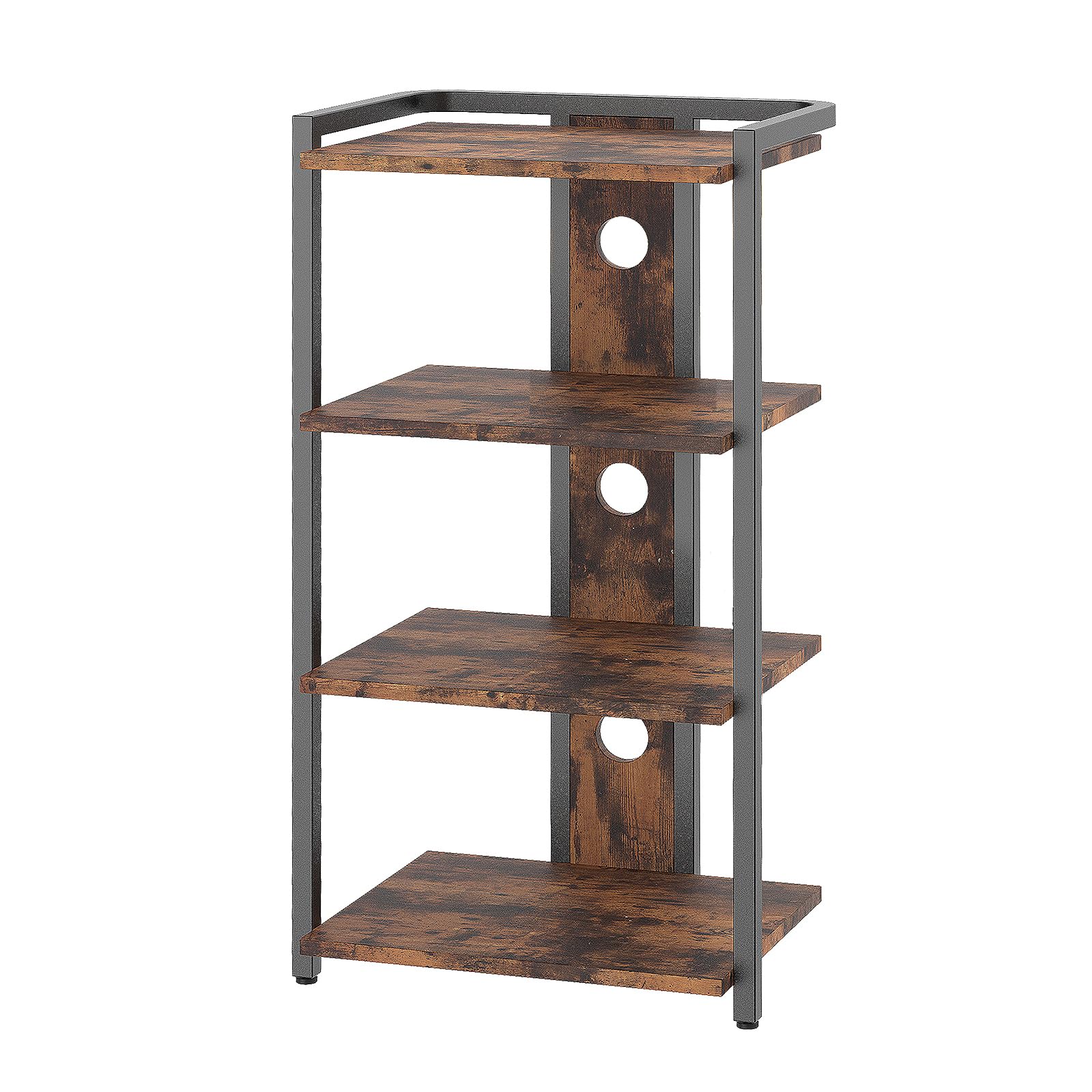
Figure 2.1: Assembled HOOBRO 4-Layer Audio Media Stand. This image shows the stand with four shelves, suitable for various media devices, and its rustic brown and black finish.
Key Features:
- 4 Spacious Shelves: Provides ample space for game consoles, speakers, turntables, projectors, Wi-Fi routers, and other media devices. The open design promotes heat dissipation.
- Cable Management: Features 3 cable management openings on the rear panel to help organize and conceal cables, maintaining a tidy setup.
- Durable Construction: Made from high-quality chipboard and a sturdy metal frame, ensuring stability and longevity. Each shelf supports up to 20 kg.
- Versatile Design: The minimalist, industrial aesthetic complements various room decors, making it suitable for living rooms, hallways, or bedrooms.
- Anti-Tilt Bracket: Includes a bracket for securing the stand to the wall, enhancing stability and safety.
3. Package Contents
Before beginning assembly, please verify that all components listed below are present and undamaged. If any parts are missing or damaged, please contact customer support.
- 1 x Multimedia Stand (disassembled components)
- 1 x Accessory Set (screws, nuts, tools, etc.)
- 1 x Anti-Tilt Bracket Set
- 1 x User Manual (this document)
Note: The accessory set typically includes all necessary hardware and a basic tool for assembly.
4. Assembly Instructions
Assembly of the HOOBRO 4-Layer Audio Media Stand is designed to be straightforward. Follow the step-by-step instructions provided in the included illustrated guide. Ensure you have a clean, soft surface to work on to prevent damage to the components.
General Assembly Steps:
- Unpack Components: Carefully remove all parts from the packaging and lay them out. Check against the package contents list.
- Identify Parts: Each component and hardware piece is typically labeled. Refer to the illustrated instructions to identify each part.
- Assemble Frame: Begin by assembling the metal frame components according to the diagrams. Do not overtighten screws initially.
- Attach Shelves: Secure the chipboard shelves to the assembled frame. Ensure they are oriented correctly.
- Tighten All Fasteners: Once all parts are in place, gradually tighten all screws and fasteners to ensure a stable structure.
- Install Anti-Tilt Bracket: This is a critical safety step. Attach the anti-tilt bracket to the top rear of the stand and then securely fasten it to a wall stud using appropriate hardware. Refer to the specific instructions for your wall type.
- Adjust Feet: The stand may include adjustable feet. Adjust them to ensure the stand is level and stable on your floor.
For detailed, illustrated instructions, please refer to the separate assembly guide included in your package.
5. Operating Instructions
This section provides guidance on how to effectively use your HOOBRO Audio Media Stand.
- Device Placement: Place your audio and media devices on the shelves. Distribute the weight evenly across each shelf and avoid exceeding the 20 kg maximum load capacity per shelf.
- Cable Management: Utilize the three cable management openings located on the rear panel. Route power cords, audio cables, and network cables through these openings to keep them organized and out of sight. This helps prevent tangles and improves the aesthetic of your setup.
- Ventilation: The open design of the stand promotes air circulation around your devices, aiding in heat dissipation. Ensure that devices are not placed in a way that obstructs their ventilation ports.
- Stability Check: Periodically check the stability of the stand, especially after moving it or rearranging devices. Ensure the anti-tilt bracket remains securely fastened to the wall.
6. Maintenance
Proper maintenance will help prolong the life and appearance of your media stand.
- Cleaning: Wipe the surfaces with a soft, damp cloth. Avoid using harsh chemicals, abrasive cleaners, or polishes that may damage the finish.
- Dusting: Regularly dust the shelves and frame to prevent buildup.
- Fastener Check: Periodically check all screws and fasteners to ensure they remain tight. Retighten if necessary.
- Avoid Moisture: Protect the stand from excessive moisture and spills. Wipe up any liquids immediately.
7. Troubleshooting
This section addresses common issues you might encounter.
| Problem | Possible Cause | Solution |
|---|---|---|
| Stand is wobbly or unstable. |
|
|
| Missing parts during assembly. |
|
|
| Shelves appear scratched or damaged. |
|
|
8. Specifications
| Model Number: | BF38CJ01 |
| Brand: | HOOBRO |
| Product Dimensions (L x W x H): | 42 x 30 x 80 cm (16.5 x 11.8 x 31.5 inches) |
| Product Weight: | 7.2 kg (15.9 lbs) |
| Maximum Static Load per Level: | 20 kg (44 lbs) |
| Material: | Chipboard, Metal Frame |
| Color: | Rustic Brown + Black |
| Number of Shelves: | 4 |
| Special Features: | Cable management openings, adjustable feet, anti-tilt bracket |
9. Warranty and Customer Support
For warranty information, please refer to the documentation provided with your purchase or visit the official HOOBRO website. If you have any questions, require assistance with assembly, or need to report missing/damaged parts, please contact HOOBRO customer support directly.
You can often find contact details on the product packaging, the HOOBRO brand store on Amazon, or their official website.


