
1. Introduction
The PWAYTEK Wireless CarPlay & Android Auto Adapter is designed to seamlessly convert your vehicle's existing wired CarPlay or Android Auto system into a wireless experience. This adapter eliminates the need for cables, offering quick automatic connection and stable performance for an enhanced in-car infotainment experience.
Enjoy all the features of your smartphone, including navigation, music playback, Siri, Google Assistant, and phone calls, directly on your car's display without the clutter of wires.

Image: The PWAYTEK Wireless CarPlay & Android Auto Adapter, showcasing its compact design and compatibility with both USB-A and USB-C ports. The image also displays icons for Android Auto and Apple CarPlay, indicating its dual functionality.
2. Product Features
- Wireless Conversion: Converts your wired CarPlay or Android Auto to wireless, eliminating the need for physical cable connections.
- Easy Plug & Play Setup: Simple connection via your car's USB-C or USB-A port. Automatic activation upon car startup.
- Dual-Band WiFi & Stable Performance: Equipped with a 2.4GHz/5GHz Wi-Fi chip and an 8-core processor for fast startup and a stable, low-latency connection. Automatic frequency switching enhances compatibility.
- Smart, Hands-Free Driving Experience: Access CarPlay/Android Auto features using voice control (Siri, Google Assistant), steering wheel buttons, or the car's touch screen.
- Upgraded Bluetooth 5.3: Provides faster transmission speed, improved transmission stability rate, and wider Bluetooth coverage.
- Universal Connection: Supports both USB-A and USB-C connections for broad compatibility with various vehicle ports.
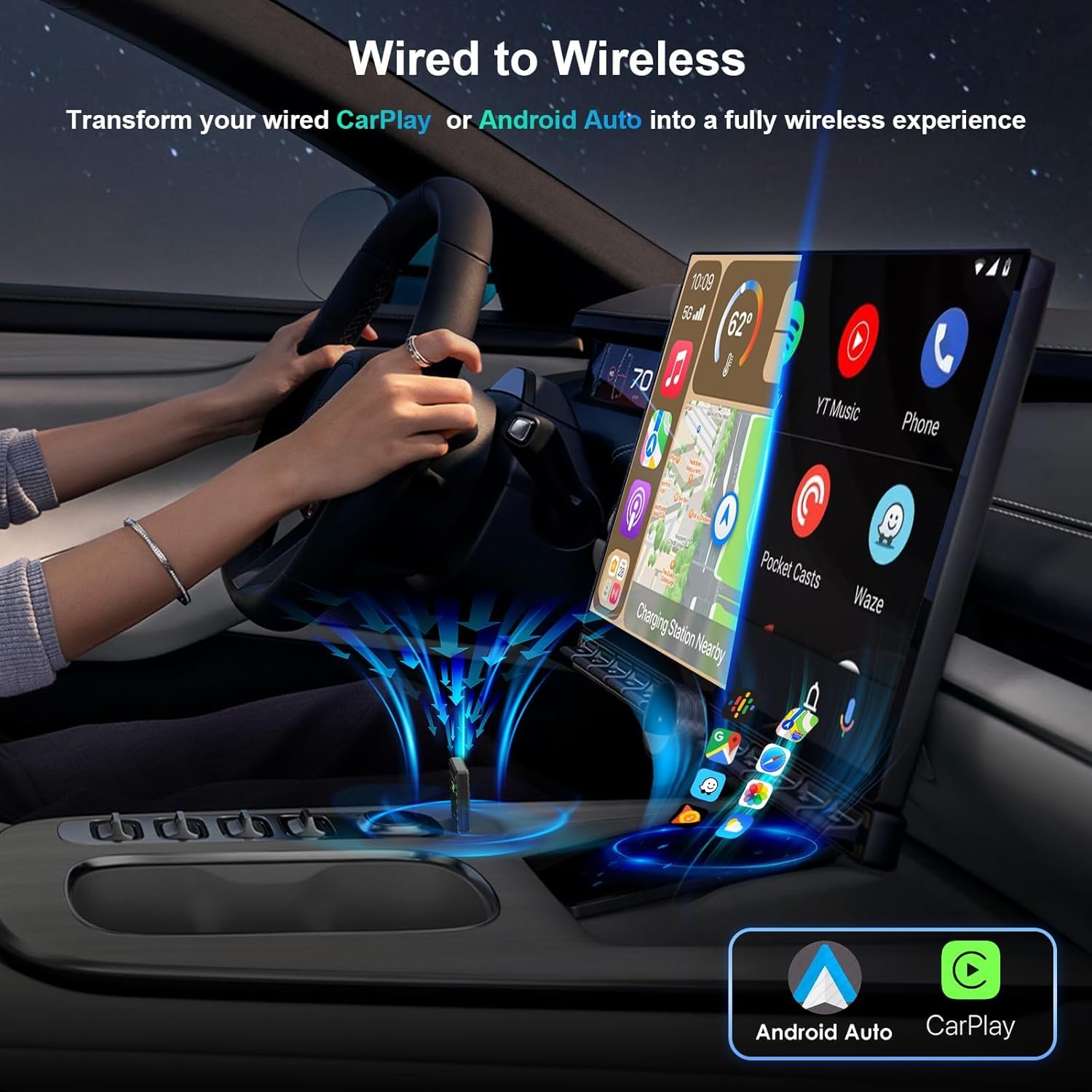
Image: Illustration demonstrating the transformation from a wired CarPlay/Android Auto setup to a fully wireless experience using the PWAYTEK adapter, showing a smartphone screen mirrored on the car's display.

Image: A close-up view of the adapter's internal components highlighting Bluetooth 5.3 technology, with indicators for 100% faster transmission speed, 80% transmission stability rate, and 50% wider Bluetooth coverage.

Image: Depicts the universal connection capability of the adapter, showing both Type-C and USB-A connection options, ensuring compatibility with various car ports.
3. Compatibility
The PWAYTEK Wireless CarPlay & Android Auto Adapter is designed for wide compatibility, but certain requirements and limitations apply:
- Vehicle Compatibility: Works with over 800+ car models from 2018 onwards that have factory-installed wired CarPlay or Android Auto.
- Operating System Compatibility: Compatible with iOS 10+ for Apple CarPlay and Android 11+ for Android Auto.
- Important Note: If your car does not support wired CarPlay or Android Auto features, this product cannot be used normally.
Incompatible Models and Conditions:
- Not compatible with pre-2017 car models.
- Not compatible with select brands and models, including:
- Subaru (all models)
- RAIZE (all models)
- BMW (all models)
- Tesla (all models)
- Toyota (before 2018)
- Honda (before 2018)
- Ford (before 2018)
- Nissan (before 2018, e.g., Murano)
For detailed compatibility information, please refer to the official CarPlay and Android Auto websites:
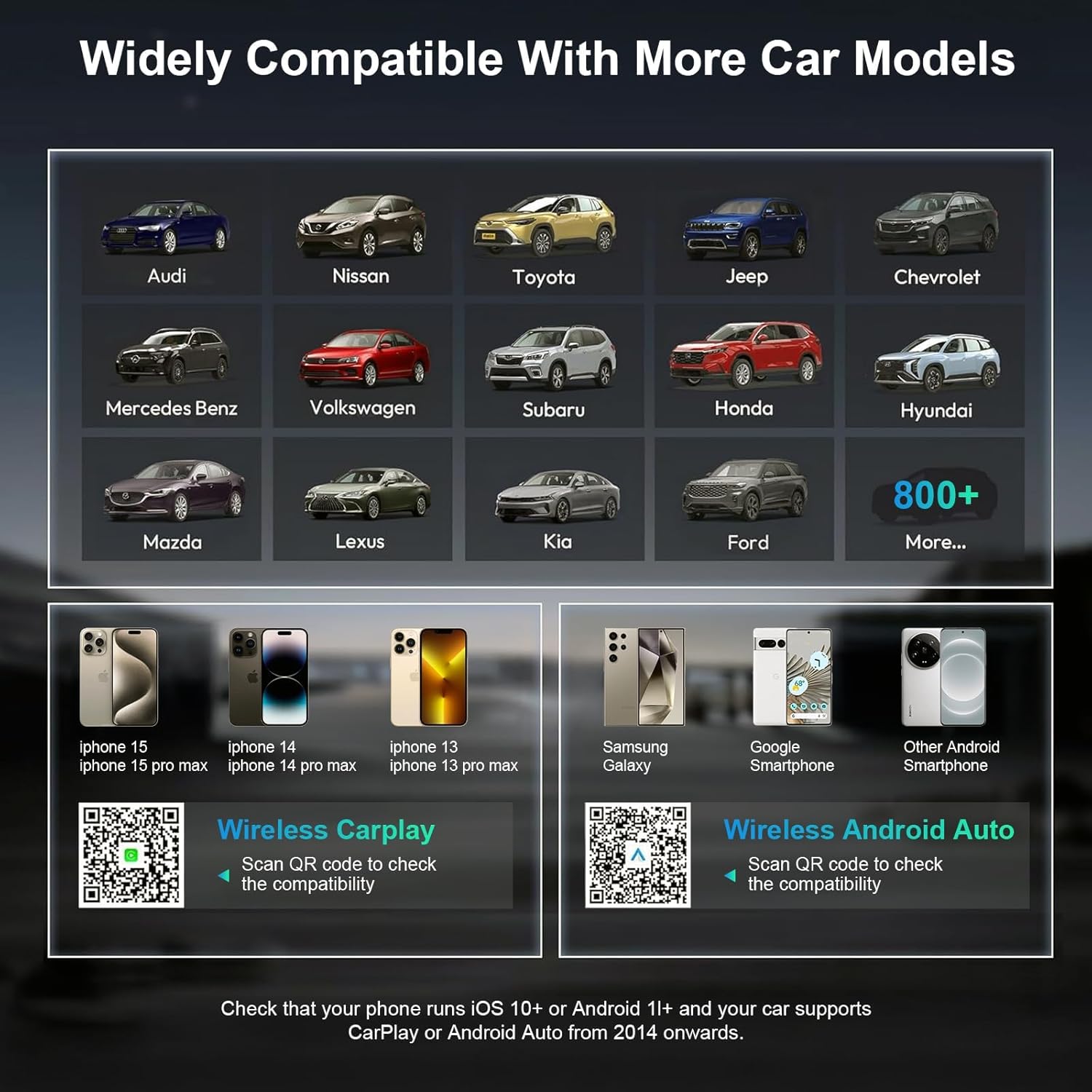
Image: Illustrates the wide range of compatible car brands (e.g., Audi, Nissan, Toyota, Jeep, Chevrolet, Mercedes Benz, Volkswagen, Honda, Hyundai, Mazda, Lexus, Kia, Ford) and compatible phone operating systems (iOS 10+ and Android 11+), along with QR codes linking to compatibility checks.

Image: Displays a list of car models from 2017 and earlier that are explicitly not compatible with the PWAYTEK adapter, including specific BMW, Mercedes-Benz, Audi, Honda, Toyota, Ford, Volkswagen, Chevrolet, Chrysler, and Jeep models.
4. Setup and Installation
Follow these steps to set up and install your PWAYTEK Wireless CarPlay & Android Auto Adapter:
- Step 1: Connect the Adapter
Connect the Wireless CarPlay & Android Auto adapter to your car's USB-A or USB-C port. Ensure your vehicle's USB port supports wired Apple CarPlay or Android Auto features. - Step 2: Pair via Bluetooth
Turn on the Bluetooth on your mobile phone. Search for and pair with the Bluetooth device named 'smartBox-****'. Continue to agree to any prompts to use the CarPlay or Android Auto function normally. - Step 3: Enjoy Wireless Connectivity
You are now ready to enjoy wireless CarPlay or Android Auto. For automatic connection in the future, ensure your phone's Bluetooth remains turned on.
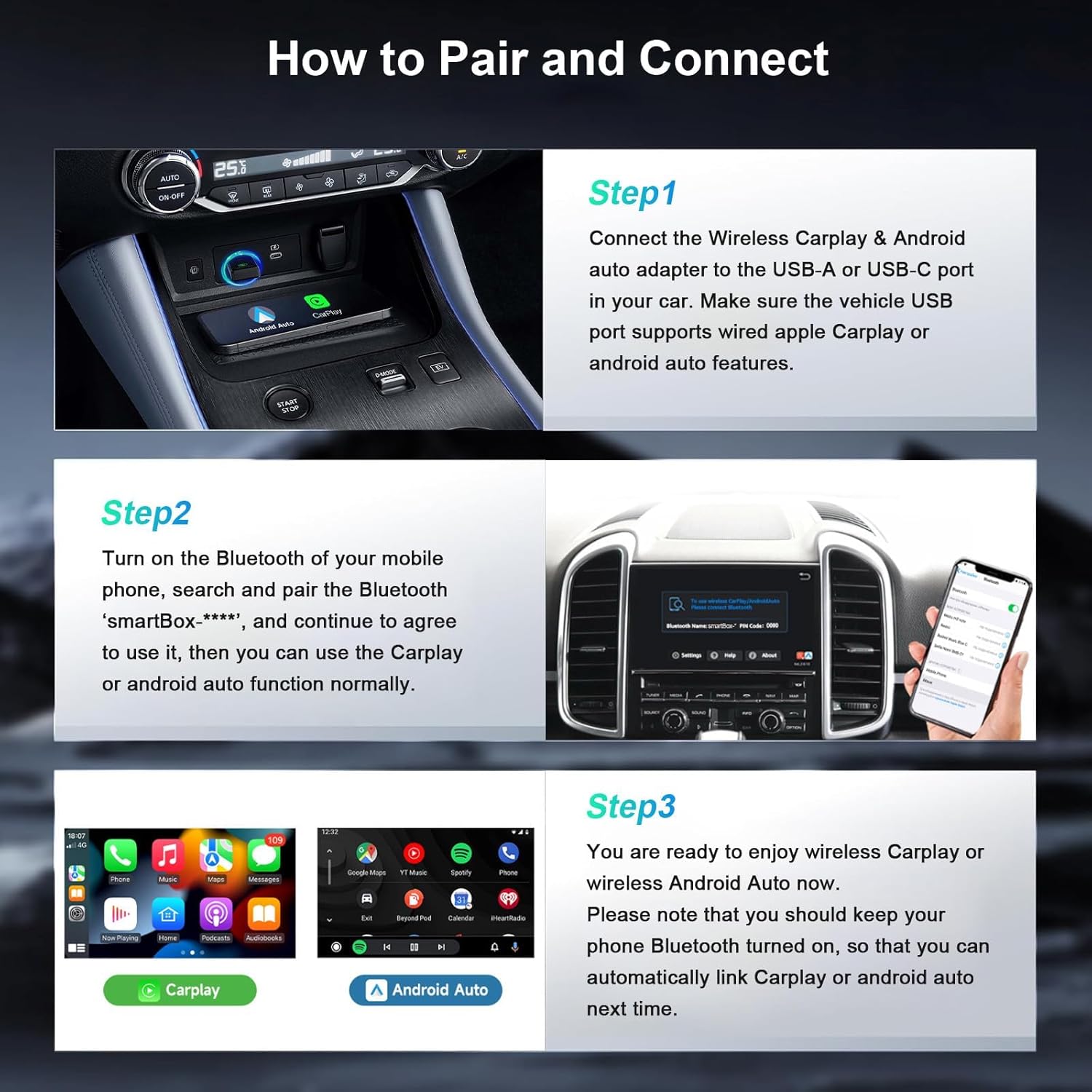
Image: A visual guide detailing the three steps for pairing and connecting the adapter: plugging it into the car's USB port, pairing via Bluetooth on the phone, and the resulting wireless CarPlay/Android Auto interface on the car's screen.
5. Operating Instructions
Controlling CarPlay/Android Auto:
Once connected, you can control your CarPlay or Android Auto interface using your car's native controls:
- Voice Control: Use voice commands (e.g., "Hey Siri" or "Hey Google") for navigation, music, calls, and more.
- Steering Wheel Buttons: Utilize your vehicle's steering wheel controls for audio playback, calls, and other functions.
- Touch Screen: Interact directly with the car's touch screen display.
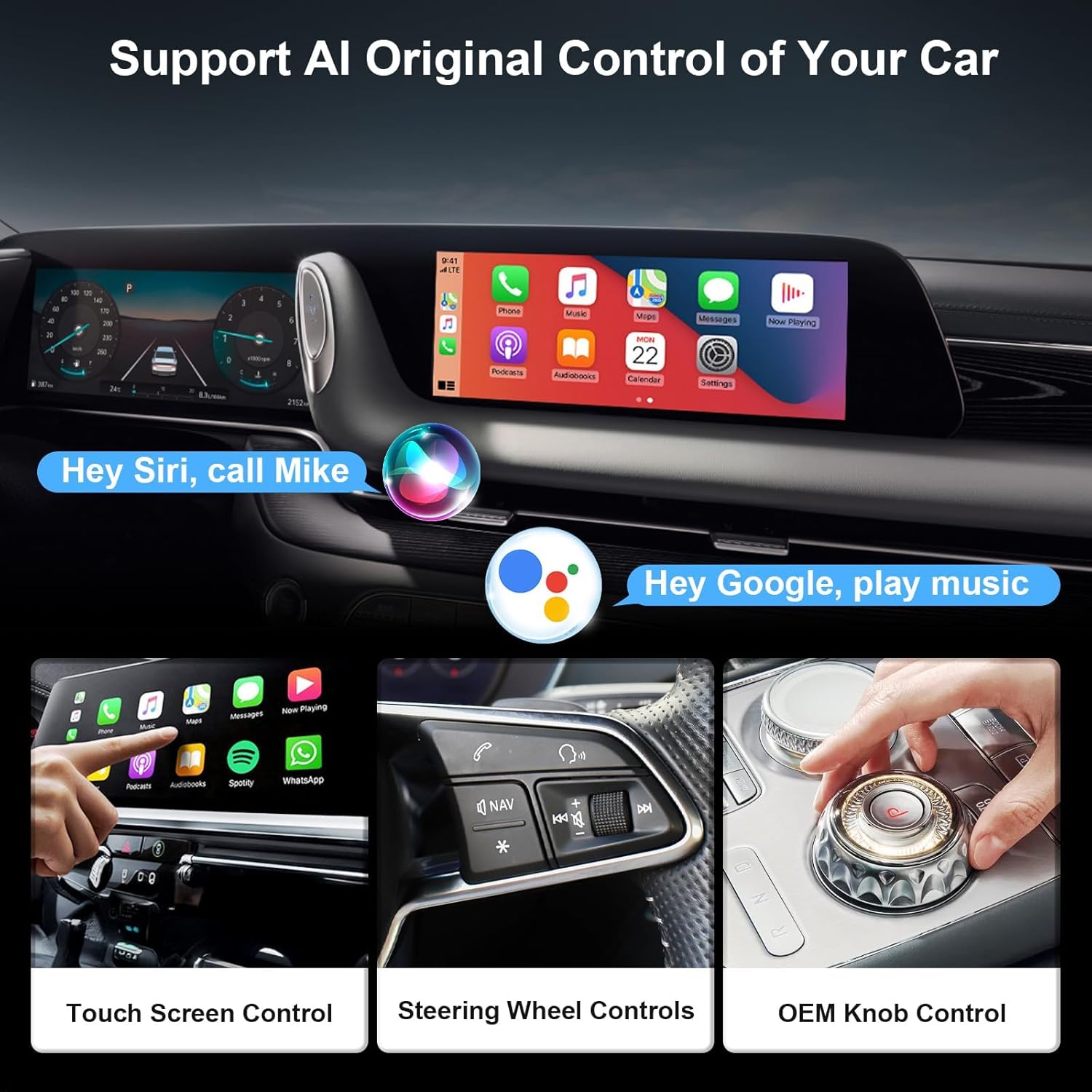
Image: Demonstrates various control methods for the car's infotainment system, including voice commands (Siri, Google Assistant), touch screen interaction, steering wheel controls, and OEM knob control, all integrated with the wireless adapter.
Switching Between CarPlay and Android Auto:
The adapter is designed to connect with one device at a time. To switch between an iPhone (CarPlay) and an Android phone (Android Auto):
- On the currently connected phone, turn off its Bluetooth and Wi-Fi.
- Connect the other mobile phone following the setup instructions (Section 4).
Note: If switching fails, restarting the car's infotainment system may help. Your car should support both CarPlay and Android Auto for seamless switching.
Important: This adapter does not support streaming services like YouTube, Prime Video, Disney, and Netflix directly on the car's display.
6. Troubleshooting
- No Connection/Functionality: Ensure your car has factory-installed wired CarPlay or Android Auto. If your car does not support these features, the adapter will not function.
- Connection Issues: Verify that both Bluetooth and Wi-Fi are enabled on your mobile phone. Try restarting your car's infotainment system or the adapter by unplugging and re-plugging it.
- Compatibility Concerns: Double-check your car model and year against the compatibility list in Section 3. If unsure, contact customer support for confirmation.
- Switching Devices: If you encounter issues when switching between an iPhone and an Android phone, ensure Bluetooth and Wi-Fi are completely disabled on the previously connected device before attempting to connect the new one. A car system restart might be necessary.
For further assistance or if you experience defects or quality problems with the product, please contact PWAYTEK customer service via the email address provided on Amazon.
7. Specifications
| Feature | Detail |
|---|---|
| Brand | PWAYTEK |
| Model Name | PWAYTEK Wireless CarPlay & Android Auto Adapter |
| Hardware Interface | 802.11 ac/b/g/n, Bluetooth |
| Wireless Standard | 802.11a/b/g/n |
| Compatible Media Type | Bluetooth 5.0+, IEEE 802.11ac, IEEE 802.11b, IEEE 802.11g, IEEE 802.11n |
| Supports Bluetooth Technology | Yes |
| Connector Type | USB Type A, USB Type C |
| Number of Items | 1 |
| Batteries Required | No |
| Rechargeable Battery Included | No |
| Remote Control Included | No |
| Parcel Dimensions | 11.3 x 8.6 x 1.5 cm |
| Weight | 30 g |
| Date First Available | May 16 2025 |
8. Warranty and Support
PWAYTEK is committed to providing high-quality products and customer satisfaction. While specific warranty terms are not detailed here, if you receive a product with defects or encounter any quality problems, please contact our after-sales service team.
You can reach us via the email address provided on Amazon. We are dedicated to assisting you until your issue is resolved.