
1. Introduction
This manual provides comprehensive instructions for the proper use, setup, and maintenance of your realme Buds 3 (3.5 mm) Wired In-Ear Earphones. Please read this manual thoroughly before using the product to ensure optimal performance and longevity.
2. Package Contents
Verify that all items are present in your product package:
- realme Buds 3 Wired Earphones
- Eartips (various sizes)
- User Manual (this document)
3. Product Overview
The realme Buds 3 are wired in-ear earphones designed for clear audio and convenient control. They feature 9.0mm bass drivers for enhanced sound and an integrated three-button remote for managing audio and calls.

Figure 3.1: Overview of the realme Buds 3 wired earphones, showing the earbuds, in-line remote, and 3.5mm audio jack.

Figure 3.2: A pair of realme Buds 3 in-ear earphones, highlighting their design.

Figure 3.3: Detailed view of a single realme Buds 3 earbud, highlighting its design and ear tip.
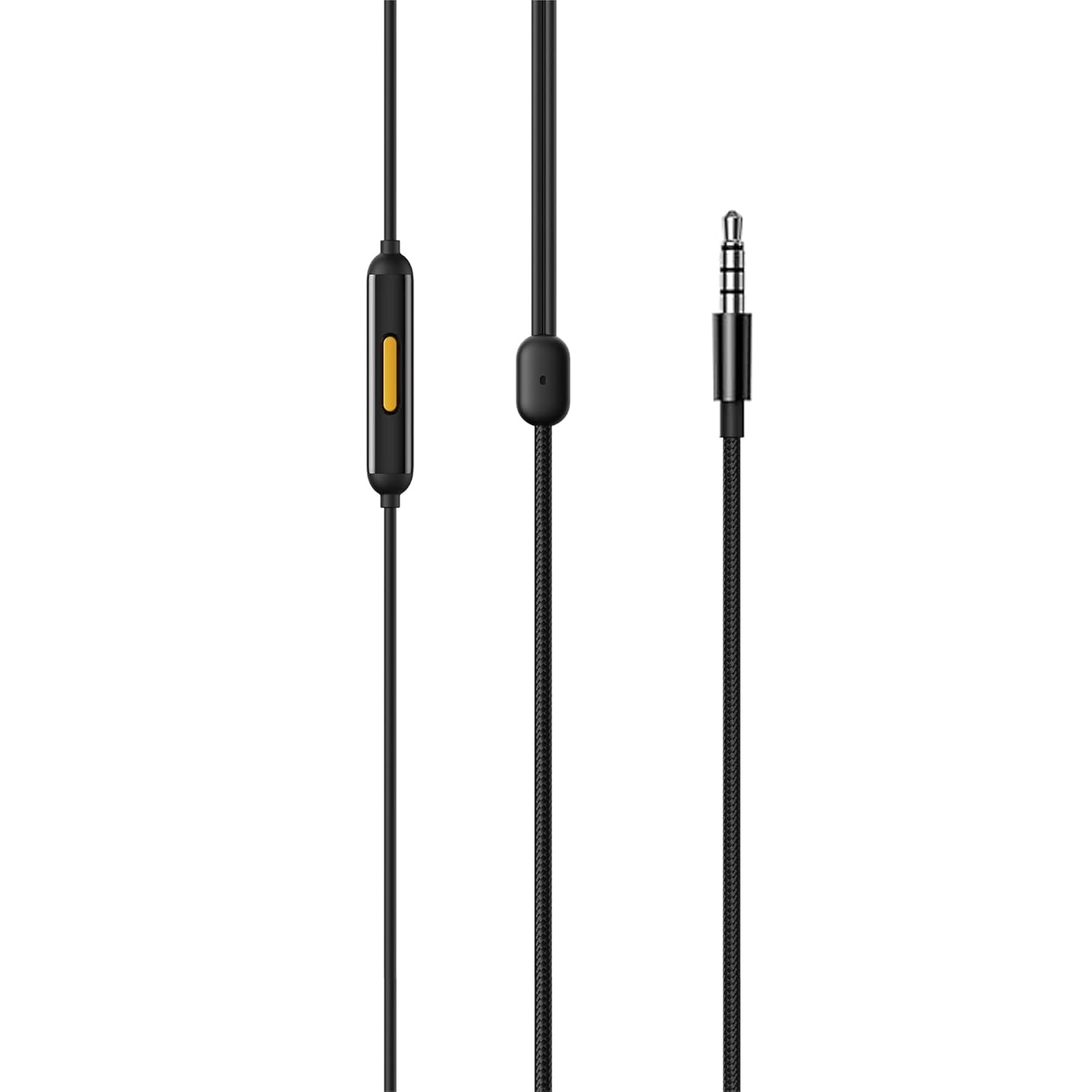
Figure 3.4: The in-line remote control with three buttons and the 3.5mm audio jack of the realme Buds 3.

Figure 3.5: Angled view of the realme Buds 3 earphones, showcasing the earbud design and cable.
Key Components:
- Earbuds: Designed for comfortable in-ear fit, delivering audio.
- In-line Remote: Contains three buttons for controlling music, calls, and voice assistant.
- Microphone: Integrated into the in-line remote for hands-free communication.
- 3.5mm Audio Jack: Standard connector for compatible devices.
- Tangle-Free Cable: Durable cable designed to resist tangling.
4. Setup
To begin using your realme Buds 3 earphones, follow these simple steps:
- Select Eartips: Choose the eartips that provide the most comfortable and secure fit for your ears. Proper fit is crucial for optimal sound quality and bass response.
- Connect to Device: Insert the 3.5mm audio jack into the headphone port of your audio device (smartphone, tablet, laptop, MP3 player, etc.).
- Adjust Volume: Adjust the volume on your connected device to a comfortable listening level before placing the earbuds in your ears.
5. Operating Instructions
The in-line remote provides convenient control over your audio and calls. Familiarize yourself with the button functions:
Figure 5.1: The three-button in-line remote for controlling audio and calls.
Music Playback Control:
- Play/Pause: Press the center button once.
- Next Track: Press the center button twice quickly.
- Previous Track: Press the center button three times quickly.
- Volume Up: Press the '+' button.
- Volume Down: Press the '-' button.
Call Management:
- Answer/End Call: Press the center button once.
- Reject Call: Press and hold the center button for approximately 2 seconds.
Voice Assistant:
- Activate Voice Assistant: Press and hold the center button for approximately 1 second (when not on a call).
6. Maintenance
Proper care will extend the life and maintain the performance of your realme Buds 3 earphones:
- Cleaning: Gently wipe the earbuds and cable with a soft, dry cloth. Do not use harsh chemicals or abrasive materials.
- Eartips: Periodically remove the eartips and clean them with a mild soap solution and water. Ensure they are completely dry before reattaching.
- Storage: Store the earphones in a clean, dry place when not in use. The tangle-free cable design helps prevent knots, but careful coiling is still recommended.
- Avoid Moisture: Do not expose the earphones to excessive moisture, rain, or liquids.
- Avoid Extreme Temperatures: Do not store or use the earphones in extremely hot or cold environments.
7. Troubleshooting
If you encounter issues with your realme Buds 3, refer to the following common problems and solutions:
| Problem | Solution |
|---|---|
| No sound or low volume |
|
| Microphone not working |
|
| Buttons not responding |
|
| Sound distortion |
|
8. Specifications
Detailed technical specifications for the realme Buds 3 (3.5 mm) Wired In-Ear Earphones:
| Feature | Detail |
|---|---|
| Model Name | Buds 3 |
| Item Model Number | RMA2419 |
| Connectivity Technology | Wired |
| Headphones Jack | 3.5 mm Jack |
| Audio Driver Type | Dynamic Driver |
| Earpiece Shape | In-Ear |
| Control Method | Push Button (In-line Remote) |
| Special Features | Integrated Remote Control, Tangle-Free Cord, Microphone Included |
| Compatible Devices | Desktops, Laptops, Tablets, Cellphones, Car Audio Systems |
| Item Weight | 30 Grams |
| Product Dimensions | 3.6 x 3.6 x 2.2 cm |
| Impedance | 32 Ohm |
| Manufacturer | JIANGXI LIANCHUANG HONGSHENG ELECTRONIC CO., LTD |
| Country of Origin | China |
9. Warranty and Support
Your realme Buds 3 earphones are covered by a 6-month warranty from the date of purchase. This warranty covers manufacturing defects and material faults under normal use.
The warranty does not cover damage caused by:
- Accidental damage, misuse, or abuse.
- Unauthorized repairs or modifications.
- Normal wear and tear.
For warranty claims or technical support, please contact realme customer service through their official website or authorized service centers. Please retain your proof of purchase for warranty validation.