
JUSUOX ATJ-8466
Contents
JUSUOX ATJ-8466 Portable Tire Inflator User Manual
Model: ATJ-8466
1. Introduction
Thank you for choosing the JUSUOX ATJ-8466 Portable Tire Inflator. This cordless air compressor is designed for convenient and efficient inflation of various items, including car, motorcycle, and bicycle tires, as well as sports balls. It features a powerful motor, smart auto-shutoff, and a digital pressure gauge for precise control. Please read this manual thoroughly before use to ensure safe and optimal performance.

Image 1.1: The JUSUOX ATJ-8466 Portable Tire Inflator connected to a car tire, displaying a digital pressure reading.
2. Product Overview
2.1 Key Features
- Fast Inflation: Inflates a standard 195/55 R15 car tire from 29PSI to 36PSI in under 2 minutes. Maximum pressure of 150PSI.
- Smart Auto-Shutoff: Automatically stops inflation once the preset target pressure is reached, preventing over-inflation.
- Digital Pressure Gauge: Bright LCD screen provides real-time pressure monitoring and allows for precise pressure setting.
- Cordless & Portable: Lightweight and compact design for easy storage and use anywhere without an external power supply.
- Long-Lasting Battery: Equipped with a high-capacity rechargeable battery for consistent performance.
- Multifunctional for Emergencies: Features 3 lighting modes (LED, SOS, strobe) and a 5V/2A USB output/input port to serve as a backup power source for mobile devices.
2.2 Package Contents
The JUSUOX ATJ-8466 package includes the following items:
- 1 x JUSUOX ATJ-8466 Tire Inflator
- 1 x Air Hose
- 1 x Type-C Charging Cable
- 1 x User Manual (this document)
- 1 x Presta Valve Adaptor
- 1 x Short Tapered Nozzle
- 1 x Ball Needle Adapter
- 1 x Long Tapered Nozzle

Image 2.1: Visual representation of the items included in the JUSUOX ATJ-8466 package.
3. Setup
3.1 Charging the Device
Before first use, fully charge the tire inflator. Connect the provided Type-C charging cable to the charging port on the device and plug the other end into a compatible USB power adapter (not included). The battery indicator on the LCD screen will show charging status.
3.2 Attaching the Air Hose and Nozzles
- Screw the air hose securely into the designated port on the top of the inflator.
- Select the appropriate nozzle for the item you wish to inflate (e.g., Presta valve adapter for certain bike tires, ball needle for sports balls, tapered nozzles for inflatables).
- Attach the selected nozzle to the free end of the air hose.
4. Operating Instructions
4.1 Basic Inflation Steps
- Connect Nozzle: Connect the appropriate nozzle to the item to be inflated. Ensure a secure connection to prevent air leakage.
- Power On: Press and hold the power button (usually marked with a power symbol) for 3 seconds to turn on the tire inflator. The LCD screen will illuminate.
- Select Mode: Press the mode button (often represented by an icon like a car, motorcycle, bike, or ball) to cycle through the preset inflation modes. Each mode has a default pressure range.
- Set Target Pressure: Use the '+' and '-' buttons to adjust the desired target pressure. The real-time pressure of the connected item will be displayed.
- Start Inflation: Press the power button again to start the inflation process. The inflator will automatically stop once the preset pressure is reached.
- Disconnect: Once inflation is complete, disconnect the nozzle from the item and turn off the inflator by holding the power button for 3 seconds.

Image 4.1: Step-by-step visual guide for operating the JUSUOX ATJ-8466 tire inflator.
4.2 Auto-Shutoff Feature
The device is equipped with an intelligent auto-shutoff function. Once the set target pressure is achieved, the inflator will automatically power off, preventing over-inflation and ensuring safety. The LCD screen will display the current pressure during the entire process.
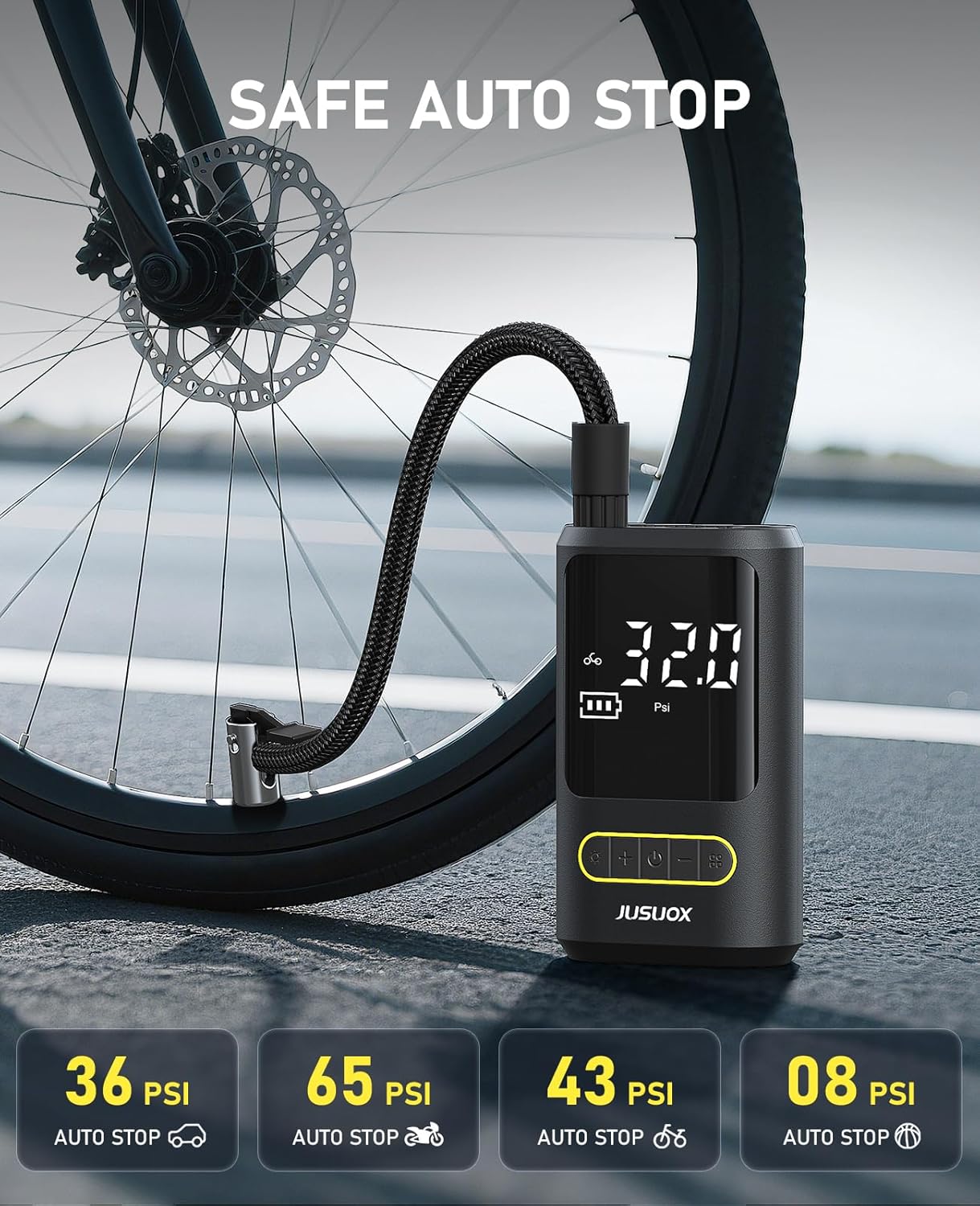
Image 4.2: The auto-stop feature of the JUSUOX ATJ-8466, indicating preset pressures for different modes.
4.3 Using the LED Light and Power Bank Function
The inflator includes a built-in LED light with three modes: normal illumination, SOS signal, and strobe. Press the light button (often marked with a sun or lightbulb icon) to cycle through these modes. This feature is useful for nighttime inflation or emergency situations.
The 5V/2A USB output/input port allows the device to function as a backup power bank for charging small electronic devices like smartphones. Connect your device using a compatible USB cable.

Image 4.3: The JUSUOX ATJ-8466's built-in LED light provides illumination for various tasks.
4.4 Video Demonstrations
General Product Overview
Video 4.4.1: A brief demonstration of the JUSUOX Portable Tire Inflator's features and operation.
Bicycle Tire Inflation Demonstration
Video 4.4.2: A demonstration of using the JUSUOX tire inflator to inflate a bicycle tire.
5. Maintenance
- Cleaning: Wipe the exterior of the inflator with a soft, dry cloth. Do not use harsh chemicals or abrasive cleaners.
- Storage: Store the device in a cool, dry place away from direct sunlight and extreme temperatures. Ensure the air hose and nozzles are clean and properly stored to prevent damage.
- Battery Care: To prolong battery life, avoid fully discharging the battery frequently. Recharge the device periodically if not used for extended periods.
- Nozzle Inspection: Regularly check nozzles and the air hose for any signs of wear or damage. Replace if necessary to maintain optimal performance.
6. Troubleshooting
| Problem | Possible Cause | Solution |
|---|---|---|
| Inflator does not turn on. | Low battery or device is off. | Charge the battery. Press and hold the power button for 3 seconds to turn on. |
| No air comes out or inflation is slow. | Air hose or nozzle not securely connected; blocked nozzle; low battery. | Ensure all connections are tight. Check for obstructions in the nozzle. Recharge the battery. |
| Inflator stops prematurely. | Target pressure reached; internal overheating. | This is normal if target pressure is met. If not, allow the device to cool down before resuming use. |
| Inaccurate pressure reading. | Loose connection; sensor issue. | Ensure the air hose is tightly connected. If the problem persists, contact customer support. |
7. Specifications
| Feature | Detail |
|---|---|
| Brand | JUSUOX |
| Model Number | ATJ-8466 |
| Maximum Pressure | 150 PSI |
| Hose Length | 15.7 inches |
| Power Source | Rechargeable Battery |
| Charging Port | Type-C |
| USB Output | 5V/2A |
| Special Features | Auto Shut-off, Digital Pressure Gauge, LED Light (Normal, SOS, Strobe), Portable Power Bank Function |
| Recommended Uses | Car, Motorcycle, Bicycle Tires, Sports Balls, Pool Floats, Camping Gear |
8. Warranty and Support
8.1 Warranty Information
JUSUOX products come with a standard manufacturer's warranty. Please refer to the warranty card included in your package or visit the official JUSUOX website for detailed warranty terms and conditions. Keep your purchase receipt as proof of purchase for warranty claims.
8.2 Customer Support
If you encounter any issues or have questions regarding your JUSUOX ATJ-8466 Portable Tire Inflator, please contact our customer support team. We are committed to providing assistance and resolving any problems you may have.
- Online Support: Visit the JUSUOX Store on Amazon for FAQs and contact options.
- Email Support: Refer to your warranty card or product packaging for the customer service email address.
Ask a question about this manual
Ask about setup, troubleshooting, compatibility, parts, safety, or missing instructions. Manuals+ will review the question and use this page’s manual context to help answer it.