
Edillas 8206B
Contents
Edillas Kids Digital Watch User Manual
Model: 8206B
Product Overview
The Edillas Kids Digital Watch is a versatile and durable timepiece designed for children aged 4-12. It features a range of functions including an alarm clock, stopwatch, calendar, and a unique 7-color LED backlight. Built with a 30M water resistance rating, it is suitable for daily activities such as hand washing, rain, splashes, and swimming. The watch incorporates a reliable Japan imported movement and long-lasting battery, encased in a fine metal steel case with a stainless steel back and a high-transparency resin glass. The soft TPU strap ensures comfortable wear for extended periods.

Image: The Edillas Kids Digital Watch, featuring a black and green design, with water splashing around it, highlighting its water-resistant capabilities. The digital display shows the time and day of the week.
Key Features
- Multifunctional: Includes alarm clock, stopwatch, calendar, 12H/24H time display.
- 7-Color LED Backlight: Offers blue, green, red, light blue, yellow, purple, and white light options, with monochrome and colorful flashing modes.
- 30M Water Resistance: Suitable for daily water exposure like hand washing, rain, and swimming. Note: Do not press buttons underwater.
- Durable Construction: Features a Japan imported movement, long-life battery, acrylic glass, 304 stainless steel case back, and a soft TPU strap.

Image: A visual representation of the watch's luminous display, showcasing the variety of color LED lights available for the backlight. The image contrasts the normal display with the illuminated LED display.
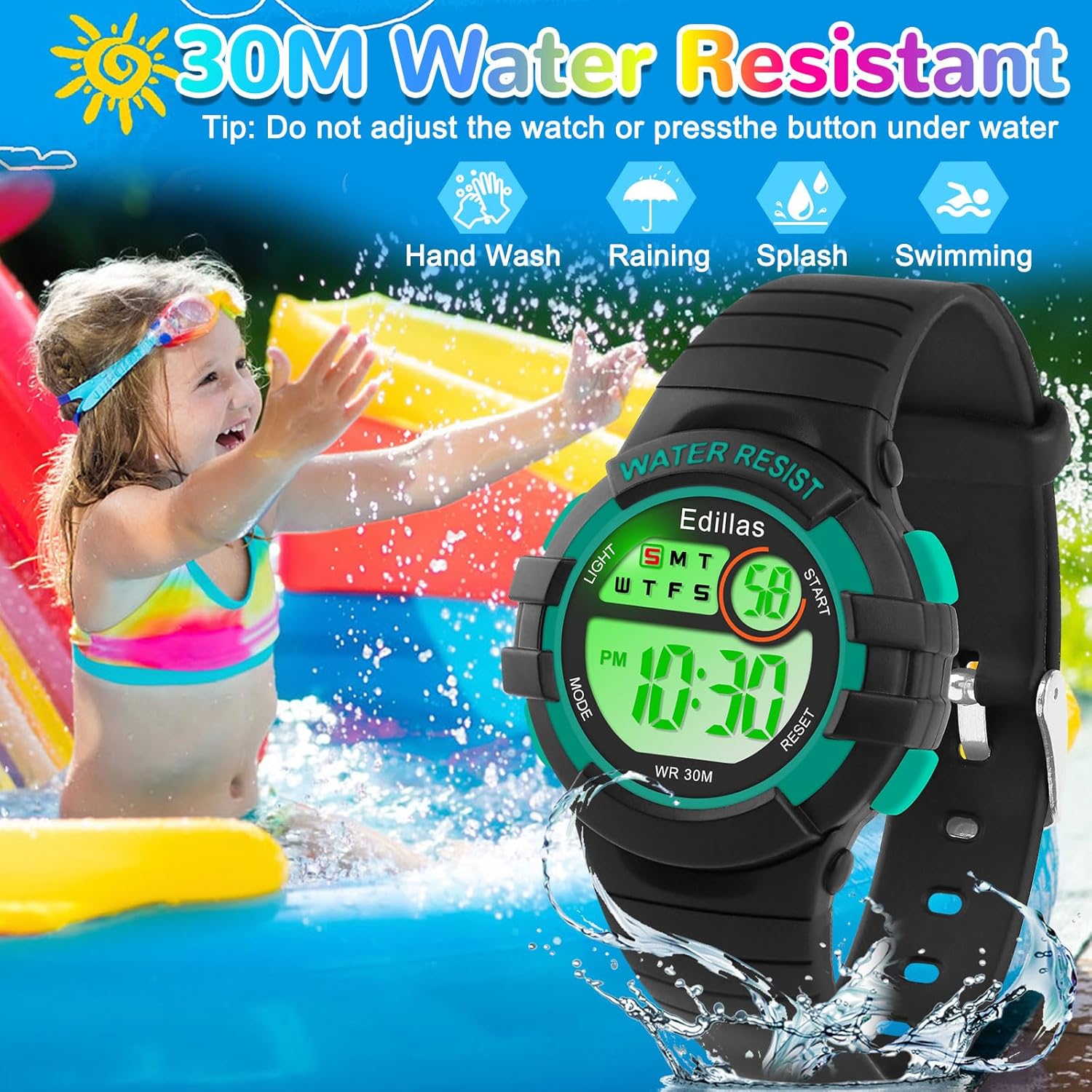
Image: A child happily playing in a swimming pool, with an inset of the Edillas watch and icons indicating its 30M water resistance for activities like hand washing, raining, splashing, and swimming. A warning about not pressing buttons underwater is also shown.
Setup and Button Functions
The Edillas Kids Digital Watch features four primary buttons for navigation and function control. Familiarize yourself with these buttons before operation:

Image: A detailed diagram of the Edillas Kids Digital Watch, labeling each of its four buttons: LIGHT (top left), MODE (bottom left), START (top right), and RESET (bottom right). It also indicates the display areas for Week, Second, Time, and Alarm On.
- LIGHT Button (Top Left): Activates the 7-color LED backlight. Press to cycle through colors or activate flashing mode.
- MODE Button (Bottom Left): Cycles through different display modes: Time Display, Alarm Setting, Stopwatch, and Date.
- START Button (Top Right): Used to start/stop functions in Stopwatch mode, and to adjust values in setting modes.
- RESET Button (Bottom Right): Used to reset values in Stopwatch mode, and to confirm settings in setting modes.
Operating Instructions
Setting Time and Date
- From Time Display Mode, press the MODE button three times to enter Time Setting Mode. The seconds will flash.
- Press the RESET button to move the flashing cursor to the next setting (Hour, Minute, Month, Date, Day of Week).
- Use the START button to adjust the flashing value.
- Once all settings are complete, press the MODE button to return to Time Display Mode.
- To switch between 12-hour and 24-hour format, press the START button while the hour is flashing in Time Setting Mode.

Image: The watch display showing both 12-hour (PM indicator) and 24-hour time formats, demonstrating the ability to switch between them.

Image: The watch display showing the calendar function, indicating the day of the week and date. A child is shown putting the watch into a backpack, implying daily use.
Using the Alarm Function
- From Time Display Mode, press the MODE button once to enter Alarm Setting Mode. The hour will flash.
- Press the RESET button to move the flashing cursor to minutes.
- Use the START button to adjust the hour and minute values.
- Press the MODE button to return to Time Display Mode.
- To turn the alarm ON/OFF, press the START button and RESET button simultaneously in Alarm Setting Mode. An alarm icon will appear/disappear.

Image: The watch display showing the alarm function, with a child waking up in the background, illustrating the watch's alarm capability.
Using the Stopwatch Function
- From Time Display Mode, press the MODE button twice to enter Stopwatch Mode. The display will show "00:00:00".
- Press the START button to begin timing.
- Press the START button again to pause timing.
- Press the RESET button to reset the stopwatch to "00:00:00".
- Press the MODE button to exit Stopwatch Mode.

Image: The watch display showing the stopwatch function, with a child riding a bicycle in the background, suggesting the watch's use for sports timing.
Activating the LED Backlight
- Press the LIGHT button (top left) to illuminate the display.
- Repeatedly press the LIGHT button to cycle through the 7 available colors (blue, green, red, light blue, yellow, purple, white) and a colorful flashing mode.
Video: This video demonstrates the 7-color LED backlight feature of the Edillas Kids Digital Watch, showing how the display changes colors with each press of the light button.
Maintenance and Care
- Water Resistance: The watch is 30M (3 ATM) water resistant. It can withstand splashes, rain, hand washing, and swimming. Important: Do not press any buttons while the watch is submerged in water. This can compromise the water seal.
- Cleaning: Clean the watch with a soft, damp cloth. Avoid using harsh chemicals or abrasive materials.
- Storage: Store the watch in a cool, dry place away from direct sunlight and extreme temperatures.
- Battery: The watch uses a Japan imported battery designed for long life. If the battery needs replacement, it is recommended to seek professional assistance to maintain water resistance.

Image: A composite image showing children engaged in various water-related activities such as washing a dog, washing hands, and playing in a pool, all while wearing the Edillas watch. This reinforces the 30M water resistance feature, with a clear note to avoid pressing buttons underwater.
Troubleshooting
| Problem | Possible Cause / Solution |
|---|---|
| Display is blank or dim. | Battery may be low or depleted. Contact support for battery replacement. |
| Watch is not keeping accurate time. | Ensure time is set correctly. If issue persists, the movement may be faulty. Contact support. |
| Water inside the watch. | Ensure buttons were not pressed underwater. Stop using the watch immediately and contact support. |
| Hourly chime is on/off unexpectedly. | From Time Display Mode, press RESET and MODE buttons simultaneously to toggle the hourly chime. (Based on A+ content FAQ) |
Specifications
- Model Number: 8206B
- Product Dimensions: 8.27 x 0.55 x 0.39 inches
- Item Weight: 1.41 ounces
- Water Resistance: 30M / 3 ATM
- Display Type: Digital
- Movement: Japan Imported
- Battery: 1 C battery (included)
- Case Material: Fine metal steel case, 304 stainless steel case back
- Glass Material: High-transparency resin material
- Strap Material: Soft TPU
- Clasp Type: Buckle
- Recommended Age: 4-12 years (as per product title)

Image: A comprehensive diagram illustrating the dimensions of the Edillas Kids Digital Watch, including dial case thickness, strap length, and width. It also highlights key material components such as acrylic glass, 304 stainless steel case back, and soft TPU strap.
Warranty and Support
Edillas is committed to providing reliable products. If you encounter any issues with the watch's battery or movement, please contact our customer support team. We can assist with replacement if necessary.
For further assistance or inquiries, please refer to the official Edillas store or contact the seller directly.
- Seller: Yadelai-Direct
- Official Store: Visit the Edillas Store on Amazon
- User Manual (PDF): Download PDF Manual
Documents and downloads
Ask a question about this manual
Ask about setup, troubleshooting, compatibility, parts, safety, or missing instructions. Manuals+ will review the question and use this page’s manual context to help answer it.