
BSIDE SH7 Thermal Imager Multimeter
BSIDE SH7 Thermal Imager Multimeter User Manual
Model: SH7 Thermal Imager Multimeter
1. Introduction
The BSIDE SH7 is an advanced thermal imager and digital multimeter integrated into a single handheld device. It features a high-resolution infrared camera for thermal analysis and a comprehensive multimeter for electrical measurements. This manual provides detailed instructions for the safe and effective operation, maintenance, and troubleshooting of your SH7 device.
2. Package Contents
Verify that all items are present in the package:
- 1 x BSIDE SH7 Infrared Camera Multimeter
- 1 x Charging Cable
- 1 x Carrying Case
- 1 x User Manual
Note: The flexible AC current clamp is not included in the standard package.
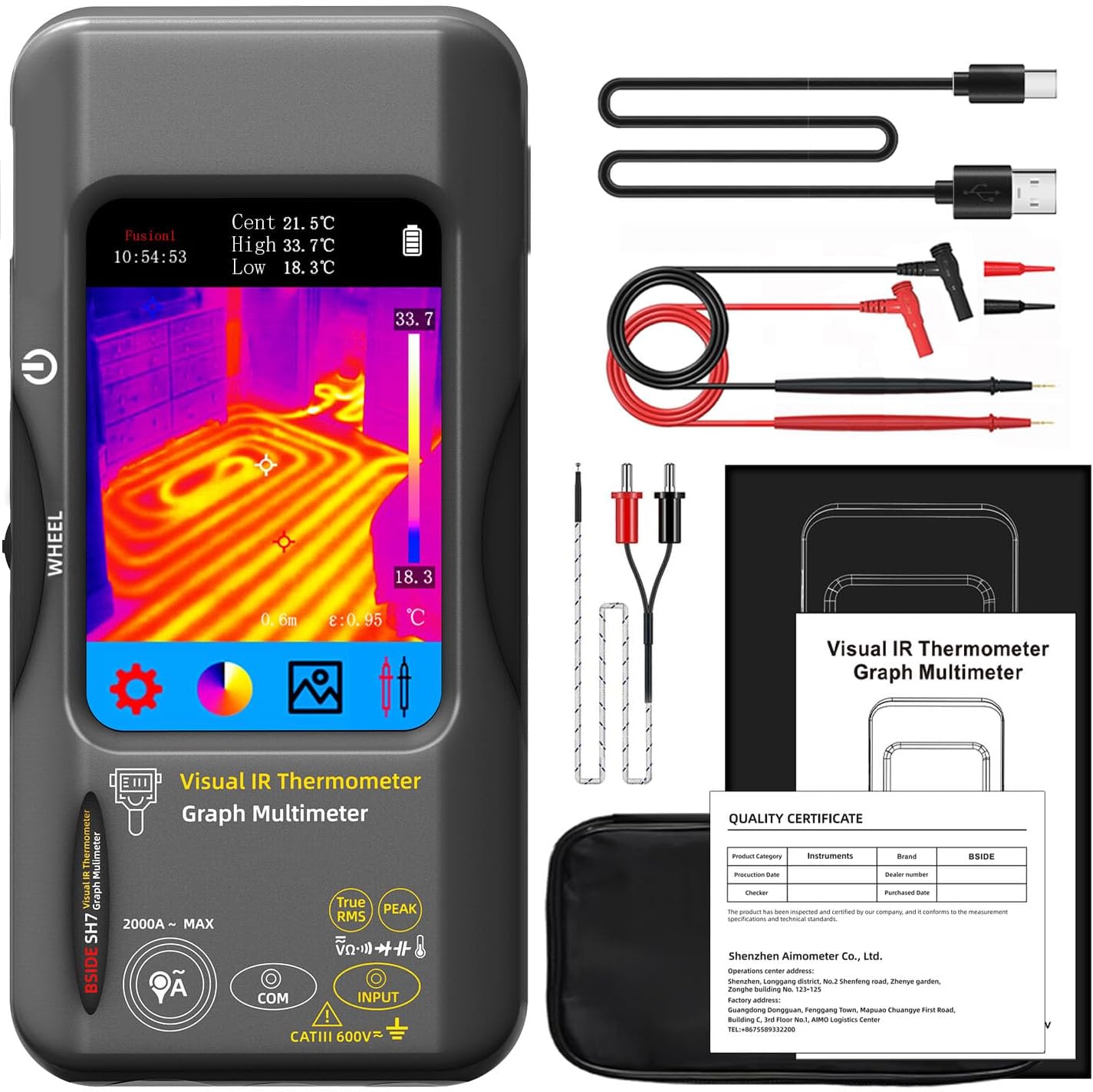
Figure 2.1: Contents of the BSIDE SH7 package, including the device, charging cable, carrying case, and user manual.
3. Setup and Initial Use
3.1 Charging the Device
The SH7 comes with a built-in 2500mAh rechargeable battery. Before first use, or when the battery indicator shows low power, connect the device to a power source using the provided charging cable. The charging indicator will show the charging status.
3.2 Powering On/Off
To power on the device, press and hold the power button located on the side. The device will display a loading screen before entering the main interface. To power off, press and hold the power button again until the device shuts down.
Video 3.1: Demonstrates the unboxing and initial power-on sequence of the BSIDE SH7 Thermal Imager Multimeter, showing the device's startup and basic interface.
3.3 Language Settings
To change the display language:
- From the main screen, tap the Settings icon (gear symbol).
- Navigate to More Settings.
- Select Language.
- Choose your desired language from the list (e.g., English).
Video 3.2: Illustrates how to navigate the settings menu to change the language on the BSIDE SH7 device.
4. Operating Instructions
4.1 Thermal Imaging Mode
The SH7 features a 320x320 IR resolution thermal imager, ideal for detecting heat signatures and identifying potential issues in various applications.

Figure 4.1: The SH7's thermal imaging display, highlighting its 320x320 infrared resolution for clear thermal analysis.
4.1.1 Thermal Palettes
The device offers 15 thermal palettes to visualize temperature differences. You can switch between these palettes to best suit your application and enhance contrast for specific thermal patterns.
- White Hot
- Black Hot
- Fusion 1
- Rainbow
- Fusion 2
- Iron Red 1
- Iron Red 2
- Dark Brown
- Color 1
- Color 2
- Ice Fire
- Rain
- Green Hot
- Red Hot
- Dark Blue

Figure 4.2: Visual representation of the 15 thermal palettes, allowing users to select the best display mode for their thermal imaging needs.
Video 4.1: Demonstrates how to cycle through and select different thermal palettes on the BSIDE SH7, showcasing the visual impact of each palette.
4.1.2 Touch LCD and 3-Spots Display
The 3.98-inch 320x480 color touch screen allows for intuitive navigation and clear display of thermal images. It can simultaneously display hot, cold, and central spot temperatures on the screen, aiding in quick analysis.
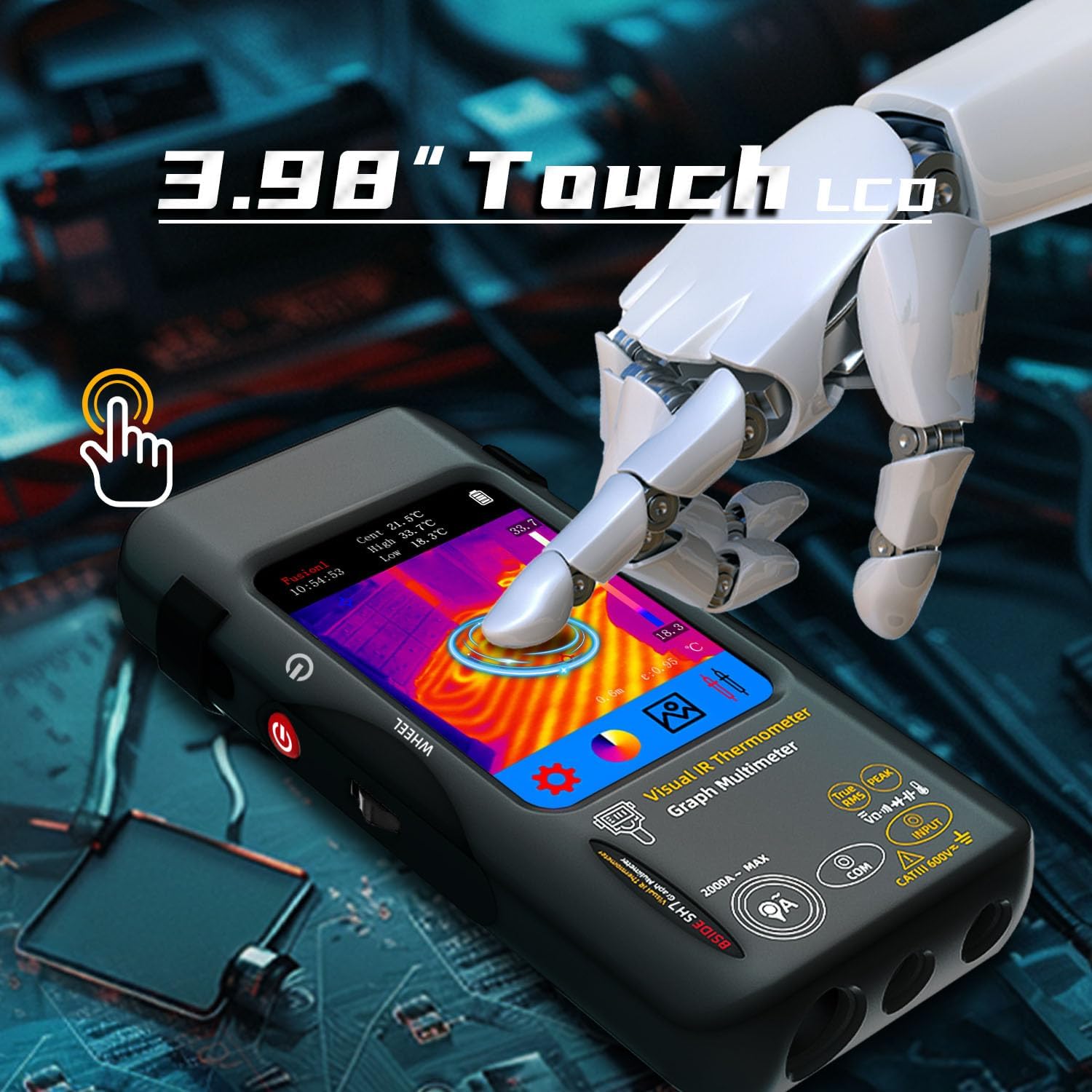
Figure 4.3: A hand demonstrating the touch screen functionality of the SH7, highlighting its ease of use.

Figure 4.4: The SH7's display showing the automatic identification and labeling of hot, cold, and central temperature spots within a thermal image.
4.1.3 Emissivity and Distance Settings
For accurate temperature readings, adjust the emissivity setting (0.01-1) based on the material being inspected. The device also allows for distance settings (0.3-3 m) to optimize thermal image clarity.
Video 4.2: Shows how to access and adjust emissivity and distance settings within the SH7's menu for improved thermal measurement accuracy.
4.1.4 High & Low Temperature Alarm
The SH7 includes high and low temperature alarm functions. When enabled, the device will alert you if the measured temperature exceeds or falls below your preset thresholds.
4.2 Digital Multimeter Mode
The integrated 20000-count digital multimeter provides comprehensive electrical measurement capabilities.

Figure 4.5: The SH7's multimeter display showing a measurement, emphasizing its 20000-count resolution.
4.2.1 Measurement Functions
The multimeter can measure the following parameters:
- AC and DC Voltage
- Resistance
- Continuity
- Capacitance
- Diode
- Temperature
- Flexible AC Current Clamp (up to 2000A, clamp not included)
Video 4.3: Demonstrates switching between various multimeter functions (DC voltage, resistance, capacitance, AC current) on the BSIDE SH7.

Figure 4.6: The SH7 in use for electronic maintenance, showcasing its capability to measure capacitance.
4.3 Data Storage and Export
The SH7 can store over 19,000 images. You can connect the device to a computer via USB to export and analyze the captured thermal images and measurement data.

Figure 4.7: The SH7 connected to a computer, illustrating the process of real-time image export for further analysis and record-keeping.
5. Maintenance
5.1 Cleaning
Wipe the device with a soft, dry cloth. For stubborn dirt, use a slightly damp cloth with mild soap, then dry thoroughly. Do not use abrasive cleaners or solvents.
5.2 Storage
Store the SH7 in its carrying case in a cool, dry place away from direct sunlight and extreme temperatures. Ensure the battery is partially charged before long-term storage.
5.3 Battery Care
To prolong battery life, avoid fully discharging the battery frequently. Recharge the device regularly, even if not in active use, especially during long storage periods.
6. Troubleshooting
| Problem | Possible Cause | Solution |
|---|---|---|
| Device does not power on. | Low battery; Power button not held long enough. | Charge the device; Press and hold the power button for at least 3 seconds. |
| Inaccurate temperature readings. | Incorrect emissivity setting; Object too far or too close. | Adjust emissivity for the material; Ensure object is within 0.3-3m range. |
| Multimeter readings are unstable. | Poor probe connection; Interference. | Ensure probes are securely connected; Minimize electromagnetic interference. |
| Cannot export data to computer. | Faulty USB cable; Driver issue; Device not in data transfer mode. | Try a different USB cable; Check computer's device manager for drivers; Ensure device is recognized. |
7. Specifications
7.1 Infrared Camera Specifications
- Display Size: 3.98 Inch TFT LCD
- IR Resolution: 320 x 320
- Screen Resolution: 320 x 480
- Angle of View (FOV): 50.0°(H)x 50.0°(V)/72.1°(D)
- Spatial Resolution (IFOV): 8.89mrad
- Temperature Range: -20℃-550℃ (-4℉-1022℉)
- Thermal sensitivity/NETD: Less than 60mk
- Refresh Rate: 25Hz
- Distance Settings: 0.3-3 m
- Emissivity: 0.01-1 (Adjustable)
- Thermal Palettes: 15
- Number of storage images: 19000
7.2 Digital Multimeter Specifications
- MAX Display: 20000 counts
- DC Voltage:
- 20mV/200mV: 0.001mV/0.01mV ±(0.1%+3)
- 2V/20V: 0.0001V/0.001V ±(0.05%+3)
- 200V/1000V: 0.01V/0.1V ±(0.5%+3)
- AC Voltage:
- 20mV/200mV: 0.001mV/0.01mV ±(0.1%+3)
- 2V/20V: 0.0001V/0.001V ±(0.05%+3)
- 200V/750V: 0.01V/0.1V ±(0.5%+3)
- Flexible AC Current: 200A/2000A: 0.1A/1A ±(1.0%+5)
- Resistance:
- 200Ω: 0.01Ω ±(0.5%+3)
- 2kΩ/20KΩ/200KΩ: 0.0001KΩ/0.001KΩ/0.01KΩ ±(0.2%+3)
- 2MΩ/20MΩ: 0.0001MΩ/0.001MΩ ±(1%+3)
- 200MΩ: 0.01MΩ ±(5%+5)
- Capacitance:
- 999.99nF: 0.01nF ±(5.0%+20)
- 9.999µF/999.9µF: 0.001µF/0.01µF ±(2%+5)
- 99.999mF: 0.001mF ±(5%+10)
- Temperature: -20℃~1300℃ / -4℉-2372℉: 1℃/1℉ ±(2%+5)
- Diode: Yes
- Continuity: Yes
7.3 General Specifications
- Power: 2500mAh rechargeable battery (built-in)
- Size: 169 x 81 x 26.8mm (6.61 x 3.19 x 1.02 inches)
- Weight: 270g (9.5 ounces)
- Outer Material: Plastic
- Display Type: LCD Screen
- Connectivity Technology: USB
- Indoor/Outdoor Usage: Outdoor
8. Warranty and Support
For warranty information and technical support, please refer to the documentation provided at the time of purchase or contact BSIDE customer service through their official website or the retailer from whom you purchased the product. Keep your purchase receipt as proof of purchase for warranty claims.
Related documentsSH7 Thermal Imager Multimeter


Ask a question about this manual
Ask about setup, troubleshooting, compatibility, parts, safety, or missing instructions. Manuals+ will review the question and use this page’s manual context to help answer it.