
Important Safety Instructions
Always read and understand all safety warnings and instructions before operating this tool. Failure to follow these instructions may result in electric shock, fire, and/or serious injury. Keep this manual for future reference.
General Safety Rules
- Wear eye protection and heavy long pants.
- Do not operate the trimmer in wet conditions.
- Keep children, bystanders, and pets at a safe distance (at least 50 feet) from the operating area.
- Inspect the work area for objects that could be thrown or entangled in the line.
- Always ensure the battery is removed before making any adjustments, changing accessories, or storing the tool.
Battery Safety
- Use only the specified DeWALT 20V MAX lithium-ion batteries.
- Do not immerse the battery or tool in water or other liquids.
- Do not store the tool or battery in locations where the temperature may reach or exceed 104°F (40°C).
Product Overview and Features
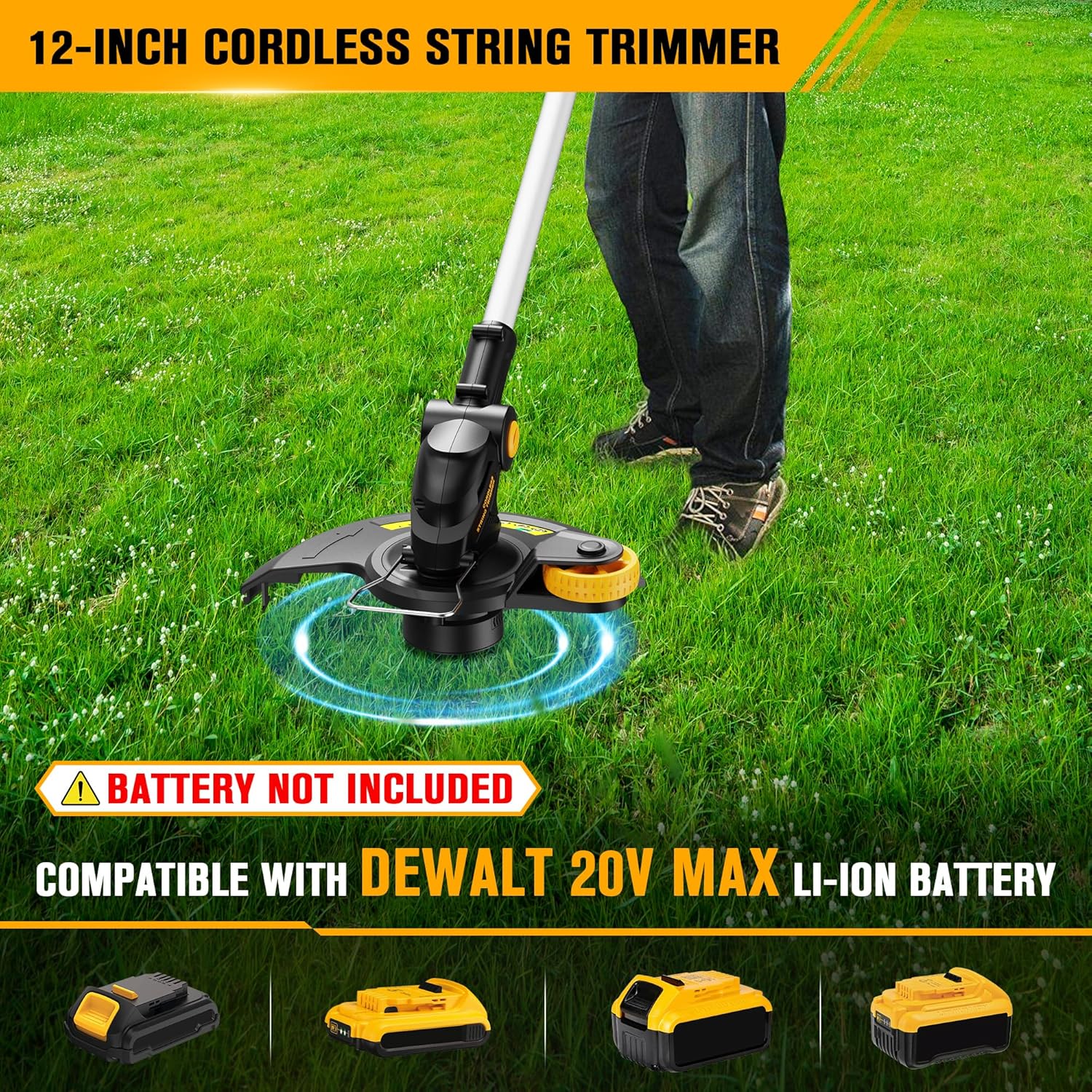
This HEINPRO 12-inch cordless string trimmer is designed for efficient lawn care, offering versatility as a trimmer, edger, and mini-mower. It is compatible with DeWALT 20V MAX lithium-ion batteries (not included).
Key Features
- Battery Compatibility: Compatible with DeWALT 20V MAX lithium-ion batteries (e.g., DCB200, DCB201, DCB203, DCB204, DCB205, DCB206, DCB207, DCB208, DCB210, DCB230, DCB240).
- 3-in-1 Functionality: Easily switches between precision string trimmer, in-line wheeled edger, and mini lawn mower.
- Powerful Motor: Upgraded copper wire motor with a no-load speed of up to 8500 RPM for efficient cutting and reduced noise.
- Patented Spool System: Upgraded design for easy and mess-free line installation.
- Ergonomic Design: Features a 180° adjustable auxiliary handle and a cutting head that tilts 0-90° for comfortable use in various terrains and spaces.
- Dual Line Advance System: Offers both automatic and manual line feeding options.
- Lightweight: Weighs 3.7 lbs (tool only) for easy handling.
- Cutting Diameter: 12 inches.
- Line Diameter: 0.065 inches.
Package Contents
Your HEINPRO Cordless String Trimmer package includes the following components:
- Cordless String Trimmer Unit (Tool Only)
- Auxiliary Handle
- Safety Guard
- 6 Line Spools (0.065 inch diameter)
- User Manual

Setup and Assembly
Attaching the Safety Guard
Secure the safety guard to the trimmer head using the provided screws and screwdriver. Ensure it is firmly attached to protect against debris.
Installing the Auxiliary Handle
Attach the auxiliary handle to the main shaft. Adjust its position for comfortable operation. The handle can be rotated 180 degrees.
Inserting the Battery
Insert a fully charged DeWALT 20V MAX lithium-ion battery into the battery slot until it clicks into place. (Battery not included).
Operating Instructions
Starting and Stopping the Trimmer
To start, press the safety lock button and then squeeze the trigger. To stop, release the trigger.
Adjusting Length and Head Angle
The trimmer's shaft length is adjustable from 32.6 to 43.3 inches. Loosen the collar, adjust the length, and tighten. The cutting head can be tilted 0-90 degrees by pressing the adjustment button and rotating. The auxiliary handle also adjusts 180 degrees for optimal comfort and control.


Trimmer Mode
Use the trimmer for cutting grass and weeds in open areas. Maintain a steady, sweeping motion.
Edger Mode
To convert to edger mode, rotate the trimmer head 90 degrees. The integrated wheel assists in guiding the trimmer along sidewalks and driveways for clean edges.

Mini Lawn Mower Mode
For small areas or precise cuts, the trimmer can be used as a mini lawn mower. Adjust the head angle as needed.
Dual Line Advance System
Automatic Feed
Each time the trimmer is started, approximately 0.4 inches of line is automatically released, provided sufficient line remains on the spool.
Manual Feed
If the line becomes too short after impact, press and hold the bump-head button to manually release line in 0.4-inch increments until the desired length is achieved.

Maintenance
Replacing the Line Spool
To replace the line spool, press the two release tabs on the trimmer head cover and remove it. Extract the empty spool. Pull out 3-4 inches (7.5-10 cm) of trimming line from the replacement spool. Thread the line through the base outlet hole, aligning the spool center hole with the base alignment post. Snap the cover closed.

Cleaning
Regularly clean the trimmer head and safety guard to prevent grass and debris buildup. Use a damp cloth; do not use harsh chemicals.
Troubleshooting
- Trimmer does not start: Ensure the battery is fully charged and correctly inserted. Check that the safety lock button is pressed before squeezing the trigger.
- Line does not feed: Check if the line spool is correctly installed and not jammed. Manually feed the line if necessary.
- Reduced cutting performance: Replace the line spool if the line is worn or too short. Ensure the battery has sufficient charge.
Specifications
| Brand | HEINPRO |
| Model Number | HP-2030TT2 |
| Power Source | Battery Powered (Compatible with DeWALT 20V MAX batteries, not included) |
| Item Weight | 3.7 Pounds |
| Cutting Width | 12 Inches |
| Product Dimensions | 43.3"L x 12"W (Adjustable length 32.6" - 43.3") |
| Speed | 8500 RPM (No-load) |
| Line Diameter | 0.065 Inches |
| Assembly Required | Yes |
Warranty and Support
This product comes with a 1-year warranty. For any questions or support, please contact HEINPRO customer service.

