
Introduction
Thank you for choosing the Relaxweex 11.3 x 8.7 x 4.2 Inch Waterproof Hard Case. This durable and versatile protective case is designed to safeguard your valuable equipment, including cameras, drones, tools, and test instruments, from impact, water, and dust. Featuring a DIY customizable foam insert, you can create a perfect fit for your specific items, ensuring maximum protection during transport and storage.
Product Overview
The Relaxweex Hard Case is constructed from robust PP and glass fiber material, offering exceptional durability. Its compact design provides ample storage while maintaining a manageable footprint.
Key Features:
- Complete Protective Package: Includes a hard case, DIY customizable foam insert, and a knife for foam cutting.
- Ample Storage: Exterior dimensions of approximately 11.3 x 8.7 x 4.2 inches provide generous space.
- Durability and Protection: Crafted from PP and glass fiber for impact and water damage resistance.
- Customizable Foam Padding: Two layers of foam (one in the box, one on the lid) can be cut to fit your equipment.
- Enhanced Security: Features a folding front handle and dual locking holes for an optional padlock (padlock not included).
- Automatic Air Pressure Balance Valve: Ensures easy opening after changes in altitude or temperature.

Image: The Relaxweex Hard Case with its exterior and interior dimensions clearly marked, highlighting its compact yet spacious design.

Image: A detailed view of the hard case, illustrating its comfortable portable handle, strong and thickened material, egg foam in the lid, customizable foam in the base, padlock hole, and secure lock catches.
Setup
Customizing the Foam Insert
The foam insert is designed for DIY customization to perfectly cradle your items. Follow these steps:
- Plan Your Layout: Arrange your equipment on the foam to determine the optimal placement. Ensure adequate spacing between items and from the case walls.
- Trace Outlines: Use a marker or pen to carefully trace the outline of each item onto the foam.
- Cut the Foam: Using the provided knife, carefully cut along the traced lines. For best results, make several shallow passes rather than one deep cut. Ensure the knife is sharp.
- Remove Excess Foam: Gently remove the cut-out foam sections. Test the fit of your equipment and make any necessary adjustments.
- Secure Equipment: Once the foam is customized, place your equipment securely within the cut-outs. The egg foam in the lid will provide additional cushioning when the case is closed.

Image: A hand demonstrating the process of cutting the customizable foam insert with a utility knife to create a custom fit for equipment.

Image: The hard case shown with various items such as watches, camera lenses, and small tools neatly organized within the customized foam inserts, demonstrating its versatility.
Operating
Opening and Closing the Case
To open the case, release the two lock catches located on the front. To close, align the lid with the base and firmly press down on the lock catches until they click into place, ensuring a secure seal.
Waterproof Seal
The case features a robust waterproof seal around the lid. Ensure no debris is present on the seal before closing to maintain its integrity and waterproof capabilities.
Automatic Air Pressure Balance Valve
This case is equipped with an automatic air pressure balance valve. This valve automatically adjusts the internal pressure of the case to match external atmospheric pressure, preventing vacuum lock and making it easy to open the case after changes in altitude or temperature, such as during air travel.
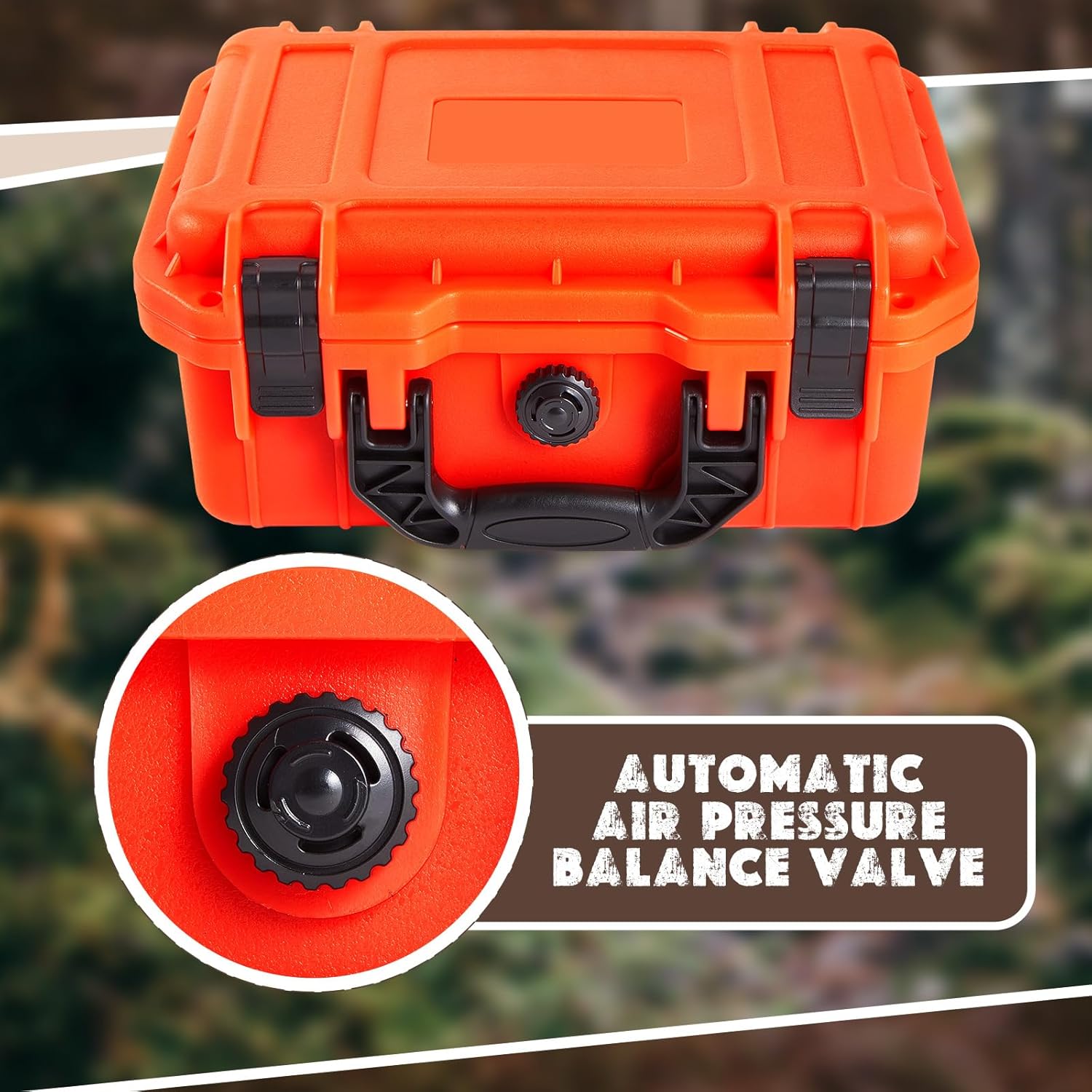
Image: A close-up view of the automatic air pressure balance valve, a crucial component for maintaining internal pressure balance.
Enhanced Security
For additional security, the case includes dual locking holes. You can insert a padlock (not included) through these holes to prevent unauthorized access to your valuable items.
Maintenance
Cleaning
Wipe the exterior of the case with a damp cloth and mild soap. Avoid harsh chemicals that may damage the material. For the foam, gently vacuum or use a lint roller to remove dust and debris.
Inspection
Regularly inspect the waterproof seal for any cracks, tears, or signs of wear. Ensure the lock catches are functioning correctly and securely. Check the foam for any significant damage or compression that might compromise protection.
Troubleshooting
Case is difficult to open:
If the case is difficult to open, especially after changes in altitude or temperature, the automatic air pressure balance valve may be working as intended. Allow a moment for the pressure to equalize, or gently press the valve if it appears stuck. Ensure no debris is obstructing the valve.
Water leakage:
Check the waterproof seal around the lid for any damage, cracks, or foreign objects. Ensure the lock catches are fully engaged and the lid is properly aligned with the base. If the seal is damaged, it may need replacement.
Equipment not secure:
Re-evaluate your foam customization. Ensure the cut-outs are snug and provide sufficient cushioning. If the foam has degraded or been over-compressed, consider replacing the foam insert.
Specifications
| Feature | Detail |
|---|---|
| Product Dimensions | 12.2 x 9.84 x 5.12 inches |
| Item Weight | 1.94 pounds |
| Model Number | HAT-Relaxweex-1588 |
| Material | PP and Glass Fiber |
| Color (Current Variant) | Reddish Orange |
| Internal Foam | DIY Customizable Foam Insert (2 layers) |
| Security Features | Dual Locking Holes (for optional padlock) |
| Pressure Management | Automatic Air Pressure Balance Valve |