
1. Introduction
Thank you for purchasing the Greadio CD-W16 Multifunction Portable CD Player. This device offers a comprehensive audio experience with multiple playback options including CD, cassette, FM radio, Bluetooth 5.1, USB, AUX, and TF/SD card. Designed for ease of use and portability, it features a rechargeable battery, remote control, and high-quality stereo sound. Please read this manual carefully to ensure proper operation and to fully enjoy all the features of your new audio system.
2. Safety Information
- Do not expose the unit to rain or moisture to prevent fire or electric shock.
- Do not open the casing. Refer servicing to qualified personnel only.
- Avoid placing the unit near heat sources or in direct sunlight.
- Use only the specified power adapter and cables.
- Keep out of reach of children.
3. Package Contents
- Greadio CD-W16 CD Radio Cassette Player x 1
- AUX Cable x 1
- Type-C Cable x 1
- Remote Control x 1
- User Manual x 1
4. Product Overview
The Greadio CD-W16 is a versatile audio system designed for various listening preferences. It combines classic and modern features in a compact, portable design.
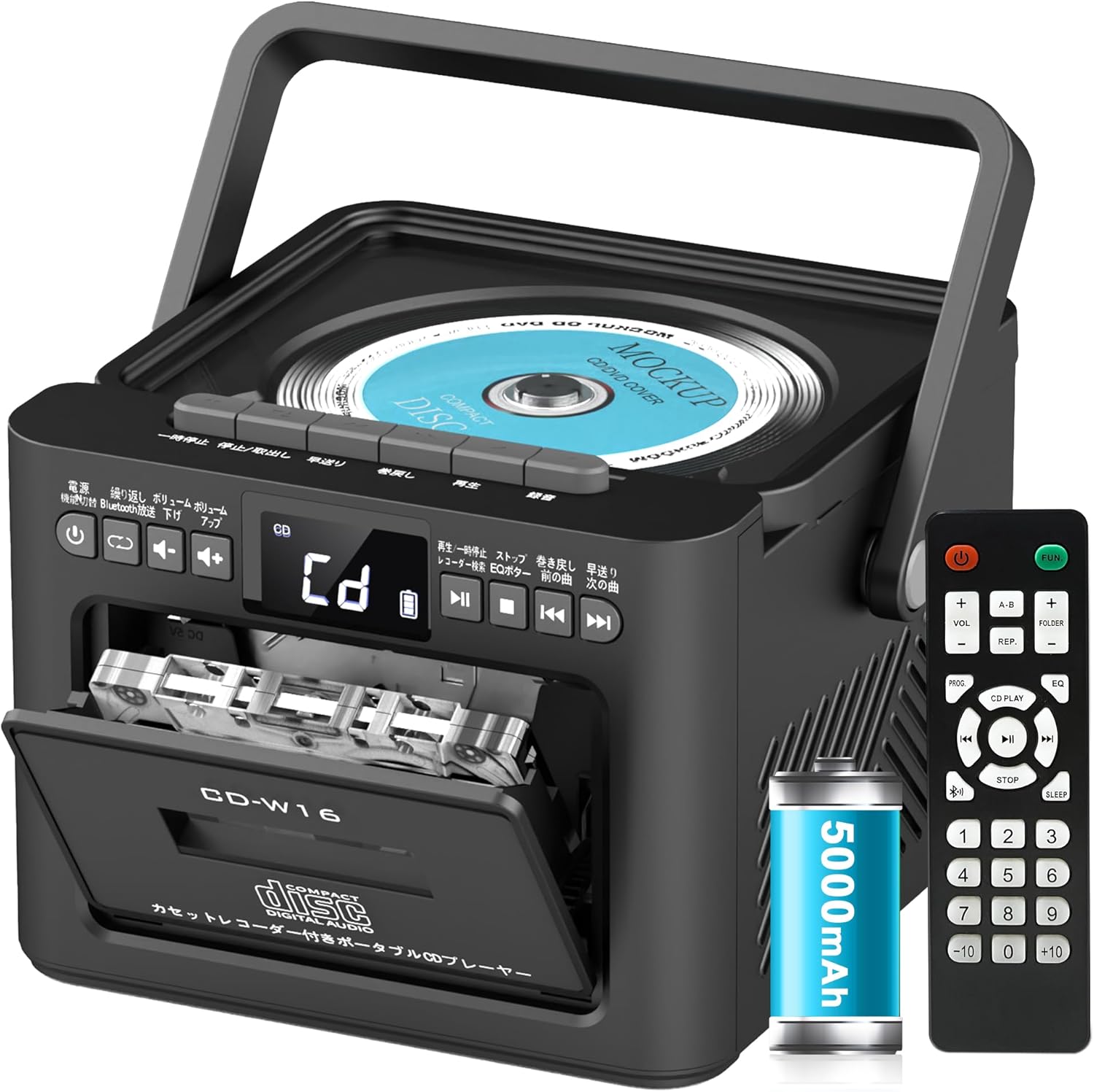
Key features include:
- CD Player (CD, CD-R, CD-RW compatible)
- Cassette Player & Recorder
- FM Radio (76-108MHz)
- Bluetooth 5.1 (Transmitter & Receiver)
- USB Playback
- AUX Input
- TF/SD Card Playback
- 5000mAh Rechargeable Battery
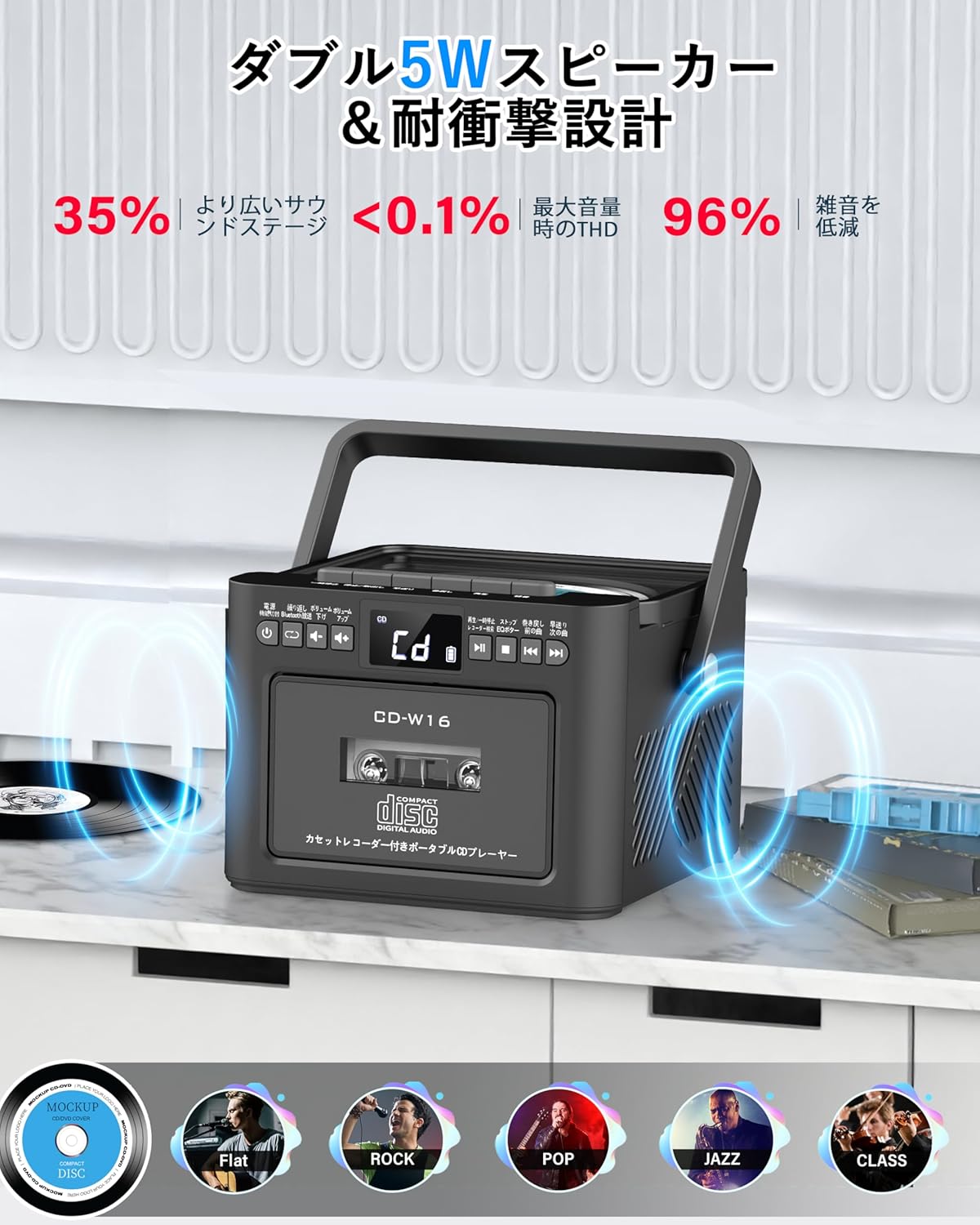
- Dual 5W Stereo Speakers
- Remote Control
- Sleep Timer
- 5 EQ Sound Modes

5. Setup
5.1. Charging the Battery
The Greadio CD-W16 is equipped with a built-in 5000mAh rechargeable battery. To charge the device:
- Connect the provided Type-C cable to the charging port on the unit.
- Connect the other end of the Type-C cable to a 5V/2A USB power adapter (not included).
- The charging indicator will illuminate. A full charge takes approximately 3 hours and provides up to 16 hours of playback.

5.2. Power On/Off
To power on or off the CD player:
- Press and hold the Power button on the unit or the remote control for 2 seconds.
- Alternatively, short press the Power button on the remote control to toggle the CD player on/off.
6. Operating Instructions
6.1. General Controls (Remote Control)
The remote control provides convenient access to all functions. Refer to the video below for a demonstration of remote control operations.
- Power On/Off: Short press the Power button.
- Function Mode Selection: Short press the FUNC. button to cycle through CD, Bluetooth, Radio, Cassette, AUX, USB, and TF/SD card modes.
- Volume Adjustment: Short press VOL+ or VOL- buttons.
- Track Navigation: Short press NEXT (>>|) for the next track or PREV (|<<) for the previous track.
- Fast Forward/Rewind: Long press NEXT (>>|) for fast forward or PREV (|<<) for rewind.
- Direct Track Selection: In CD mode, input 0-9 on the remote to quickly skip to the desired track.
- EQ Mode: Short press the EQ button to cycle through NORMAL, ROCK, POP, JAZZ, and CLASS sound modes.
- Repeat Mode: Short press the REP button to cycle through repeat options (ONE, FOLDER, ALL, SHUFFLE, OFF).
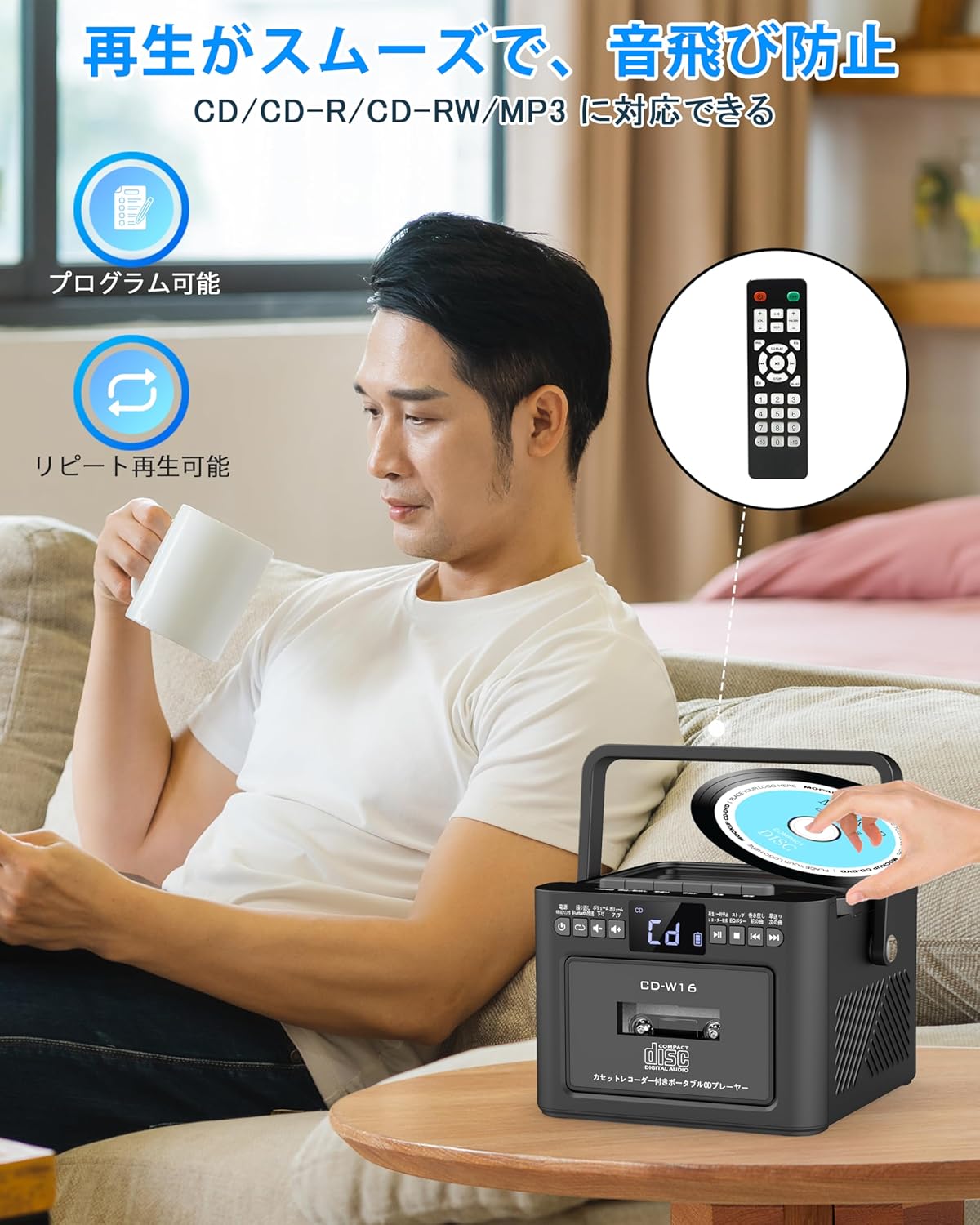
6.2. CD Playback
- Ensure the unit is powered on.
- Short press the FUNC. button to select CD mode. The display will show "CD".
- Open the CD compartment lid by gently lifting it.
- Place a CD (CD, CD-R, CD-RW compatible) onto the spindle with the label side facing up.
- Close the CD compartment lid. The CD will begin playing automatically.
- Use the Play/Pause (||) button for temporary stop/resume.
- Use NEXT (>>|) and PREV (|<<) buttons for track navigation.
6.3. Cassette Playback & Recording
- Short press the FUNC. button to select Tape mode. The display will show "TAPE".
- Press the STOP/EJ. button to open the cassette compartment.
- Insert a cassette tape into the compartment and close the lid.
- Press the PLAY button to start cassette playback.
- To fast forward or rewind, long press the FFWD or FREW buttons respectively.
- To stop playback, short press the STOP/EJ. button.
Cassette Recording:
To record audio from other modes (CD, FM Radio, USB, AUX, TF/SD) onto a blank cassette:
- Insert a blank cassette into the cassette compartment.
- Select the desired source mode (e.g., CD, FM Radio).
- Simultaneously press the PLAY and REC (Record) buttons. Recording will begin.
- Press the STOP/EJ. button to stop recording.

6.4. FM Radio Operation
- Short press the FUNC. button to select FM Radio mode. The display will show the FM frequency.
- Extend the telescopic antenna for better reception.
Auto Scan & Preset Stations:
- Long press the SCAN button to automatically scan and save available FM stations. The unit can store up to 30 preset stations.
- Short press the SCAN button to recall preset stations (P01, P02, etc.).
Manual Tuning:
- Short press the NEXT (>>|) or PREV (|<<) buttons to manually tune to the desired frequency.

6.5. Bluetooth Operation
The Greadio CD-W16 supports Bluetooth 5.1 for both transmitting and receiving audio.
Bluetooth Transmitter Mode:
To transmit audio from the CD player to a Bluetooth speaker or headphones:
- Long press the Bluetooth button on the unit or remote to activate Bluetooth transmission mode. The display will show "BT".
- Ensure your Bluetooth receiving device (speaker, headphones) is in pairing mode.
- The CD-W16 will automatically search for nearby Bluetooth devices. Once found, it will connect.

Bluetooth Receiver Mode:
To play audio from your smartphone or other Bluetooth device through the CD player's speakers:
- Short press the FUNC. button to select Bluetooth mode. The display will show "BLUE".
- On your smartphone or Bluetooth device, enable Bluetooth and search for available devices.
- Select "CD-W16" from the list to connect.
- Once connected, you can play music from your device, and the audio will output through the CD-W16 speakers.
6.6. USB & TF/SD Card Playback
The unit supports playback from USB drives and TF/SD cards (up to 32GB, not included).
- Short press the FUNC. button to select USB mode or TF/SD card mode. The display will show "USB" or "TF" respectively.
- Insert your USB drive into the USB port or your TF/SD card into the card slot.
- The unit will automatically detect and begin playing MP3 audio files.
- Use the NEXT (>>|) and PREV (|<<) buttons for track navigation.

6.7. AUX Input
To play audio from an external device via AUX cable:
- Short press the FUNC. button to select AUX mode. The display will show "LINE".
- Connect one end of the provided AUX cable to the AUX port on the CD-W16.
- Connect the other end to the audio output of your external device (e.g., smartphone, MP3 player).
- Play audio on your external device, and it will be output through the CD-W16 speakers.
6.8. Sleep Timer
The sleep timer allows you to set a duration after which the unit will automatically power off.
- Short press the SLEEP button on the remote control. The display will show the current sleep timer setting (e.g., 10, 20, 30 minutes).
- Use the NEXT (>>|) or PREV (|<<) buttons to adjust the sleep timer duration (10-120 minutes).
- Short press the SLEEP button again to confirm the setting.

6.9. EQ Sound Modes
Customize your audio experience with five different EQ sound modes.
- Short press the EQ button on the unit or remote control to cycle through the available modes: NORMAL, ROCK, POP, JAZZ, and CLASS.
7. Maintenance
7.1. Cleaning
- Wipe the unit with a soft, dry cloth. Do not use abrasive cleaners or solvents.
- For the CD lens, use a specialized CD lens cleaner.
- Keep the cassette head clean to ensure optimal playback and recording quality.
7.2. Storage
- Store the unit in a cool, dry place away from direct sunlight and extreme temperatures.
- Remove batteries from the remote control if not used for extended periods.
8. Troubleshooting
| Problem | Possible Cause | Solution |
|---|---|---|
| No power | Battery depleted or power cable not connected. | Charge the unit or ensure the power cable is securely connected. |
| CD not playing | CD inserted incorrectly, dirty, scratched, or incompatible format. | Reinsert CD correctly, clean the CD, try a different CD. Ensure it's CD/CD-R/CD-RW. |
| Cassette not playing/recording | Cassette inserted incorrectly, tape damaged, or dirty head. | Reinsert cassette, try a different tape, clean the cassette head. |
| Poor FM radio reception | Antenna not extended or weak signal area. | Fully extend the telescopic antenna. Try repositioning the unit. |
| Bluetooth not connecting | Device not in pairing mode, too far, or already connected to another device. | Ensure both devices are in pairing mode and within range. Disconnect from other devices. |
| USB/TF/SD card not recognized | Card/drive not inserted correctly, incompatible format, or damaged. | Reinsert, ensure files are MP3 format, try a different card/drive. |
9. Specifications
- Brand: Greadio
- Model: CD-W16
- Connectivity Technology: AUX, Bluetooth, USB
- Color: Black
- Speaker Type: Stereo
- Power Source: Battery Powered
- Compatible Devices: Smartphones, Tablets, PCs
- Wattage: 5 W (Dual 5W speakers)
- Supported Audio Formats: CD/CD-R/CD-RW
- Number of Speakers: 2
- Audio Output Mode: Stereo
- Battery Capacity: 5000mAh
- Charging Time: Approx. 3 hours
- Playback Time: Up to 16 hours
- FM Frequency Range: 76-108MHz
10. Warranty & Support
This product comes with a 1-year manufacturer's warranty. For any issues or support inquiries, please contact Greadio customer service.

