
Product Overview
The Mindrose H80 Fitness Tracker is a versatile device designed to help you monitor your health and fitness activities. It features comprehensive health metrics monitoring, a wide range of sports modes, smart notifications, and a long-lasting battery, all presented on a vibrant full-touch display.
What's in the Box
- Mindrose H80 Fitness Watch
- Magnetic USB Charging Cable
- User Manual (this document)
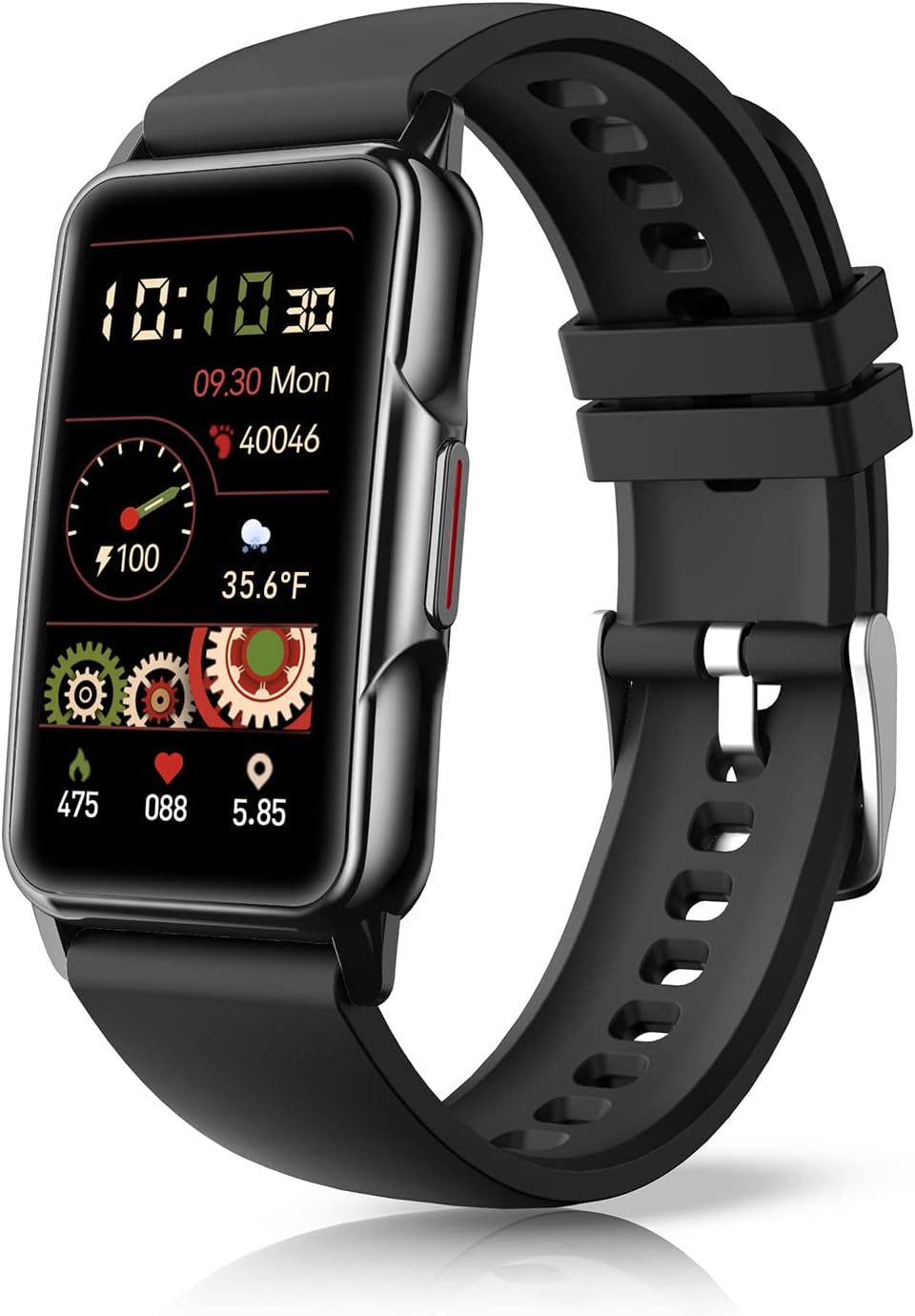
Image: The Mindrose H80 Fitness Tracker, showcasing its sleek black design and rectangular display.
Setup
Charging the Device
Before first use, fully charge your fitness tracker. Connect the magnetic USB charging cable to the charging points on the back of the watch. Plug the USB end into a standard USB power adapter (not included) or a computer USB port. A full charge typically takes 1.5 to 2 hours.
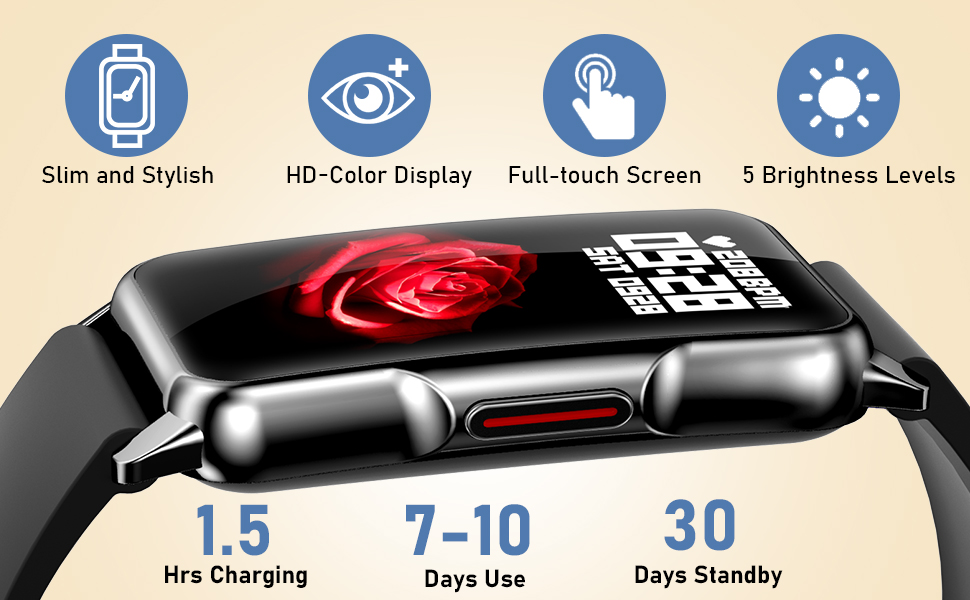
Image: The fitness tracker connected to its magnetic charging cable, illustrating the charging process and highlighting battery life indicators.
Once fully charged, the device can last for 6-7 days with heavy use, 10-12 days with daily use, and up to 30 days on standby.
Initial Setup and App Connection
To unlock the full potential of your Mindrose H80, download the companion application on your smartphone. The app is compatible with Android 4.4 / iOS 8.4 or above. Follow the on-screen instructions within the app to pair your device via Bluetooth. This connection enables data synchronization, notification delivery, and access to advanced settings and watch face customization.

Image: The 1.47-inch curved HD-color full touch screen of the fitness tracker, emphasizing its slim design, clear display, and customizable watch faces.
Operating Instructions
Navigating the Touch Screen
The Mindrose H80 features a responsive 1.47-inch HD-color full touch screen. Swipe left, right, up, or down to navigate through menus, access different features, and view your data. Tap to select options or confirm actions. The side button can be used to wake the screen or return to the main watch face.
Health Monitoring Features
The tracker continuously monitors several key health metrics:
- Heart Rate Monitoring: Provides 24/7 heart rate tracking. View real-time data on your wrist and detailed trends in the app.
- Blood Oxygen (SpO2) Monitoring: Measures your blood oxygen saturation levels.
- Blood Pressure Monitoring: Offers blood pressure readings. Note: This device is not a medical device and readings should not be used for medical diagnosis or treatment.
- Sleep Tracking: Automatically monitors your sleep patterns, including time spent in REM, light, and deep sleep stages, and wake-up times. This helps you understand and improve your sleep quality.

Image: Icons representing the health monitoring capabilities of the fitness tracker: 24/7 Heart Rate, Blood Pressure, Blood Oxygen, and Sleep Tracker.
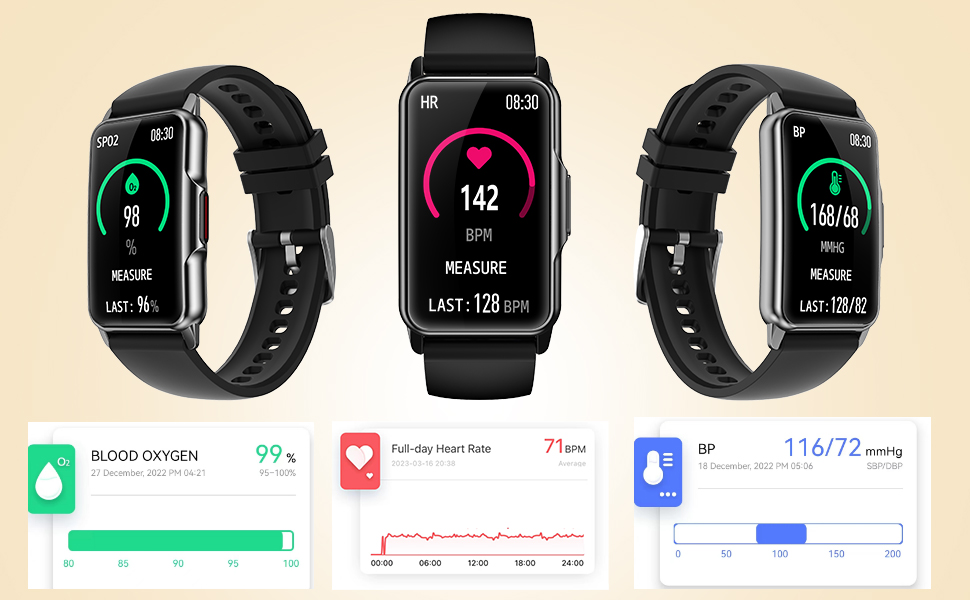
Image: Detailed display of blood oxygen, heart rate, and blood pressure readings on the fitness tracker and companion app.
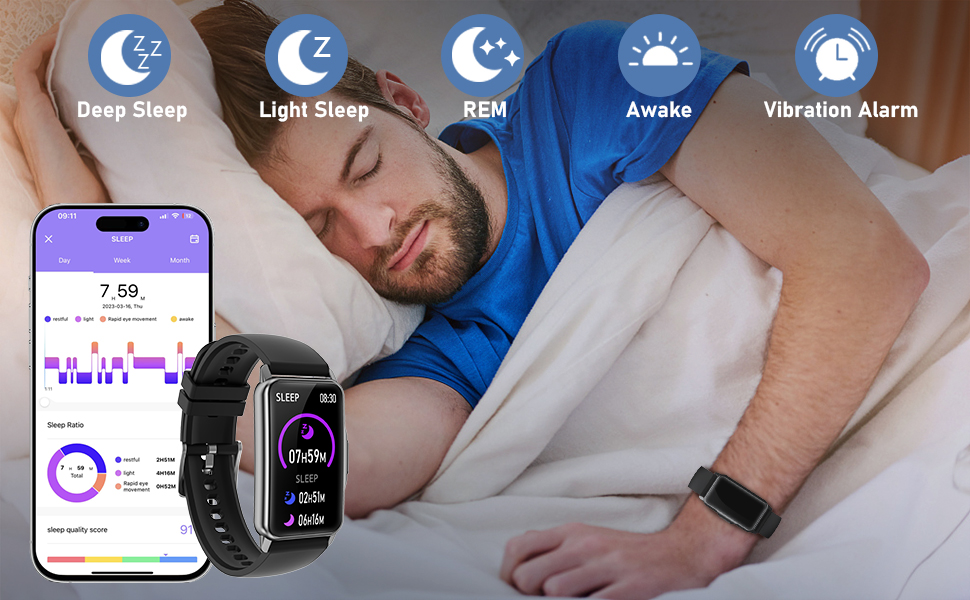
Image: The fitness tracker monitoring sleep, showing different sleep stages (Deep, Light, REM, Awake) and sleep quality ratio in the app.
Activity Tracking and Sports Modes
The H80 tracks your daily activity, including steps taken, distance covered, and calories burned. It offers over 115 sports modes to accurately track various workouts. When connected to your phone's GPS, it can map your outdoor activity routes in the app.

Image: A visual representation of various sports modes available on the fitness tracker, including walking, running, cycling, swimming, and more, alongside all-day activity tracking data.

Image: The fitness tracker displaying workout metrics and a smartphone showing a mapped GPS route for outdoor activities.
Notifications and Reminders
Stay connected by receiving notifications directly on your wrist. The tracker supports incoming calls, text messages, and email alerts. You can see caller ID, reject calls, mute ringtones, and read full messages. Additionally, it provides helpful reminders:
- Drinking Water Reminder: Prompts you to stay hydrated.
- Sedentary Reminder: Encourages you to move after periods of inactivity.
- Menstrual Cycle Reminder: Helps track and predict menstrual cycles for women.

Image: The fitness tracker displaying an incoming call notification, with a smartphone showing the call screen, and icons for various reminders.
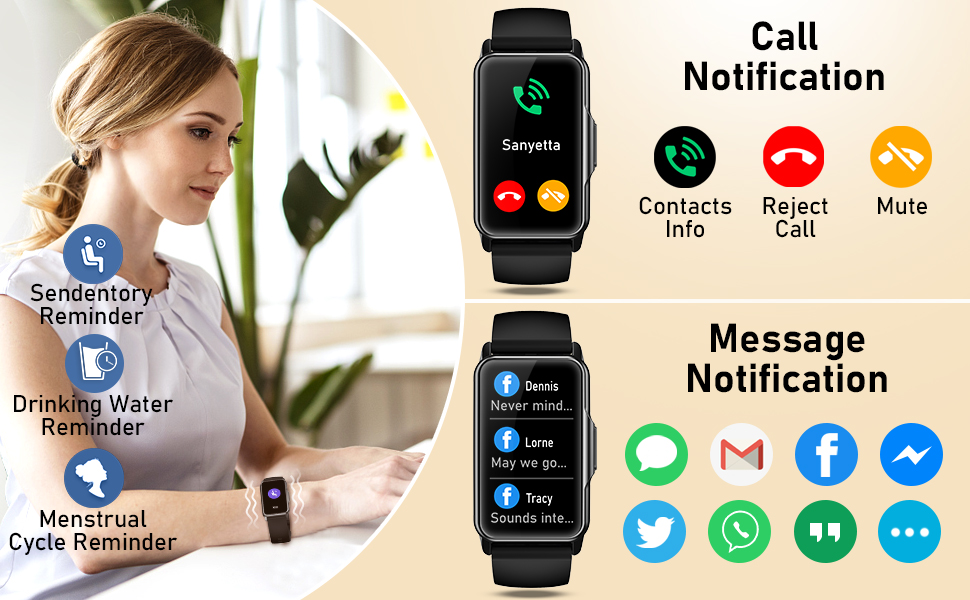
Image: The fitness tracker showing call and message notifications, including options to reject/mute calls and view messages from various apps.
Smart Features
The H80 offers additional convenient features:
- Real-time Weather Display: Get current weather information directly on your watch.
- Music Control: Control music playback on your connected smartphone.
- Remote Camera Shooting: Use your watch as a remote shutter for your phone's camera.
- Timer: A built-in timer function for various needs.
- Do-Not-Disturb Mode: Silence notifications during specific times.

Image: Visuals depicting the smart features of the fitness tracker, including timer, music control, weather display, camera control, and do-not-disturb mode.
Maintenance
Cleaning Your Device
Regularly clean your fitness tracker and strap to ensure hygiene and proper function. Use a soft, damp cloth to wipe the screen and body. For the strap, you can use mild soap and water. Ensure the device is completely dry before wearing or charging.
Waterproofing
The Mindrose H80 is IP68 waterproof, meaning it is safe for washing hands, showering, use in rain, and swimming. Avoid prolonged submersion in hot water, saunas, or steam rooms, as extreme temperatures can affect the seal. Do not press buttons underwater.

Image: A person with the fitness tracker, illustrating its IPX8 waterproof rating for activities like swimming, rain, showering, and washing hands.
Battery Care
To maximize battery lifespan, avoid fully discharging the battery frequently. Charge the device when the battery level is low. Store the device in a cool, dry place if not used for extended periods, and charge it periodically to prevent deep discharge.
Troubleshooting Common Issues
- Device not turning on: Ensure the device is fully charged. Connect it to the charging cable and a power source for at least 10 minutes.
- Cannot pair with smartphone:
- Ensure Bluetooth is enabled on your phone.
- Make sure the tracker is within Bluetooth range (typically 10 meters).
- Restart both your phone and the fitness tracker.
- Check if the app has necessary permissions enabled on your phone.
- Inaccurate health readings:
- Ensure the watch is worn snugly on your wrist, about one finger's width above the wrist bone.
- Keep the sensor clean and free from debris.
- Remain still during measurements.
- Notifications not appearing:
- Verify that the tracker is connected to your phone via Bluetooth.
- Check notification settings within the companion app.
- Ensure your phone's notification access is granted to the app.
- Disable "Do Not Disturb" mode on both the watch and your phone.
If you encounter issues not listed here, please refer to the support section for further assistance.
Product Specifications
| Model Number | H80 |
| Screen Size | 1.47 Inches HD-color Full Touch Screen |
| Battery Life (Typical Use) | 7-10 days |
| Battery Life (Heavy Use) | 6-7 days |
| Standby Time | Up to 30 days |
| Charging Time | 1.5-2 hours |
| Waterproof Rating | IP68 |
| Compatibility | Android 4.4 / iOS 8.4 or above |
| Strap Adjustment Range | 5.0 inches to 9.05 inches |
| Item Weight | 4.2 ounces |
| Package Dimensions | 6.93 x 2.99 x 1.14 inches |
Warranty and Support
Warranty Information
Mindrose products are manufactured to high quality standards. For specific warranty terms and conditions, please refer to the warranty card included with your purchase or visit the official Mindrose website. Keep your proof of purchase for warranty claims.
Customer Support
Should you require assistance with your Mindrose H80 Fitness Tracker, including technical support or service, please contact Mindrose customer support through their official website or the contact information provided in the product packaging. Please have your model number (H80) and purchase details ready when contacting support.