
ULTIMEA Poseidon M60
ULTIMEA Poseidon M60 5.1ch Dolby Atmos Soundbar User Manual
Model: Poseidon M60 (U3721)
1. Introduction
Thank you for choosing the ULTIMEA Poseidon M60 5.1ch Dolby Atmos Soundbar. This system is designed to deliver an immersive home theater audio experience with real Dolby Atmos and 5.1-channel sound. This manual provides essential information for setting up, operating, and maintaining your soundbar system.
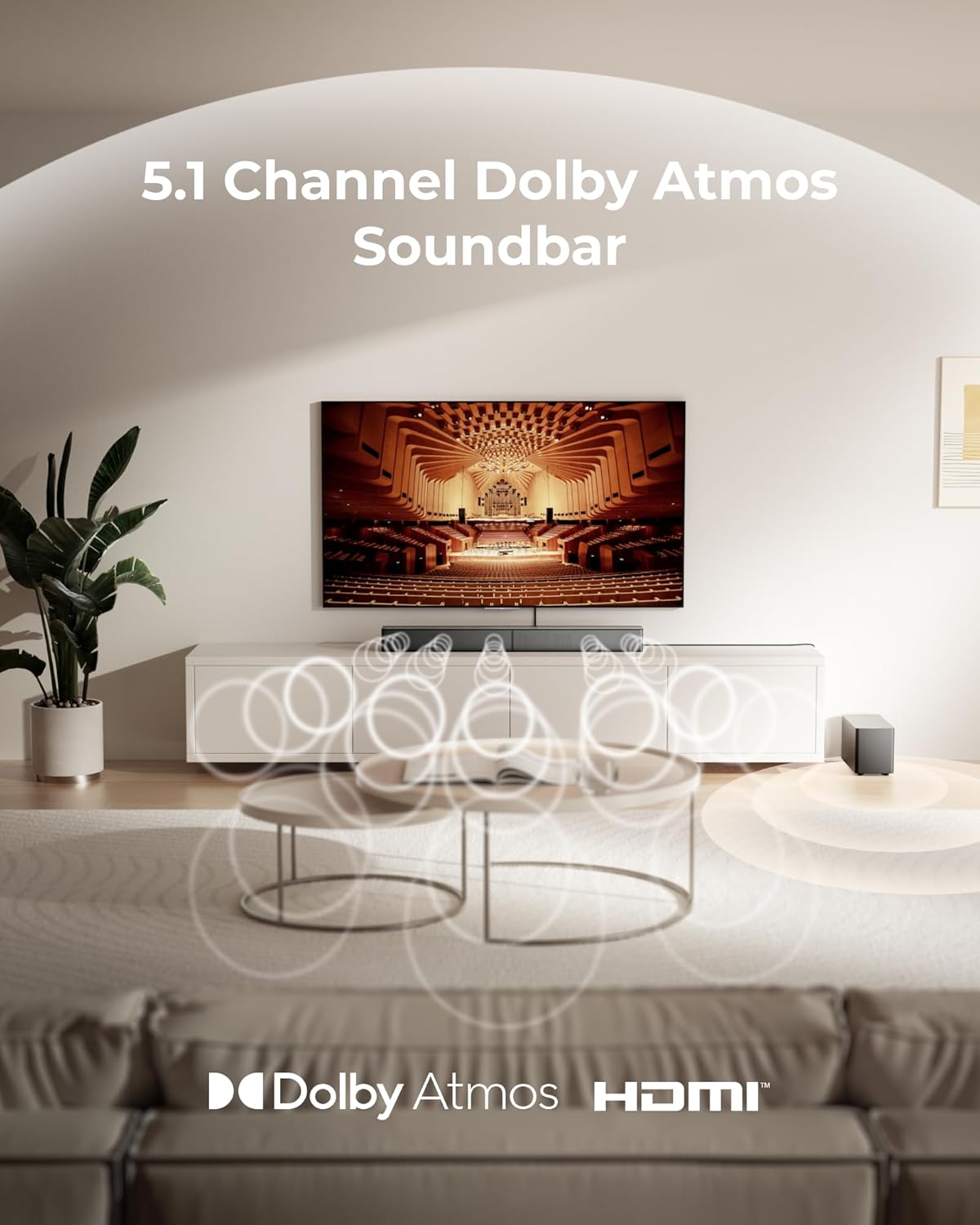
Image: The ULTIMEA Poseidon M60 Soundbar and subwoofer integrated into a home living room, demonstrating the 5.1 channel Dolby Atmos sound experience.
2. What's in the Box
Please check that all items are present and in good condition:
- ULTIMEA Poseidon M60 Soundbar
- Wired Wooden Subwoofer
- Remote Control
- Power Adapter/Cable
- HDMI Cable
- User Manual (this document)
- Wall Mount Kit (optional, if included)
3. Key Features
- Simplified 5.1ch Dolby Atmos Setup: Enjoy immersive 4D sound with real Dolby Atmos and 5.1-channel audio. Five built-in speakers, including two side-firing drivers, create wide surround without rear speakers. Precision DSP ensures <0.5 ms latency for smooth, theater-like sound.
- 300W Output with 6-Driver System: Features five precision-tuned full-range drivers and a dedicated wired wooden subwoofer, delivering up to 300W of peak power. Frequency response of 60 Hz–18 kHz and a maximum SPL of 99 dB.
- 18 mm High-Excursion Driver: Powered by BassMX technology, the wired wooden subwoofer features an 18 mm high-excursion driver, a 5.3L tuned cabinet, and a high-density magnetic circuit for deeper, tighter bass.
- Voice Clarity Enhancement: VoiceMX technology uses advanced DSP algorithms to isolate and enhance vocal frequencies in real time, ensuring crisp and easy-to-follow dialogue.
- HDMI eARC for True Dolby Atmos: HDMI eARC supports up to 37 Mbps of bandwidth, unlocking the full potential of lossless Dolby Atmos 5.1-channel audio. CEC integration allows unified control with your TV.
- Advanced App Control: Fine-tune your listening experience with the Ultimea app, offering a 10-band graphic EQ, 121 sound presets, and 13 adjustable surround levels. OTA updates ensure your system stays current.
- Bluetooth 5.4 Performance: Offers a more stable and responsive connection than Bluetooth 5.3, with faster device syncing and stronger resistance to wireless interference for smoother audio streaming.

Image: Internal view of the soundbar highlighting its five independent audio channels for a comprehensive sound experience.

Image: The subwoofer, showcasing its dimensions and emphasizing its design for enhanced bass performance.

Image: Demonstrates the VoiceMX technology providing crisp vocals during TV viewing.

Image: A detailed view of the 18mm high-excursion driver, highlighting its role in bass enhancement.
4. Setup Guide
4.1 Physical Placement
- Soundbar: Place the soundbar centrally below your TV. Ensure no objects obstruct the front or side-firing speakers.
- Subwoofer: Position the wired subwoofer on the floor near the soundbar, ideally in the front of the room. Experiment with placement for optimal bass response.
4.2 Connections
- Power: Connect the power cable to the soundbar and subwoofer, then plug them into a power outlet.
- HDMI eARC (Recommended): Connect one end of the HDMI cable to the HDMI eARC port on your TV and the other end to the HDMI eARC port on the soundbar. This connection supports lossless Dolby Atmos audio and allows unified control (CEC).
- Other Connections (Optional): If your TV does not have an eARC port, you may use an optical cable or standard HDMI ARC. Refer to your TV's manual for audio output settings.

Image: Illustrates the benefits of HDMI eARC for high-fidelity, lossless audio compared to standard ARC.
4.3 Initial Power On
After connecting power and audio cables, press the power button on the soundbar or remote control to turn on the system. The soundbar will automatically detect the input source.
4.4 Setup and App Control Guide Video
Video: This official ULTIMEA guide provides a visual walkthrough of the Poseidon M60 soundbar setup and how to use its app control features.
5. Operating Instructions
5.1 Remote Control
Use the included remote control to manage various functions:
- Power: Turn the soundbar on or off.
- Volume: Adjust the master volume level.
- Input: Select the audio input source (e.g., HDMI eARC, Bluetooth, Optical).
- Sound Modes: Cycle through preset sound modes (e.g., Movie, Music, Voice).
- Bass/Treble: Adjust bass and treble levels (if available on remote).
5.2 Advanced App Control
The ULTIMEA app provides comprehensive control and customization options:
- Download the App: Search for "Ultimea" in your device's app store (Google Play Store or Apple App Store).
- Connect: Follow the in-app instructions to connect your soundbar via Bluetooth.
- Customization: Access features such as:
- 10-band graphic equalizer (EQ) for precise audio tuning.
- 121 sound presets to match different content types.
- 13 adjustable surround levels to optimize the immersive effect for your room.
- OTA Updates: The app facilitates Over-The-Air (OTA) firmware updates to ensure your system has the latest features and improvements.

Image: The Ultimea app interface, demonstrating options for fine-tuning sound settings and accessing updates.
5.3 Bluetooth Pairing
- Press the Bluetooth button on the remote control or soundbar. The soundbar's indicator light will flash, indicating pairing mode.
- On your mobile device, enable Bluetooth and search for "ULTIMEA Poseidon M60" (or similar).
- Select the soundbar to pair. Once connected, the indicator light will stop flashing.
6. Maintenance
- Cleaning: Use a soft, dry cloth to clean the surfaces of the soundbar and subwoofer. Do not use liquid cleaners or abrasive materials.
- Ventilation: Ensure the soundbar and subwoofer have adequate ventilation. Do not block any vents.
- Software Updates: Regularly check the Ultimea app for available OTA firmware updates to ensure optimal performance and access to new features.
7. Troubleshooting
| Problem | Possible Cause | Solution |
|---|---|---|
| No sound from soundbar | Power not connected; incorrect input source; TV audio output settings incorrect; cables loose. |
|
| Distorted or poor sound quality | Incorrect audio format; volume too high; interference. |
|
| Subwoofer not producing bass | Subwoofer not powered; connection issue. |
|
| Remote control not working | Batteries low/dead; obstruction; remote out of range. |
|
| Bluetooth pairing issues | Soundbar not in pairing mode; device already connected; interference. |
|
8. Specifications
| Feature | Detail |
|---|---|
| Brand | ULTIMEA |
| Model Name | Poseidon M60 |
| Model Number | U3721 |
| Speaker Maximum Output Power | 300 watts |
| Number of Audio Channels | 5.1 |
| Audio Encoding | Dolby Atmos |
| Frequency Response | 60 Hz – 18 kHz |
| Connectivity Technology | HDMI (eARC), Bluetooth |
| Wireless Technology | Bluetooth 5.4 |
| Control Method | App, Remote Control |
| Woofer Diameter | 18 millimeters |
| Soundbar Dimensions (D x W x H) | 3.54" x 31.49" x 2.75" (approx.) |
| Subwoofer Dimensions (D x W x H) | 5.9" x 7.4" x 13.77" (approx.) |
| Item Weight | 8.8 pounds |
| Mounting Type | Wall Mount (optional) |
| Compatible Devices | Desktop, Gaming Console, Home Theater, Television |

Image: Detailed dimensions of the ULTIMEA Poseidon M60 soundbar and its accompanying subwoofer.
9. Warranty and Support
9.1 Warranty Information
The ULTIMEA Poseidon M60 Soundbar comes with a limited warranty. For specific terms and conditions, including warranty duration and coverage, please refer to the warranty card included with your product or visit the official ULTIMEA website.
9.2 Customer Support
If you encounter any issues or have questions regarding your ULTIMEA Poseidon M60 Soundbar, please contact ULTIMEA customer support. You can typically find contact information (email, phone, or support portal) on the official ULTIMEA website:
Visit the ULTIMEA Store on Amazon
Please have your model number (U3721) and purchase details ready when contacting support.
Related documentsPoseidon M60


Ask a question about this manual
Ask about setup, troubleshooting, compatibility, parts, safety, or missing instructions. Manuals+ will review the question and use this page’s manual context to help answer it.