
1. Introduction
This manual provides detailed instructions for the TOZO T20 Wireless Earbuds. Please read this guide thoroughly before using your earbuds to ensure proper operation and to maximize your listening experience. Keep this manual for future reference.
2. Package Contents
Verify that all items are present in your package:
- TOZO T20 Wireless Earbuds
- Wireless Charging Case
- USB-C (A to C) cable (20cm)
- Eartips (multiple sizes)
- User Manual
3. Product Overview
The TOZO T20 earbuds feature a compact design with an LED digital display on the charging case to indicate battery levels. Each earbud is equipped with touch controls for various functions.
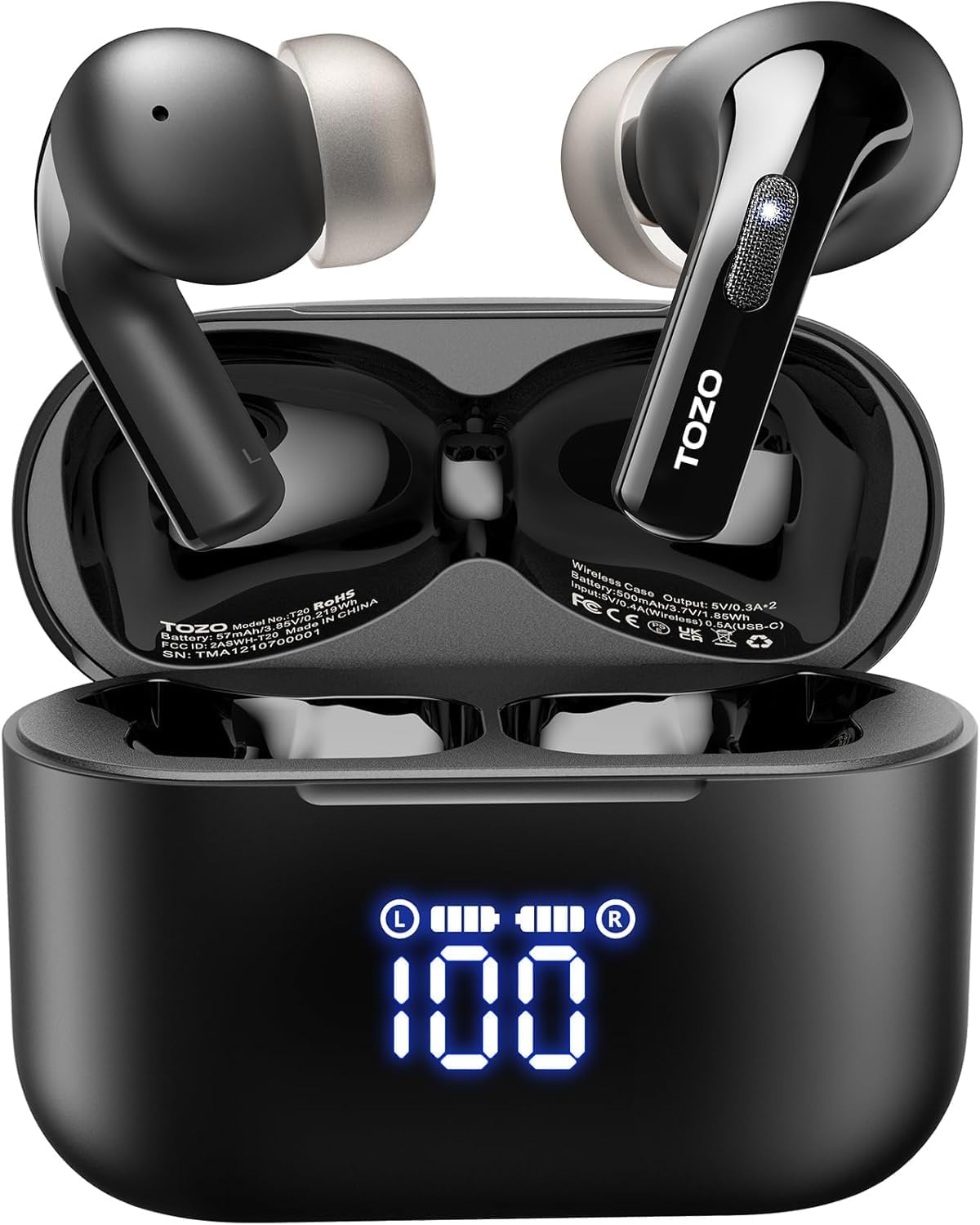
Image: TOZO T20 Earbuds and Charging Case with LED Display. The image shows the black earbuds inside their open charging case, which features a prominent LED digital display indicating '100' for full charge, along with individual battery indicators for the left and right earbuds.
4. Getting Started
4.1. Charging the Case and Earbuds
Before first use, fully charge the charging case and earbuds. The case supports both USB-C cable charging and wireless charging.
- Charging the Case: Connect the provided USB-C cable to the charging port on the case and a power source. Alternatively, place the case on a compatible wireless charging pad. The LED digital display will show the charging progress, flashing from 1 to 100.
- Charging the Earbuds: Place the earbuds into the charging case. They will automatically begin charging. The LED display on the case will show individual battery levels for each earbud.

Image: TOZO T20 charging case with LED digital battery display. The image shows the open charging case with earbuds inside, displaying '100' on the LED screen, indicating full charge, along with smaller battery icons for the left and right earbuds.

Image: TOZO T20 charging case on a wireless charging pad, with a USB-C cable for alternative charging. The image illustrates both wireless charging and wired USB-C charging options for the earbud case.
4.2. Ear Tip Selection and Fit
Proper ear tip selection is crucial for optimal sound quality and comfort. The TOZO T20 comes with 6 pairs of different sized soft rubber ear caps. Experiment with different sizes to find the best fit for your ears.
- Choose ear tips that create a secure seal in your ear canal.
- A good seal enhances bass response and noise isolation.
- Ensure the earbuds sit comfortably and do not feel loose or cause discomfort during extended wear.

Image: Person wearing TOZO T20 earbuds, showing proper fit. The image displays an earbud correctly seated in a person's ear, highlighting the ergonomic design for comfort and stability.
4.3. First-Time Pairing
To connect your TOZO T20 earbuds to a device:
- Open the charging case. The earbuds will automatically power on and enter pairing mode.
- On your device (smartphone, tablet, laptop), enable Bluetooth.
- Search for available Bluetooth devices and select "TOZO-T20" from the list.
- Once connected, you will hear a confirmation tone, and the earbuds will be ready for use.
5. Operation
5.1. Power On/Off
- Power On: Open the charging case, and the earbuds will automatically power on.
- Power Off: Place the earbuds back into the charging case and close the lid. They will automatically power off and begin charging.
5.2. Bluetooth Connection
The TOZO T20 earbuds utilize Bluetooth 5.3 for a stable and efficient connection. After initial pairing, the earbuds will automatically connect to the last paired device when removed from the case and within range.
5.3. Touch Controls
The earbuds feature touch-sensitive areas for controlling various functions. Specific gestures may vary; refer to the TOZO App or the detailed instructions provided in the physical manual for precise control mapping. Common functions include:
- Play/Pause music
- Skip tracks (next/previous)
- Adjust volume
- Answer/End calls
- Activate voice assistant
5.4. Using the TOZO App
Enhance your experience by downloading the TOZO App. The app allows you to:
- Customize EQ settings with 16 types of sound modes.
- Personalize touch controls.
- Receive firmware updates.

Image: TOZO T20 earbuds and charging case next to a smartphone displaying the TOZO App interface. The app screen shows various sound effect and EQ customization options.
5.5. Call Management
The TOZO T20 earbuds feature dual microphones with Environmental Noise Cancelling (ENC) technology to ensure clear calls by reducing background noise.

Image: Diagram showing dual-mic ENC noise cancellation for calls. The illustration depicts how the dual-mic ENC algorithm suppresses ambient background noise while preserving the user's voice during calls.
6. Care and Maintenance
6.1. Water Resistance (IPX8)
The TOZO T20 earbuds are IPX8 waterproof, meaning they can withstand submersion in water up to 1 meter for 30 minutes. This makes them suitable for workouts and outdoor activities, protecting against sweat and rain.
- Do not use the earbuds for swimming or showering.
- Ensure earbuds are dry before placing them back in the charging case to prevent damage.

Image: TOZO T20 earbuds submerged in water, illustrating IPX8 waterproof rating. The image shows two earbuds partially submerged in water, with bubbles, indicating their water-resistant capability.
6.2. Cleaning
- Regularly clean the earbuds and charging case with a soft, dry, lint-free cloth.
- Remove ear tips and clean them with mild soap and water, then dry thoroughly before reattaching.
- Ensure charging contacts on both earbuds and case are clean and dry.
6.3. Storage
When not in use, store the earbuds in their charging case to protect them and keep them charged.
7. Troubleshooting
If you encounter issues with your TOZO T20 earbuds, try the following solutions:
| Problem | Solution |
|---|---|
| Earbuds not pairing | Ensure earbuds are charged. Turn off Bluetooth on other devices. Place earbuds back in case, close, then reopen to re-enter pairing mode. Try resetting the earbuds (refer to TOZO App or full manual for specific reset steps). |
| No sound from one earbud | Check battery level of both earbuds. Ensure both earbuds are properly paired. Try placing both earbuds back in the case and taking them out again. |
| Charging case not charging | Verify the USB-C cable and power adapter are working. Ensure the cable is securely connected. If using wireless charging, ensure the case is correctly positioned on the charging pad. |
| Poor call quality | Ensure earbuds are clean, especially the microphone areas. Move closer to your connected device. Avoid noisy environments if possible. |
8. Technical Specifications
| Feature | Specification |
|---|---|
| Model Name | T20 |
| Bluetooth Version | 5.3 |
| Bluetooth Range | 15 Meters |
| Audio Driver Size | 10 Millimeters |
| Frequency Response | 20 Hz - 20,000 Hz |
| Sensitivity | 112 dB |
| Impedance | 32 Ohm |
| Battery Life (Single Charge) | Up to 13 hours |
| Total Playtime (with Charging Case) | Up to 48.5 hours |
| Charging Time | Approximately 2 Hours |
| Water Resistance Level | IPX8 |
| Control Method | App, Touch |
| Carrying Case Battery Capacity | 500 Milliamp Hours |
| Compatible Devices | IOS/Android mobile phones, tablets, laptops, and other Bluetooth devices |
9. Warranty and Support
The TOZO T20 Wireless Earbuds come with an 18-month warranty. For warranty activation and support, please refer to the information provided with your product packaging or contact TOZO customer service.
For quicker assistance with any issues, it is recommended to use the Problem Feedback form within the TOZO App.


