
1. Introduction
Thank you for choosing the Flowlife Flowpression Calf Compression Cuff. This device is designed to provide targeted compression and heat therapy to your calf muscles, aiding in recovery, improving circulation, and reducing muscle tension. Please read this manual thoroughly before use to ensure safe and effective operation.
2. Safety Information
Always observe the following safety precautions:
- Consult a physician before using this device if you have any pre-existing medical conditions, including but not limited to: heart conditions, high blood pressure, diabetes, deep vein thrombosis (DVT), skin conditions, or if you are pregnant.
- Do not use on swollen, inflamed, or injured areas of the skin.
- Discontinue use immediately if you experience pain, discomfort, or any adverse reactions.
- Keep out of reach of children.
- Do not immerse the device in water or use it in excessively humid environments.
- Use only the provided USB-C cable for charging.
- The device is designed for personal use. Do not modify or attempt to repair it yourself.
3. Package Contents
- Flowlife Flowpression Calf Compression Cuff (1 unit)
- USB-C Charging Cable
- User Manual
4. Product Overview
The Flowpression Calf Compression Cuff features an intuitive control panel for easy operation.

Image: Flowlife Flowpression Calf Compression Cuff with its integrated control panel.

Image: The Flowpression Calf Compression Cuff laid flat, displaying the main unit and its internal structure.
Control Panel

Image: A close-up view of the control panel on the Flowpression Calf Compression Cuff, showing buttons and indicator lights.
- Power Button: Press and hold to turn the device on or off. Short press to pause/resume.
- Program Button (M): Cycles through the three compression programs.
- Intensity Button: Adjusts the compression intensity level.
- Heat Button: Activates and adjusts the heat function.
- Indicator Lights: Display current program, intensity, and heat settings.
5. Setup
Initial Charging
Before first use, fully charge the device. Connect the USB-C cable to the charging port on the control unit and plug the other end into a compatible USB power adapter (not included). The battery indicator lights will show charging status. A full charge takes approximately 3.5 hours.
Wearing the Cuff
The Flowpression Calf Compression Cuff is designed to fit both the left and right calf. Ensure the cuff is securely wrapped around your calf, with the control unit positioned comfortably. It should be snug but not overly tight before inflation.
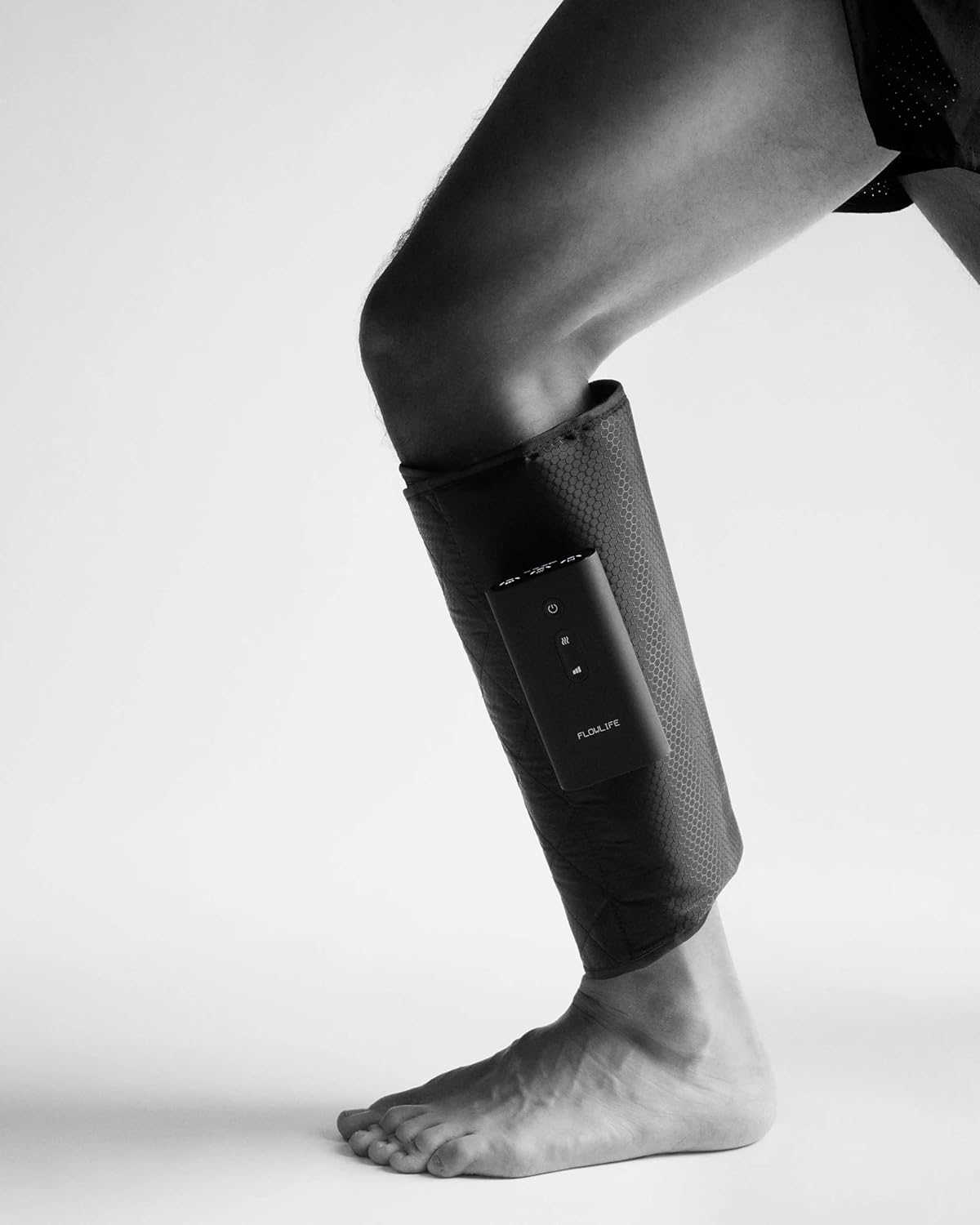
Image: A user demonstrating how to wear the Flowpression Calf Compression Cuff on one leg.
6. Operating Instructions
Power On/Off
- To turn on: Press and hold the Power button for 2 seconds.
- To turn off: Press and hold the Power button for 2 seconds.
- To pause/resume: Short press the Power button during operation.
Selecting Compression Programs
The device offers three distinct compression programs:
- Wave Compression: Sequential inflation and deflation, mimicking a massage wave.
- Full Compression: All air chambers inflate simultaneously for consistent pressure.
- Ascending Compression: Gradual inflation from bottom to top, promoting circulation.
Press the Program (M) button to cycle through these programs. The corresponding indicator light will illuminate.
Adjusting Intensity Levels
Each program has three intensity levels, providing a total of nine pressure settings (up to 333 mmHg). Press the Intensity button to increase or decrease the compression strength. The intensity indicator lights will show the current level.
Activating Heat Function
The integrated heat function can be used independently or in conjunction with compression. It offers three temperature levels (38–48 °C).
- Press the Heat button to activate the heat function.
- Press again to cycle through the three heat levels.
- Press a fourth time to turn off the heat function.
Automatic Timer
For safety and optimal session duration, the device is equipped with a 15-minute automatic timer. After 15 minutes of continuous operation, the device will automatically power off.
Video: A demonstration of applying and operating the Flowlife Flowpression Calf Compression Cuff, showing how to select programs and adjust settings.

Image: A user's hand interacting with the control panel to change settings on the Flowpression Calf Cuff.

Image: A close-up shot of a hand pressing buttons on the Flowpression Calf Cuff's control panel to adjust settings.
7. Charging
The Flowpression Calf Compression Cuff is equipped with a 2500 mAh rechargeable battery. It provides up to 3 hours of use without the heat function activated. Charging is done via the included USB-C cable.
- Connect the USB-C cable to the device and a USB power source.
- The battery indicator lights will show the charging progress.
- A full charge typically takes 3.5 hours.
8. Maintenance
Cleaning
Wipe the surface of the cuff with a soft, damp cloth. Do not use abrasive cleaners or immerse the device in water. Ensure the device is completely dry before storing or recharging.
Storage
Store the device in a cool, dry place away from direct sunlight and extreme temperatures. Avoid placing heavy objects on the cuff.
9. Troubleshooting
| Problem | Possible Cause | Solution |
|---|---|---|
| Device does not turn on. | Low battery. | Charge the device fully using the USB-C cable. |
| No compression or weak compression. | Cuff not properly secured; Low battery; Incorrect program/intensity selected. | Ensure the cuff is snug; Charge the device; Adjust program and intensity settings. |
| Heat function not working. | Heat function not activated; Low battery. | Press the Heat button to activate and cycle through levels; Charge the device. |
| Device turns off unexpectedly. | 15-minute timer expired; Low battery. | This is normal operation for the timer; Recharge the device if battery is low. |
10. Specifications
| Feature | Detail |
|---|---|
| Model Name | FLFCVX1 |
| Compression Programs | 3 (Wave, Full, Ascending) |
| Intensity Levels | 3 per program (9 total pressure levels) |
| Maximum Pressure | Up to 333 mmHg |
| Heat Function | 3 levels (38–48 °C) |
| Battery Capacity | 2500 mAh |
| Usage Time (no heat) | Up to 3 hours |
| Charging Time | Approx. 3.5 hours (USB-C) |
| Automatic Timer | 15 minutes |
| Product Dimensions | 18 x 5.48 x 31 cm |
| Weight per unit | 450 grams |
11. Warranty and Support
Flowlife products are manufactured to high-quality standards. For warranty information, technical support, or service inquiries, please refer to the official Flowlife website or contact customer service through your purchase platform. Keep your proof of purchase for warranty claims.


