Introduction
Thank you for purchasing the HOOBRO EBF205KXG01 Narrow Console Table with Charging Station. This manual provides essential information for safe assembly, proper use, and maintenance of your new furniture. Please read these instructions carefully before assembly and retain them for future reference.
Safety Instructions
- Always follow the assembly instructions carefully.
- Be cautious while adjusting the feet to ensure stability.
- Do not overload the table as it may cause instability and potential damage.
- Always ensure the table is properly assembled and stable before use.
- Keep children away from the assembly area and small parts.
- Ensure all electrical connections for the charging station are secure and meet local safety standards.
Package Contents
Before beginning assembly, verify that all parts listed in the assembly guide are present and undamaged. If any parts are missing or damaged, please contact customer support.
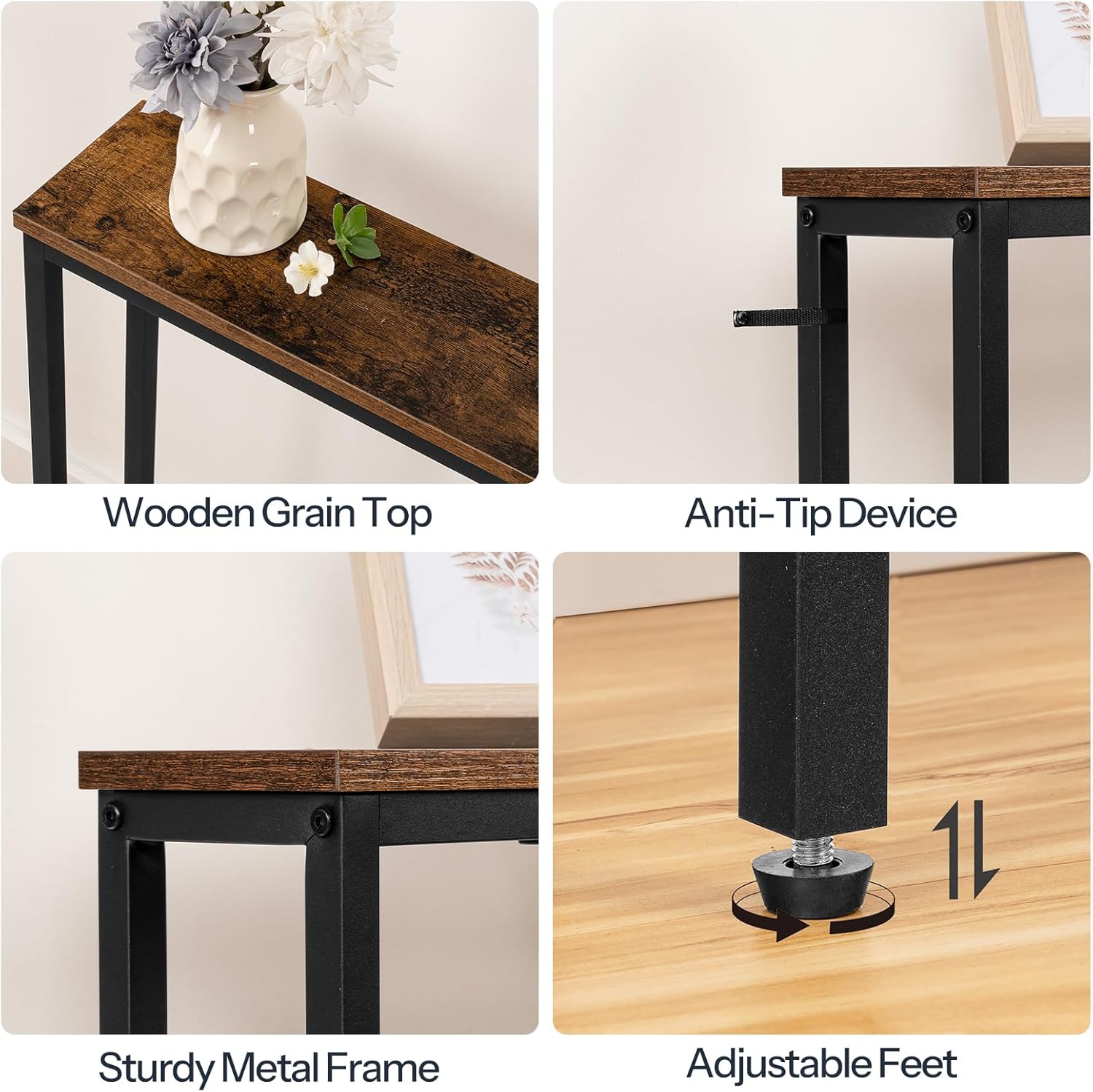
Image: Overview of key components including the wooden top, metal frame, anti-tip device, and adjustable feet.
Assembly Instructions
Follow the numbered steps provided in your included assembly guide. Ensure all screws are tightened securely, but do not overtighten. It is recommended to assemble the table on a soft, clean surface to prevent scratches.
- Unpack all components and lay them out on a protected surface.
- Attach the metal frame sections together using the provided hardware.
- Secure the engineered wood tabletop to the assembled metal frame.
- Install the adjustable feet at the bottom of the table legs. Adjust them to ensure the table is level and stable.
- Connect the power cord for the integrated charging station.
- Attach the anti-tip device to the table and wall as per the instructions to prevent accidental tipping.
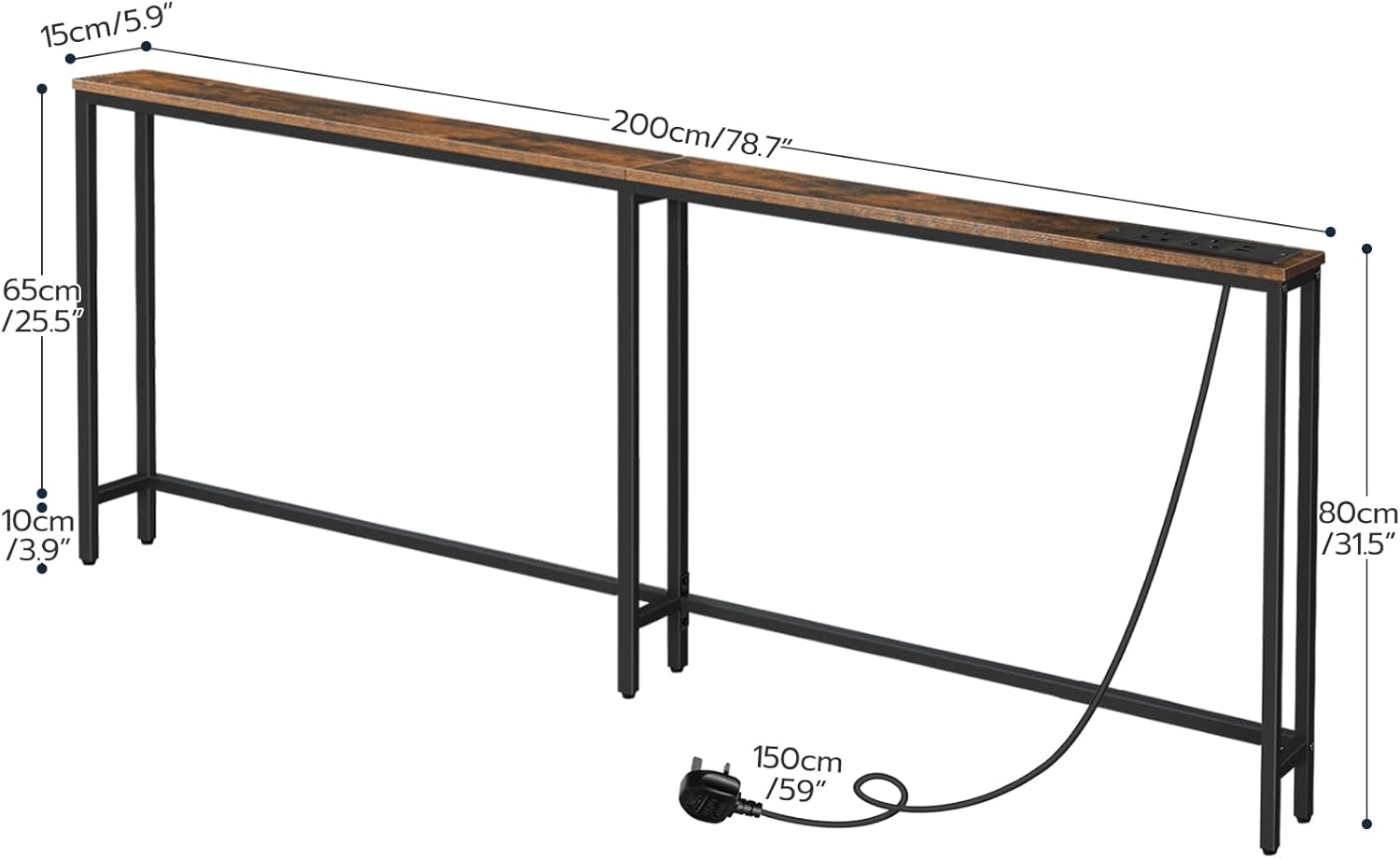
Image: Dimensional overview of the console table, including length, width, height, and power cord length.
Operating Instructions
Using the Charging Station
The console table is equipped with a built-in charging station featuring 2 AC outlets and 2 USB ports. To use the charging station:
- Ensure the table is fully assembled and stable.
- Plug the table's power cord into a standard wall outlet.
- Connect your devices (mobile phones, laptops, desk lamps, tablets) to the AC outlets or USB ports as needed.
- The charging station is designed for convenience and to reduce cable clutter.
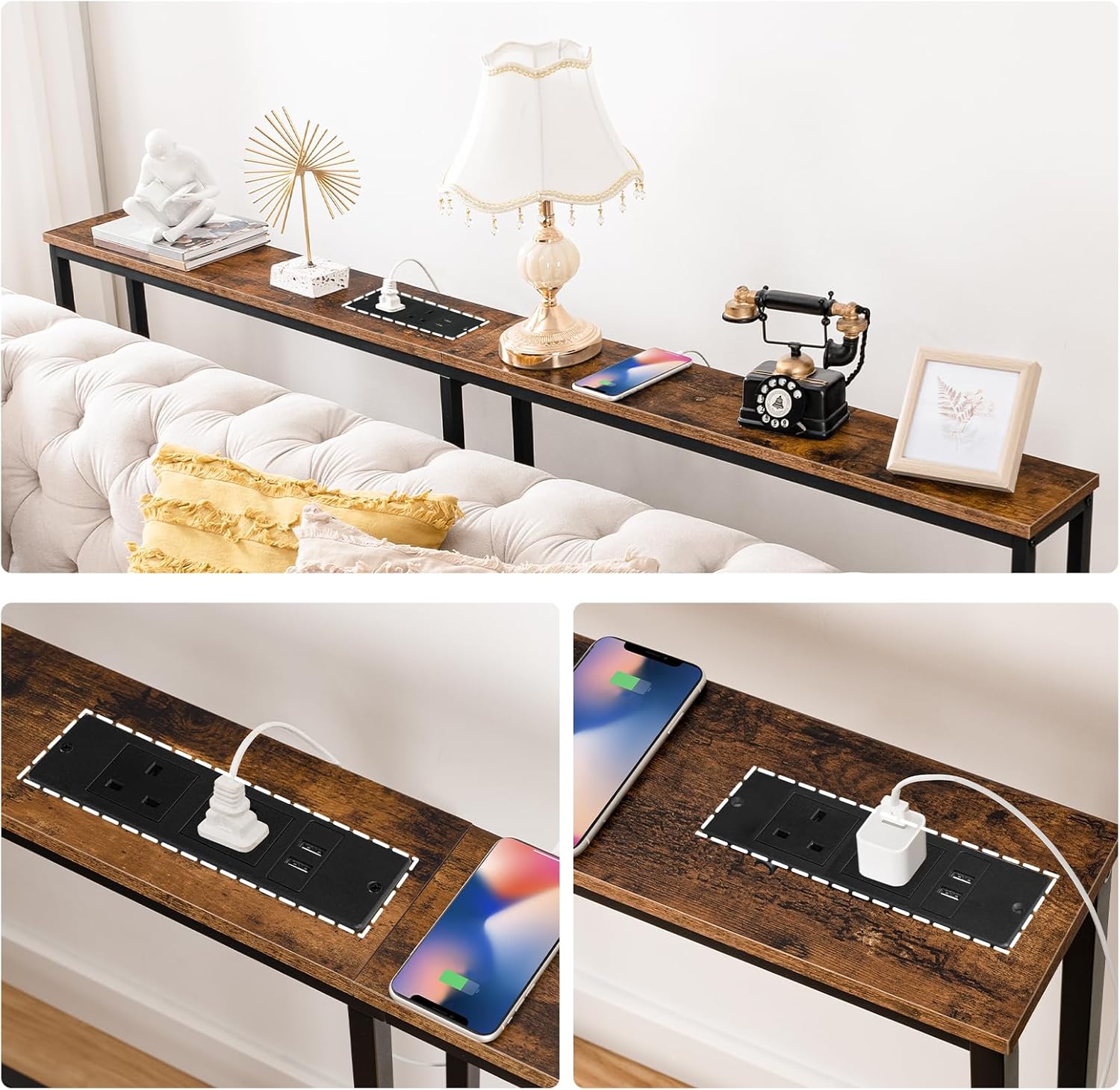
Image: Detailed view of the charging station with AC and USB ports.
Maintenance
To ensure the longevity and appearance of your console table, follow these maintenance guidelines:
- Cleaning: Wipe the table surface with a soft, damp cloth. Avoid harsh chemicals or abrasive cleaners, which can damage the finish.
- Spills: Clean up spills immediately to prevent staining or damage to the engineered wood.
- Stability Check: Periodically check all screws and connections to ensure they remain tight. Re-tighten if necessary.
- Environment: Avoid placing the table in direct sunlight or near heat sources to prevent warping or discoloration. Maintain a stable humidity level.
Troubleshooting
| Problem | Possible Cause | Solution |
|---|---|---|
| Table is wobbly | Uneven floor; loose screws; adjustable feet not properly set. | Adjust the leveling feet until the table is stable. Check and tighten all assembly screws. |
| Charging station not working | Power cord not plugged in; wall outlet not active; device issue. | Ensure the power cord is securely plugged into a working wall outlet. Test the wall outlet with another device. Check your device's charging cable. |
| Parts missing or damaged | Manufacturing error; shipping damage. | Do not proceed with assembly. Contact HOOBRO customer support for replacement parts. |
Specifications
- Model: EBF205KXG01
- Brand: HOOBRO
- Dimensions (L x W x H): 200 cm x 15 cm x 80 cm (78.7" x 5.9" x 31.5")
- Weight: 8.27 kg (18.23 lbs)
- Material: Engineered Wood (Particleboard), Metal Frame
- Color: Rustic Brown and Black
- Charging Station: 2 AC Outlets, 2 USB Ports
- Power Cord Length: 150 cm (59")
- Special Features: Adjustable Feet, Anti-Tip Device, Space-Saving Design

Image: The HOOBRO console table in a hallway setting.
Warranty and Support
For warranty information or technical support, please refer to the contact details provided with your purchase documentation or visit the official HOOBRO website. Please have your model number (EBF205KXG01) and purchase date ready when contacting support.


