
1. Introduction
Thank you for choosing the COOAU 2K Wireless Outdoor Security Camera. This manual provides detailed instructions to help you set up, operate, and maintain your camera for optimal performance and home security.
Key Features:
- 2K Full HD Resolution & Color Night Vision: Provides clearer and smoother image quality with enhanced night visibility.
- 100% Wireless & Easy Installation: Designed for flexible placement without the need for power or network cables.
- Smart PIR Detection: Advanced human form/motion detection to minimize false alarms.
- 360° Viewing Angle & Real-time Remote Monitoring: Comprehensive coverage with remote access via mobile app.
- IP66 Waterproof Rating: Ensures reliable operation in various weather conditions.
- Two-Way Audio: Communicate with visitors or deter intruders.
- Local/Cloud Storage: Flexible options for recording storage.
- Alexa Integration: Smart upgrade for convenient control.
What's in the Box:
- COOAU 2K Wireless Outdoor Security Camera
- Mounting Screw Kit
- USB Charging Cable
- User Manual (this document)
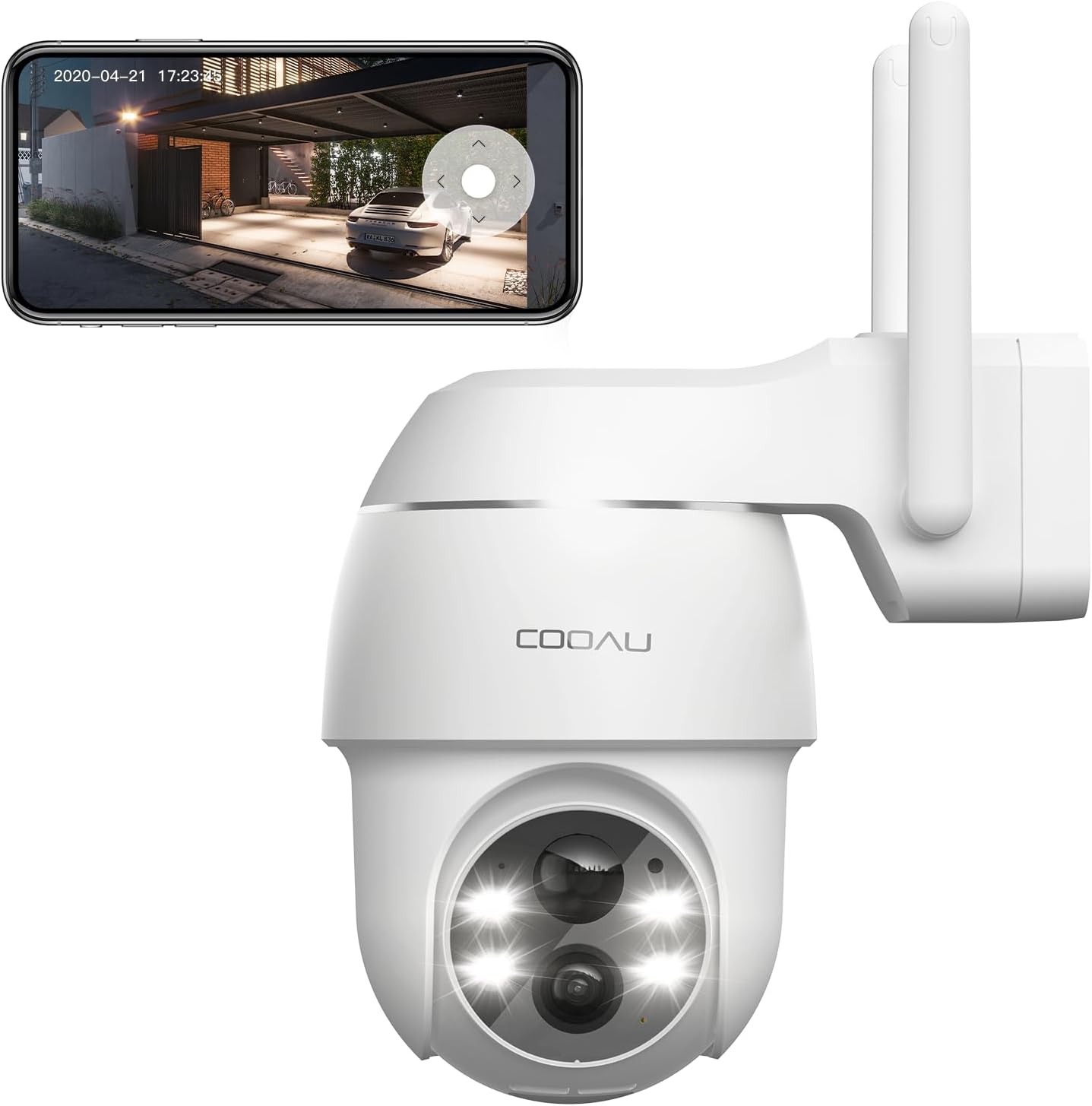
Figure 1.1: COOAU 2K Wireless Outdoor Security Camera and its live feed on a smartphone.

Figure 1.2: Packaging contents of the COOAU security camera, showing the camera, mounting accessories, and charging cable.
2. Setup and Installation
2.1 Charging the Camera
Before initial use, fully charge the camera using the provided USB cable. Connect the cable to the camera's charging port and a standard 5V/1A USB power adapter (not included). The charging indicator light will show the charging status.
2.2 App Download and Account Registration
Download the official COOAU app from your smartphone's app store (iOS App Store or Google Play Store). Register for a new account or log in if you already have one. Ensure your phone is connected to a 2.4GHz Wi-Fi network.
2.3 Adding the Camera to the App
- Open the COOAU app and tap the "+" icon to add a new device.
- Select your camera model from the list.
- Follow the on-screen instructions to connect the camera to your Wi-Fi network. This typically involves scanning a QR code displayed on your phone with the camera lens.
- Once connected, you can name your camera and begin live viewing.
2.4 Mounting the Camera
The COOAU camera is designed for easy, 100% wireless installation, making it suitable for various outdoor locations such as garages, front yards, eaves, or farms. It supports wall mounting.
- Choose a suitable mounting location that provides the desired viewing angle and strong Wi-Fi signal.
- Use the included mounting screw kit to securely attach the camera bracket to the wall or desired surface.
- Snap the camera directly into the bracket. Ensure it is firmly in place.
- Adjust the camera's angle as needed using the app's pan and tilt controls.

Figure 2.1: Examples of flexible wireless installation locations for the COOAU camera.
3. Operation
3.1 Live View and Pan/Tilt Control
Open the COOAU app and select your camera to access the live view. You can use the on-screen controls to pan the camera 355° horizontally and tilt it 90° vertically, providing a comprehensive 360° viewing angle.

Figure 3.1: Controlling the camera's 355° pan and 90° tilt via the mobile app.
3.2 Night Vision Modes
The camera features 2K resolution and 4 combination lights for enhanced night vision. You can switch between smart night vision and color night vision modes in the app to capture clear details even in low-light conditions.

Figure 3.2: Comparison of night vision clarity with previous 2-light version versus upgraded 4-light version.
3.3 Smart PIR Detection and Alerts
The camera utilizes intelligent humanoid algorithms and PIR body temperature detection to accurately identify human motion and reduce false alarms. When motion is detected, you will receive instant notifications on your smartphone.
- Customization: Adjust alarm time, detection sensitivity, and detection area within the app settings to suit your specific needs.
- Sound and Light Alarm: The camera can automatically trigger white light and sirens upon detection of suspicious persons to deter intruders.
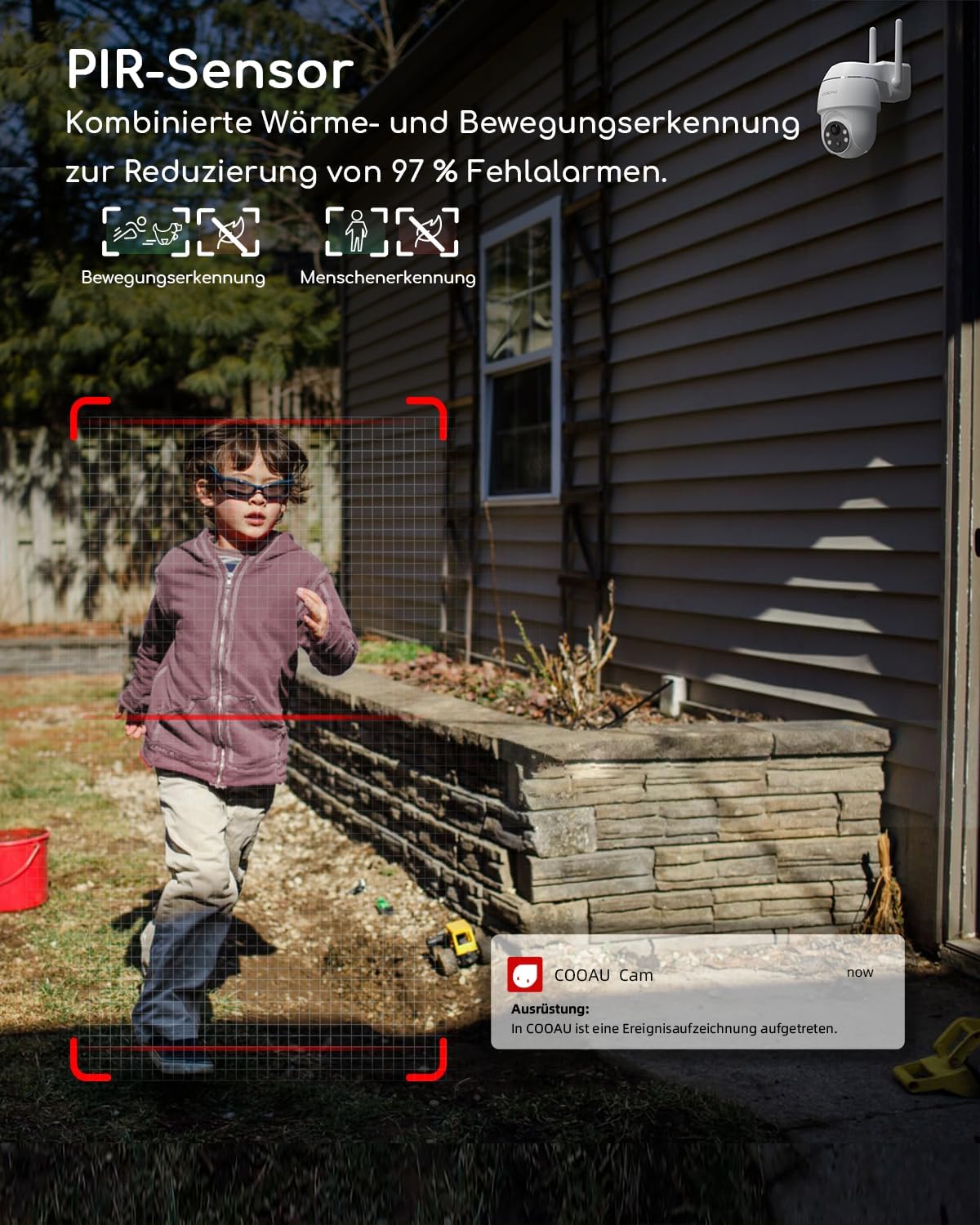
Figure 3.3: PIR sensor in action, detecting human motion and sending an alert.
3.4 Two-Way Audio
Use the two-way audio feature in the app to communicate with individuals near the camera, such as delivery personnel, or to warn off unwanted visitors.
3.5 Storage Options
The camera supports up to 128GB memory cards for local storage and also offers cloud storage options. All data is encrypted for security. You can play back and view alarm recordings at any time through the app.
3.6 Remote Monitoring and Sharing
Access your camera's live feed and recordings from anywhere using the app. You can also share access to the camera with family members to enhance overall home safety.

Figure 3.4: Remote monitoring and sharing capabilities of the COOAU camera.
4. Maintenance
4.1 Weather Resistance
The COOAU camera has an IP66 waterproof rating, ensuring it can withstand various weather conditions, including rain and dust. This allows for reliable outdoor performance.

Figure 4.1: The camera's IP66 waterproof design ensures functionality in all weather.
4.2 Battery Life and Charging
The battery-powered design offers extended usage (typically 4 to 6 months depending on activity). Monitor the battery level in the app and recharge the camera when prompted to ensure continuous operation.
4.3 Cleaning
To maintain optimal image clarity, periodically clean the camera lens with a soft, dry cloth. Avoid using harsh chemicals or abrasive materials that could damage the lens or casing.
5. Troubleshooting
Common Issues and Solutions:
- Camera not connecting to Wi-Fi:
- Ensure your Wi-Fi network is 2.4GHz.
- Check Wi-Fi signal strength at the camera's location.
- Restart your router and the camera.
- Verify the Wi-Fi password entered in the app is correct.
- Frequent false alarms:
- Adjust the detection sensitivity in the app settings.
- Define specific detection zones to exclude high-traffic areas (e.g., public roads).
- Ensure the camera is not pointing directly at moving foliage or reflective surfaces.
- Poor image quality:
- Clean the camera lens.
- Ensure adequate lighting, especially for night vision.
- Check your internet connection speed for live streaming.
- Battery draining quickly:
- Reduce the frequency of motion detection events.
- Lower the detection sensitivity.
- Ensure the camera is fully charged.
If you encounter issues not listed here, please refer to the FAQ section within the COOAU app or contact customer support.
6. Specifications
| Feature | Specification |
|---|---|
| Model Name | Q02 |
| Indoor/Outdoor Usage | Outdoor |
| Power Source | Battery Powered |
| Connectivity Technology | Wireless (Bluetooth for initial setup) |
| Video Capture Resolution | 2K |
| Pan & Tilt | 355° Pan, 90° Tilt |
| Special Features | 2-Way Audio, HD Resolution, Night Vision, PTZ Technology, PIR Detection |
| Waterproof Rating | IP66 |
| Storage | Supports up to 128GB memory cards, Cloud Storage |
| Item Dimensions (L x W x H) | 5.9 x 3.9 x 6.3 inches |
| Item Weight | 1.76 pounds |
7. Warranty and Support
7.1 Product Warranty
For information regarding the product warranty, please refer to the warranty card included with your purchase or visit the official COOAU website. Warranty terms and conditions may vary.
7.2 Customer Support
If you have any questions, require technical assistance, or encounter issues with your COOAU camera, please contact our customer support team. You can typically find contact information within the COOAU app, on the official COOAU website, or through your purchase platform.
Consider purchasing an extended protection plan for additional coverage. Details on available protection plans can be found on the product's purchase page.