
FLYBIRD B0DJ777Z6P
FLYBIRD Squat Machine User Manual
Model: B0DJ777Z6P
Brand: FLYBIRD
Introduction
This manual provides essential information for the safe and effective use of your FLYBIRD Squat Machine. Please read this manual thoroughly before assembly and operation. Retain this manual for future reference.

Image: A woman demonstrating the use of the FLYBIRD Squat Machine, performing a squat motion while holding the handles.
Safety Information
- Consult a physician before starting any new exercise program.
- Ensure all parts are securely assembled before each use.
- Keep children and pets away from the machine during operation.
- Do not exceed the maximum weight capacity of 330 lbs (150 kg).
- Use the machine on a flat, stable surface.
- Stop exercising immediately if you feel pain, dizziness, or nausea.
Package Contents
Verify that all components are present before beginning assembly:
- Main Frame Assembly
- Seat Assembly
- Handlebar Assembly with Digital Display
- Resistance Bands (pre-installed or separate)
- Foot Pedals
- Hardware Kit (bolts, washers, nuts, tools)
- User Manual
Setup and Assembly
Assembly is straightforward and typically requires minimal tools. Refer to the included hardware kit for necessary wrenches and Allen keys.
- Unpack Components: Carefully remove all parts from the packaging and lay them out on a clean, flat surface.
- Attach Main Frame: Connect the base stabilizers to the main frame using the provided bolts.
- Install Seat Assembly: Secure the seat to the sliding rail on the main frame. Ensure it moves smoothly.
- Mount Handlebar: Attach the handlebar assembly to the front upright post. Connect any necessary cables for the digital display.
- Secure Foot Pedals: Fasten the foot pedals to their designated points on the lower frame.
- Final Check: Before first use, double-check all bolts and connections to ensure they are tight and secure.

Image: The FLYBIRD Squat Machine highlighting adjustable features: 5 seat positions and 4 handle heights for customized comfort and exercise positions.
Operating Instructions
Adjusting Resistance Levels
The FLYBIRD Squat Machine offers 4 adjustable resistance levels, each adding approximately 25 lbs of resistance, for a total of up to 100 lbs. To adjust the resistance:
- Locate the resistance bands or springs beneath the seat mechanism.
- Depending on the model, you may need to add or remove bands, or adjust a tension knob. Refer to the specific mechanism on your machine.
- Start with a lower resistance and gradually increase as your strength improves.

Image: A detailed view of the four adjustable resistance bands on the FLYBIRD Squat Machine, each contributing 25 lbs of resistance.
Using the Digital Display
The built-in digital display tracks your exercise data to help you monitor progress. Functions typically include:
- TIME: Duration of your workout.
- COUNT: Number of repetitions performed.
- CAL: Estimated calories burned.
- RPM: Revolutions per minute (if applicable for rowing motion).
- SCAN: Cycles through all metrics automatically.
- RESET: Clears all data.
- MODE: Selects specific display modes.

Image: The digital display unit on the FLYBIRD Squat Machine's handlebars, showing icons for Time, Scan, Count, Calories, and RPM, indicating its data tracking capabilities.
Exercise Techniques
The FLYBIRD Squat Machine is designed for compound movements targeting multiple muscle groups. Focus on controlled movements for optimal results and injury prevention.
- Squat Motion: Sit on the seat, place feet on pedals, and grasp handles. Push down with your legs while pulling the handles towards you, mimicking a squat and rowing motion. The machine assists in maintaining proper squat posture, with adjustable angles (30°, 60°, 120°) to maximize glute engagement.
- Rowing Motion: Focus on pulling the handles with your arms and back, engaging your core.
- Full Body Workout: The machine combines squatting and rowing to target hips, legs, core, arms, and back. Resistance bands can also be used for additional exercises like leg extensions or arm curls while standing beside the machine.

Image: An illustration showing a woman using the FLYBIRD Squat Machine, with callouts indicating the muscle groups targeted: Back, Arm, Abs, Glutes, and Calves.

Image: A woman performing squats on the FLYBIRD Squat Machine, illustrating the different squat angles (30°, 60°, and 120°) to assist in proper squatting and glute engagement.
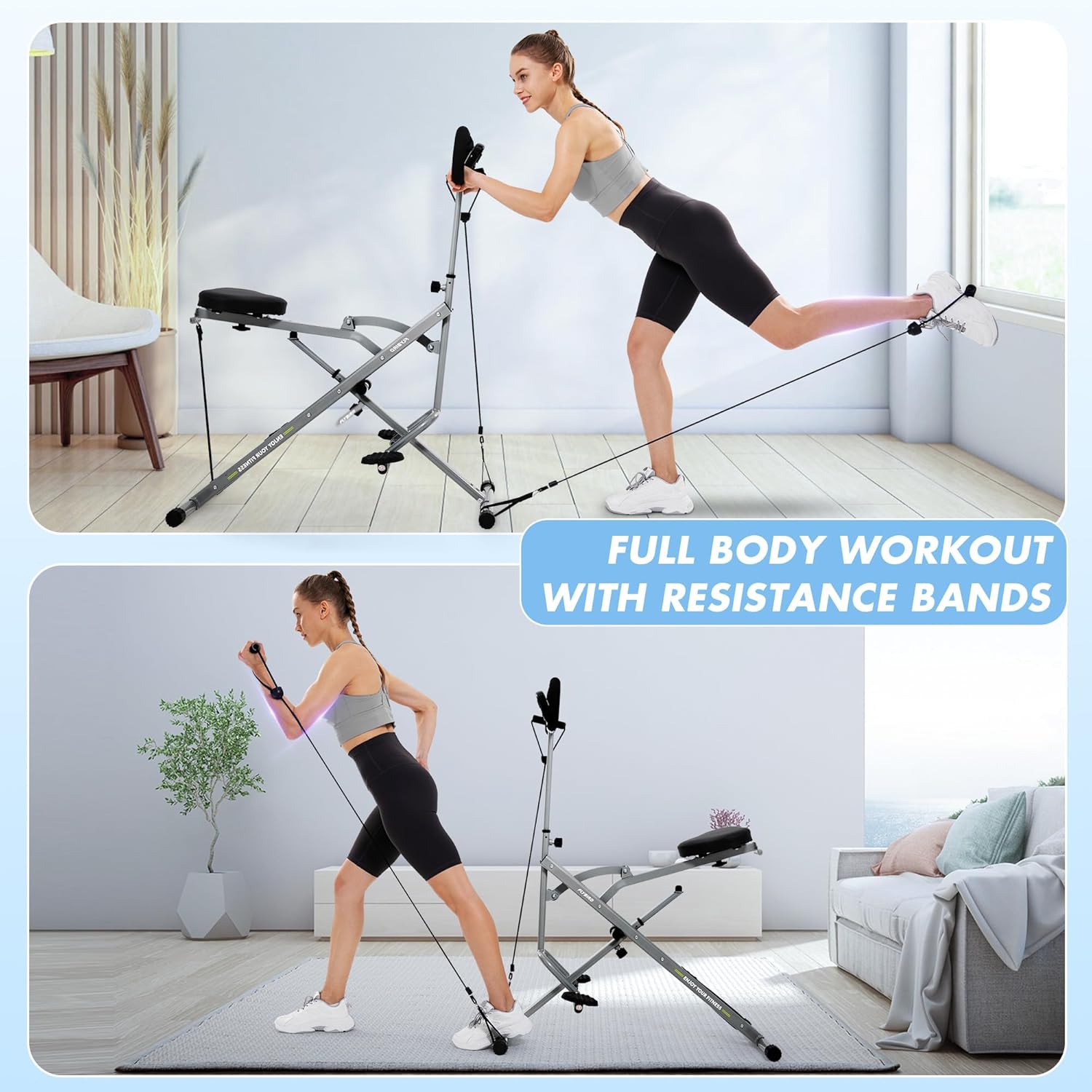
Image: Two separate images demonstrating additional full-body workouts using the resistance bands attached to the FLYBIRD Squat Machine, including leg extensions and arm exercises.
Maintenance
- Cleaning: Wipe down the machine with a damp cloth after each use to remove sweat and dust. Do not use abrasive cleaners.
- Lubrication: Periodically check moving parts and apply a silicone-based lubricant if any squeaking or stiffness occurs.
- Inspection: Regularly inspect all bolts, nuts, and moving parts for tightness and wear. Tighten any loose fasteners. Check resistance bands for signs of fraying or damage.
- Storage: The machine features a foldable design for compact storage. Fold it up and store it in a dry, cool place away from direct sunlight.
Troubleshooting
| Problem | Possible Cause | Solution |
|---|---|---|
| Machine feels unstable or wobbly. | Loose bolts or uneven surface. | Ensure all assembly bolts are tightened. Move the machine to a flat, stable surface. |
| Digital display not working. | Dead battery or loose connection. | Replace the battery (usually a button cell). Check that the sensor cable is securely connected. |
| Resistance feels too easy/hard. | Incorrect resistance level selected. | Adjust the resistance bands or tension mechanism to your desired level. |
| Squeaking noise during operation. | Lack of lubrication on moving parts. | Apply a silicone-based lubricant to pivot points and sliding rails. |
Specifications
| Feature | Detail |
|---|---|
| Brand | FLYBIRD |
| Model | B0DJ777Z6P |
| Color | Gray |
| Resistance Mechanism | Hydraulic |
| Maximum Weight Recommendation | 150 Kilograms (330 lbs) |
| Metrics Measured | Digital Display (Time, Count, Calories, RPM) |
| Frame Material | Alloy Steel |
| Item Weight | 12.79 Kilograms (approx. 28.2 lbs) |
| Tension Level | 4 adjustable levels (up to 100 lbs total) |
| Power Source | Manual |
| Item Package Dimensions | 41.6 x 9.3 x 7.6 inches |
Warranty
The FLYBIRD Squat Machine comes with a 1-Year Warranty from the date of purchase. This warranty covers manufacturing defects in materials and workmanship under normal use. It does not cover damage resulting from misuse, abuse, accident, alteration, or unauthorized repair.
Please retain your proof of purchase for warranty claims.
Support
For technical assistance, parts replacement, or warranty inquiries, please contact FLYBIRD customer support:
- Online Support: Visit the official FLYBIRD website or their Amazon Brand Store for FAQs and contact options.
- Amazon Brand Store: FLYBIRD Store on Amazon
When contacting support, please have your product model number (B0DJ777Z6P) and proof of purchase readily available.
Ask a question about this manual
Ask about setup, troubleshooting, compatibility, parts, safety, or missing instructions. Manuals+ will review the question and use this page’s manual context to help answer it.