
1. Introduction
Thank you for choosing the Aigostar Mesh Smart Ceiling Fan. This intelligent ceiling fan combines efficient air circulation with versatile lighting, featuring retractable blades for a minimalist aesthetic when not in use. It offers multiple control options including a remote, a dedicated app, and voice commands via Alexa. Designed for comfort and energy efficiency, this manual provides essential information for safe installation, operation, and maintenance.

Figure 1.1: Aigostar Mesh Smart Ceiling Fan.
2. Important Safety Instructions
Please read all safety instructions carefully before installation and use. Retain this manual for future reference.
- Electrical Safety: Ensure the power supply is disconnected before installation or maintenance. All electrical connections must comply with local codes and regulations. Installation should be performed by a qualified electrician.
- Mounting: The ceiling fan must be securely mounted to a structure capable of supporting its weight (7.9 kg). Do not mount to plasterboard or drywall alone.
- Blade Clearance: Ensure there is adequate clearance between the fan blades and any obstacles (walls, furniture) to prevent injury or damage.
- Children and Pets: Keep children and pets away from the fan during operation.
- Cleaning: Always disconnect power before cleaning. Use a soft, damp cloth; do not use abrasive cleaners.
- Operation: Do not insert objects into the fan blades while in operation.
- Damage: If the power cord or any part of the fan is damaged, do not operate the appliance. Contact customer support for assistance.
3. Package Contents
Verify that all components are present and undamaged:
- Aigostar Mesh Smart Ceiling Fan Unit
- Remote Control
- Instruction Manual
- Mounting Hardware (screws, brackets, etc.)
4. Product Features
- Retractable Blades: Transparent blades automatically extend when the fan is on and retract when off, offering a clean, minimalist look. Compact size of 51.5 cm (blades closed) and 106 cm diameter (blades deployed).
- Multiple Control Methods: Control via AigoSmart App, Alexa App, voice commands, or the included remote control.
- 6-Speed Ultra-Quiet DC Motor: Offers 6 adjustable speeds with noise levels between 26-50 dB, ensuring quiet operation for work, rest, or sleep. Energy efficient, saving up to 40% compared to conventional fans.
- Dual Winter/Summer Function: Reversible motor for year-round comfort. Summer mode creates a cool breeze, while winter mode redistributes warm air from the ceiling for uniform heating.
- Dimmable LED Light: Integrated LED light with adjustable brightness (1%-100%) and color temperature (2700K-6500K) to suit various moods and seasonal needs.
- Timer Function: Automatic shut-off timer configurable via app or remote (1/2/4 hours).
- Memory Function: Smart memory saves preferred lighting and fan speed combinations.
- Coverage: Ideal for rooms measuring 20-30 m².
5. Installation Guide
Professional installation by a qualified electrician is highly recommended to ensure safety and proper functionality. Always disconnect power at the main circuit breaker before beginning installation.
5.1 Pre-Installation Checks
- Ensure the ceiling structure can support the fan's weight (7.9 kg).
- Verify that the electrical wiring is compatible with the fan's requirements (220V AC).
- Unpack all components and check against the package contents list.
5.2 Mounting the Fan
Follow the detailed steps provided in the included instruction manual for mounting the fan to the ceiling. This typically involves:
- Securing the mounting bracket to the ceiling joist or a suitable support structure.
- Making electrical connections (Live, Neutral, Earth) to the fan's wiring.
- Attaching the fan body to the mounting bracket.
- Securing any decorative covers.

Figure 5.1: Setup and connection steps for the Aigostar Mesh Smart Ceiling Fan.

Figure 5.2: Product dimensions and recommended room size.
6. Operation Guide
The Aigostar Mesh Smart Ceiling Fan offers multiple convenient control options.
6.1 App Control (AigoSmart App)
- Download the AigoSmart App from your smartphone's app store.
- Connect your ceiling fan to the AigoSmart gateway (requires a 2.4GHz Wi-Fi network).
- Follow the in-app instructions to add and pair your fan light device.
- Once paired, you can control light brightness, color temperature, fan speed, and modes directly from the app.

Figure 6.1: Controlling the fan via the AigoSmart App.
6.2 Voice Control (Alexa App)
- Ensure your Aigostar Mesh Smart Ceiling Fan is already paired with the AigoSmart App.
- Open the Alexa App and navigate to the "Skills" section.
- Search for and enable the "AigoSmart" skill.
- Link your AigoSmart account with Alexa. The fan light device paired in AigoSmart will automatically synchronize with Alexa.
- You can now control the fan and light using voice commands.
Example Voice Commands:
- "Alexa, turn on the fan light."
- "Alexa, set the fan light to 50% brightness."
- "Alexa, change the fan light to warm white."
- "Alexa, turn on the fan."
- "Alexa, set the fan speed to 3."
- "Alexa, turn off the fan."

Figure 6.2: Alexa integration setup.

Figure 6.3: Voice control with Alexa.
Video 6.1: Demonstration of Alexa voice control for the Aigostar Mesh Smart Ceiling Fan, showing commands for light and fan speed adjustments.
6.3 Remote Control
The included remote control provides direct access to all fan and light functions.

Figure 6.4: Remote control for the Aigostar Mesh Smart Ceiling Fan.
- Power Button: Turns the fan and light on/off.
- Fan Speed Buttons: Adjusts between 6 fan speeds.
- Light On/Off: Toggles the light.
- Brightness +/-: Adjusts light brightness.
- CCT Buttons: Changes light color temperature (warm, neutral, cool).
- Winter/Summer Mode: Toggles the fan direction.
- Timer Buttons: Sets the automatic shut-off timer (1/2/4 hours).
7. Winter/Summer Mode
The fan features a reversible motor to optimize air circulation for different seasons.
- Summer Mode (Forward Rotation): Blades rotate counter-clockwise, pushing air downwards to create a cooling breeze.
- Winter Mode (Reverse Rotation): Blades rotate clockwise, drawing cool air up and pushing warm air down from the ceiling, helping to distribute heat more evenly.

Figure 7.1: Summer and Winter mode airflow.
8. Light Control
The integrated LED light offers customizable illumination:
- Brightness Adjustment: Dim the light from 1% to 100% to suit your preference.
- Color Temperature Adjustment: Choose between warm white (2700K), neutral white (4500K), and cool white (6500K) to match the ambiance of your room.

Figure 8.1: Adjustable light brightness and color temperature.
9. Timer Function
Set the fan to automatically turn off after a specified period using the timer function. Available settings typically include 1, 2, or 4 hours. This can be configured via the remote control or the AigoSmart app.
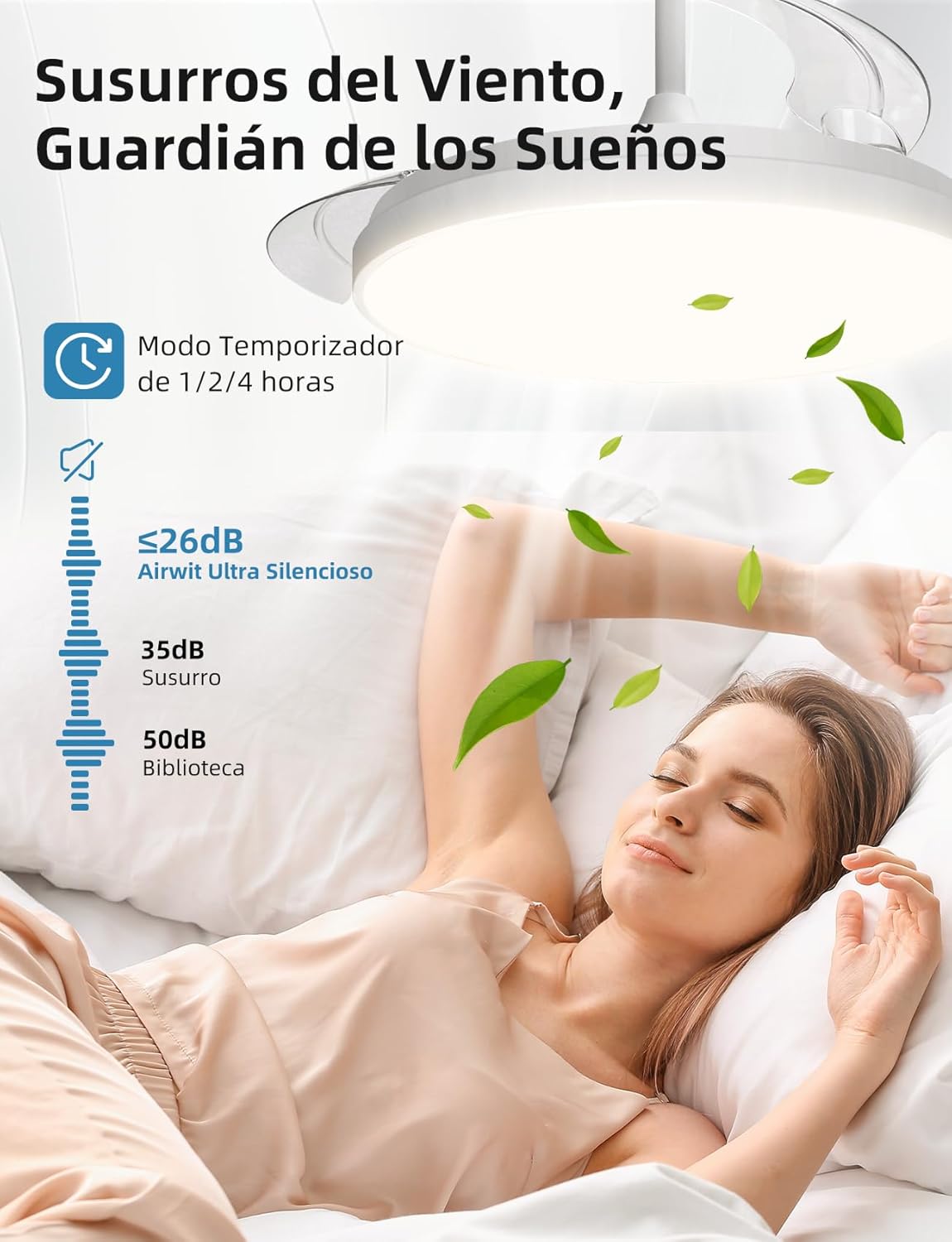
Figure 9.1: Silent operation and timer function for undisturbed sleep.
10. Maintenance
Regular maintenance ensures optimal performance and longevity of your ceiling fan.
- Cleaning: Periodically wipe the fan and light fixture with a soft, dry, or slightly damp cloth. Do not use harsh chemicals or abrasive materials. Ensure power is off before cleaning.
- Blade Inspection: Check the fan blades for any dust buildup or damage. Clean gently if necessary.
- Tightness: Occasionally check that all screws and connections are secure.
11. Troubleshooting
If you encounter issues, refer to the following common problems and solutions:
| Problem | Possible Cause | Solution |
|---|---|---|
| Fan or Light does not turn on. | No power supply; loose wiring; remote battery low; app not connected. | Check circuit breaker. Ensure all wiring is secure. Replace remote batteries. Verify app connection and device status. |
| Fan makes unusual noise. | Loose screws; unbalanced blades; motor issue. | Check and tighten all mounting screws. Ensure blades are clean and balanced. If noise persists, contact support. |
| Remote control not working. | Low battery; remote not paired; obstruction. | Replace remote batteries. Refer to pairing instructions in the full manual. Ensure no obstructions between remote and fan. |
| App/Voice control not working. | No internet connection; incorrect app pairing; Alexa skill not enabled/linked. | Check Wi-Fi connection (2.4GHz). Re-pair device in AigoSmart app. Ensure AigoSmart skill is enabled and linked in Alexa app. |
12. Specifications
| Feature | Specification |
|---|---|
| Brand | Aigostar |
| Model Number | ESFBM1_BID_212334 |
| Product Dimensions (Closed Blades) | 51.5 x 51.5 x 41.5 cm |
| Product Diameter (Open Blades) | 106 cm |
| Weight | 7.9 kg |
| Material | Copper, Iron, Polycarbonate (PC) |
| Color | White |
| Number of Blades | 3 |
| Voltage | 220 Volts (AC) |
| Power (LED Light) | 50 Watts |
| Power (DC Motor) | 28 Watts |
| Equivalent Incandescent Power | 307 Watts |
| Light Type | LED |
| Color Temperature (CCT) | 2700K-6500K (Adjustable) |
| Color Rendering Index (CRI) | 80.0 |
| Noise Level | 26-50 dB |
| Control Methods | App (AigoSmart, Alexa), Remote Control, Voice Control (Alexa) |
| Special Features | Dimmable, Energy Efficient, Retractable Blades, Timer, Winter/Summer Function |
| Recommended Room Size | 20-30 m² |
13. Warranty and Support
For warranty information, technical support, or service inquiries, please refer to the warranty card included with your product or visit the official Aigostar website. Keep your purchase receipt as proof of purchase.


