
1. Introduction
Thank you for choosing the CHAOKE 520A Magnetic Exercise Bike. This manual provides essential information for the safe assembly, operation, maintenance, and troubleshooting of your new fitness equipment. Please read this manual thoroughly before use and retain it for future reference.
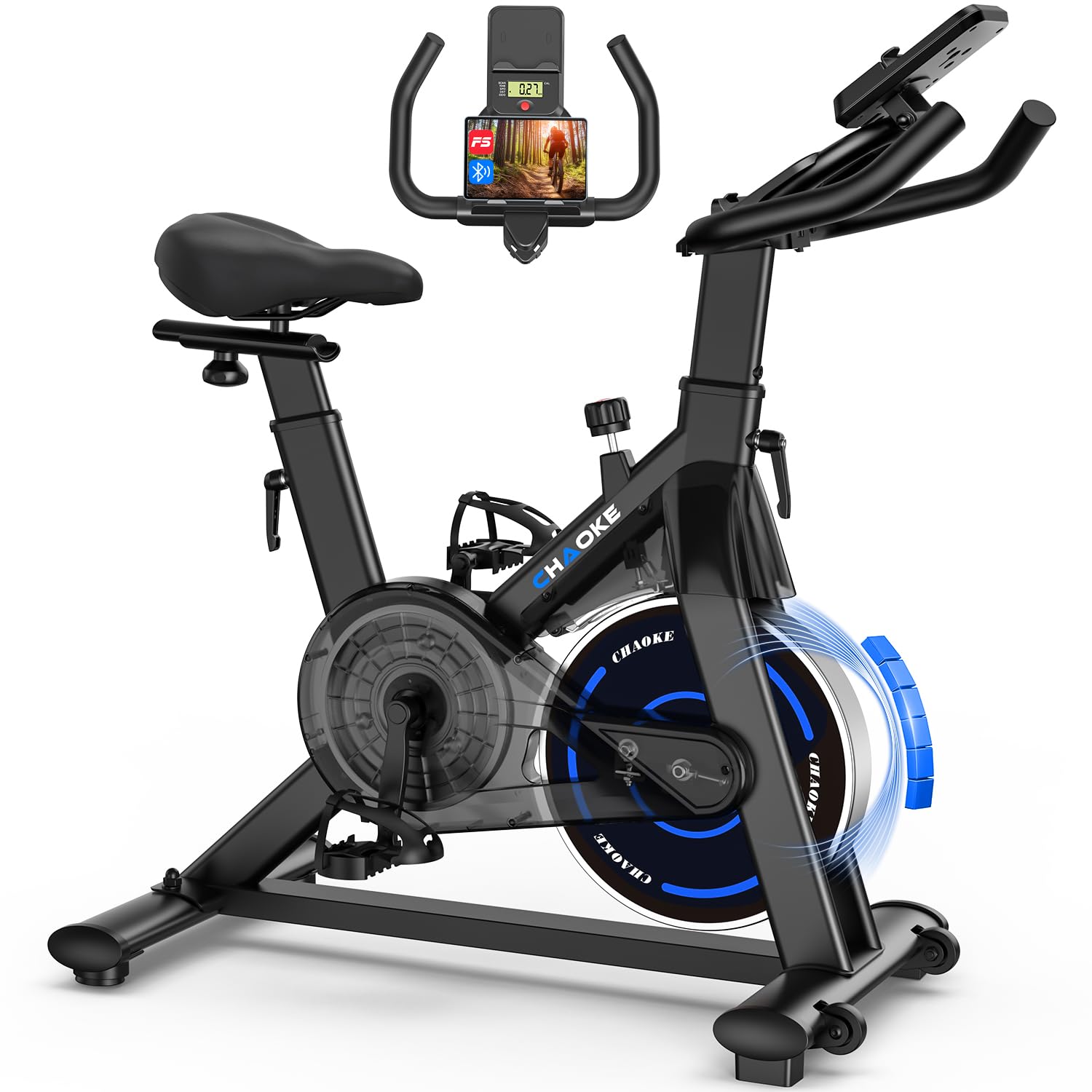
Image 1.1: The CHAOKE 520A Magnetic Exercise Bike in use, demonstrating its smart features and home integration.
2. Safety Information
Before starting any exercise program, consult with your physician. Improper or excessive training can result in injury. Always follow these safety guidelines:
- Ensure all parts are correctly assembled and tightened before each use.
- Place the exercise bike on a flat, stable surface. Use a mat to protect your floor.
- Keep children and pets away from the equipment during operation.
- Wear appropriate exercise clothing and footwear. Avoid loose clothing that could get caught in moving parts.
- The maximum user weight for this bike is 150 kg (330 lbs). Do not exceed this limit.
- Stop exercising immediately if you feel faint, dizzy, or experience pain.
- Regularly inspect the bike for wear and tear, especially moving parts and connections.
3. Package Contents
Carefully unpack all components and verify that you have received all items listed below. If any parts are missing or damaged, contact customer service.
- Main Frame (pre-assembled)
- Handlebar Assembly
- Seat Post and Seat
- Front and Rear Stabilizers
- Pedals (Left and Right)
- LCD Monitor
- Hardware Kit (bolts, washers, nuts)
- Assembly Tools
- User Manual
4. Setup and Assembly
The CHAOKE 520A Exercise Bike is designed for easy assembly, with approximately 80% of the unit pre-installed. Assembly typically takes about 25 minutes. Follow these steps:
- Attach Stabilizers: Secure the front and rear stabilizers to the main frame using the provided bolts and washers.
- Install Pedals: Identify the left (L) and right (R) pedals. The left pedal screws counter-clockwise, and the right pedal screws clockwise. Ensure they are tightened securely.
- Mount Seat: Insert the seat post into the main frame and attach the seat. Adjust to your preferred height and position.
- Install Handlebar: Attach the handlebar assembly to the main frame. Connect any necessary sensor cables for the monitor.
- Attach LCD Monitor: Secure the LCD monitor to the handlebar post. Connect the sensor cables from the main frame and any pulse sensors.
For a visual guide, scan the QR code in the printed user manual or visit the product page for an installation video.

Image 4.1: Visual representation of the bike's components and the ease of assembly.
5. Adjustments
Proper adjustment of the seat and handlebars is crucial for comfort and effective exercise. The CHAOKE 520A is designed to accommodate users between 140 cm and 185 cm in height.
5.1 Seat Adjustment
- Height: The seat can be adjusted to 7 different height levels. Loosen the adjustment knob on the seat post, raise or lower the seat to the desired height, and then tighten the knob securely.
- Forward/Backward: The seat can also be moved horizontally. Loosen the knob beneath the seat, slide the seat forward or backward, and then tighten the knob.
5.2 Handlebar Adjustment
- The handlebars can be adjusted to 5 different height levels. Loosen the adjustment knob on the handlebar post, adjust to your preferred height, and then tighten the knob firmly.

Image 5.1: Demonstrating the adjustable seat and handlebars for a comfortable fit for multiple users.
6. Operation
Familiarize yourself with the bike's functions to maximize your workout experience.
6.1 Magnetic Resistance System
The CHAOKE 520A features a silent magnetic resistance system with a belt drive, offering a smooth and quiet ride (below 10dB). The resistance can be adjusted from 0% to 100% to suit various training intensities.
- Increase Resistance: Turn the resistance knob clockwise.
- Decrease Resistance: Turn the resistance knob counter-clockwise.
- Emergency Stop: Press the resistance knob down firmly to engage the emergency brake and stop the flywheel immediately.

Image 6.1: The resistance knob and its range of adjustment for different workout intensities.
6.2 LCD Monitor
The integrated LCD monitor displays key workout data to help you track your progress:
- Time: Duration of your workout.
- Speed: Current cycling speed.
- Distance: Total distance covered during the session.
- Calories: Estimated calories burned.
- ODO (Odometer): Total accumulated distance.

Image 6.2: The LCD monitor providing real-time workout data.
6.3 App Connectivity
Enhance your training by connecting your smartphone or tablet to the bike via Bluetooth. The CHAOKE 520A is compatible with fitness applications like Fitshow, allowing you to access virtual routes, track detailed statistics, and engage in interactive workouts.
- Download App: Search for "Fitshow" or other compatible apps on your device's app store (Google Play or App Store).
- Enable Bluetooth: Turn on Bluetooth on your smartphone or tablet.
- Connect: Open the app and follow the on-screen instructions to pair with your CHAOKE 520A bike.
- Place Device: Use the integrated tablet/phone holder on the handlebars to secure your device during your workout.

Image 6.3: The smart indoor bike experience with app connectivity.
7. Maintenance
Regular maintenance ensures the longevity and optimal performance of your exercise bike.
- Cleaning: Wipe down the bike with a damp cloth after each use to remove sweat and dust. Avoid abrasive cleaners.
- Inspection: Periodically check all bolts, nuts, and moving parts for tightness. Tighten any loose fasteners.
- Lubrication: The magnetic resistance system is generally maintenance-free. Do not apply lubricants to the magnetic flywheel or belt.
- Storage: Store the bike in a dry, cool place away from direct sunlight and extreme temperatures. The integrated transport wheels allow for easy relocation.

Image 7.1: The integrated transport wheels for easy movement and storage.
8. Troubleshooting
If you encounter any issues, refer to the following common problems and solutions:
- Bike is unstable: Ensure the bike is on a flat surface. Adjust the leveling feet on the stabilizers if necessary.
- Unusual noise during operation: Check all bolts and connections for tightness. Ensure no foreign objects are near the flywheel or belt. If noise persists, contact customer support.
- LCD monitor not displaying: Check battery installation and ensure all cables are securely connected to the monitor and main frame.
- Resistance not changing: Verify the resistance knob is functioning correctly. Ensure the magnetic system is free from obstructions.
- App not connecting via Bluetooth: Ensure Bluetooth is enabled on your device and the app has necessary permissions. Try restarting both your device and the bike (if applicable).
9. Specifications
| Feature | Specification |
|---|---|
| Model Number | 520A |
| Dimensions (L x W x H) | 99.82 x 57.91 x 119.89 cm (approx. 88 x 18 x 68 cm) |
| Weight | 22.55 kg |
| Maximum User Weight | 150 kg |
| Resistance Mechanism | Magnetic |
| Drive Style | Belt Drive |
| Resistance Levels | 0-100% (160 levels) |
| Noise Level | <10 dB (advertised) |
| Connectivity | Bluetooth (App compatible) |
| Display | LCD (Time, Speed, Distance, Calories, ODO) |
| Adjustable Seat Height | 7 levels (140 cm - 185 cm user height) |
| Adjustable Handlebar Height | 5 levels |
| Material | Metal (2mm thick forged steel frame) |
| Power Source | Battery operated (for monitor) |
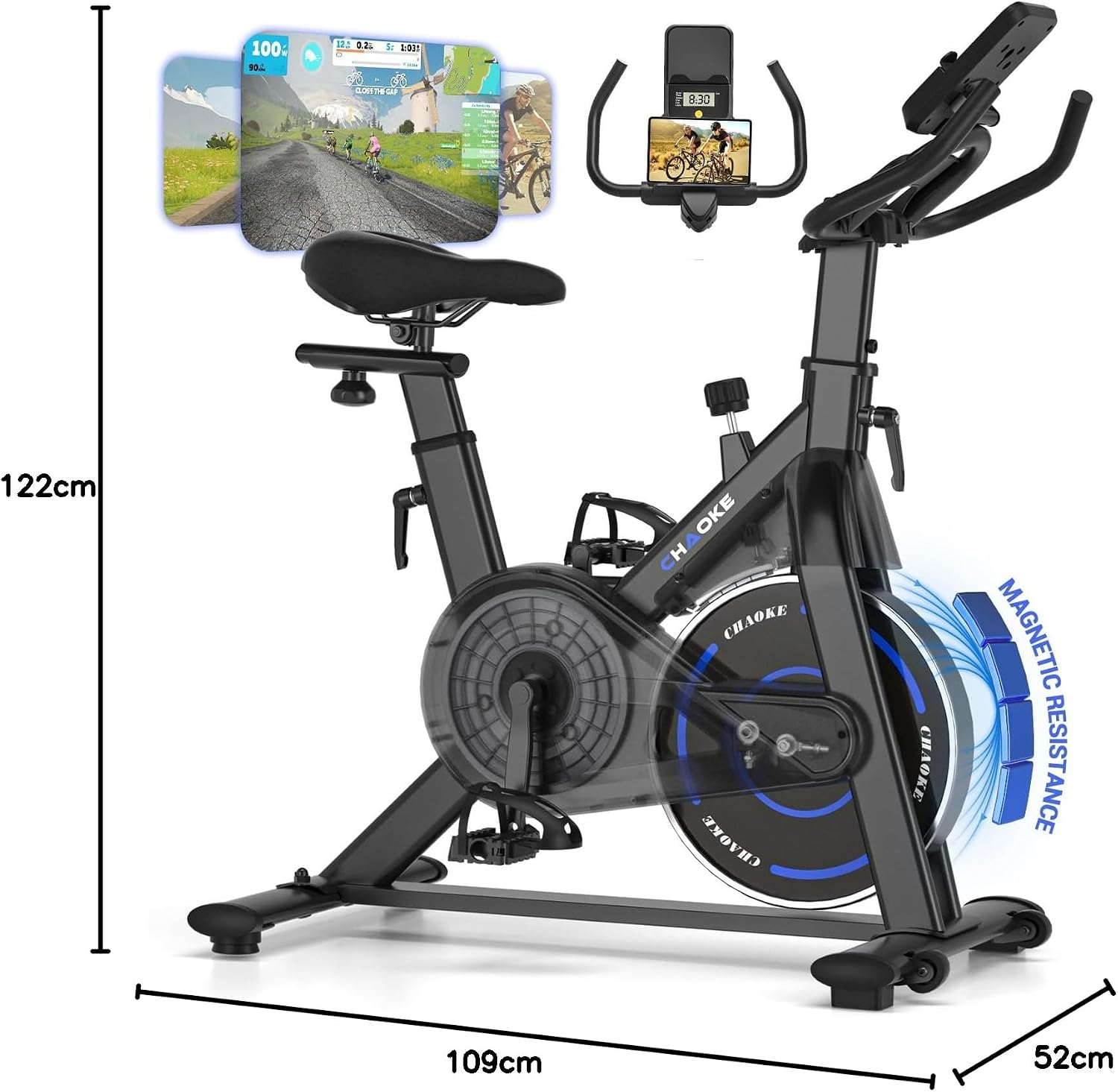
Image 9.1: Key dimensions of the CHAOKE 520A Exercise Bike.
10. Warranty and Support
CHAOKE offers a 5-year warranty for this exercise bike. We are committed to providing high-quality products and excellent customer service.
If you have any questions, concerns, or require assistance with your CHAOKE 520A Exercise Bike, please do not hesitate to contact our professional customer service team. Refer to your purchase documentation for specific contact details.
