1. Introduction
This manual provides essential instructions for the safe and effective use, installation, and maintenance of your POKIPO Locking Medicine Cabinet, Model PKP M. Please read this manual thoroughly before installation and operation, and retain it for future reference.
2. Safety Information
Observe the following safety precautions to prevent injury or damage to the product:
- Secure Mounting: Ensure the cabinet is securely mounted to a sturdy wall surface capable of supporting its weight and contents. Improper installation can lead to the cabinet falling, causing injury or damage.
- Child Safety: Always keep the cabinet locked, especially when storing medications or hazardous materials, to prevent unauthorized access by children.
- Weight Distribution: Distribute contents evenly across shelves to maintain balance and prevent tipping or stress on mounting points.
- Environmental Protection: While the cabinet is designed to be moisture-proof and dust-proof, avoid exposing it to extreme temperatures or direct water spray.
- Combination Lock: Remember your combination. Do not store the combination inside the cabinet.
3. Package Contents
Verify that all items listed below are included in your package:
- POKIPO Locking Medicine Cabinet (x1)
- Mounting Hardware (screws, anchors)
- User Manual (this document)
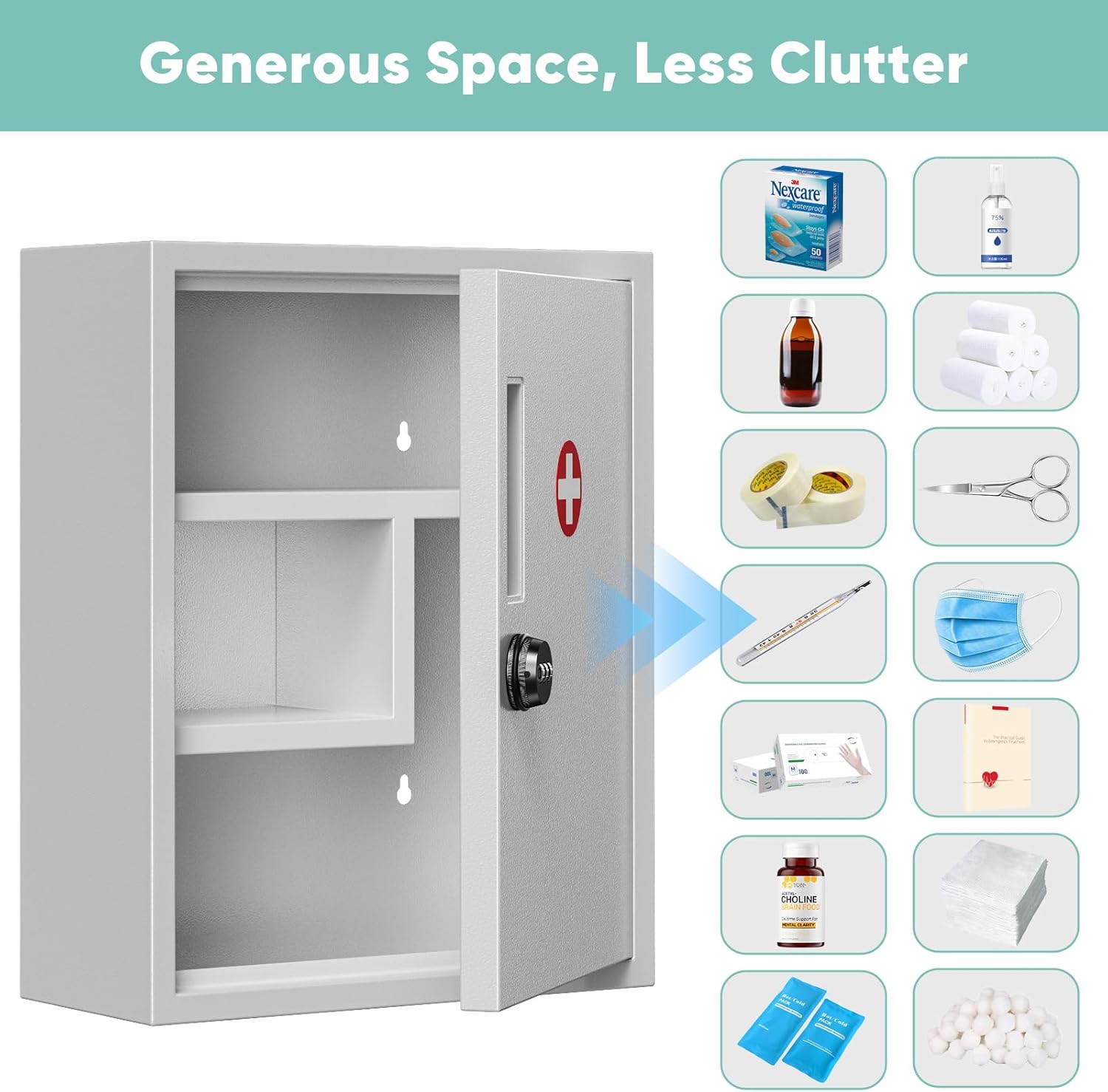
Figure 3.1: Cabinet and mounting hardware.
4. Product Features
The POKIPO Locking Medicine Cabinet offers the following key features:
- Three-Tier Large Capacity: Multiple compartments for organized storage of medications and first aid supplies.
- Durable Construction: Made from flame-retardant, corrosion-resistant metal with seamless welding.
- Soft-Close Door: Reduces noise and prevents finger pinching.
- Secure Combination Lock: Metal 3-digit combination lock for privacy and security, eliminating the need for keys.
- Wall-Mount Design: Frees up counter space and ensures secure placement.
- Versatile Application: Suitable for homes, schools, businesses, and clinics.

Figure 4.1: Spacious multi-use storage.

Figure 4.2: Durable all-metal construction.
5. Setup and Installation
The POKIPO Locking Medicine Cabinet is designed for easy wall mounting. Follow these steps for secure installation:
- Choose Location: Select a sturdy wall location, ensuring it can support the cabinet's weight when full. Consider height for accessibility and child safety.
- Mark Drilling Points: Hold the cabinet against the wall at the desired height. Use a pencil to mark the positions for the mounting holes on the wall.
- Drill Holes: Using an appropriate drill bit for your wall type (e.g., masonry for concrete, wood for studs), drill pilot holes at the marked locations. If drilling into drywall without a stud, use wall anchors.
- Insert Anchors (if needed): Gently tap wall anchors into the drilled holes until flush with the wall surface.
- Mount Cabinet: Align the cabinet's mounting holes with the drilled holes/anchors. Insert screws through the cabinet's back panel and tighten them securely into the wall or anchors. Do not overtighten.
- Verify Stability: Gently pull on the cabinet to ensure it is firmly attached to the wall and does not wobble.

Figure 5.1: Installation steps.
6. Operating Instructions
6.1. Setting the Combination Lock
Your POKIPO Locking Medicine Cabinet comes with a pre-set combination (usually 0-0-0). To set your personal combination:
- Open the Lock: Ensure the lock is currently set to the opening combination (factory default is 0-0-0).
- Locate Reset Button/Lever: Inside the cabinet, near the lock mechanism, locate a small reset button or lever. (Refer to specific lock design if different).
- Set New Combination: While holding the reset button/lever, rotate the dials to your desired 3-digit combination.
- Release Reset: Release the button/lever. Your new combination is now set.
- Test Combination: Scramble the dials, then enter your new combination to ensure it opens correctly.
Important: Do not forget your combination. POKIPO is not responsible for forgotten combinations.

Figure 6.1: Combination lock mechanism.
7. Maintenance
- Cleaning: Wipe the cabinet exterior and interior with a soft, damp cloth. Avoid abrasive cleaners or solvents that could damage the finish.
- Inspection: Periodically check the mounting screws for tightness and the lock mechanism for smooth operation.
- Door Hinges: If the door hinges become stiff, apply a small amount of silicone-based lubricant.
8. Troubleshooting
| Problem | Possible Cause | Solution |
|---|---|---|
| Cabinet feels loose on wall. | Mounting screws are loose or anchors are not secure. | Tighten mounting screws. If necessary, re-install with appropriate anchors for your wall type. |
| Combination lock does not open. | Incorrect combination entered; combination forgotten. | Ensure the correct combination is entered. If forgotten, there is no master key or reset code. You may need to contact support for options, which might involve destructive entry. |
| Door does not close smoothly. | Hinges are stiff or misaligned. | Clean hinges and apply a silicone-based lubricant. Check for any obstructions. |
9. Specifications
| Feature | Detail |
|---|---|
| Brand | POKIPO |
| Model Name | PKP M |
| Product Dimensions | 5.8"D x 11.7"W x 15.7"H |
| Item Weight | 6.43 pounds |
| Material | Metal |
| Color | Light Gray |
| Mounting Type | Wall Mount |
| Number of Compartments | 3 |
| Lock Type | Metal 3-digit Combination Lock |
| Special Features | Dustproof, Heavy Duty, Lockable, Scratch Resistant, Stain Resistant |
| Assembly Required | No |
10. Warranty and Support
POKIPO products are manufactured to high-quality standards. For specific warranty details, please refer to the warranty card included with your purchase or visit the official POKIPO website. For technical support, replacement parts, or any inquiries, please contact POKIPO customer service through the retailer where the product was purchased or via the contact information provided on the POKIPO brand website.
Manufacturer: POKIPO