
Introduction
Thank you for choosing the Simpol Home 52-inch Prominent Indoor Ceiling Fan. This manual provides essential instructions for the safe installation, operation, and maintenance of your new ceiling fan. Please read this manual thoroughly before beginning installation and retain it for future reference. Proper installation and use will ensure optimal performance and longevity of your fan.
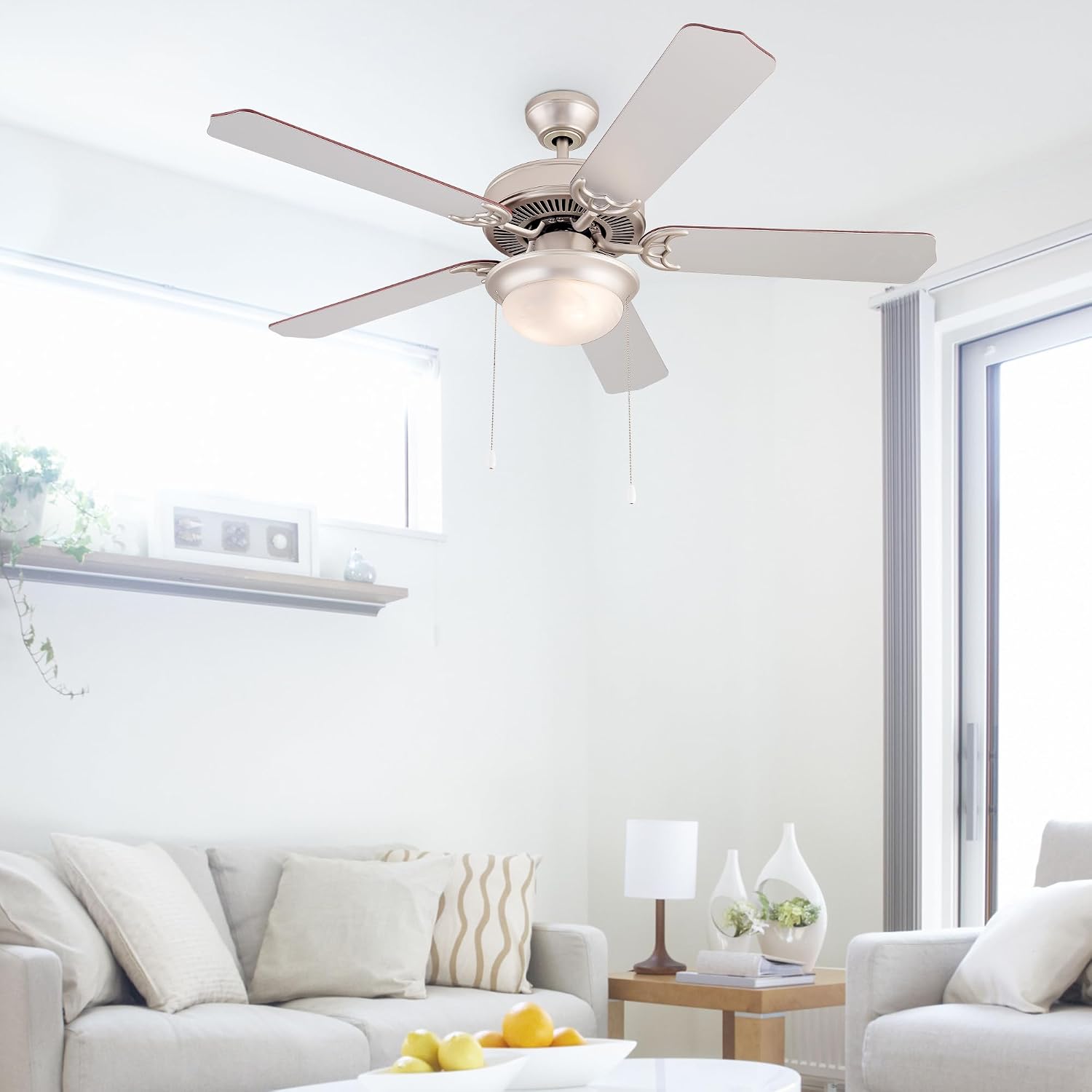
Image: Simpol Home 52-inch Prominent Indoor Ceiling Fan with Walnut blades and satin nickel finish, installed in a room.
Safety Information
To reduce the risk of electrical shock, fire, or personal injury, always follow these basic safety precautions:
- Read all instructions carefully before installing the fan.
- Ensure the electrical supply is disconnected at the circuit breaker or fuse box before beginning installation or performing any maintenance.
- All wiring must be in accordance with national and local electrical codes. If you are unfamiliar with wiring, consult a qualified electrician.
- The fan must be mounted to a structurally sound outlet box or support system capable of supporting a minimum of 35 lbs (15.9 kg).
- Ensure the fan blades are at least 7 feet (2.1 meters) from the floor and at least 18 inches (0.45 meters) from any wall or obstruction.
- Do not operate the fan with damaged wiring or if the fan is visibly damaged.
- Avoid placing objects in the path of the fan blades.
- Do not attempt to repair or replace parts unless specifically instructed in this manual. Contact customer support for assistance.
Package Contents
Verify that all components listed below are present in your package before beginning installation. If any parts are missing or damaged, do not proceed with installation and contact customer support.
- Fan Motor Housing
- Fan Blades (5) with reversible finishes
- Blade Brackets (5)
- Light Kit Assembly
- Frosted Glass Shade
- LED Bulbs (2) - A19/E26, 3000K, 80 CRI, 800 Lumens, 6W
- Remote Control with Wall Mount
- Remote Receiver
- Downrod and Canopy Assembly
- Mounting Hardware (screws, washers, wire nuts)
- Pull Chains (2)
Setup and Installation
Professional installation by a qualified electrician is recommended for all electrical wiring. Ensure power is OFF at the circuit breaker before installation.
1. Mounting Options
This fan supports both downrod mounting and flush mounting. Choose the appropriate method for your ceiling height and preference. Ensure the mounting bracket is securely fastened to a ceiling joist or an approved outlet box capable of supporting the fan's weight.
2. Assembling the Fan Blades
The fan blades feature dual finishes: Walnut Wood on one side and Silver Gray on the other. Select the desired finish and attach the blades to the blade brackets using the provided screws. Then, attach the blade assemblies to the motor housing.
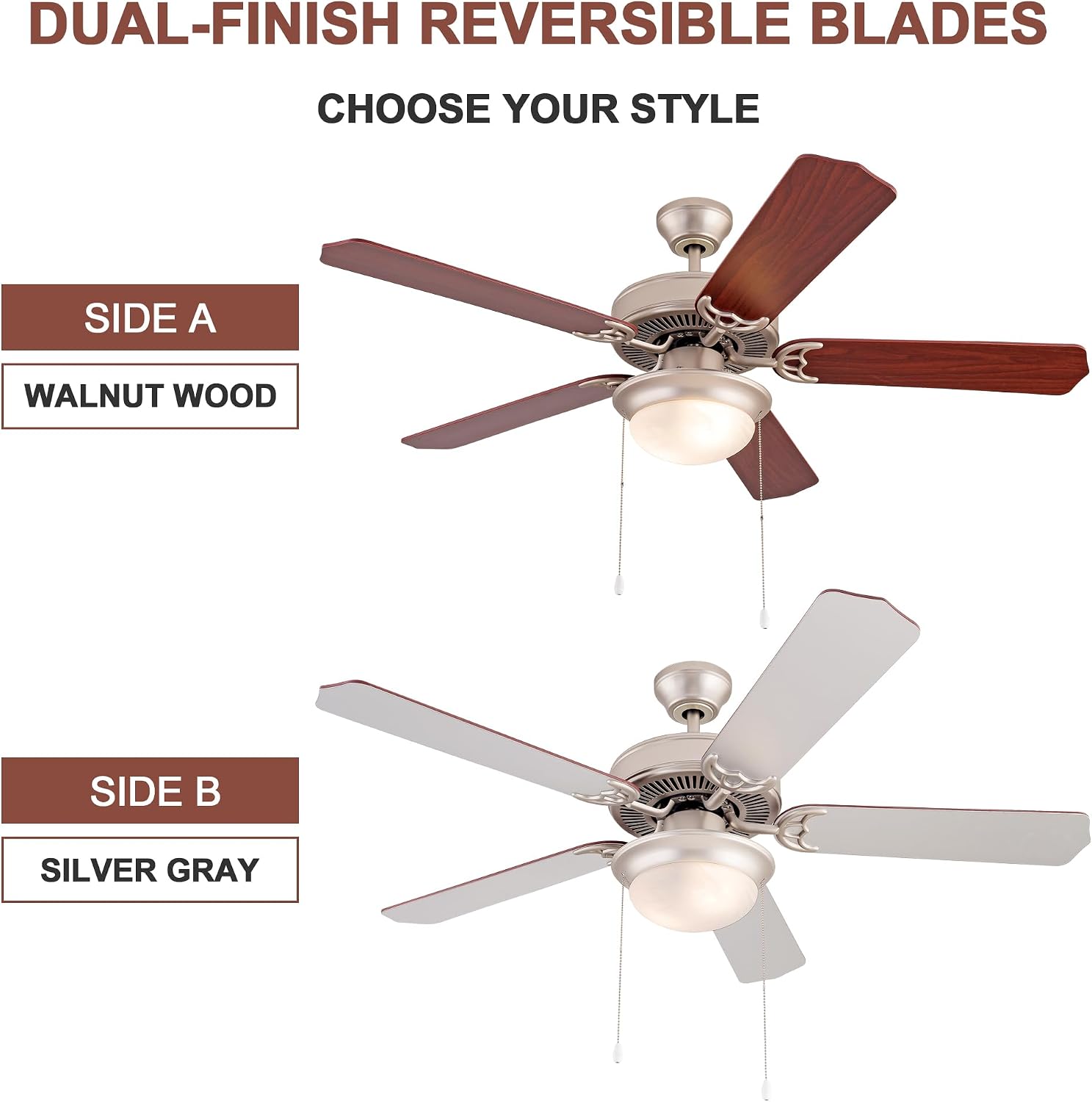
Image: Dual-finish reversible blades (Walnut Wood and Silver Gray).
3. Wiring the Fan
Connect the remote receiver to the fan motor and then connect the fan's wiring to your household electrical supply according to the wiring diagram provided in the separate wiring guide (if applicable) or by a qualified electrician. Ensure all connections are secure and insulated with wire nuts.
4. Installing the Light Kit
Attach the light kit assembly to the bottom of the fan motor housing. Install the two A19/E26 LED bulbs into the sockets. Secure the frosted glass shade to the light kit.
5. Final Assembly
Carefully lift the fan assembly and attach it to the mounting bracket. Ensure all screws are tightened and the fan is stable. Attach the pull chains for manual control.

Image: Dimensions of the 52-inch ceiling fan.
Operating Instructions
Your Simpol Home ceiling fan can be operated using the included remote control or the integrated pull chains.
1. Remote Control Operation
The remote control allows convenient adjustment of fan speed and light settings from anywhere in the room.
- ON/OFF Button: Turns the fan and light on or off.
- Fan Speed Buttons (1, 2, 3): Selects low, medium, or high fan speed.
- Light Brightness (+/-) Buttons: Adjusts the brightness of the LED light.

Image: Universal remote control for the ceiling fan.
2. Pull Chain Operation
Two pull chains are provided for manual control:
- One pull chain controls the fan speed (High, Medium, Low, Off).
- The other pull chain controls the light (On/Off).
3. Reversible Motor Function
The fan features a reversible AC motor, allowing you to change the direction of airflow for year-round comfort. A switch on the fan motor housing controls the direction.
- Summer Downdraft Mode: Set the switch to allow blades to rotate counter-clockwise, pushing air downward to create a cooling breeze.
- Winter Updraft Mode: Set the switch to allow blades to rotate clockwise, drawing air upward to circulate warm air trapped near the ceiling.
Always turn off the fan and wait for the blades to stop completely before changing the direction of the motor.

Image: Multi-functional operation in Summer and Winter.
Maintenance
Regular maintenance ensures the continued efficient operation and appearance of your ceiling fan. Always disconnect power at the circuit breaker before performing any maintenance.
1. Cleaning
To clean the fan, wipe the motor housing and blades with a soft, damp cloth. Do not use abrasive cleaners or solvents, as these can damage the finish. The glass shade can be removed and washed with mild soap and water, then dried thoroughly before reinstallation.
2. Bulb Replacement
The fan uses two A19/E26 energy-efficient LED bulbs. To replace a bulb, ensure the power is off, carefully remove the glass shade, unscrew the old bulb, and screw in a new one. Replace the glass shade securely.
3. Blade Tightness
Periodically check that all blade screws are tight. Over time, screws may loosen due to fan vibration, which can cause wobbling or noise.
Troubleshooting
If you experience issues with your ceiling fan, refer to the following troubleshooting guide. If the problem persists, contact customer support.
| Problem | Possible Cause | Solution |
|---|---|---|
| Fan does not start | No power to the fan; Loose wire connections; Remote control battery dead or not paired. | Check circuit breaker/fuse; Verify all wire connections are secure; Replace remote battery or re-pair remote. |
| Light does not work | Bulb loose or burned out; Loose wire connections in light kit. | Tighten or replace LED bulbs; Check light kit wiring connections. |
| Fan wobbles | Loose blade screws; Unbalanced blades; Loose mounting bracket. | Tighten all blade screws; Use a blade balancing kit (not included); Ensure mounting bracket is secure. |
| Noisy operation | Loose screws; Fan not level; Motor hum. | Check and tighten all screws; Ensure fan is mounted level; Some motor hum is normal, especially at lower speeds. |
| Remote control not responding | Dead battery; Remote not paired; Obstruction between remote and receiver. | Replace remote battery; Follow pairing instructions (if applicable); Ensure clear line of sight. |
Specifications
Detailed specifications for the Simpol Home 52-inch Prominent Indoor Ceiling Fan (Model SH-CF-705).
| Feature | Detail |
|---|---|
| Model Number | SH-CF-705 |
| Brand Name | Simpol Home |
| Size | 52 inches (Diameter) |
| Item Weight | 18 Pounds (approx. 8.16 kg) |
| Package Dimensions | 22.05 x 13.19 x 10.63 inches |
| Mounting Type | Ceiling Mount (Downrod and Flush options) |
| Electric Fan Design | Ceiling Fan |
| Motor Type | Reversible AC Motor |
| Blades | 5, Dual/Reversible (Walnut Wood / Silver Gray) |
| Light Source | Integrated LED Light Kit (2 x A19/E26 LED bulbs) |
| Light Specifications | 3000K Color Temperature, 80 CRI, 800 Lumens, 6 Watts per bulb |
| Control Options | Remote Control, Pull Chain |
| Material | Metal, Plywood |
| Manufacturer | KM Legend |
| UPC | 717331099589 |
Warranty and Support
For warranty information or technical support, please refer to the warranty card included with your product or contact Simpol Home customer service. Our support team is available to assist with any questions or concerns regarding your ceiling fan.
Please have your model number (SH-CF-705) and purchase date available when contacting support.


