
1. Product Overview
The e-vibra B15 Vibrating Alarm Watch is designed to provide discreet and convenient reminders throughout the day. This slim, lightweight wristband features a silent, strong vibration alarm, making it suitable for various reminder needs without disturbing others. It includes features for personalized message reminders, health tracking, and a countdown timer.

Image 1: e-vibra B15 Vibrating Alarm Watch (Rosa Small). This image shows the watch face and the silicone band.
2. Setup Guide
2.1 Initial Charging
Before first use, fully charge your e-vibra B15 watch. Connect the magnetic charging cable to the charging port on the watch and a USB power source (e.g., power bank or computer). A full charge typically lasts 4-10 days, depending on usage.

Image 2: Magnetic charging cable connected to the e-vibra B15 watch. The image illustrates how to connect the magnetic charger to the watch for power.
2.2 App Installation and Pairing
The e-vibra B15 watch requires a companion application for full setup and functionality. The watch is compatible with both iOS and Android devices. Please download the official e-vibra application from your device's app store.
- Download and install the e-vibra application on your smartphone.
- Ensure your phone's Bluetooth is enabled.
- Open the e-vibra app and follow the on-screen instructions to pair your watch. This process typically involves searching for the device and confirming the connection.
- Once paired, you can customize settings, alarms, and track data through the app.
2.3 Wearing the Watch
The e-vibra B15 features a silicone wristband. The small band size accommodates wrists with a circumference of 4.3 to 6.8 inches. Adjust the band for a comfortable fit that is snug but not too tight, ensuring proper sensor contact for health tracking.
3. Operating Instructions
3.1 Time Display and Navigation
To view the time, tap the watch face. The time and date will be displayed. To navigate through other features such as steps, calories burned, and sleep data, turn the dial or use the physical buttons on the device as instructed by the app or quick start guide.
3.2 Setting Alarms
The e-vibra B15 supports up to 8 silent vibrating alarms. These alarms are best set and managed through the connected smartphone application for ease of use.
- Open the e-vibra application on your smartphone.
- Navigate to the 'Alarm' or 'Reminder' section.
- Set specific times for your alarms (e.g., 8:00, 13:40, 22:50).
- You can also set personalized message reminders (up to 8) that will scroll across the watch screen when an alarm activates, such as "Time to drink water."
The silent vibration is designed to provide a discreet reminder without disturbing others, ideal for pill reminders, potty training, or scheduled tasks.
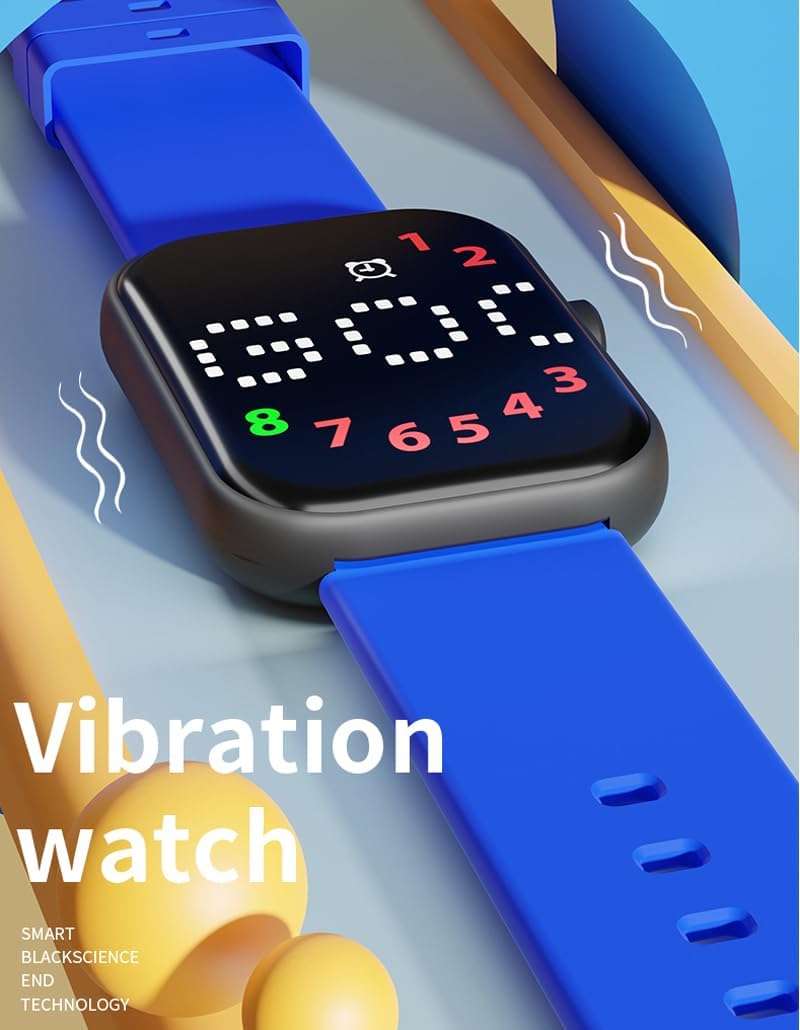
Image 3: e-vibra B15 watch displaying a vibration icon. This image highlights the watch's vibration feature.
3.3 Countdown Timer
A countdown timer can be set for intervals from 1 to 199 minutes. This feature is useful for timed activities like potty training or focusing on a task for a specific duration. The countdown timer does not automatically repeat.
- Access the countdown timer function via the watch's interface or the connected app.
- Set your desired duration.
- The watch will vibrate once the countdown is complete.
3.4 Health Management
The e-vibra B15 watch includes basic health tracking features:
- Step Count: Tracks your daily steps using a 3D sensor.
- Calories Burned: Estimates calories burned based on activity.
- Distance: Calculates the distance covered.
- Sleep Monitoring: Automatically monitors your sleep patterns from 10:00 PM to 6:00 AM.
All health data can be viewed on the watch by navigating through the display or in more detail within the e-vibra smartphone application.

Image 4: Health tracking features. This image illustrates the watch's ability to monitor calories, distance, and steps.
4. Maintenance
4.1 Cleaning
To clean your e-vibra B15 watch, gently wipe the watch face and silicone band with a soft, damp cloth. Avoid using harsh chemicals or abrasive materials, as these can damage the device.
4.2 Water Resistance
Important: The e-vibra B15 watch is NOT water resistant. Avoid exposing the watch to water, including showering, swimming, or heavy rain, to prevent damage.
4.3 Battery Care
The watch uses a Lithium Ion battery. For optimal battery life, avoid extreme temperatures and fully charge the device when the battery is low. One charge typically lasts 4-10 days, depending on the frequency of alarms and feature usage.
5. Troubleshooting
5.1 Difficulty with Setup or Pairing
- Ensure your watch is sufficiently charged.
- Verify that Bluetooth is enabled on your smartphone.
- Restart both your watch and smartphone, then attempt pairing again.
- Make sure you have downloaded the correct and latest version of the e-vibra application.
5.2 Weak Vibration
- Ensure the watch is worn snugly on your wrist. A loose fit can reduce the perceived strength of the vibration.
- Check the app settings to confirm the vibration intensity is set to the highest level, if adjustable.
5.3 Inaccurate Health Data
- Ensure the watch is worn correctly and securely on your wrist.
- Activity trackers may show variations in step counts compared to other devices due to different algorithms and sensor placements (wrist vs. pocket).
5.4 Watch Not Responding
- Attempt to charge the watch. The battery may be depleted.
- If unresponsive after charging, try a soft reset (refer to the app or manufacturer's website for specific instructions if available).
6. Specifications
| Model Number | B15 |
| Brand | e-vibra |
| Product Dimensions | 3.54 x 2.36 x 1.18 inches (Packaging) |
| Item Dimensions | 1.7 x 2.7 x 2.5 inches (Watch unit) |
| Item Weight | 1.6 ounces |
| Band Material Type | Silicone |
| Band Size (Small) | 4.3" to 6.8" circumference |
| Battery Type | 1 Lithium Ion battery (included) |
| Display Type | Digital |
| Human Interface Input | Buttons |
| Water Resistance Level | Not Water Resistant |
| Compatible Devices | Smartphone (iOS and Android) |
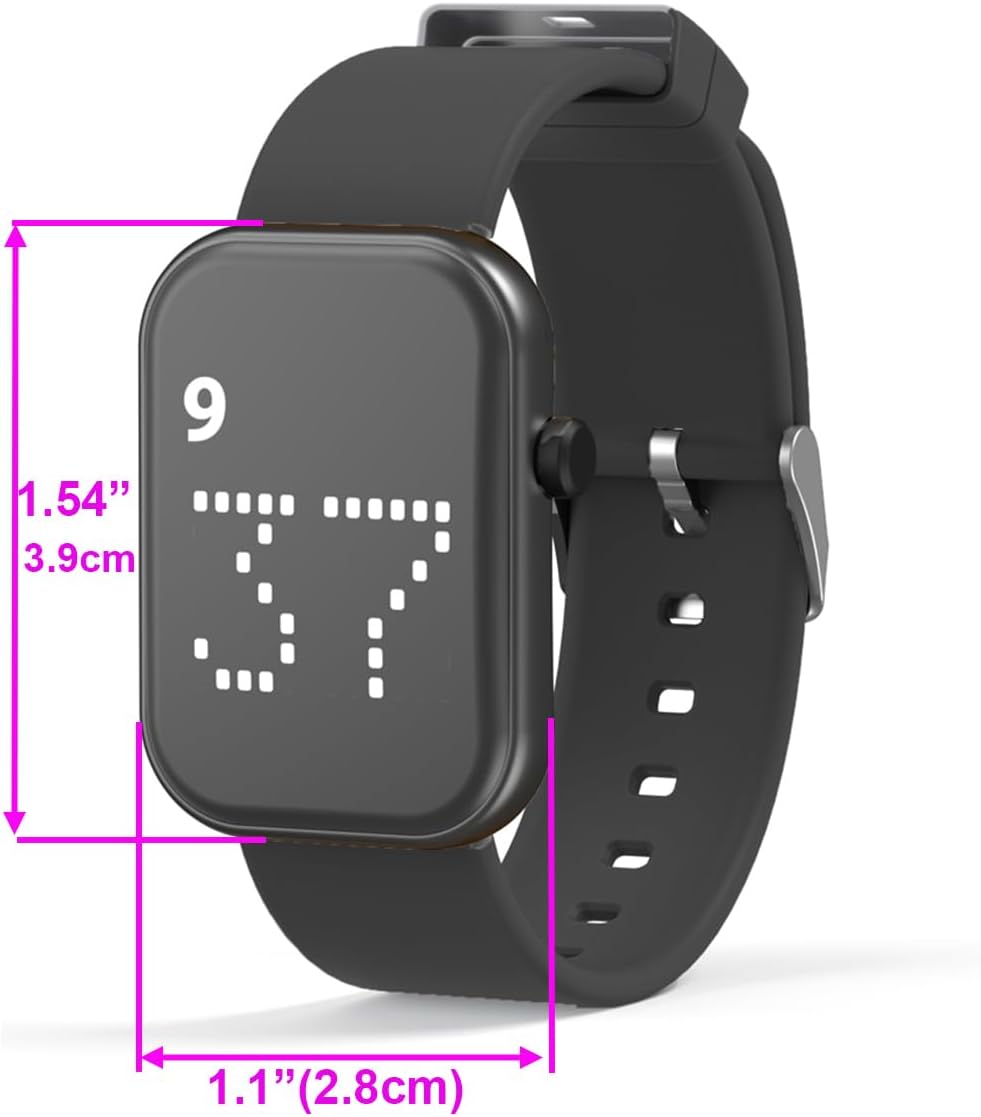
Image 5: e-vibra B15 watch with dimensions labeled. This image provides visual reference for the watch's physical size.
7. Warranty and Support
7.1 Limited Warranty
The e-vibra B15 watch comes with a limited warranty. Please refer to the product packaging or the manufacturer's official website for detailed terms and conditions of the warranty.
7.2 Customer Support
For further assistance, technical support, or warranty claims, please contact e-vibra customer service through their official channels. Contact information can typically be found on the product packaging or the e-vibra website.
