
1. Introduction
This manual provides essential information for the safe and efficient operation of your XMKEY Q30-6 Foldable Treadmill. Please read this manual thoroughly before use and retain it for future reference.
2. Safety Information
Important Safety Precautions:
- Always attach the safety key to your clothing before starting the treadmill.
- Ensure the treadmill is placed on a flat, stable surface.
- Keep children and pets away from the treadmill during operation.
- Consult a physician before starting any new exercise program.
- Do not operate the treadmill if it is damaged or malfunctioning.
- Maximum user weight capacity: 300 lbs.
3. Package Contents
Verify that all components are present:
- Foldable Treadmill Unit
- L Style Wrench
- Lubricant
- Safety Key
- Tool Kit
- User Manual (this document)
4. Assembly Instructions
Most parts of this treadmill are pre-assembled. Follow these steps to complete the setup:
- Carefully remove the treadmill from its packaging.
- Unfold the treadmill to its upright position.
- Tighten all screws using the provided tool kit to secure the frame and handles.
- Ensure all connections are firm before plugging in the power cord.

5. Product Features
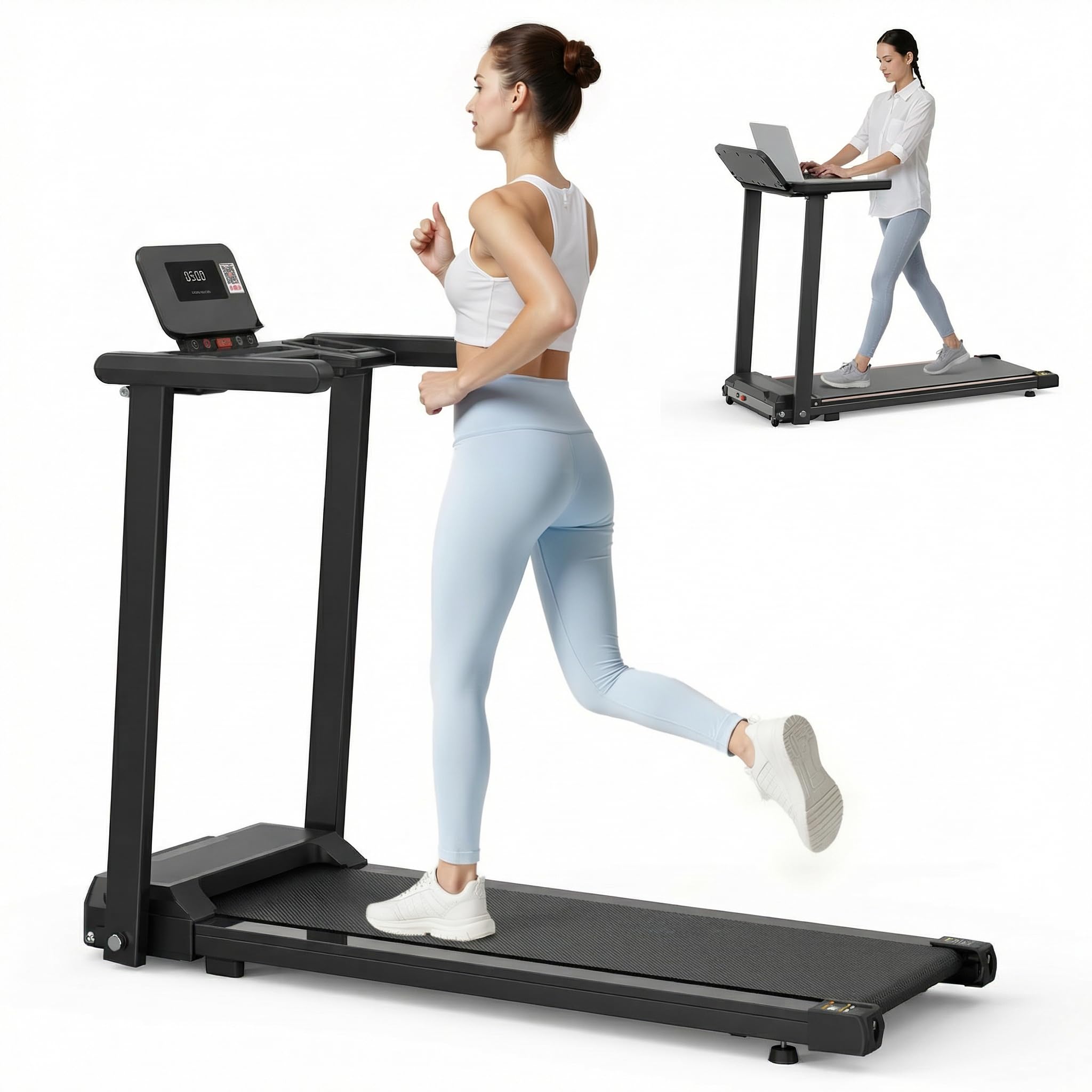
- Smart Dual-Control & Immersive Workouts: Intuitive button controls and Fitshow app (iOS/Android) for speed and incline adjustments. Sync with scenic routes and virtual races. Track calories, heart rate, and access personalized training plans.
- Powerful and Quiet Motor: 3HP Whisper-Quiet Motor (under 45dB) supports up to 300 lbs. and speeds up to 6 MPH. Pre-lubricated belt for initial use.
- Shock Absorption & Safety: 6-spring suspension and dual rubber pads reduce knee impact by 30%. High-elasticity and high-toughness running board with cushioning pads. Magnetic safety key for instant stop.
- Space-Saving Foldable Design: Compact (folded: 21.6”L x 26.3”W) with transport wheels. Stores vertically or under furniture.
- User-Friendly Features: 36.7x15” non-slip deck, LCD display (heart rate/speed/calories), built-in cup holder, and tablet stand. Heart rate sensors in handrails.

6. Operating Instructions
6.1 Starting the Treadmill
- Plug the power cord into a grounded outlet.
- Attach the safety key to the designated slot on the console and clip the other end to your clothing.
- Step onto the treadmill, placing your feet on the side rails.
- Press the "Start" button on the console. The treadmill will begin with a low speed.
- Adjust speed using the "+" and "-" buttons.
6.2 Using the Fitshow App
- Download the "Fitshow" app from your device's app store (iOS/Android).
- Open the app and follow the on-screen instructions to pair with your treadmill via Bluetooth.
- Once connected, you can control speed, track workout data (duration, distance, calories, heart rate), and access virtual training programs.
6.3 Heart Rate Monitoring
To monitor your heart rate, place both hands firmly on the heart rate sensors located on the handrails. Your heart rate will be displayed on the LCD screen.

6.4 Stopping the Treadmill
Press the "Stop" button on the console. For an emergency stop, pull the safety key from its slot.
Video: A short demonstration of the treadmill's features, including app connectivity, heart rate monitoring, and folding mechanism. This video is a preview and shows key functionalities.
7. Maintenance
7.1 Lubrication
The treadmill belt is pre-lubricated from the factory. No additional lubrication is required for initial use. Refer to the maintenance schedule in the full user manual for future lubrication instructions.
7.2 Cleaning
Wipe down the treadmill with a damp cloth after each use. Avoid using abrasive cleaners.
8. Folding and Storage
To fold the treadmill for storage:
- Ensure the treadmill is powered off and unplugged.
- Remove the screws that secure the uprights to allow folding.
- Carefully fold the treadmill into its compact position.
- Utilize the transport wheels to move the treadmill for vertical storage or to slide it under furniture.

9. Troubleshooting
| Problem | Possible Cause | Solution |
|---|---|---|
| Treadmill does not start. | Power cord not plugged in; Safety key not in place. | Ensure power cord is securely plugged in; Insert safety key correctly. |
| Unusual noise during operation. | Loose components; Belt misalignment. | Check and tighten all screws; Refer to belt adjustment instructions in the full manual or contact support. |
| Heart rate monitor not working. | Hands not placed correctly; Dry hands. | Ensure both hands are firmly on the sensors; Lightly moisten hands if dry. |
10. Specifications
- Model Number: Q30-6
- Product Dimensions (Unfolded): 135.99 x 69.85 x 123.01 cm (53.54" x 27.5" x 48.43")
- Product Dimensions (Folded): 21.6”L x 26.3”W (approximate)
- Item Weight: 21.86 kg (48.2 lbs)
- Motor Horsepower: 2.5 HP (3 HP peak)
- Maximum Speed: 6 Miles per Hour
- Weight Capacity: 300 lbs
- Running Deck Dimensions: 36.7 x 15 inches (93.2 x 38.1 cm)
- Display Type: LED
- Material: High Carbon Steel, Carbon Steel, Acrylonitrile Butadiene Styrene (ABS), Iron, Plastic
- Power Source: Corded Electric
- Special Features: Compact Design, Foldable, Heart Rate Monitor, Shock Absorbent, Timer
11. Warranty and Support
This product is eligible for return or refund within 30 days of receipt. For any questions, technical assistance, or warranty claims, please contact customer support. Our team is available online to assist you.
Manufacturer: XMKEY


