
Introduction
The GameSir T3 Tegenaria Lite Wired Controller is designed to provide a precise and responsive gaming experience across multiple platforms. Featuring Hall Effect joysticks for drift-free control, a high 1000Hz polling rate for instant input, and customizable functions like Turbo and remappable back buttons, this controller is built for competitive and immersive gameplay.
It offers wide compatibility with PC, Nintendo Switch, iOS, and Android devices, ensuring a versatile gaming solution with a reliable wired connection.
Package Contents
- GameSir T3 Tegenaria Lite Wired Controller
- User Manual
Setup
Connecting the Controller
The GameSir T3 Tegenaria Lite is a plug-and-play wired controller. Simply connect the USB cable from the controller to an available USB port on your gaming device.

Image: Front view of the GameSir T3 Tegenaria Lite Wired Controller, showcasing its grey color, button layout, and wired connection.
Platform Compatibility
The controller is compatible with the following platforms:
- PC (Windows): For PC mode, after connecting, press and hold the "Home" button and the "X" button simultaneously for 2 seconds until the controller enters PC mode.
- Nintendo Switch: Connect directly to the Switch dock via USB.
- iOS Devices: Connect via a compatible adapter (not included).
- Android Devices: Connect via a compatible adapter (not included).
- Steam: Fully compatible with Steam's input system.

Image: A user's hands holding the GameSir T3 Tegenaria Lite controller, highlighting its ergonomic design and classic aesthetic.
Operating Instructions
Hall Effect Joysticks
The controller features Hall Effect joysticks, which utilize magnetic sensors for precise 360-degree control. This technology minimizes dead zones and prevents stick drift, ensuring long-term accuracy and durability.
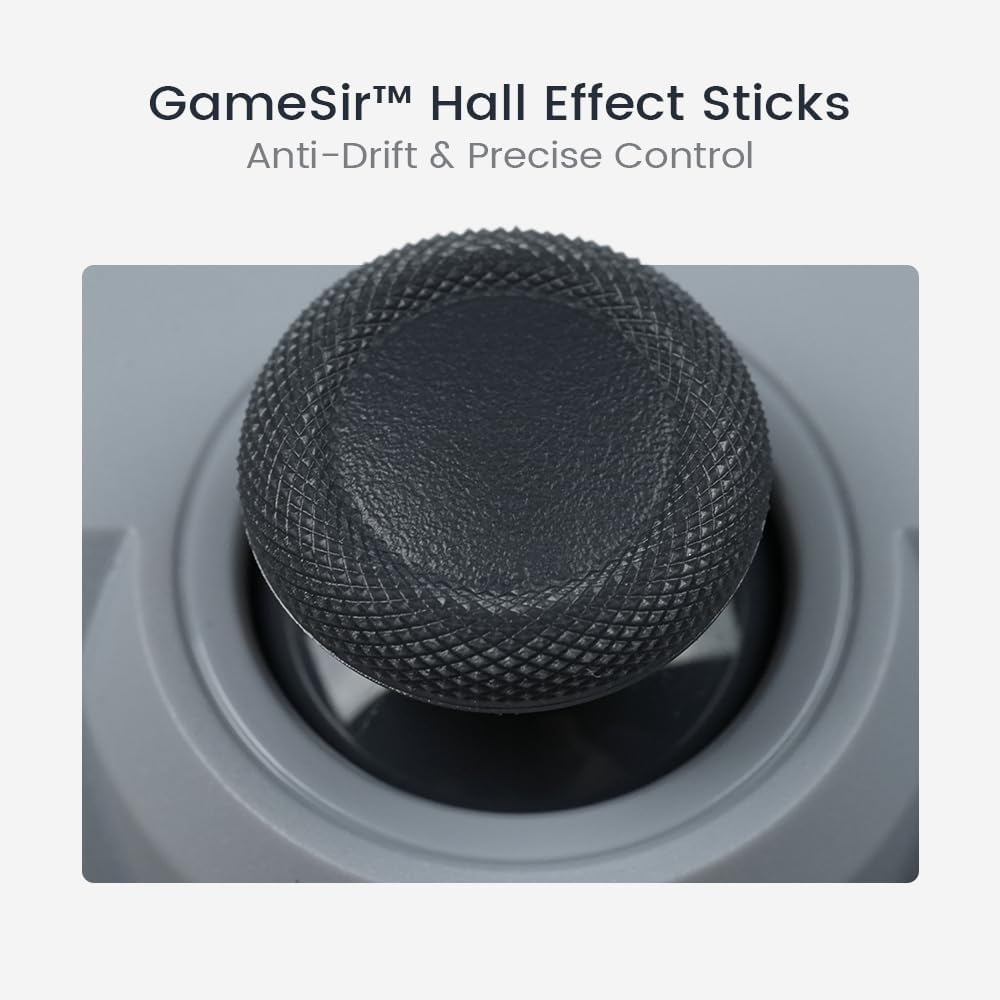
Image: A detailed close-up of one of the GameSir Hall Effect joysticks, showing its textured surface designed for enhanced grip and control.
1000Hz Polling Rate
With a 1000Hz polling rate, the controller communicates with your device 1000 times per second, ensuring minimal input lag and near-instantaneous response times for competitive gaming.

Image: The GameSir T3 Tegenaria Lite controller with an overlay indicating "1000Hz Polling Rate" and "Instant Response," emphasizing its high-speed data transmission.
Turbo Function
The Turbo function allows you to automate rapid button presses. This feature can be customized for the A, B, X, Y, L1, R1, L2, and R2 buttons. Refer to your game's specific requirements for optimal use of this function.
Dual Asymmetric Vibration Motors
Experience immersive haptic feedback with the dual asymmetric rumble motors. These motors provide varied vibration intensities, from subtle effects to strong impacts, enhancing your gaming immersion.

Image: The GameSir T3 Tegenaria Lite controller with visual cues indicating vibration, illustrating the immersive haptic feedback provided by its dual asymmetric motors.
Remappable Back Buttons
The controller includes two fully-programmable back buttons. These can be remapped to perform various in-game actions, providing a competitive edge by allowing faster reactions without moving your thumbs from the joysticks.
Membrane Analog Triggers
The L2 and R2 triggers are designed with membrane analog technology, offering smooth and durable input for precise control in racing games or other applications requiring variable input.

Image: A close-up view of the membrane analog triggers on the GameSir T3 Tegenaria Lite controller, highlighting their smooth surface and robust construction.
Maintenance
To ensure the longevity and optimal performance of your GameSir T3 Tegenaria Lite controller, follow these maintenance guidelines:
- Cleaning: Use a soft, dry cloth to wipe the controller. For stubborn dirt, slightly dampen the cloth with water. Avoid using harsh chemicals or abrasive cleaners.
- Storage: Store the controller in a cool, dry place away from direct sunlight and extreme temperatures.
- Handling: Avoid dropping the controller or subjecting it to strong impacts, as this can damage internal components.
- Cable Care: Do not bend or crimp the USB cable excessively. Always pull from the plug, not the cable itself, when disconnecting.
Troubleshooting
If you encounter issues with your GameSir T3 Tegenaria Lite controller, please refer to the following common solutions:
- Controller Not Recognized:
- Ensure the USB cable is securely connected to both the controller and your device.
- Try connecting to a different USB port on your device.
- Restart your PC or gaming console.
- For PC, ensure you have correctly activated PC mode by holding "Home" + "X" for 2 seconds.
- Input Lag or Unresponsive Buttons:
- Verify the cable connection is stable.
- Ensure no other conflicting input devices are connected.
- Test the controller on another game or application to isolate the issue.
- Vibration Not Working:
- Check in-game settings to ensure vibration feedback is enabled.
- Some games may not support vibration.
- Controller Goes to Sleep While Plugged In (PC):
- This behavior can sometimes be related to power management settings on your PC. Check your computer's USB power saving settings and disable any options that allow the computer to turn off USB devices to save power.
- Ensure your operating system and game drivers are up to date.
Specifications
| Model Number | SDT3LG001 |
| Connectivity | Wired USB |
| Polling Rate | 1000Hz |
| Joysticks | Hall Effect |
| Vibration | Dual Asymmetric Motors |
| Programmable Buttons | 2 Remappable Back Buttons, Turbo Function (A/B/X/Y/L1/R1/L2/R2) |
| Triggers | Membrane Analog Triggers |
| Compatibility | PC (Windows), Nintendo Switch, iOS, Android, Steam |
| Product Dimensions | 16 x 6 x 9.9 cm |
| Weight | 231.33 g |
Warranty and Support
For information regarding warranty coverage, technical support, or to download the latest drivers and firmware, please visit the official GameSir website or contact their customer service directly.
Please retain your proof of purchase for any warranty claims.


